
TOZO A3
Contents
TOZO A3 Upgraded Wireless Earbuds User Manual
Model: A3 | Brand: TOZO
1. Introduction
Thank you for choosing the TOZO A3 Upgraded Wireless Earbuds. These half in-ear headsets are designed for comfort and superior audio experience, featuring advanced Bluetooth 5.3 technology, digital call noise reduction, and extended battery life. This manual provides detailed instructions to help you get the most out of your new earbuds.

The TOZO A3 wireless earbuds in their open charging case, showcasing their compact design.
2. What's in the Box
Please check the package contents to ensure all items are present:
- TOZO A3 Wireless Earbuds
- Charging Case
- USB-C Charging Cable
- Quick Guide & User Manual
3. Setup
3.1 Initial Charging
Before first use, fully charge the earbuds and the charging case. Connect the provided USB-C charging cable to the charging port on the case and a power source. The indicator light on the case will show charging status.

Close-up of the TOZO A3 charging case, showing the USB-C charging port and the one-key reset button.
3.2 Pairing with Your Device
- Ensure both earbuds are in the charging case and the case has sufficient power.
- Open the charging case. The earbuds will automatically enter pairing mode.
- On your device (smartphone, tablet, laptop), enable Bluetooth and search for new devices.
- Select "TOZO-A3" from the list of available devices to connect.
- Once connected, you will hear a confirmation tone, and the earbuds will be ready for use.
The earbuds will automatically reconnect to the last paired device when the case is opened, provided Bluetooth is enabled on the device.

A smartphone screen showing the TOZO-A3 earbuds connected via Bluetooth, illustrating the one-step pairing process.

Visual representation of the advanced Bluetooth 5.3 technology ensuring a stable and fast connection.
3.3 Reset Function
If you need to clear existing paired device data or encounter pairing issues, use the reset button:
- Place both earbuds back into the charging case.
- Press and hold the reset button on the bottom of the charging case for approximately 10 seconds until the indicator lights flash.
- The earbuds' paired device data will be cleared, allowing you to re-pair them with a new or existing device.
4. Operating Instructions
4.1 Smart Touch Controls
The TOZO A3 earbuds feature intuitive touch controls for easy management of music playback, calls, and voice assistant activation.

Diagram detailing the touch control functions for the left and right earbuds.
| Action | Left Earbud (L) | Right Earbud (R) |
|---|---|---|
| Play/Pause | Press once (X1) | Press once (X1) |
| Previous Song | Press twice (X2) | N/A |
| Next Song | N/A | Press twice (X2) |
| Answer Call | Press once (X1) | Press once (X1) |
| Hang Up Call | Press twice (X2) | Press twice (X2) |
| Reject Call | Hold for 2 seconds | Hold for 2 seconds |
| Volume Down | Hold for 2 seconds | N/A |
| Volume Up | N/A | Hold for 2 seconds |
| Voice Assistant | Press three times (X3) | Press three times (X3) |
4.2 Digital Call Noise Reduction
The TOZO A3 earbuds are equipped with digital call noise reduction, which intelligently reduces ambient noise and enhances voice clarity during calls. This ensures clear communication even in noisy environments.
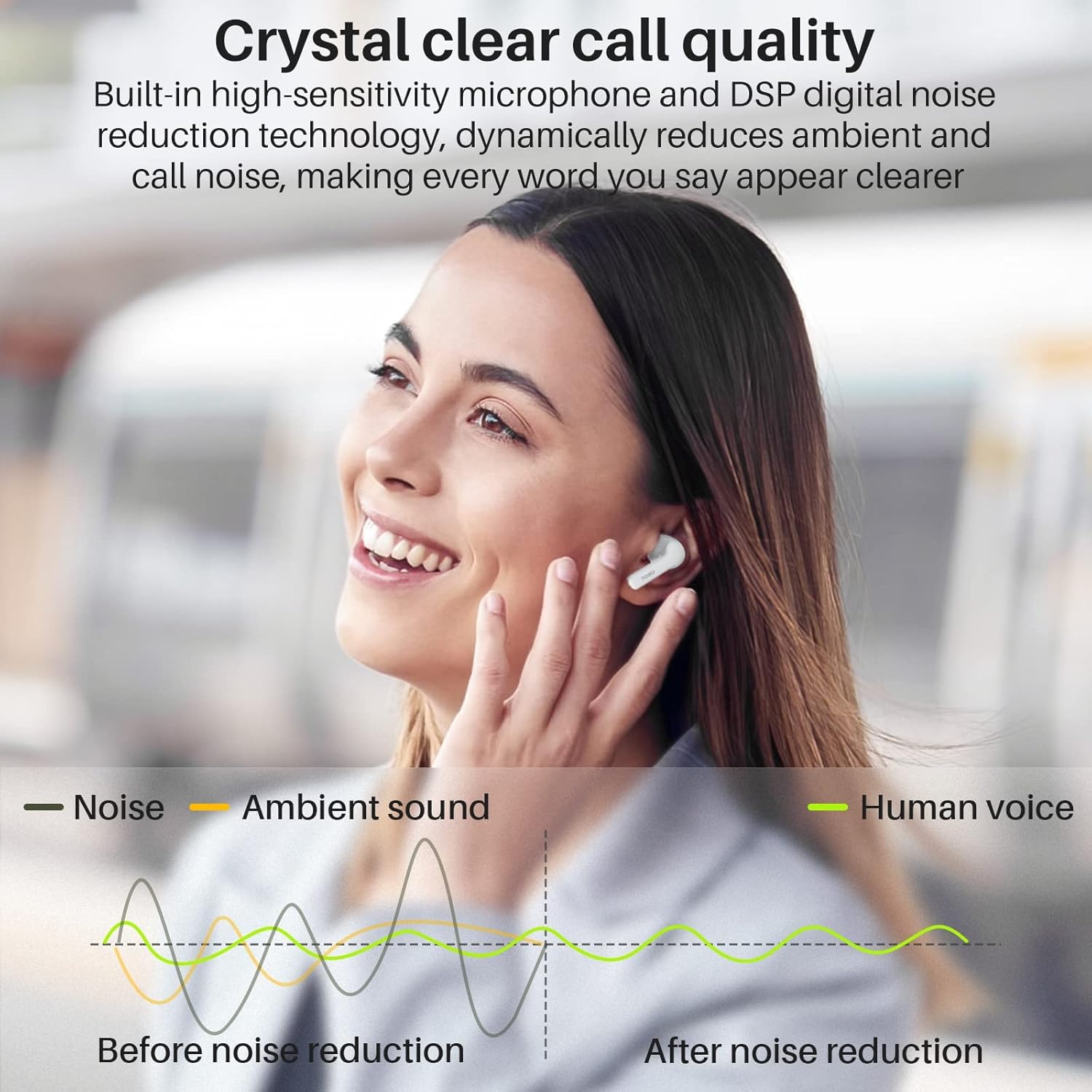
A graph demonstrating the effect of digital call noise reduction, showing reduced ambient sound and clearer human voice.
4.3 Battery Life and Charging
The earbuds provide approximately 5 hours of playback on a single charge at 50% volume. The charging case extends the total listening time to up to 22 hours. A quick 10-minute charge can provide 1.5 hours of listening time.

Icons indicating 5 hours of playback on a single charge and 22 hours total with the charging case, powered by a 400mAh battery.
5. Maintenance
5.1 Cleaning
- Regularly clean the earbuds and charging case with a soft, dry, lint-free cloth.
- Do not use abrasive cleaners, alcohol, or chemical solvents.
- Ensure charging contacts on both earbuds and case are clean and dry to maintain proper charging.
5.2 Storage
- Store the earbuds in their charging case when not in use to protect them and keep them charged.
- Avoid storing in extreme temperatures (hot or cold) or in highly humid environments.
6. Troubleshooting
If you encounter issues with your TOZO A3 earbuds, please refer to the following common solutions:
6.1 Earbuds Not Pairing or Connecting
- Ensure both earbuds are fully charged.
- Make sure Bluetooth is enabled on your device and it is within range (up to 30 feet).
- Try placing the earbuds back into the charging case, closing the lid, and then opening it again to re-initiate pairing mode.
- Perform a factory reset using the reset button on the charging case (refer to Section 3.3). After resetting, delete "TOZO-A3" from your device's Bluetooth list and attempt to pair again.
6.2 No Sound or Low Volume
- Check the volume level on both your device and the earbuds (using touch controls).
- Ensure the earbuds are properly seated in your ears.
- Confirm the earbuds are connected to the correct device.
- Clean any debris from the earbud speakers.
6.3 Charging Issues
- Verify the USB-C charging cable is securely connected to both the case and the power source.
- Ensure the charging contacts on the earbuds and inside the case are clean and free of obstruction.
- Try a different USB-C cable or power adapter.
7. Specifications
| Feature | Detail |
|---|---|
| Model Name | A3 |
| Connectivity Technology | Wireless (Bluetooth) |
| Wireless Communication Technology | Bluetooth 5.3 |
| Bluetooth Range | 10 meters (30 feet) |
| Ear Placement | Half in-Ear |
| Control Type | Touch Control |
| Battery Life (Earbuds) | 5 Hours (single charge) |
| Battery Life (with Charging Case) | Up to 22 Hours |
| Charging Time | 1.5 Hours |
| Frequency Response | 20 Hz - 20,000 Hz |
| Item Weight (single earbud) | 3.3g (0.16 ounces) |
| Water Resistance Level | Waterproof |
| Material | Acrylonitrile Butadiene Styrene (ABS) |
| Included Components | USB-C Charging Cable, Charging Case, TOZO A3 Wireless Earbuds, Quick Guide & User Manual |
8. Warranty and Support
TOZO products are designed with quality and customer satisfaction in mind. For warranty information, technical support, or any inquiries regarding your TOZO A3 earbuds, please visit the official TOZO website or contact their customer service directly.
You can also visit the official TOZO store on Amazon for more information and product updates: TOZO Amazon Store.
Ask a question about this manual
Ask about setup, troubleshooting, compatibility, parts, safety, or missing instructions. Manuals+ will review the question and use this page’s manual context to help answer it.