
1. Introduction
This manual provides detailed instructions for the safe and effective use of your SYSKA Sonic Buds IEB900 True Wireless Earbuds. Please read this manual thoroughly before using the product and retain it for future reference.
The SYSKA Sonic Buds IEB900 are designed for an immersive audio experience, featuring long playback time, environmental noise cancellation, and low latency for gaming.
2. What's in the Box
Upon unpacking, please ensure all items listed below are present and in good condition:
- SYSKA Sonic Buds IEB900 Earbuds
- Charging Hub (Charging Case)
- Type-C Charging Cable
- User Manual cum Warranty Card

Image: SYSKA Sonic Buds IEB900 Earbuds in Jade Black with their charging case.
3. Setup and Charging
3.1 Initial Charging
Before first use, fully charge the earbuds and the charging case. Connect the provided Type-C cable to the charging port on the case and a suitable USB power source. The indicator lights on the case will show the charging status.
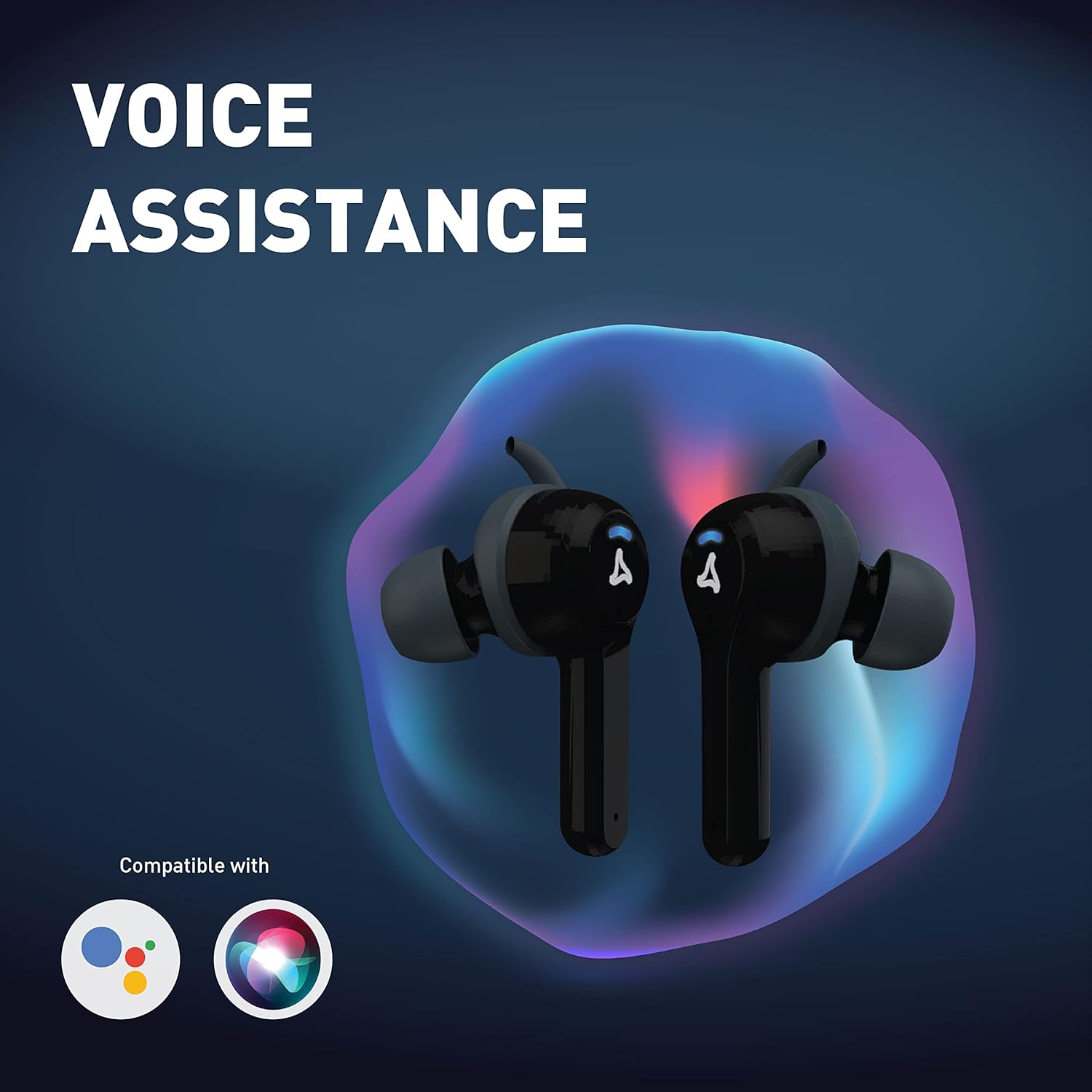
Image: Close-up of the SYSKA Sonic Buds IEB900 charging case, highlighting the Type-C charging port.
3.2 Pairing with a Device
- Open the charging case. The earbuds will automatically power on and enter pairing mode (indicated by flashing lights).
- On your device (smartphone, tablet, etc.), enable Bluetooth.
- Search for available Bluetooth devices and select "SYSKA Sonic Buds IEB900" from the list.
- Once connected, the earbuds will indicate successful pairing, and the lights will stop flashing.
The Ultra-Sync Technology ensures quick connection to your last paired device as soon as you open the case.
4. Operating Instructions
4.1 Basic Controls
The earbuds feature touch controls for various functions. Refer to the detailed touch control guide in the included User Manual for specific gestures.
- Play/Pause: Single tap on either earbud.
- Next Track: Double tap on the right earbud.
- Previous Track: Double tap on the left earbud.
- Answer/End Call: Single tap on either earbud.
- Reject Call: Press and hold either earbud for 2 seconds.
- Activate Voice Assistant: Triple tap on either earbud.
4.2 Crystal Clear Calling
Each earbud is equipped with a dedicated microphone, ensuring clear voice pickup during calls. The autoENC (Environmental Noise Cancellation) technology further enhances call clarity by isolating your voice from ambient noise, making it ideal for outdoor or travel use.

Image: An earbud illustrating the Auto-ENC (Environmental Noise Cancellation) feature.
4.3 Low Latency Gaming Mode
The anti-lag technology provides a low latency experience, making these earbuds suitable for gaming. This minimizes audio delay, ensuring synchronized sound with on-screen action.

Image: Earbuds and charging case with "Anti-Lag Technology" text, suggesting suitability for gaming.
4.4 Voice Assistant
Activate your device's voice assistant (e.g., Google Assistant, Siri) with a simple triple tap on either earbud. This allows for hands-free control of your device.

Image: Earbuds with icons for Google Assistant and Siri, indicating voice assistance compatibility.
5. Features Overview
- 50 Hours Total Playback: Enjoy extended listening sessions with up to 50 hours of combined playback time from the earbuds and charging case.
- IPX4 Water Resistance: The earbuds are rated IPX4, making them splash-resistant and suitable for workouts or light rain. Avoid submerging them in water.
- 13mm Drivers for Deep Bass: Experience rich audio with powerful deep bass delivered by the 13mm drivers.
- Comfortable and Secure Fit: Designed for a great fit, ensuring comfort and stability during various activities, including gaming.

Image: Earbuds with "Total Playback 50 Hours" text.

Image: Earbuds shown with water splashes, indicating IPX4 splash resistance.

Image: A person wearing the earbuds while gaming, highlighting the "Great Fit for Non-Stop Gaming" feature.
6. Maintenance
- Keep the earbuds and charging case clean and dry.
- Use a soft, dry cloth to wipe the earbuds. Do not use abrasive cleaners.
- Store the earbuds in their charging case when not in use to protect them and keep them charged.
- Avoid extreme temperatures and direct sunlight.
7. Troubleshooting
| Problem | Solution |
|---|---|
| Earbuds not pairing | Ensure earbuds are charged. Turn off and on Bluetooth on your device. Forget the device in Bluetooth settings and re-pair. |
| No sound | Check device volume and earbud volume. Ensure earbuds are properly connected to your device. |
| Charging case not charging | Verify the Type-C cable is securely connected and the power source is functional. |
| Call quality issues | Ensure microphones are not obstructed. Try moving to a quieter environment. |
8. Specifications
| Feature | Detail |
|---|---|
| Model Name | SONIC BUDS (IEB900) |
| Connectivity Technology | Wireless (Bluetooth) |
| Playback Time | Up to 50 Hours (with charging case) |
| Water Resistance | IPX4 (Splash Resistant) |
| Driver Size | 13mm |
| Noise Control | Auto ENC (Environmental Noise Cancellation) for calls |
| Latency | Low Latency (Anti-lag technology) |
| Control Type | Voice Control, Touch Control |
| Ear Placement | In Ear |
| Battery Type | Lithium Polymer |
| Item Weight | 110 Grams |
| Product Dimensions | 6 x 3 x 2.6 cm |
9. Warranty and Support
The SYSKA Sonic Buds IEB900 come with a 6-month assured warranty from SYSKA. To avail warranty services, please refer to the warranty card included in the box and follow the instructions for registration or contact.
For product-related queries or support, you may contact SYSKA Customer Support at 1800-102-8787.
Please retain your purchase receipt for warranty claims.
10. Product Video Overview
Video: An overview of the SYSKA Sonic Buds IEB900 Earbuds, showcasing key features and available colors.