
1. Introduction
Thank you for choosing the JOYROOM JR-QP192 20000mAh 22.5W Fast Charging Power Bank. This portable power bank is designed to provide reliable and fast charging for your electronic devices on the go. With its high capacity, multiple output ports, and digital LCD display, it ensures you stay powered throughout your day. Please read this manual carefully before use to ensure optimal performance and safety.
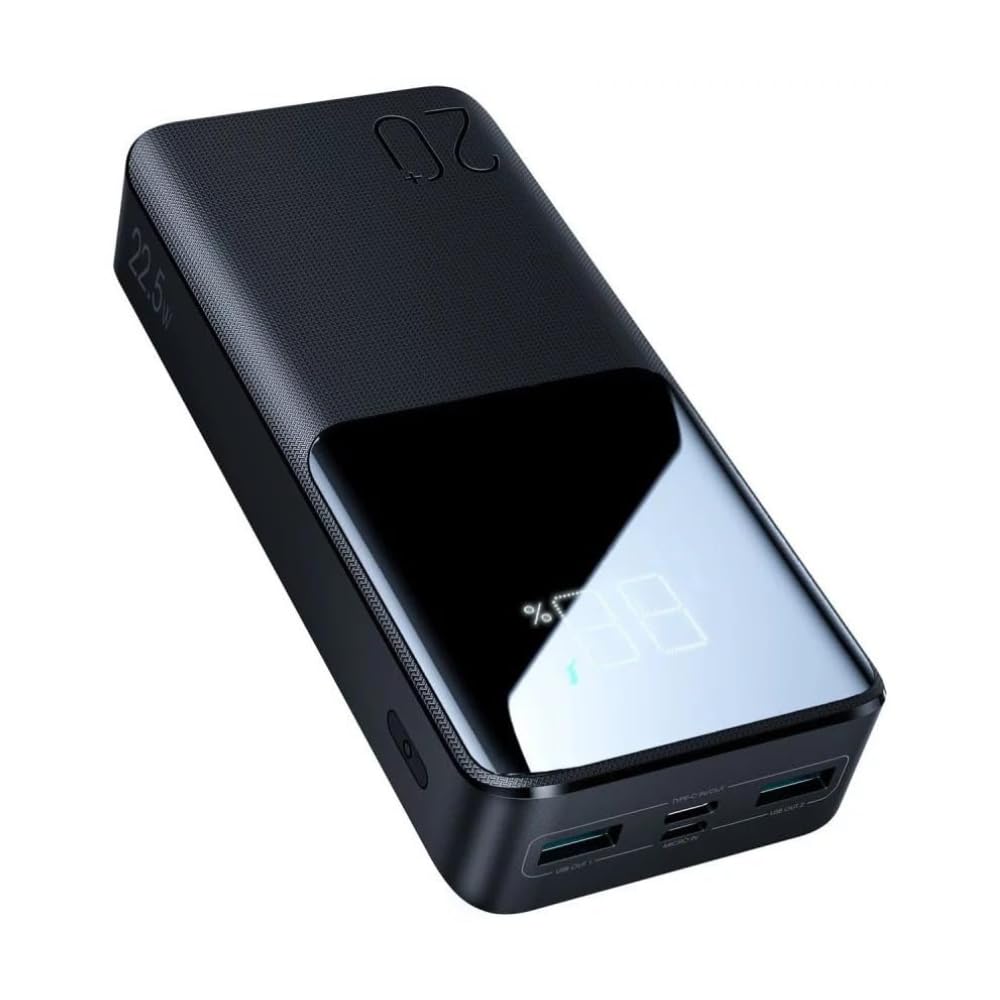
Image 1: JOYROOM JR-QP192 Power Bank, showcasing its sleek design and LCD display.
2. Product Overview
2.1 Key Features
- High Capacity: 20000mAh battery for extended power.
- Fast Charging: 22.5W output for quick device charging.
- Multi-Device Charging: Equipped with 3 output ports (2x USB-A, 1x USB-C) to charge multiple devices simultaneously.
- Digital LCD Display: Real-time battery percentage display.
- Dual Input Ports: Conveniently recharge the power bank using USB-C or Micro-USB.
- Portable Design: Slim and lightweight, ideal for travel and daily use.
- Advanced Safety: Built-in protection against overcharging, overheating, and short circuits.
2.2 Components
The JOYROOM JR-QP192 power bank includes:
- JOYROOM JR-QP192 Power Bank
- Charging Cable (USB-A to USB-C)
- User Manual
Familiarize yourself with the ports and display:
- USB-A Output Ports (x2): For charging most USB-powered devices.
- USB-C Port (Input/Output): For charging devices or recharging the power bank.
- Micro-USB Input Port: For recharging the power bank.
- Power Button: To check battery level or activate charging.
- LCD Digital Display: Shows remaining battery percentage.

Image 2: The power bank illustrating its two input ports (USB-C, Micro-USB) and three output ports (2x USB-A, 1x USB-C).
3. Setup
3.1 Initial Charge
- Before first use, fully charge your JOYROOM JR-QP192 power bank.
- Connect the included USB-A to USB-C cable (or your own USB-C to USB-C/Micro-USB cable) to one of the power bank's input ports (USB-C or Micro-USB).
- Connect the other end of the cable to a suitable USB wall adapter (not included) or a computer's USB port.
- The LCD display will show the charging progress. Charging is complete when the display shows 100%.

Image 3: The power bank being recharged from a wall outlet, demonstrating its fast recharge capability compared to ordinary power banks.
3.2 Checking Battery Level
Press the power button once to activate the LCD display. The screen will show the current battery percentage of the power bank.

Image 4: Close-up of the power bank's LED digital display, indicating the remaining power in real-time.
4. Operating Instructions
4.1 Recharging the Power Bank
To recharge the power bank:
- Choose either the USB-C input port or the Micro-USB input port.
- Connect a compatible charging cable to the chosen input port.
- Connect the other end of the cable to a power source, such as a wall adapter or computer.
- The LCD display will show the charging status. Disconnect when fully charged.
4.2 Charging Your Devices
To charge your smartphone, tablet, or other USB-powered device:
- Use your device's original charging cable or a high-quality compatible cable.
- Connect one end of the cable to your device.
- Connect the other end to one of the power bank's output ports (USB-A or USB-C).
- The power bank will automatically begin charging your device. If not, press the power button once.
- The LCD display will show the power bank's remaining battery level.

Image 5: The power bank providing 22.5W ultra-fast charging to a smartphone, highlighting its efficiency compared to standard 15W chargers.

Image 6: The 20000mAh power bank demonstrating its capacity to charge multiple devices like an iPhone 13, Galaxy S22, iPad Mini, and AirPods Pro multiple times.
5. Maintenance
- Cleaning: Use a soft, dry cloth to clean the power bank. Avoid liquid cleaners or abrasive materials.
- Storage: Store the power bank in a cool, dry place away from direct sunlight, extreme temperatures, and humidity.
- Battery Care: To prolong battery life, fully charge the power bank at least once every three months if not in regular use. Avoid completely draining the battery frequently.
- Handling: Do not drop, disassemble, or attempt to repair the power bank yourself. This may void the warranty and pose safety risks.
6. Troubleshooting
- Power bank not charging: Ensure the charging cable is securely connected to both the power bank's input port and the power source. Try a different cable or wall adapter.
- Device not charging from power bank: Ensure your device's charging cable is properly connected to both the device and an output port on the power bank. Press the power button on the power bank to initiate charging. Check if the power bank has sufficient charge.
- Slow charging: Ensure you are using a fast-charging compatible cable and adapter for both the power bank and your device. Some devices may not support 22.5W fast charging.
- LCD display not working: Press the power button to activate the display. If it remains off, the power bank might be completely discharged or faulty.
- Power bank gets hot during charging/discharging: It is normal for power banks to generate some heat during operation. If it becomes excessively hot, disconnect it immediately and contact customer support.
7. Specifications
| Feature | Specification |
|---|---|
| Brand | JOYROOM |
| Model Name | JR-QP192 |
| Battery Capacity | 20000 mAh |
| Battery Cell Composition | Lithium Polymer |
| Max Output Power | 22.5 Watts |
| Output Current | 2.4 Amps (per USB-A port) |
| Voltage | 5 Volts |
| Output Ports | 2x USB-A, 1x USB-C |
| Input Ports | 1x USB-C, 1x Micro-USB |
| Battery Charge Time | Approx. 7 hours (with compatible charger) |
| Color | Black |
| Item Weight | 200 grams |
| Item Dimensions (L x W x H) | 190 x 130 x 40 mm |
| Compatible Devices | Universal USB-powered devices (Smartphones, Tablets, etc.) |
| Special Feature | Fast Charging, LCD Display |
8. Safety Information
- Do not expose the power bank to water, moisture, or high humidity.
- Avoid exposing the power bank to direct sunlight or high temperatures (above 60°C/140°F).
- Do not use the power bank if it is damaged, swollen, or leaking.
- Keep out of reach of children.
- Use only certified charging cables and adapters.
- Do not short-circuit the power bank.
- Dispose of the power bank responsibly according to local regulations.
9. Warranty and Support
9.1 Warranty
This product is provided without an explicit warranty. Please refer to your retailer's return policy for any issues.
9.2 Customer Support
For further assistance or inquiries, please visit the official JOYROOM store or contact your point of purchase.
JOYROOM Store: https://www.amazon.eg/stores/JOYROOM/page/A651F2A5-D0D5-4286-BF36-B7A44074E738
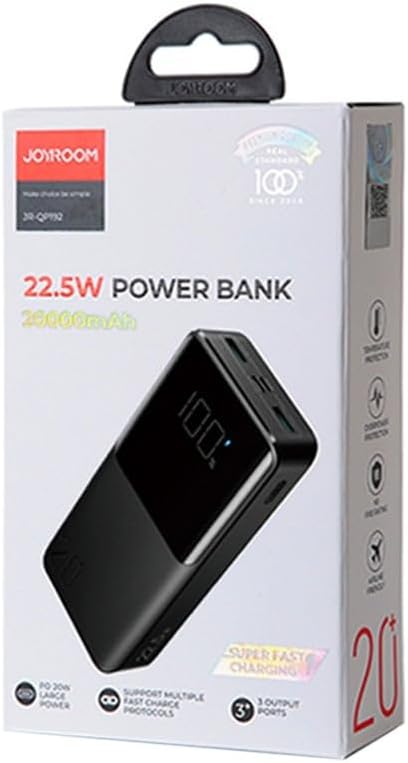
Image 7: Retail packaging of the JOYROOM JR-QP192 Power Bank, showing product details and features.

