
Introduction
Thank you for choosing the Mix Hero T9 Bluetooth 5.3 Earbuds. This manual provides essential information for setting up, operating, and maintaining your new earbuds. Please read it carefully to ensure optimal performance and longevity of your device.
Setup
1. Unboxing and Initial Charge
Upon receiving your Mix Hero T9 Earbuds, carefully unbox all components. Before first use, ensure the charging case and earbuds are fully charged.

Image: The Mix Hero T9 earbuds resting in their charging case, which features an LED display indicating battery levels for both earbuds and the case itself.
Connect the charging case to a power source using the provided USB cable. The LED display on the charging case will show the charging progress. A full charge is indicated when the display shows 100%.
2. Pairing with Your Device
The Mix Hero T9 Earbuds feature automatic pairing for convenience.
- Open the lid of the charging case. The earbuds will automatically power on and enter pairing mode.
- On your mobile device (smartphone, tablet, or computer), navigate to the Bluetooth settings.
- Search for available devices and select "T9" from the list.
- Once selected, your device will connect to the earbuds. A voice prompt will confirm successful pairing.
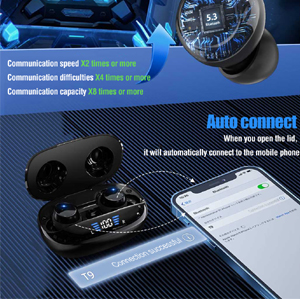
Image: A visual representation of the automatic pairing feature, showing the earbuds connecting to a smartphone upon opening the charging case.
3. Fitting the Earbuds
For optimal sound quality and comfort, choose the correct ear tip size. The earbuds come with multiple sizes (S, M, L) to ensure a secure fit.
- Gently insert the earbud into your ear canal.
- Rotate the earbud slightly until it feels snug and comfortable.
- If the fit is loose or uncomfortable, try a different size ear tip.

Image: An earbud properly seated in an ear, demonstrating a secure and comfortable fit.
Operating Instructions
1. Power On/Off
- Power On: Open the charging case lid, and the earbuds will automatically power on.
- Power Off: Place the earbuds back into the charging case and close the lid. They will automatically power off and begin charging.
2. Touch Controls
The Mix Hero T9 Earbuds feature intuitive touch controls on each earbud. The following actions can be performed:
| Action | Function |
|---|---|
| Single Tap (either earbud) | Play/Pause music, Answer/End call |
| Double Tap (left earbud) | Previous track |
| Double Tap (right earbud) | Next track |
| Long Press (left earbud) | Volume Down |
| Long Press (right earbud) | Volume Up |
| Triple Tap (either earbud) | Activate Voice Assistant (Siri, Google Assistant, etc.) |

Image: A diagram illustrating the various touch control functions on the earbuds, including play/pause, track skipping, volume adjustment, and voice assistant activation.
3. Monaural and Binaural Modes
The earbuds support both monaural (single earbud) and binaural (both earbuds) use.
- Monaural Mode: You can use either the left or right earbud independently. Simply take one earbud out of the case, and it will connect to your device.
- Binaural Mode: For stereo sound, use both earbuds. They will automatically connect to each other and your device when taken out of the case.
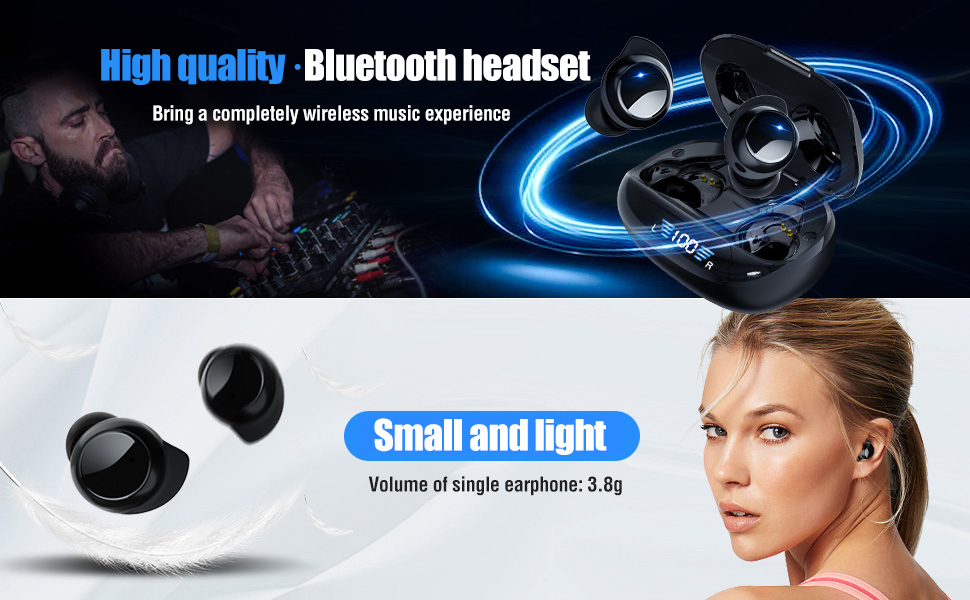
Image: An illustration depicting the flexibility of using the earbuds in either monaural mode (one earbud) or binaural mode (both earbuds).
4. Noise Reduction for Calls
The earbuds incorporate a special noise reduction algorithm (cc8.0) to enhance call clarity by identifying and reducing environmental background noise.
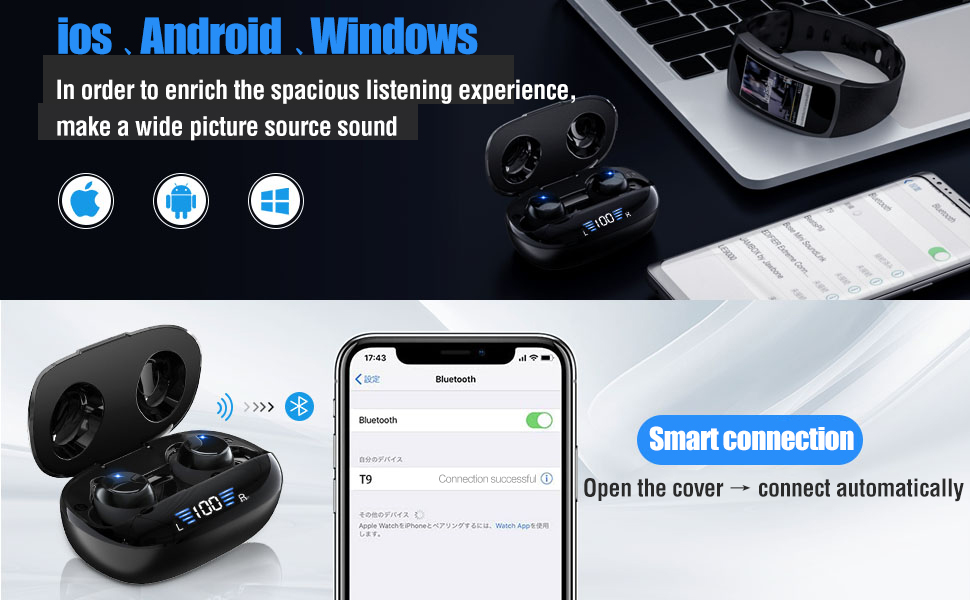
Image: A visual representation of the noise reduction technology, showing sound waves being processed to improve communication clarity.
Maintenance
1. Cleaning
Regular cleaning helps maintain sound quality and hygiene.
- Use a soft, dry, lint-free cloth to wipe the earbuds and charging case.
- Do not use abrasive materials, solvents, or aerosol sprays.
- Gently remove any earwax or debris from the ear tips and speaker mesh using a small, soft brush or cotton swab.
2. Water Resistance (IPX7)
The Mix Hero T9 Earbuds are IPX7 waterproof, meaning they are protected against immersion in water up to 1 meter for up to 30 minutes. This makes them suitable for workouts and light rain.
- Do not intentionally submerge the earbuds in water for extended periods.
- Ensure the earbuds are dry before placing them back into the charging case to prevent damage.
- The charging case is not waterproof.

Image: The earbuds shown with water droplets, highlighting their IPX7 waterproof and sweat-proof design for durability.
Troubleshooting
If you encounter issues with your Mix Hero T9 Earbuds, please refer to the following common solutions:
- No Sound/Connection Issues:
Ensure both earbuds are charged. Place them back in the charging case, close the lid, then open it again to re-initiate pairing. Check your device's Bluetooth settings to ensure "T9" is connected. Try forgetting the device and re-pairing. - One Earbud Not Working:
Ensure both earbuds are charged. Sometimes an earbud might be off. Place both earbuds back in the charging case, close the lid, and then open it again. This often resets their connection. - Charging Case LED Display Inaccurate:
The LED display provides an estimate of battery life. If it seems inaccurate, fully charge the case and earbuds, then observe the discharge cycle. - Touch Controls Unresponsive:
Ensure your fingers are clean and dry. Try cleaning the touch sensor area on the earbuds. If the issue persists, try resetting the earbuds (refer to manufacturer's support for specific reset instructions if needed). - Low Volume:
Adjust the volume on both your connected device and using the earbud touch controls (long press right for volume up). Ensure ear tips provide a good seal in your ear canal.
Specifications
| Feature | Detail |
|---|---|
| Model Number | T9 |
| Brand | Mix Hero |
| Connectivity Technology | Bluetooth 5.3 |
| Wireless Communication Technology | Bluetooth |
| Ear Placement | In Ear |
| Form Factor | In Ear |
| Control Type | Media Control |
| Control Method | Touch |
| Special Features | Fast Charging, Noise Cancellation, Sweat (IPX7) |
| Headset Battery Life | Up to 5 hours |
| Charging Case Battery Life | Up to 48 hours (with multiple charges) |
| Item Weight | 2.08 ounces |
| Package Dimensions | 4.61 x 3.43 x 1.65 inches |
Video Guide
Watch this official video for a visual guide on unboxing, charging, pairing, and using the touch controls of your Mix Hero T9 Earbuds.
Video: An instructional video demonstrating the unboxing, charging, pairing, and touch control functionalities of the Mix Hero T9 Wireless Bluetooth Earbuds.
Warranty Information
For detailed warranty information regarding your Mix Hero T9 Earbuds, please refer to the official Mix Hero website or contact their customer support directly. Keep your purchase receipt as proof of purchase for any warranty claims.
Customer Support
If you require further assistance or have questions not covered in this manual, please contact Mix Hero customer support through their official website or the retailer where you purchased the product.


