
1. Introduction
The SIMRAD 000-12728-001 Hybrid Dual Imaging (HDI) Transducer combines Broadband Sounder and DownScan Imaging technologies to provide a clear and detailed view beneath your boat. This transducer operates at multiple frequencies (83/200/455/800kHz) and features a 9-pin connector for compatibility with various Simrad fish finders. It is designed for transom mounting and includes a built-in temperature sensor.
Key Features:
- Hybrid Dual Imaging (HDI) technology for combined Broadband Sounder and DownScan Imaging.
- Multiple frequency support: 83/200/455/800kHz for versatile underwater scanning.
- Transom mount design for easy installation on your boat.
- Integrated temperature sensor for accurate water temperature readings.
- 9-pin connector for broad compatibility with Simrad marine electronics.

2. What's in the Box
Upon unpacking your SIMRAD 000-12728-001 Transducer, please verify that all components listed below are present and in good condition.
- HDI Skimmer Transducer (000-12728-001)
- Mounting bracket
- Installation hardware (screws, nuts, washers)
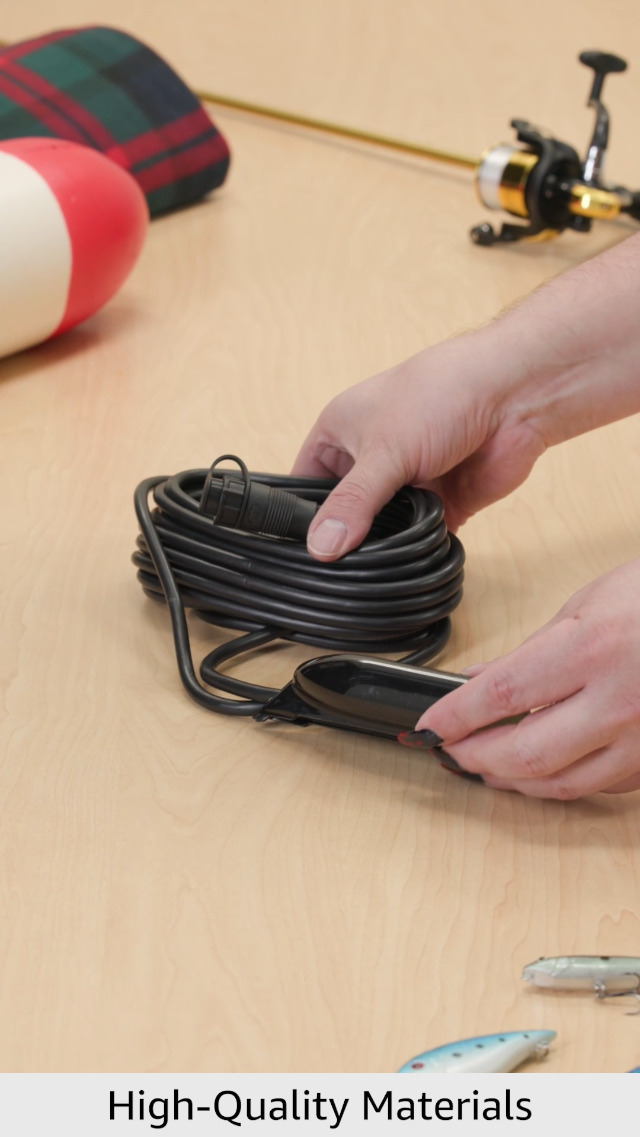
Note: If any items are missing or damaged, please contact Simrad customer support immediately.
3. Setup & Installation
The SIMRAD 000-12728-001 Transducer is designed for transom mounting. Proper installation is crucial for optimal performance.
- Choose Location: Select a suitable location on the boat's transom, ensuring the transducer will be submerged in clean, non-turbulent water when the boat is underway. Avoid areas near propellers, water intakes, or other transducers that could cause interference.
- Mounting Bracket: Secure the mounting bracket to the transom using the provided hardware. Ensure the bracket is level and firmly attached.
- Attach Transducer: Slide the transducer onto the mounting bracket. Adjust the angle of the transducer so that its face is parallel to the waterline. Tighten the pivot bolts to secure the transducer in place.
- Cable Routing: Route the transducer cable away from sources of electrical interference (e.g., engine wiring, VHF cables). Use cable clamps to secure the cable along its path, preventing damage or entanglement.
- Connect to Display: Connect the 9-pin connector of the transducer cable to the corresponding port on your compatible Simrad fish finder or display unit. Ensure the connection is secure and watertight.
- Testing: After installation, perform a water test to verify proper operation. Check for clear sonar returns and accurate depth readings at various speeds.
For a visual guide on product components and general setup, please refer to the video below:
4. Operating Instructions
The SIMRAD 000-12728-001 Transducer works in conjunction with your compatible Simrad display unit to provide detailed underwater information.
- Power On: Turn on your Simrad display unit. The transducer will automatically begin transmitting and receiving sonar signals.
- Frequency Selection: Your display unit will allow you to select between the available frequencies:
- 83/200kHz (Broadband Sounder): Ideal for general fish finding and depth measurement in a wide range of depths. 83kHz provides wider coverage, while 200kHz offers greater detail.
- 455/800kHz (DownScan Imaging): Provides photo-like images of structure and fish directly below your boat. 455kHz offers a wider range, and 800kHz provides higher resolution for finer details.
- Beam Angles: The transducer utilizes 35-degree and 12-degree beam angles, providing excellent coverage and target separation.
- Temperature Readings: The integrated temperature sensor will provide real-time water temperature data to your display unit.
- Adjust Settings: Refer to your Simrad display unit's manual for specific instructions on adjusting sensitivity, range, color palette, and other sonar settings to optimize your view.
For best results, experiment with different frequencies and settings based on water depth, clarity, and target species.
5. Maintenance
Regular maintenance ensures the longevity and optimal performance of your transducer.
- Cleaning: Periodically clean the transducer face with mild soap and water to remove marine growth, dirt, or oil. Avoid abrasive cleaners or tools that could scratch the surface.
- Inspection: Regularly inspect the transducer cable for any signs of wear, cuts, or damage. Check the mounting bracket and hardware for looseness or corrosion.
- Anti-fouling: If operating in waters prone to heavy marine growth, consider applying a transducer-safe anti-fouling paint. Consult your local marine store for suitable products.
- Winterization: If storing your boat in freezing conditions, ensure the transducer is not exposed to ice, which can cause damage.
6. Troubleshooting
If you experience issues with your SIMRAD 000-12728-001 Transducer, consider the following common troubleshooting steps:
- No Sonar Returns / Erratic Readings:
- Check all cable connections to ensure they are secure and free from corrosion.
- Verify the transducer is properly submerged and not experiencing air bubbles or turbulence.
- Clean the transducer face to remove any obstructions.
- Ensure the correct transducer type is selected in your display unit's settings.
- Adjust sensitivity settings on your display unit.
- Incorrect Temperature Readings:
- Check the transducer cable for damage.
- Ensure the transducer is fully submerged.
- Interference:
- Route the transducer cable away from other electrical wiring.
- Check for other sonar devices or electrical equipment that might be causing interference.
- Adjust noise rejection settings on your display unit.
For more detailed troubleshooting, refer to the user manual of your specific Simrad display unit or visit the official Simrad support website.
7. Specifications
| Feature | Specification |
|---|---|
| Brand | Simrad |
| Model Number | 000-12728-001 |
| Model Name | Xdcr (Transducer) |
| Frequencies Supported | 83/200/455/800kHz |
| Connector Type | 9-Pin |
| Mounting Type | Transom Mount |
| Beam Angles | 35/12 Degrees |
| Integrated Sensor | Temperature |
| Item Weight | 1.58 pounds |
| Package Dimensions | 8.03 x 6.5 x 3.23 inches |
8. Warranty & Support
Specific warranty details for the SIMRAD 000-12728-001 Transducer are typically provided with the product packaging or can be found on the official Simrad website. It is recommended to register your product upon purchase to ensure full warranty coverage.
For technical assistance, warranty claims, or further information, please contact Simrad customer support through their official website or the contact details provided in your product documentation.