
FoMaKo K820 Black
FoMaKo 60FPS 4K PTZ Camera (K820 Black) User Manual
Your guide to setting up, operating, and maintaining your professional PTZ camera.
1. Product Overview
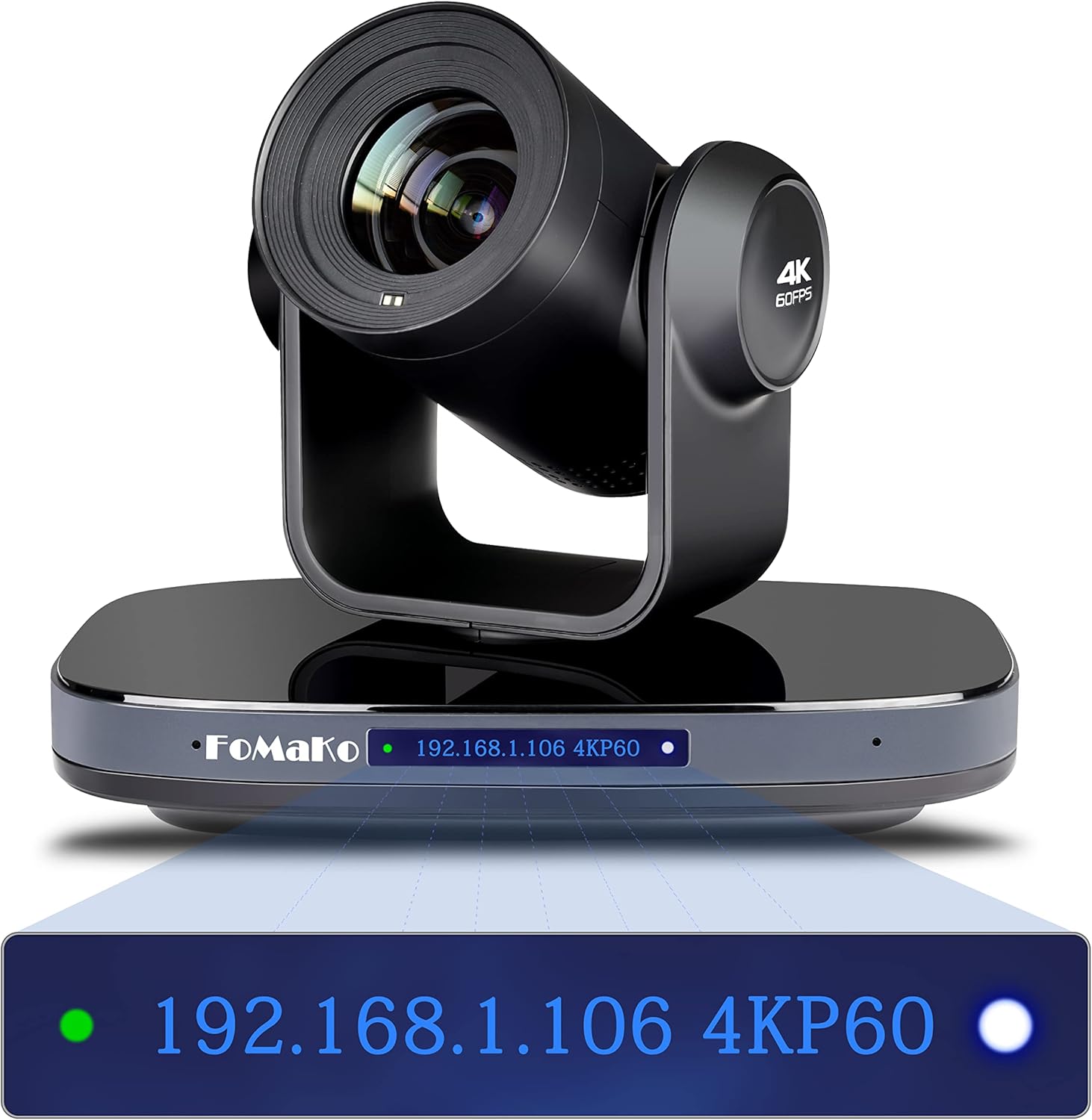
Figure 1: FoMaKo 4K PTZ Camera K820 Black, showcasing its sleek design and front display.
The FoMaKo K820 is a high-performance 4K PTZ (Pan-Tilt-Zoom) camera designed for professional video production and live streaming. It features a 4KP60 AI vision chip and a 1/1.8-inch UHD CMOS sensor, delivering uncompressed Ultra High Definition video at 60 frames per second. Its advanced AI Auto-Tracking capabilities ensure subjects remain in frame, making it ideal for various applications including church services, educational broadcasts, and conferences.
Key Features:
- 4K 60FPS Video: Utilizes a low-power, high-performance Ambarella 4KP60 AI vision chip and a 1/1.8-inch UHD CMOS sensor for smooth, high-resolution video.
- Advanced AI Auto-Tracking (Gen 3): Offers customizable tracking features including adjustable modes, sensitivity, figure size, AI-Track Speed, and horizontal tracking.
- 20X Optical Zoom with 16X Digital Zoom: Provides clear, detailed images even at long distances with a maximum field of view of 60 degrees.
- Multiple Video Output Interfaces: Simultaneous LAN, USB3.0 Type-C, HDMI 2.0, and 3G-SDI outputs for versatile connectivity.
- PoE Support: Power over Ethernet allows for power, control, and video/audio streaming through a single network cable.
- Leading Auto-Focus (AF) Technology: Fast, accurate, and stable auto-focus with adjustable Pan/Tilt/Zoom speeds and preset options.
2. What's in the Box
Upon opening your FoMaKo 4K PTZ Camera package, please verify that all the following components are included:
- FoMaKo 4K 60FPS PTZ Camera
- IR Remote Controller
- Wall Mount Bracket
- Ceiling Bracket
- USB Cable
- RS232 Cable
- Power Adapter 12V 2A
- User Manual
Unboxing Video:
Video 1: Official unboxing of the FoMaKo K820 4K PTZ Camera, showing all included accessories and components.
3. Setup
Initial Placement and Mounting:
The FoMaKo K820 camera can be mounted on a wall or ceiling using the provided brackets. Ensure the mounting location provides a clear line of sight to the desired area for optimal performance. The built-in gravity sensor supports automatic image flip for inverted mounting.

Figure 2: The FoMaKo PTZ Camera positioned in a church, demonstrating potential mounting locations and remote control usage.
Connectivity:
The camera offers multiple output interfaces for flexible integration into your existing setup. Connect the camera to your display or recording device using one of the following options:
- HDMI 2.0: For direct connection to 4K displays or capture cards (supports 4KP60, 4KP59.94, 4KP50, 4KP30, 1080P60, etc.).
- USB3.0 Type-C: For direct connection to computers (supports 4KP30, 1080P60, etc.).
- 3G-SDI: For professional broadcast applications (supports 1080P60, 1080P59.94, 1080P50, 1080I60, etc.).
- LAN (PoE): For network streaming and Power over Ethernet, allowing a single cable for power, control, and video/audio.
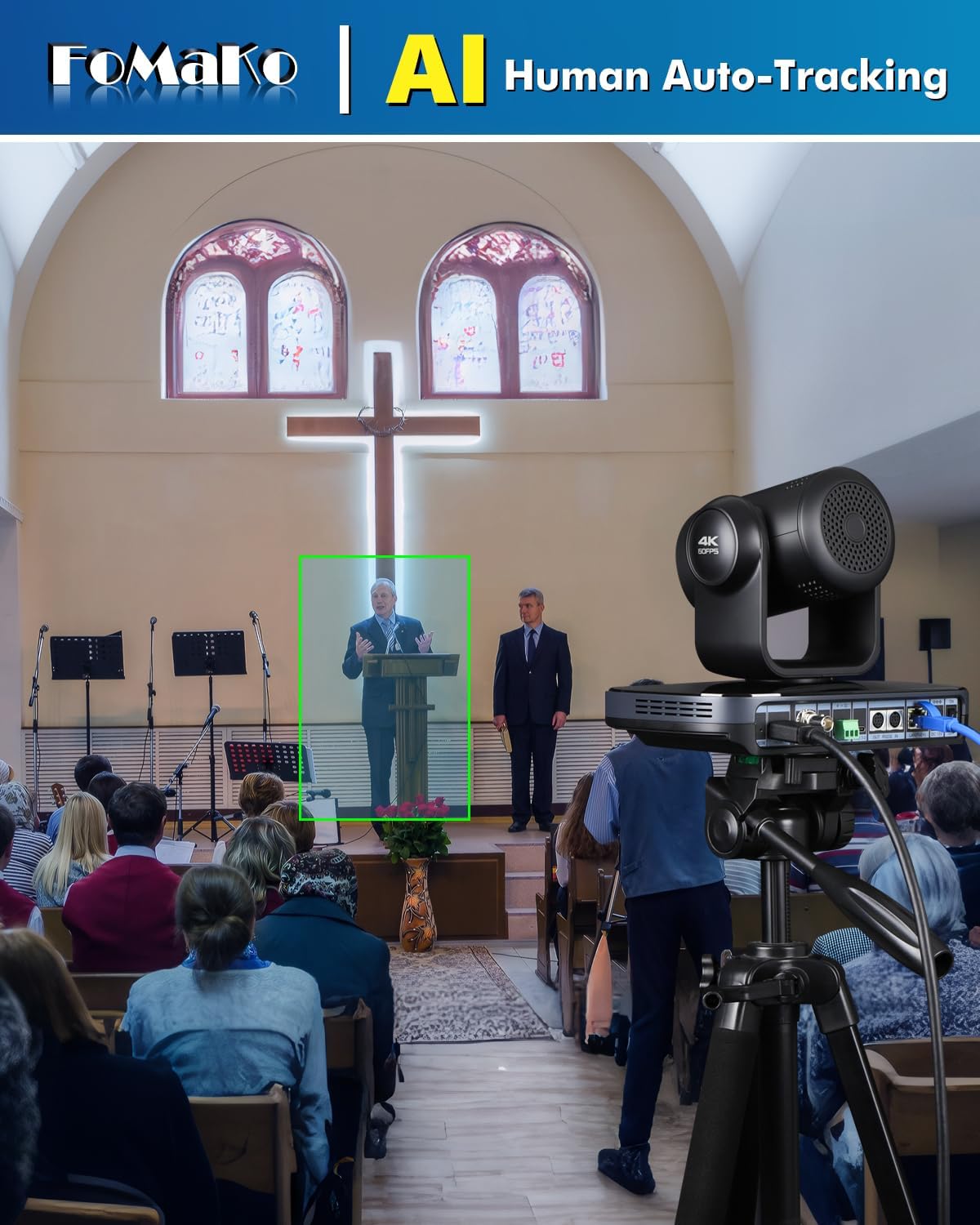
Figure 3: Detailed view of the camera's rear panel, highlighting HDMI, 3G-SDI, USB3.0, and LAN/PoE ports.
Connection Diagram and Controller Setup:
For multi-camera setups and advanced control, the camera can be integrated with a PTZ controller via network cables. This allows for centralized management of pan, tilt, zoom, and other camera functions.
Video 2: This video demonstrates the connection process for FoMaKo PTZ cameras with a controller and network switch, illustrating how to set up a multi-camera system.
4. Operating Instructions
AI Auto-Tracking:
The FoMaKo K820 features third-generation AI tracking for precise subject following. To activate AI Auto-Tracking, press the F3 button on the IR remote control. Use the left and right arrow buttons to switch between tracking targets. The system can be customized for tracking modes, sensitivity, and speed.

Figure 4: The camera's AI auto-tracking feature actively following a speaker during a live event.
Zoom and Focus:
Utilize the 20X optical zoom for clear magnification without loss of quality, complemented by 16X digital zoom. The camera features fast, accurate, and stable auto-focus technology. You can also manually adjust focus or use the one-push focus function for specific scenarios.

Figure 5: An example of the camera's 20X optical zoom capability, capturing distant details within a large venue.
Image Adjustments:
The camera includes menu image functions for multiple brightness adjustments, allowing adaptation to different lighting environments. It also supports low-light image enhancement for clear visuals in challenging conditions.

Figure 6: The camera's interface displaying options for adjusting image settings to optimize visual output.
Remote Control:
The included IR remote controller allows for convenient operation of the camera's pan, tilt, and zoom functions, as well as activating AI tracking and other settings. It supports ultra-long distance remote control up to 50 meters.
Figure 7: The IR remote control for the FoMaKo PTZ Camera, providing comprehensive control over camera movements and features.
General Operation and Features:
Video 3: An overview of the FoMaKo 4K NDI PTZ Camera's features, including 60FPS video, 20X optical zoom, and AI auto-tracking capabilities.
5. Maintenance
Proper maintenance ensures the longevity and optimal performance of your FoMaKo PTZ camera. Follow these guidelines:
- Cleaning: Use a soft, dry cloth to clean the camera body. For the lens, use a specialized lens cleaning cloth and solution. Avoid abrasive materials or harsh chemicals.
- Dust Protection: When not in use, cover the camera to protect it from dust accumulation, especially the lens.
- Environmental Conditions: Operate and store the camera within recommended temperature and humidity ranges to prevent damage. Avoid direct sunlight or extreme temperatures.
- Firmware Updates: Periodically check the official FoMaKo website for firmware updates. Updates can improve performance, add new features, or resolve issues. Follow the instructions provided with the firmware update carefully.
6. Troubleshooting
If you encounter issues with your FoMaKo 4K PTZ Camera, refer to the following common troubleshooting steps. For more detailed solutions, please consult the comprehensive user manual PDF or contact customer support.
- No Video Output:
- Ensure all cables (HDMI, USB, SDI, LAN) are securely connected.
- Verify the power adapter is correctly connected and the camera is powered on.
- Check the input source selection on your display or capture device.
- Poor Image Quality:
- Ensure the lens is clean and free from smudges or dust.
- Check lighting conditions in the environment; adjust camera exposure settings if necessary.
- Verify focus settings (auto-focus or manual focus).
- AI Auto-Tracking Not Working:
- Ensure AI tracking is activated via the remote control (F3 button).
- Check for obstructions in the camera's field of view.
- Ensure the subject is within the optimal tracking range and lighting conditions.
- Connectivity Issues (LAN/PoE):
- Verify network cable connection and ensure the PoE switch is functioning correctly.
- Check the camera's IP address and network settings.
- Ensure no IP conflicts exist on the network.
For further assistance, please refer to the official user manual PDF or contact FoMaKo customer support.
7. Specifications
| Feature | Description |
|---|---|
| Brand | FoMaKo |
| Model Number | K820 |
| Color Name | 4K PTZ Camera |
| Item Weight | 9.33 pounds |
| Product Dimensions | 8.78 x 6.06 x 6.5 inches |
| Photo Sensor Technology | CMOS |
| Video Capture Resolution | 4K (3840x2160) at 60fps |
| Optical Zoom | 20X |
| Digital Zoom | 16X |
| Connectivity Technology | 3G-SDI, LAN, HDMI, USB3.0 |
| Special Features | AI Auto-Tracking |
| Power Supply | PoE supported, 12V 2A Power Adapter |
| Country of Origin | China |
8. Warranty & Support
FoMaKo is committed to providing excellent customer service and support for your K820 PTZ Camera.
- 3-Year Limited Warranty: Your purchase is covered by a 3-year limited warranty.
- 30-Day Money-Back Guarantee: Enjoy a risk-free purchase with a 30-day no-questions-asked money-back guarantee.
- Free Online Training: Get started easily with complimentary online training resources.
- 24/7 Expert Assistance: Receive responses within 24 hours for any inquiries. Please include your Order ID for faster service. Remote assistance for setup is available if needed.
- Lifetime Customer Technical Support: Benefit from ongoing technical support for the lifetime of your product.
For detailed information and to download the official user manual, please visit the FoMaKo User Manual (PDF).
Related documentsK820 Black


Ask a question about this manual
Ask about setup, troubleshooting, compatibility, parts, safety, or missing instructions. Manuals+ will review the question and use this page’s manual context to help answer it.