
1. Introduction
The Fenix PD36R Pro is a high-performance rechargeable LED tactical flashlight designed for demanding environments. It features a powerful Luminus SFT-70 LED, dual tail switches for intuitive operation, and a robust aluminum body with an IP68 waterproof rating. This manual provides detailed instructions for the safe and effective use, maintenance, and troubleshooting of your PD36R Pro flashlight.
2. Safety Information
- Do not shine the flashlight directly into eyes. The intense light output can cause temporary vision impairment or permanent eye damage.
- Keep out of reach of children.
- Do not disassemble the sealed head of the flashlight, as this may damage the light and will void the warranty.
- Use only the recommended Fenix ARB-L21-5000 V2.0 battery or compatible 21700 Li-ion batteries. Improper battery use can lead to explosion or leakage.
- Charge the battery fully before first use and periodically to maintain optimal performance.
- Avoid exposing the flashlight to extreme temperatures or corrosive liquids.
3. Package Contents
Verify that all items are present in your package:
- Fenix PD36R Pro Flashlight
- Fenix ARB-L21-5000 V2.0 Rechargeable Li-ion Battery
- USB Type-C Charging Cable
- Holster
- Lanyard
- Spare O-ring
- User Manual
- ALD-05 Helmet Mount
- Pocket Clip (pre-installed or separate)
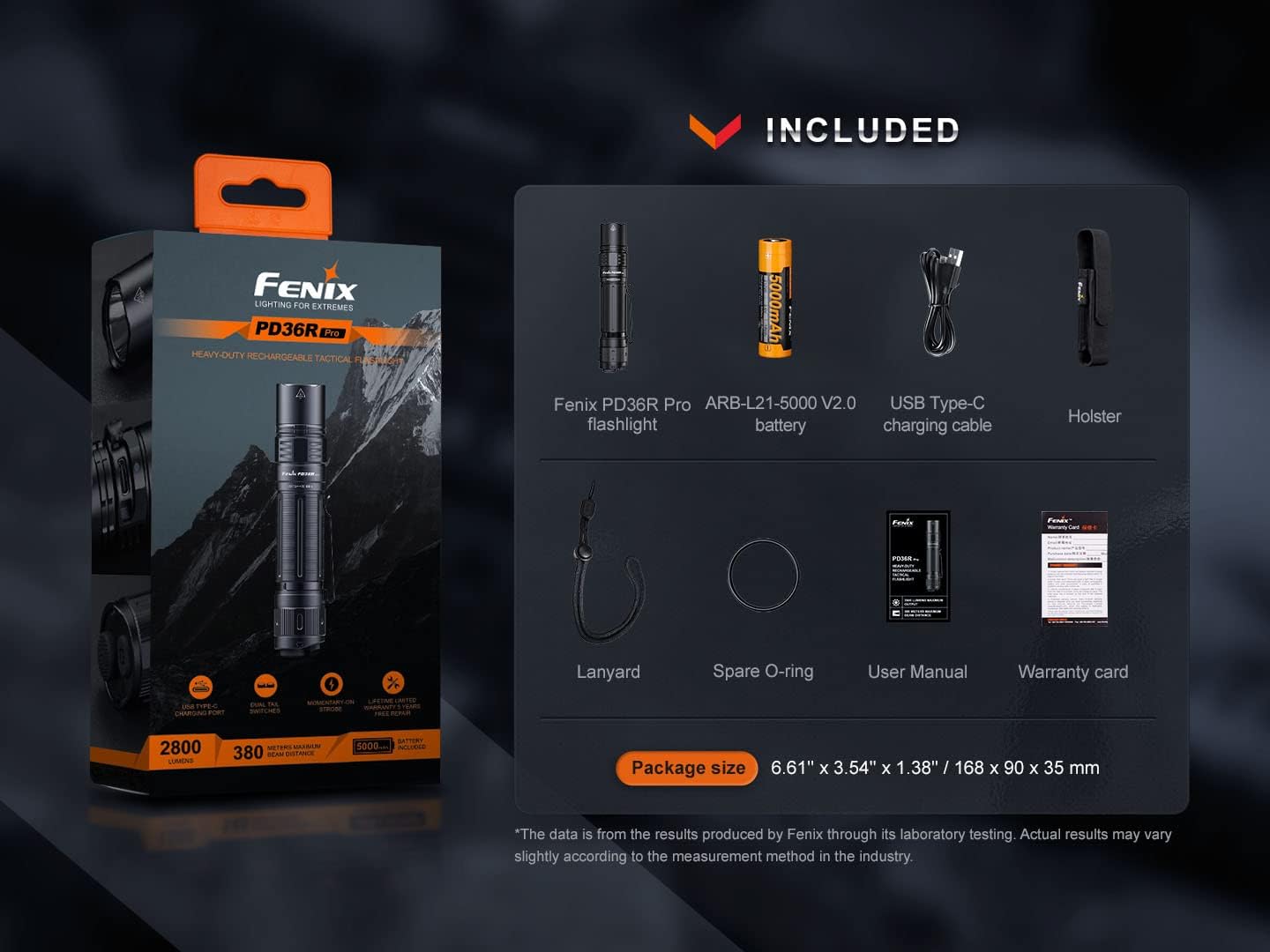
Image 3.1: Contents of the Fenix PD36R Pro package, including the flashlight, battery, charging cable, holster, lanyard, spare O-ring, user manual, and ALD-05 helmet mount.
4. Setup
4.1 Battery Installation
- Unscrew the tail cap of the flashlight counter-clockwise.
- Insert the Fenix ARB-L21-5000 V2.0 Li-ion battery with the anode (+) end facing towards the flashlight head.
- Screw the tail cap back on clockwise until it is fully tightened. Ensure the O-ring is properly seated to maintain waterproofing.
4.2 Charging the Battery
The PD36R Pro features a USB Type-C charging port for convenient charging without removing the battery.
- Locate the USB Type-C charging port on the flashlight body. It is protected by a rubber dust cover.
- Open the dust cover to expose the charging port.
- Connect the supplied USB Type-C charging cable to the flashlight and to a USB power source (e.g., computer, wall adapter, power bank).
- The charging indicator light near the port will illuminate:
- Red: Charging in progress.
- Green: Charging complete.
- Once charging is complete, disconnect the cable and firmly close the dust cover to ensure the IP68 waterproof rating is maintained.

Image 4.1: The Fenix PD36R Pro flashlight, highlighting its USB Type-C charging capability and the dual tail switch design.
4.3 Attaching Accessories
- Pocket Clip: The two-way body clip can be attached to the flashlight body for secure carrying in a pocket or on gear.
- Lanyard: Thread the lanyard through the designated hole on the tail cap for added security against drops.
- Holster: Insert the flashlight into the provided holster for convenient belt carry and protection.
- ALD-05 Helmet Mount: Refer to the separate instructions provided with the ALD-05 helmet mount for proper installation and use with compatible helmets.
5. Operating Instructions
The Fenix PD36R Pro features a dual tail switch system for intuitive control.

Image 5.1: Detailed view of the Fenix PD36R Pro's dual tail switches, showing the larger Tactical switch and the smaller Functional switch.
5.1 Switches
- Tactical Switch (Larger, Round): Controls momentary-on and constant-on/off.
- Functional Switch (Smaller, Oval): Controls brightness levels and strobe activation.
5.2 Power On/Off
- Momentary On: Half-press the Tactical Switch. Release to turn off.
- Constant On/Off: Fully press the Tactical Switch until a click is heard to turn the flashlight on or off.
5.3 Brightness Selection
With the flashlight on, single-click the Functional Switch to cycle through the brightness levels: Eco → Low → Med → High → Turbo.
5.4 Strobe Activation
- From On: Press and hold the Functional Switch for 0.8 seconds to activate Strobe. Single-click the Functional Switch again to return to the previously used general mode.
- From Off: Press and hold the Functional Switch for 0.8 seconds to activate Strobe. Release to turn off.
5.5 Intelligent Memory Circuit
The flashlight memorizes the last selected brightness level (Eco, Low, Med, High, Turbo) when turned off. When turned on again, it will recall the last used general mode.
5.6 Battery Level Indication
When the flashlight is turned on, the battery level indicator (located near the charging port) will display the battery status for 3 seconds:
- Green light constant on: 100% - 85%
- Green light flashes: 85% - 50%
- Red light constant on: 50% - 25%
- Red light flashes: 25% - 1%

Image 5.2: The Fenix PD36R Pro illuminating a large area with its 2800 lumen output, demonstrating its wide spill and long throw capability of 380 meters.
6. Maintenance
6.1 Cleaning
- Clean the flashlight body with a soft cloth.
- If the threads are dirty, clean them with a clean cloth and apply a thin layer of silicone grease to maintain smooth operation and waterproofing.
- Clean the charging port and contacts if necessary, ensuring they are free of debris.
6.2 O-ring Maintenance
Regularly inspect the O-ring for wear and tear. Replace it with the spare O-ring if damaged to maintain the flashlight's waterproof rating.
6.3 Battery Care
- Store the battery in a cool, dry place when not in use.
- Recharge the battery every four months if not used frequently to prolong its lifespan.
- Remove the battery from the flashlight if it will not be used for an extended period.
6.4 Waterproofing
The PD36R Pro has an IP68 waterproof rating, meaning it can be submerged up to 2 meters for 30 minutes. This is ensured by its robust construction and inner waterproofing design, even with the dust cover removed from the charging port. However, always ensure the tail cap is fully tightened and O-rings are intact before exposing to water.
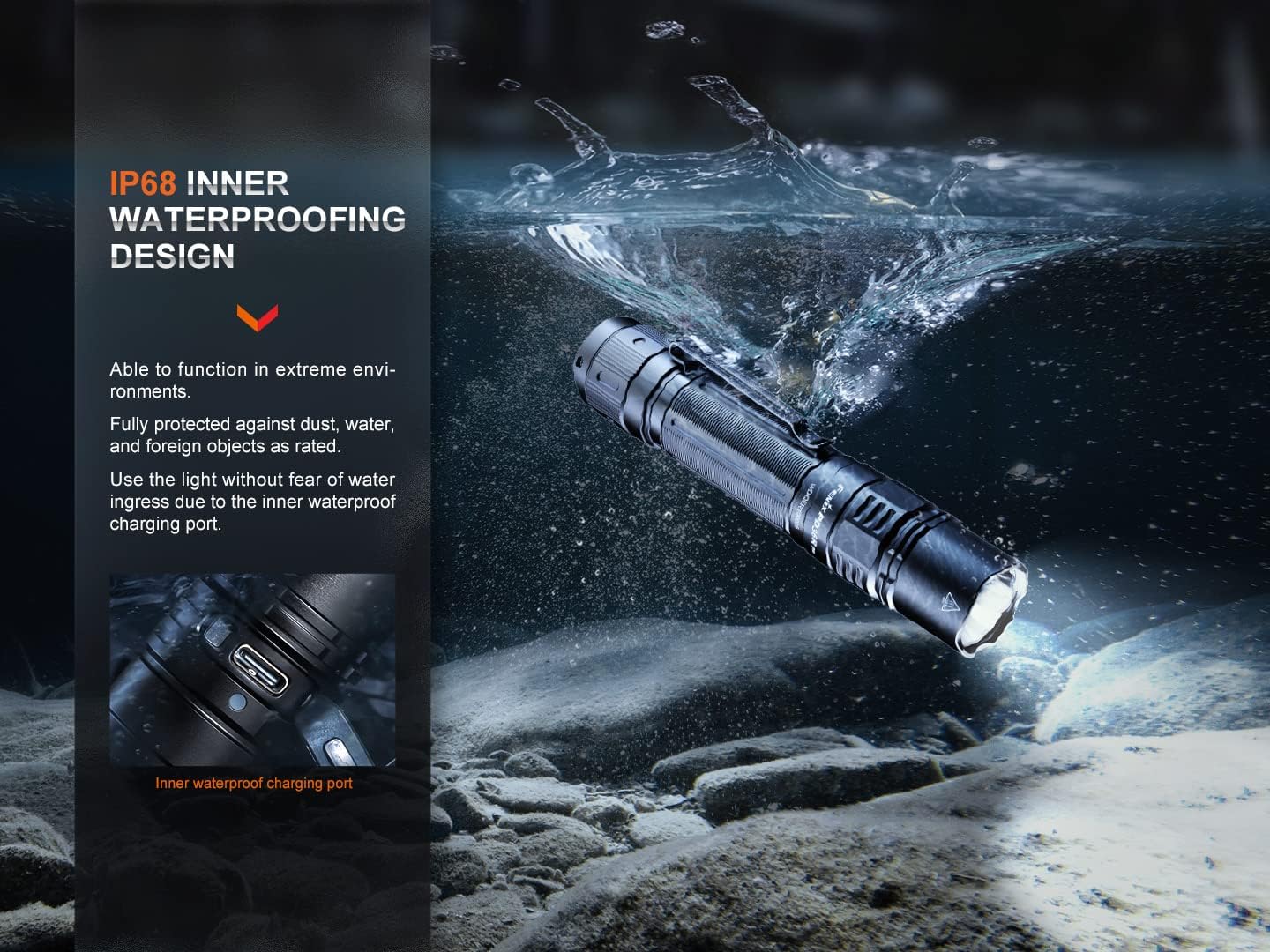
Image 6.1: The Fenix PD36R Pro flashlight operating underwater, demonstrating its IP68 waterproof rating and inner waterproofing design.
7. Troubleshooting
If your flashlight is not functioning correctly, please try the following steps:
- Flashlight does not turn on:
- Check if the battery is inserted correctly with the positive (+) end facing the head.
- Ensure the tail cap is fully tightened.
- Check if the battery is charged. Recharge if necessary.
- Clean the battery contact points and threads with an alcohol swab.
- Brightness levels are inconsistent or flashlight flickers:
- The battery may be low. Recharge the battery.
- Clean the battery contact points and threads.
- Ensure the tail cap is fully tightened.
- Flashlight gets hot during use:
- High output modes generate significant heat. The PD36R Pro has an intelligent overheating protection system that will automatically downshift the brightness level to prevent overheating. This is normal operation.
- If the flashlight becomes too hot to handle, turn it off and allow it to cool down.
If the issue persists after trying these steps, please contact Fenix customer support.
8. Specifications
| Feature | Detail |
|---|---|
| LED Type | Luminus SFT-70 |
| Lifespan | 50,000 hours |
| Max Output | 2800 Lumens |
| Max Beam Distance | 380 meters (1250 feet) |
| Battery Type | 1 x Fenix ARB-L21-5000 V2.0 21700 Li-ion (included) |
| Charging | USB Type-C |
| Material | High-strength A6061-T6 Aluminum |
| Finish | Premium type HAIII hard-anodized anti-abrasive finish |
| Waterproof Rating | IP68 (2 meters submersible for 30 minutes) |
| Impact Resistance | 1.5 meters (5 feet) |
| Dimensions | Length: 145.8 mm (5.74 in), Head Diameter: 26.5 mm (1.04 in), Body Diameter: 25.4 mm (1.00 in) |
| Weight | 169 grams (5.96 oz) excluding battery |
| Model Number | FEN-PD36R-PRO-ALD-05-BBX3 |
| UPC | 850038215279 |
Output Modes and Runtime (with Fenix ARB-L21-5000 V2.0 battery)
| Mode | Output | Runtime | Beam Distance |
|---|---|---|---|
| Turbo | 2800 Lumens | 3.5 hours | 380 meters |
| High | 1000 Lumens | 3.95 hours | 225 meters |
| Med | 350 Lumens | 8.25 hours | 130 meters |
| Low | 150 Lumens | 19 hours | 90 meters |
| Eco | 30 Lumens | 42 hours | 40 meters |
| Strobe | 2500 Lumens |
Note: The above specifications are from Fenix laboratory testing using the ARB-L21-5000 V2.0 battery. Performance may vary depending on environmental conditions and actual battery used. The runtime for Turbo and High modes is accumulated runtime due to the intelligent overheating protection.
9. Warranty Information
The Fenix PD36R Pro flashlight is covered by a 5-year manufacturer's warranty from the date of purchase. This warranty covers defects in material and workmanship under normal use. The warranty does not cover damage caused by misuse, unauthorized modifications, or battery leakage.
10. Support
For further assistance, technical support, or warranty claims, please contact Fenix customer service through their official website or your authorized dealer. Please have your product model and purchase date available when contacting support.