
LEXiBOOK JC598DPi3
Contents
Lexibook JC598DPi3 Educational Laptop User Manual
Model: JC598DPi3 | Brand: LEXiBOOK
1. Introduction
Welcome to the user manual for your new Lexibook JC598DPi3 Disney Princess Educational Laptop. This interactive learning toy is designed to provide a fun and engaging way for children to learn German and English, mathematics, logic, music, and more. Featuring 124 activities, a realistic mouse and keyboard, and an LCD screen with animations, this laptop offers hours of educational entertainment.

Figure 1.1: The Lexibook JC598DPi3 Educational Laptop in its open position, showcasing the keyboard, mouse, and the LCD screen displaying a list of available activities.
2. Safety Information
Please read all safety instructions before using the product. This device is recommended for children aged 3 years and up. Adult supervision is advised during play.
- Do not mix old and new batteries.
- Do not mix alkaline, standard (carbon-zinc), or rechargeable (nickel-cadmium) batteries.
- Only batteries of the same or equivalent type as recommended are to be used.
- Batteries are to be inserted with the correct polarity.
- Remove exhausted batteries from the product.
- The supply terminals are not to be short-circuited.
- Non-rechargeable batteries are not to be recharged.
- Rechargeable batteries are to be removed from the product before being charged.
- Rechargeable batteries are only to be charged under adult supervision.
- Keep the product away from water and moisture.
- Clean the product with a soft, dry cloth only.
3. Getting Started
3.1 Battery Installation
The Lexibook JC598DPi3 requires 2 AA batteries for operation. To install batteries:
- Locate the battery compartment on the underside of the laptop.
- Using a Phillips head screwdriver, unscrew the battery compartment cover.
- Insert 2 AA batteries, ensuring correct polarity (+/-) as indicated inside the compartment.
- Replace the cover and tighten the screw.
3.2 Powering On/Off
To turn the laptop ON, press the 'On/Off' button located on the top right of the keyboard. To turn it OFF, press the 'On/Off' button again. The laptop may also enter sleep mode after a period of inactivity to conserve battery life.
4. Operating Your Laptop
The laptop features a full QWERTY keyboard and a functional mouse for navigation and interaction with activities.
4.1 Language Selection
This laptop supports both German and English. To switch between languages, locate the 'Language' button on the keyboard and press it. The screen will indicate the current language selection.
4.2 Navigating Activities
Use the arrow keys on the keyboard or the mouse to navigate through the activity menu displayed on the LCD screen. Press 'Enter' or click the left mouse button to select an activity.

Figure 4.1: A child engaging with the Lexibook laptop, demonstrating its portable and user-friendly design for comfortable play.
5. Activities and Games
The Lexibook JC598DPi3 offers 124 activities across various categories:
- Educational Activities: Includes lessons in German and English (letters, words, typing, spelling), Mathematics (numbers, 4 operations), Dactylography, General Knowledge, Logic, Music (notes learning, composing), and Clock Reading.
- Test Your Knowledge: Fun activities with different levels to assess and improve understanding.
- Games: Engaging games designed to test logic, memory, and speed.
- Music & Melodies: Explore musical notes and create simple melodies.

Figure 5.1: A child enjoying the musical activities on the Lexibook laptop, illustrating the interactive and creative learning experience.
6. Care and Maintenance
To ensure the longevity of your Lexibook laptop:
- Cleaning: Wipe the surface with a soft, slightly damp cloth. Do not use abrasive cleaners or solvents.
- Storage: Store the laptop in a cool, dry place away from direct sunlight and extreme temperatures.
- Battery Care: Remove batteries if the product will not be used for an extended period to prevent leakage.
7. Troubleshooting
| Problem | Possible Cause | Solution |
|---|---|---|
| Laptop does not turn on. | Batteries are low or incorrectly installed. | Check battery polarity, replace with fresh AA batteries. |
| Screen is blank or flickering. | Low battery power; internal connection issue. | Replace batteries. If problem persists, contact customer support. |
| Sound is distorted or absent. | Volume is too low; internal speaker issue. | Adjust volume using the 'Vol+' and 'Vol-' buttons. Replace batteries. |
| Mouse or keyboard not responding. | Temporary software glitch; connection issue. | Turn the laptop off and on again. Ensure mouse cable is securely connected. |
8. Product Specifications
- Model: JC598DPi3
- Brand: LEXiBOOK
- Product Dimensions: 9.45 x 7.09 x 1.42 inches (24 x 18 x 3.6 cm)
- Item Weight: 1.39 pounds (0.63 kg)
- Power Source: 2 x AA batteries (not included)
- Recommended Age: 3 years and up
- Languages: German, English
- Activities: 124 educational and game activities
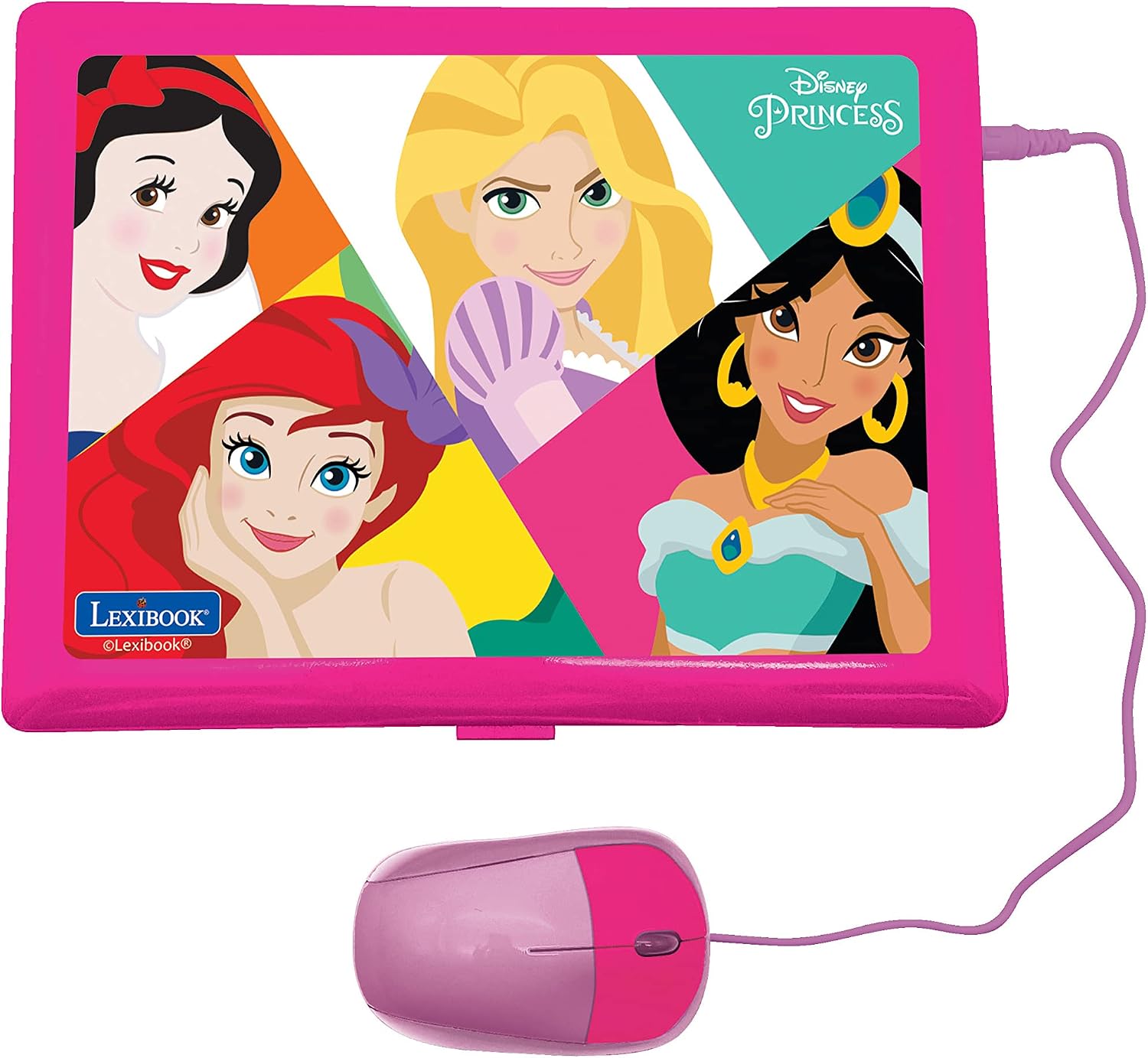
Figure 8.1: The Lexibook JC598DPi3 Educational Laptop in its closed state, highlighting its compact design and Disney Princess theme.
9. Warranty Information
This Lexibook product is covered by a 2-year manufacturer's warranty from the date of purchase. This warranty covers defects in materials and workmanship under normal use. It does not cover damage caused by misuse, accidents, unauthorized modifications, or normal wear and tear. Please retain your proof of purchase for warranty claims.
10. Customer Support
For further assistance, technical support, or warranty inquiries, please contact Lexibook customer service through their official website or the contact information provided with your product packaging. Please have your model number (JC598DPi3) and proof of purchase ready when contacting support.
Documents and downloads
Ask a question about this manual
Ask about setup, troubleshooting, compatibility, parts, safety, or missing instructions. Manuals+ will review the question and use this page’s manual context to help answer it.