
Ingenuity 12320
Ingenuity Pemberton Automatic Bouncer and Jumper Seat Instruction Manual
Introduction
This instruction manual provides important information for the safe assembly, operation, and maintenance of your Ingenuity Pemberton Automatic Bouncer and Jumper Seat. Please read this manual thoroughly before use and keep it for future reference. Failure to follow these instructions could result in serious injury.
WARNING: Never leave the child unattended. Never let the child sleep in this product.
Important Safety Information
Always follow these safety guidelines to ensure the well-being of your child:
- Always use the restraint system.
- This product is not intended for prolonged periods of sleep.
- Do not use this product once your child can sit up unaided or weighs more than 9 kg (20 lbs).
- Never use this product on an elevated surface (e.g., a table).
- Always place the bouncer on a flat, level floor.
- Do not move or lift the product with the child inside.
- Keep away from open flames and other sources of strong heat.
- Ensure all assembly components are securely fastened before each use.
- Regularly check the product for any damaged, missing, or loose parts. Do not use if any parts are damaged.
- Batteries should be inserted with the correct polarity. Do not mix old and new batteries. Do not mix alkaline, standard (carbon-zinc), or rechargeable (nickel-cadmium) batteries.
Product Features
The Ingenuity Pemberton Automatic Bouncer and Jumper Seat is designed to provide comfort and entertainment for your baby. Key features include:
- Automatic Bouncing: Provides 30 minutes of continuous, gentle bouncing motion.
- Multiple Speed Options: Adjust the bouncing intensity to suit your baby's preference.
- Comfortable Seating: Ultra-comfortable and plush seat for optimal baby comfort.
- DreamComfort Fabric: Designed for enhanced airflow, keeping baby cool and comfortable.
- Soothing Melodies & Nature Sounds: Integrated sound system to calm and entertain.
- Toy Arch: Includes two adorable plush toys for engagement.
- 3-Point Safety Harness: Securely holds your baby in place.
- Hybridrive System: Extends battery life for longer use.
- Removable & Washable Cover: Easy to clean and maintain.

Image: A happy baby seated comfortably in the Ingenuity Pemberton Automatic Bouncer, showcasing the plush seat and toy bar.
Assembly Instructions
Assembly is required for this product. Please follow these steps carefully. Refer to the diagrams for visual guidance.
- Unpack Components: Carefully remove all parts from the packaging. Ensure all components listed in the parts list are present.
- Attach Base Frame: Connect the two base frame pieces. Ensure they click securely into place.
- Install Seat Frame: Attach the seat frame to the assembled base. Verify that all connection points are firm.
- Secure Fabric Seat: Drape the fabric seat over the frame, ensuring all loops and fasteners align with the frame's attachment points. Secure the harness straps through the designated slots.
- Insert Batteries: Locate the battery compartment (usually on the underside of the control unit). Insert 3 C batteries, ensuring correct polarity (+/-). Close the compartment securely.
- Attach Toy Arch: Insert the ends of the toy arch into the slots on either side of the seat. Ensure it is firmly seated. Hang the plush toys from the arch.
- Install Head Support (Optional): For newborns, place the head support insert into the seat for additional comfort and support.
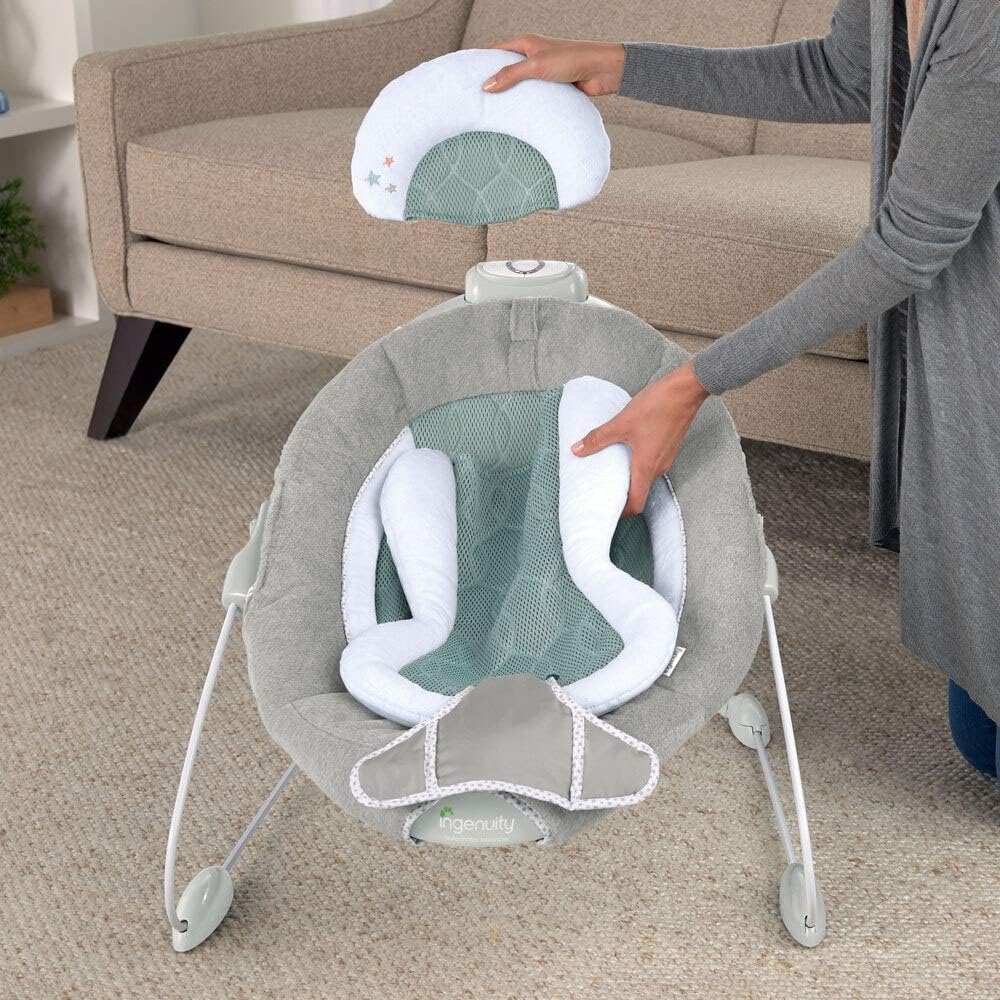
Image: A person demonstrating the removal of the head support from the bouncer seat, highlighting the modular design.
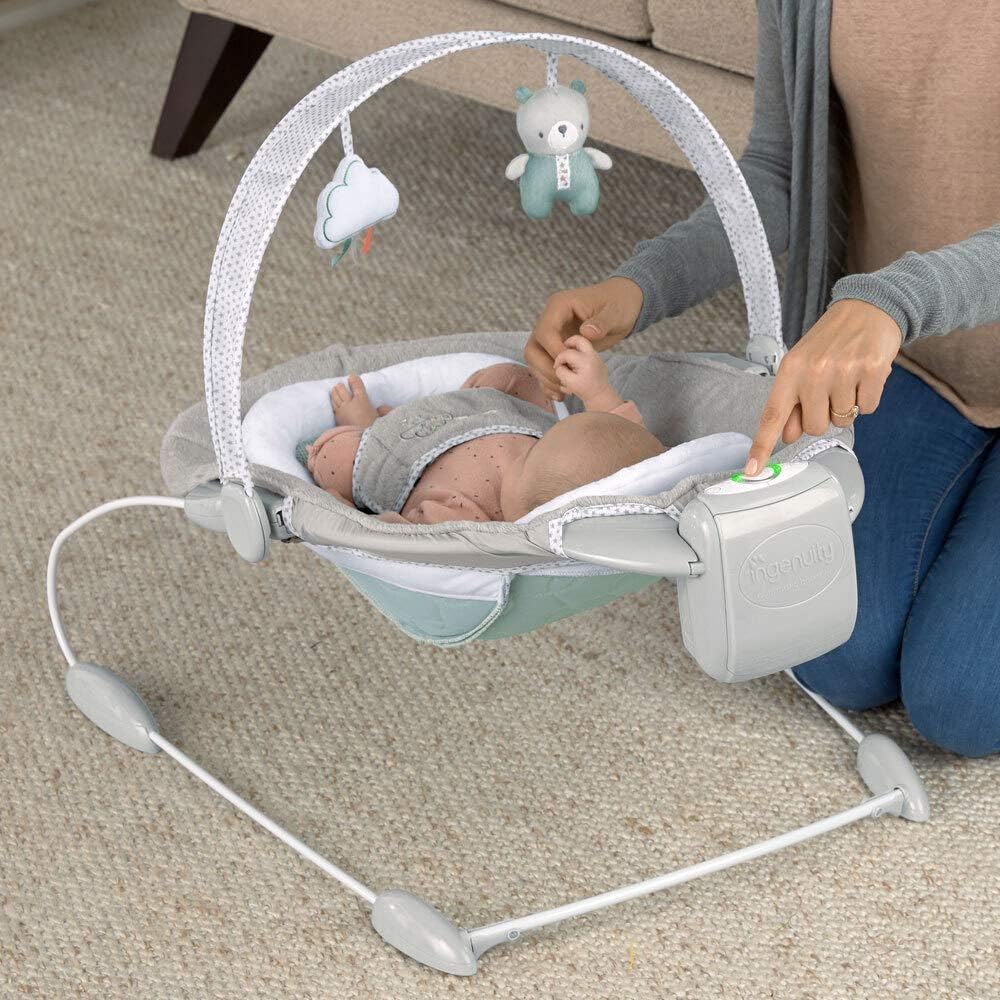
Image: A parent pressing a button on the control panel of the Ingenuity bouncer, indicating power or function activation.
Operating Instructions
- Placing Your Child: Gently place your child in the bouncer seat. Ensure their back is flat against the seat.
- Secure Harness: Fasten the 3-point safety harness securely around your child. Adjust straps for a snug fit.
- Activate Bouncing: Press the power button on the control unit to activate the automatic bouncing feature. The bouncing will run for 30 minutes.
- Adjust Bouncing Speed: Use the speed control buttons to select your desired bouncing intensity.
- Select Melodies/Sounds: Press the music button to cycle through available melodies and nature sounds. Adjust volume as needed.
- Engage with Toys: Encourage your child to interact with the plush toys on the arch.
- Removing Your Child: Unfasten the safety harness and gently lift your child from the bouncer.

Image: A baby looking up at the plush toys hanging from the toy arch of the Ingenuity bouncer, demonstrating engagement.
Care and Maintenance
- Fabric Seat: The fabric seat cover is removable and machine washable. Use cold water on a gentle cycle. Do not bleach. Tumble dry on low heat.
- Frame and Toys: Wipe the frame, plastic parts, and toys with a damp cloth and mild soap. Air dry. Do not immerse the control unit in water.
- Battery Replacement: Replace batteries when the bouncing motion weakens or sounds become distorted. Always replace all 3 C batteries at once.
- Storage: When not in use, store the bouncer in a clean, dry place away from direct sunlight.
Troubleshooting
| Problem | Possible Cause | Solution |
|---|---|---|
| Bouncer not turning on or bouncing weakly. | Dead or incorrectly installed batteries. | Check battery polarity. Replace all 3 C batteries with new ones. |
| No sound or distorted sound. | Low batteries or volume too low. | Replace batteries. Increase volume using control buttons. |
| Toy arch detaches easily. | Not properly inserted into slots. | Ensure both ends of the toy arch are fully inserted and secured in their respective slots. |
| Product feels unstable. | Not assembled correctly or placed on an uneven surface. | Re-check all assembly connections. Ensure the bouncer is on a flat, level floor. |
Product Specifications
- Model Number: 12320
- Recommended Age: From birth
- Maximum Weight Capacity: 9 kg (20 lbs)
- Dimensions (L x W x H): 73.99 cm x 57.51 cm x 65.99 cm (29.13 in x 22.64 in x 25.98 in)
- Product Weight: 3.27 kg (7.21 lbs)
- Materials: Plush fabric, plastic, metal
- Batteries Required: 3 x C (not included)
- UPC: 074451123205
- Assembly: Required
- Portability: Yes

Image: Diagram showing the dimensions of the Ingenuity Pemberton Automatic Bouncer.
Warranty and Support
For warranty information or customer support, please refer to the contact details provided with your purchase or visit the official Ingenuity website. Keep your proof of purchase for warranty claims.
Manufacturer: KIDS
Related documents12320


Ask a question about this manual
Ask about setup, troubleshooting, compatibility, parts, safety, or missing instructions. Manuals+ will review the question and use this page’s manual context to help answer it.