1. Introduction
Thank you for choosing the Oraimo Shark 4 Bluetooth Neckband Earphones. This manual provides essential information for setting up, operating, and maintaining your device. Please read it carefully before use to ensure optimal performance and longevity of your earphones.
2. Product Overview
The Oraimo Shark 4 neckband earphones are designed for wireless audio with enhanced bass and clear communication. Key features include:
- HavyBass 2.0 Technology: Delivers deep and powerful bass.
- Environmental Noise Cancellation (ENC): Ensures clear calls by reducing ambient noise.
- Bluetooth v5.3: Provides stable and fast wireless connectivity.
- Dual Device Pairing: Connects to two devices simultaneously.
- Low-Latency Game Mode: Optimizes audio for gaming with minimal delay.
- IPX5 Waterproof: Offers protection against sweat and splashes.
- Magnetic Earbuds: For secure and tangle-free storage.

Image: Oraimo Shark 4 neckband earphones highlighting HavyBass sound-tuning technology and Environmental Noise Cancellation (ENC).
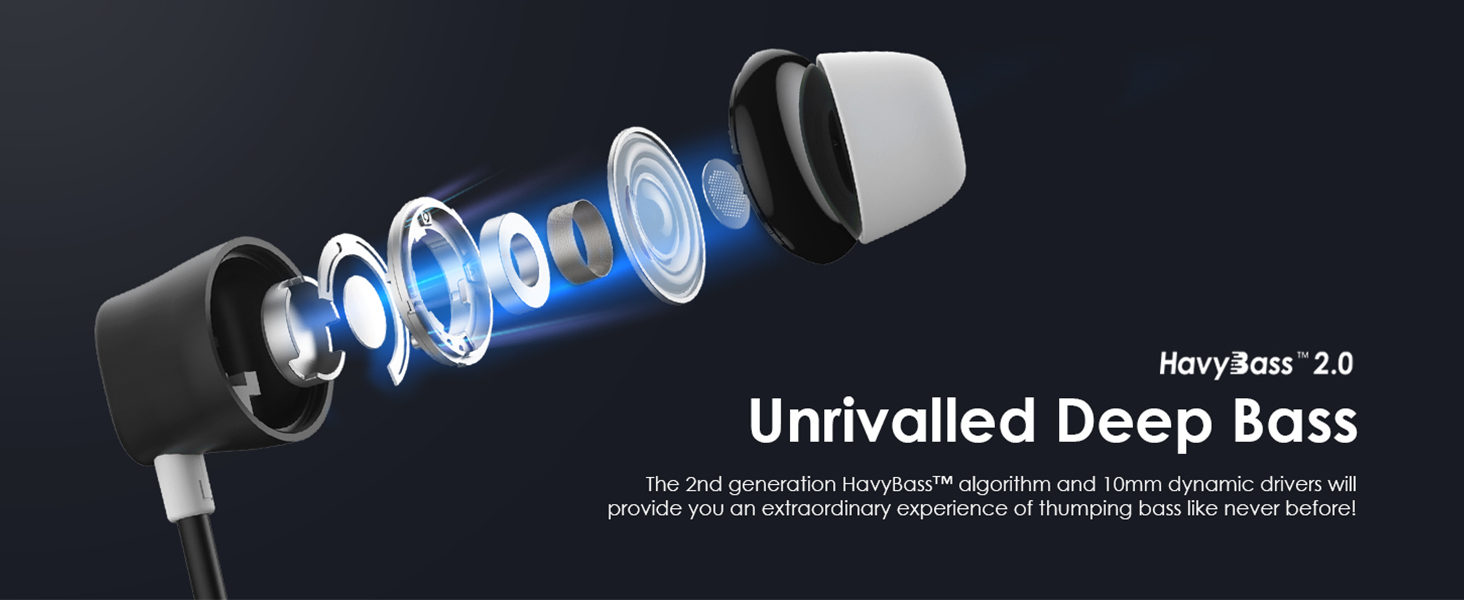
Image: Exploded view of an earbud, illustrating the internal components that contribute to the HavyBass 2.0 deep bass experience.

Image: An earbud with visual representation of sound waves, emphasizing clear audio transmission and reception with Environmental Noise Cancellation (ENC) technology.

Image: The magnetic earbuds are shown clicking together, demonstrating the feature for clutter-free carrying and storage.
3. What's in the Box
The Oraimo Shark 4 package includes the following items:
- 1x Oraimo Shark 4 Bluetooth Neckband Earphones
- 2 Pair Replacement Silicone Ear Tips (various sizes)
- 1x Type C Charging Cable
- 1x User Manual
Video: This video provides an unboxing of the Oraimo Shark 4 neckband earphones, demonstrating the contents of the package, the physical features of the earphones, and the functionality of the control buttons, including volume, track control, and mode switching.
4. Setup and Initial Use
4.1 Charging the Earphones
Before first use, fully charge your earphones. Connect the provided Type C charging cable to the charging port on the neckband and a power source. The LED indicator will show charging status.
- Full Charge Time: Approximately 40 minutes.
- ASAP Charge: 10 minutes of charging provides up to 100 minutes of playtime.
- Total Playtime: Up to 20 hours on a full charge.

Image: The Oraimo Shark 4 neckband earphones highlighting their impressive 20 hours of playtime on a single charge.

Image: A close-up of the earphone's charging port with a Type C cable inserted, illustrating the 10-minute quick charge feature for 100 minutes of playback.
4.2 Powering On/Off
- Power On: Press and hold the multi-function button until the LED indicator lights up.
- Power Off: Press and hold the multi-function button until the LED indicator turns off.
4.3 Bluetooth Pairing
- Ensure the earphones are powered off.
- Press and hold the multi-function button until the LED indicator flashes blue and red, indicating pairing mode.
- On your device (smartphone, tablet, etc.), enable Bluetooth and search for available devices.
- Select "Oraimo Shark 4" from the list.
- Once connected, the LED indicator will show a steady blue light.
5. Operating Instructions
5.1 Basic Controls

Image: The remote control panel of the earphones, detailing the functions of each button for music playback, call management, and mode switching.
| Function | Action |
|---|---|
| Increase Volume | Press '+' button once |
| Next Track | Long press '+' button for 1 second |
| Play/Pause Music | Press 'O' button once |
| Answer/End Call | Press 'O' button once |
| Reject Call | Long press 'O' button for 1 second |
| Decrease Volume | Press '-' button once |
| Last Track | Long press '-' button for 1 second |
| EQ Switch (Normal ↔ HavyBass) | Press 'M' button once |
| Game Mode (Normal ↔ Game Mode) | Long press 'M' button for 1 second |
5.2 Dual Device Pairing
The Oraimo Shark 4 supports connecting to two Bluetooth devices simultaneously. This allows you to seamlessly switch between audio sources without re-pairing.
- Pair the earphones with the first device as described in Section 4.3.
- After successful pairing, turn off Bluetooth on the first device.
- Put the earphones back into pairing mode (LED flashes blue and red).
- Pair with the second device.
- Once the second device is connected, re-enable Bluetooth on the first device. The earphones should automatically connect to both devices.
- To switch between devices, pause audio on the active device and start playback on the other.

Image: A diagram illustrating the dual device connection feature, showing the Oraimo Shark 4 earphones simultaneously paired with a tablet and a smartphone.
5.3 Game Mode
Activate the low-latency game mode for a more synchronized audio-visual experience during gaming or video playback.
- Activate Game Mode: Long press the 'M' button for 1 second.
- Deactivate Game Mode: Long press the 'M' button for 1 second again to return to normal mode.

Image: Earbuds positioned next to a smartphone screen displaying a game, illustrating the low-latency game mode for fluent audio during gaming or video playback.
5.4 EQ Modes
Switch between different equalizer modes to customize your audio experience.
- Switch EQ Mode: Press the 'M' button once to toggle between Normal Mode and HavyBass™ 2.0 Mode.
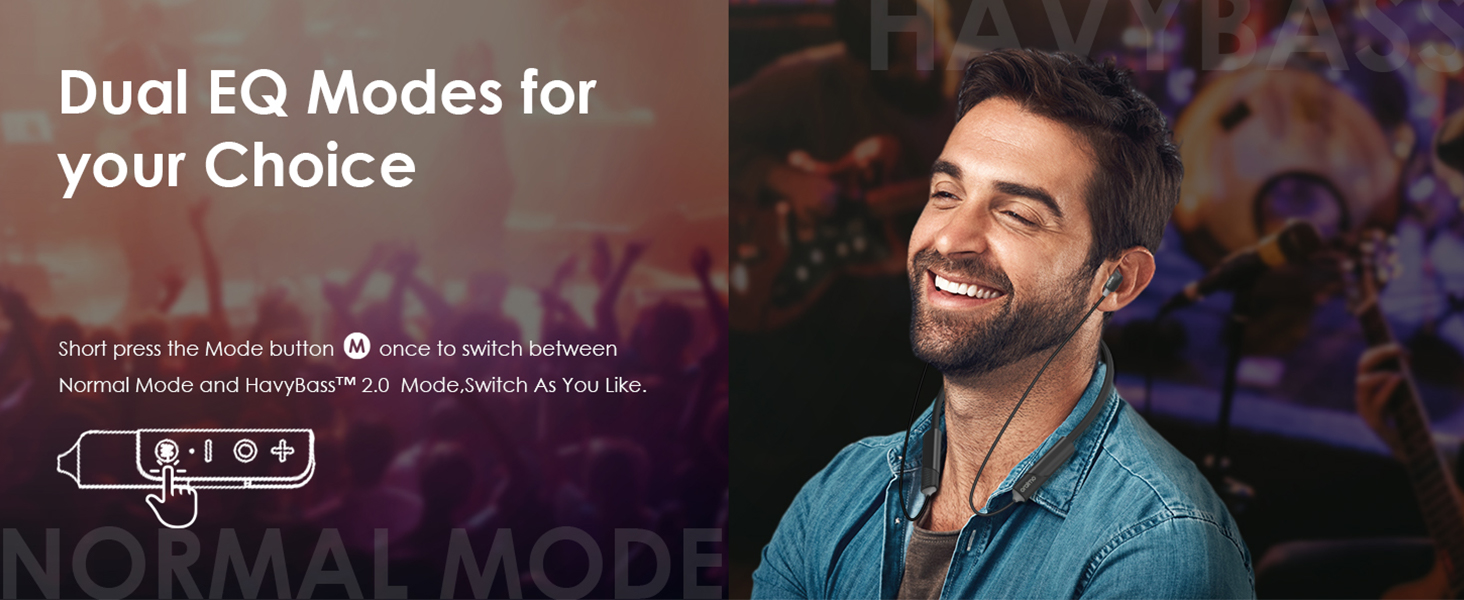
Image: A person enjoying music with the earphones, highlighting the availability of dual EQ modes for personalized sound.
6. Maintenance
Proper maintenance ensures the longevity and performance of your earphones.
- Cleaning: Use a soft, dry cloth to clean the earphones. Do not use harsh chemicals or abrasive materials.
- Storage: Store the earphones in a cool, dry place away from direct sunlight and extreme temperatures. The magnetic earbuds help prevent tangling.
- Water Resistance: The earphones are IPX5 waterproof, meaning they are resistant to sweat and light splashes. Do not submerge them in water.

Image: A man exercising while wearing the earphones, emphasizing the IPX5 waterproof rating and sweat-resistant nano coating, suitable for workouts and outdoor activities.
7. Troubleshooting
If you encounter any issues with your Oraimo Shark 4 earphones, refer to the following common solutions:
- Earphones not turning on: Ensure the earphones are fully charged.
- Cannot pair with device: Make sure Bluetooth is enabled on your device and the earphones are in pairing mode. Try restarting both devices.
- No sound: Check the volume levels on both the earphones and your connected device. Ensure the earphones are properly paired.
- Poor sound quality: Ensure the earphones are within Bluetooth range of your device. Check for any obstructions between the earphones and the device.
- Call quality issues: Ensure the microphone is not obstructed. Environmental Noise Cancellation (ENC) helps, but extreme noise may still affect clarity.
If the problem persists, please contact customer support.
8. Specifications
| Feature | Detail |
|---|---|
| Model Name | OEB-E30D |
| Connectivity Technology | Wireless (Bluetooth v5.3) |
| Audio Driver Type | Dynamic Driver |
| Battery Life | Up to 20 Hours |
| Charging Time | Approx. 40 minutes (10 mins for 100 mins playtime) |
| Charging Port | USB Type-C |
| Water Resistance Level | IPX5 (Sweatproof) |
| Control Type | Remote (Noise Control) |
| Material | Silicone |
| Item Weight | 150 Grams |
| Product Dimensions | 20 x 20 x 5 cm |
9. Warranty and Support
Your Oraimo Shark 4 Bluetooth Neckband Earphones come with a 1-year warranty from the date of purchase.
For any questions, technical assistance, or warranty claims, please contact our customer service:
- Customer Care Number: 1800 419 0525
- Customer Service Availability: 24/7
- Importer/Packer: G-mobiles, Unit B301 third Floor Tower B Plot 7 Noida Uttar Pradesh-201301
We are committed to resolving your issues within 24 hours.


