
Introduction
Thank you for choosing the Casubaris Cordless Portable Airbrush Kit. This manual provides essential information for the safe and effective operation, maintenance, and troubleshooting of your new airbrush system. Please read it thoroughly before first use and keep it for future reference.
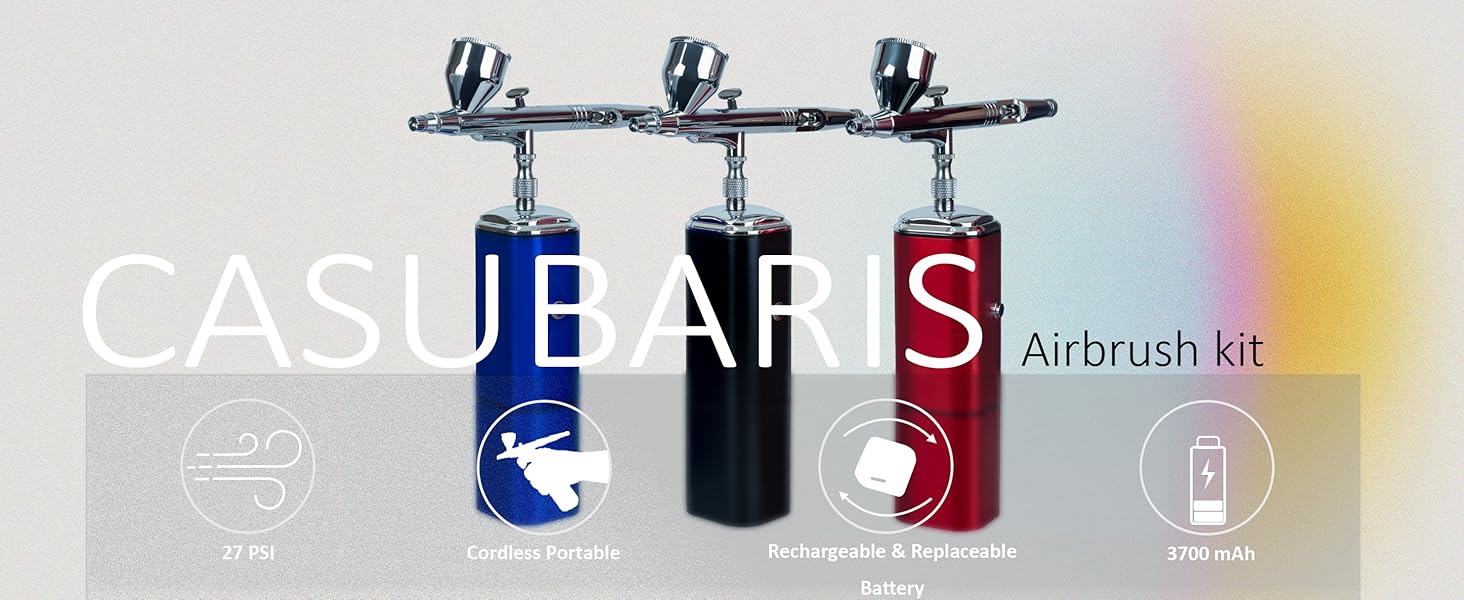
Image: The complete Casubaris Cordless Portable Airbrush Kit, featuring the airbrush gun, compressor, and accessories.
Safety Information
- Always operate the airbrush in a well-ventilated area.
- Wear appropriate personal protective equipment, such as a respirator mask and safety glasses, to prevent inhalation of paint fumes and eye irritation.
- Keep the device away from children and pets.
- Do not immerse the compressor or battery in water.
- Use only recommended paints and cleaning solutions.
- Ensure the power adapter is compatible with your local voltage.
- Avoid pointing the airbrush at yourself or others.
What's in the Box
Your Casubaris Airbrush Kit includes the following components:
- Cordless Airbrush Compressor
- Dual-Action Airbrush Gun (0.3mm needle)
- Rechargeable Lithium-Ion Batteries (x2)
- USB Type-C Charging Cable
- Air Hose (4FT)
- Cleaning Brushes
- Nozzle Removal Tool
- Pipette
- User Manual

Image: All components included in the Casubaris Cordless Portable Airbrush Kit.
Specifications
| Brand | Casubaris |
| Model Number | B0BJDQSB6L |
| Voltage | 7.4 Volts |
| Power Source | Battery Powered |
| Noise Level | 10 Decibels |
| Special Feature | Portable, Auto-Stop Function |
| Maximum Power | 0.2 Horsepower |
| Color | Black |
| Item Weight | 1.59 pounds |
| Battery Type | Lithium Ion (2 included) |
Setup
1. Charging the Battery
Before first use, fully charge both included lithium-ion batteries using the provided USB Type-C charging cable. The battery indicator lights on the compressor will show the charging status (25%, 50%, 75%, 100%).
2. Connecting the Airbrush Gun
Your airbrush kit offers two connection methods:
- Direct Connection: Screw the airbrush gun directly onto the top of the compressor. This creates a compact, handheld unit.
- Hose Connection: Attach the air hose to the compressor, then connect the other end of the hose to the airbrush gun. This allows for greater flexibility and reduces the weight in your hand during extended use.

Image: Illustration of direct airbrush connection to the compressor and connection via a 4FT hose.
Operating Instructions
1. Powering On/Off
Press the power button on the compressor to turn the unit on. The battery indicator lights will illuminate. To turn off, press the power button again.
2. Dual-Action Trigger Control
The Casubaris airbrush features an auto-stop function with a dual-action trigger:
- Air Flow: Press the airbrush trigger downward to release air. The compressor will automatically start.
- Paint Flow: While holding the trigger down for air, pull the trigger backward to release paint (atomization liquid).
- Auto-Stop: Release your finger from the trigger, and the compressor will automatically stop, saving battery life and reducing noise.

Image: Visual guide to the auto start and stop function of the mini compressor and dual-action airbrush trigger.
3. Paint Preparation
Proper paint thinning is crucial for optimal airbrush performance. Always follow the paint manufacturer's recommendations for thinning ratios. Generally, acrylic paints may require thinning with water or a specific reducer.
4. Using Different Airbrush Pens
The wireless spray compressor is compatible with most airbrush pens that have a 1/8'' connection joint air-valve. This allows you to easily switch between different airbrush pens for various colors or applications. Remember to clean each airbrush pen thoroughly after use.

Image: Demonstrates the compatibility of the compressor with various dual-action airbrush pens.
Battery Replacement
The mini handheld airbrush compressor features an easily replaceable battery system. To replace a battery:
- Push the bottom of the airbrush compressor body.
- Gently pull the battery off.
- Plug in a new, charged battery, ensuring the correct direction.
This allows for continuous work by swapping between the two included batteries.
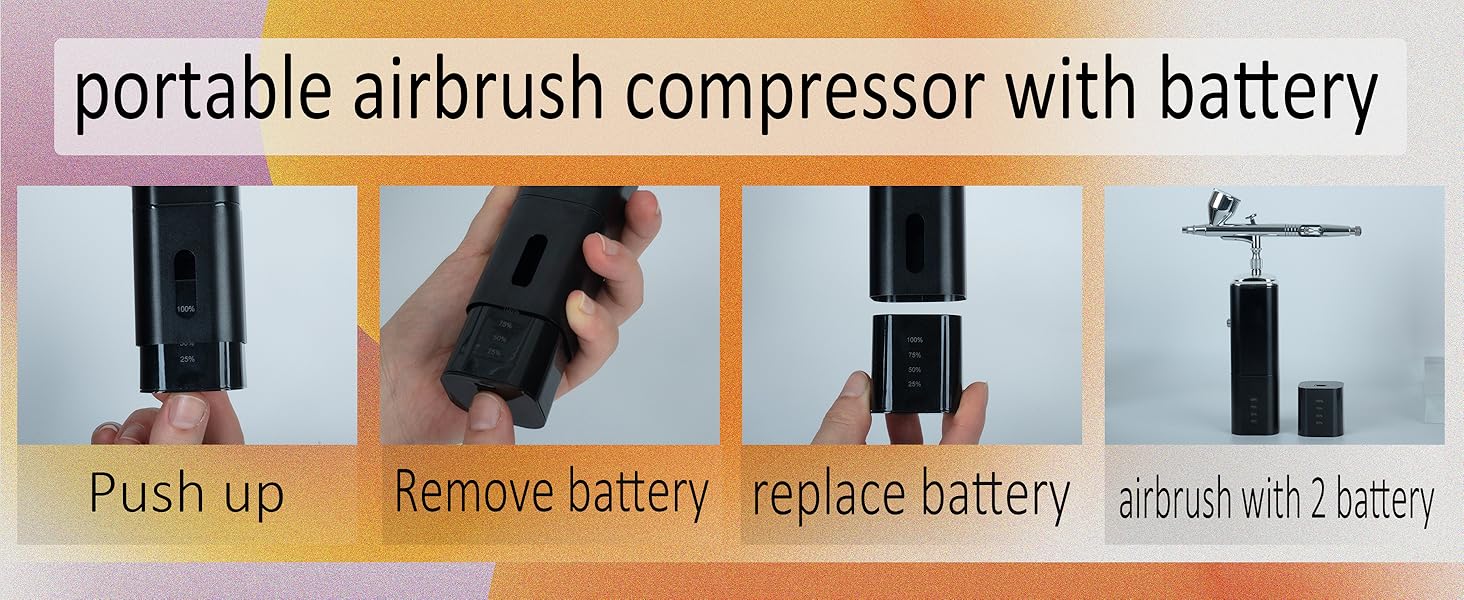
Image: Step-by-step visual guide on how to remove and replace the compressor battery.
Maintenance and Cleaning
Regular cleaning is essential to maintain the performance and longevity of your airbrush kit.
General Cleaning After Each Use:
- Empty any remaining paint from the cup.
- Add a small amount of appropriate cleaning solution (e.g., water for water-based paints, specific cleaner for other paints) to the paint cup.
- Spray the cleaner through the airbrush until it runs clear.
- Use the included cleaning brushes to clean the paint cup and nozzle area.
- For stubborn clogs, back-flush the airbrush by covering the nozzle with a finger and pulling the trigger back to bubble air into the paint cup.
Deep Cleaning (Periodically or for Clogs):
- Carefully disassemble the airbrush gun using the nozzle removal tool.
- Clean all components (needle, nozzle, cap, body) with cleaning solution and appropriate brushes.
- Ensure no paint residue remains in any part.
- Reassemble the airbrush carefully, ensuring all parts are correctly aligned and tightened.
Image: Detailed diagram of a professional dual-action airbrush, showing its components for disassembly and cleaning.
Troubleshooting
| Problem | Possible Cause | Solution |
|---|---|---|
| No air flow | Battery low/dead; Compressor not turned on; Air hose/connections loose. | Charge battery; Press power button; Check all connections. |
| No paint flow / Spluttering | Paint too thick; Nozzle clogged; Needle bent/damaged. | Thin paint properly; Clean nozzle/airbrush; Inspect and replace needle if necessary. |
| Air bubbles in paint cup | Loose nozzle; Damaged nozzle/needle; Air leaking from connection. | Tighten nozzle; Inspect and replace damaged parts; Check connections. |
| Compressor overheating | Prolonged continuous use; Blocked vents. | Allow compressor to cool down; Ensure vents are clear. |
Warranty and Support
Casubaris offers a 1-year quality guarantee from the date of purchase. If you encounter any problems with your airbrush kit within this period, please contact us through Amazon's after-service platform. We are committed to providing a replacement or a full refund for any quality-related issues.
For further assistance or inquiries, please refer to your purchase details on Amazon to contact the seller directly.