
1. Introduction
The RaLeno Streaming Key Light RGB-S116 is designed to provide versatile and high-quality lighting for various applications, including live streaming, video calls, and photography. It features adjustable brightness, color temperature, and a full RGB spectrum to enhance your visual environment. The light incorporates side-emitting technology and a 4-layer diffuser for soft, non-glare illumination, protecting your eyes during extended use.

Image 1: The RaLeno Streaming Key Light RGB-S116, a compact and versatile lighting solution.
2. What's in the Box
- Video light panel * 1
- Adapter * 1
- Remote control * 1
- Desktop stand * 1
- 360° spherical head * 1

Image 2: All components included in the RaLeno Streaming Key Light RGB-S116 package.
3. Setup
- Assemble the Desktop Stand: Attach the 360° spherical head to the telescopic pole. Then, screw the telescopic pole into the weighted base.
- Attach the Light Panel: Securely mount the video light panel onto the 360° spherical head. Adjust the height and angle as needed. The stand is robust and flexible, allowing for precise positioning.
- Connect Power: Use the provided Type-C adapter to power the light. The light also supports power bank with PD protocol output for portable use.
- Remote Control: The 2.4G magnetic remote control can be stored and charged in a compartment on the back of the light panel. Ensure it is charged before first use.

Image 3: Detailed view of the robust and flexible desktop stand components and assembly.
4. Operating Instructions
The RaLeno Streaming Key Light offers three main operating modes: CCT Mode, HSI RGB Mode, and Special Effects. All adjustments can be made using the magnetic remote control.
4.1 Remote Control Overview
The remote control features an HD LCD display, function toggle buttons (FN), mode selection (MODE), channel and group selection (CH/GRP), and a turning wheel for adjustments. It magnetically attaches to the back of the light for convenient storage and charging.

Image 4: Layout of the RGB-S116 remote control, showing buttons and display.
4.2 CCT Mode (Color Correlated Temperature)
CCT mode is ideal for standard lighting needs like video conferences and live broadcasts. In this mode, you can adjust:
- Brightness: From 1% to 100%.
- Color Temperature: From 2500K (warm) to 8500K (cool).
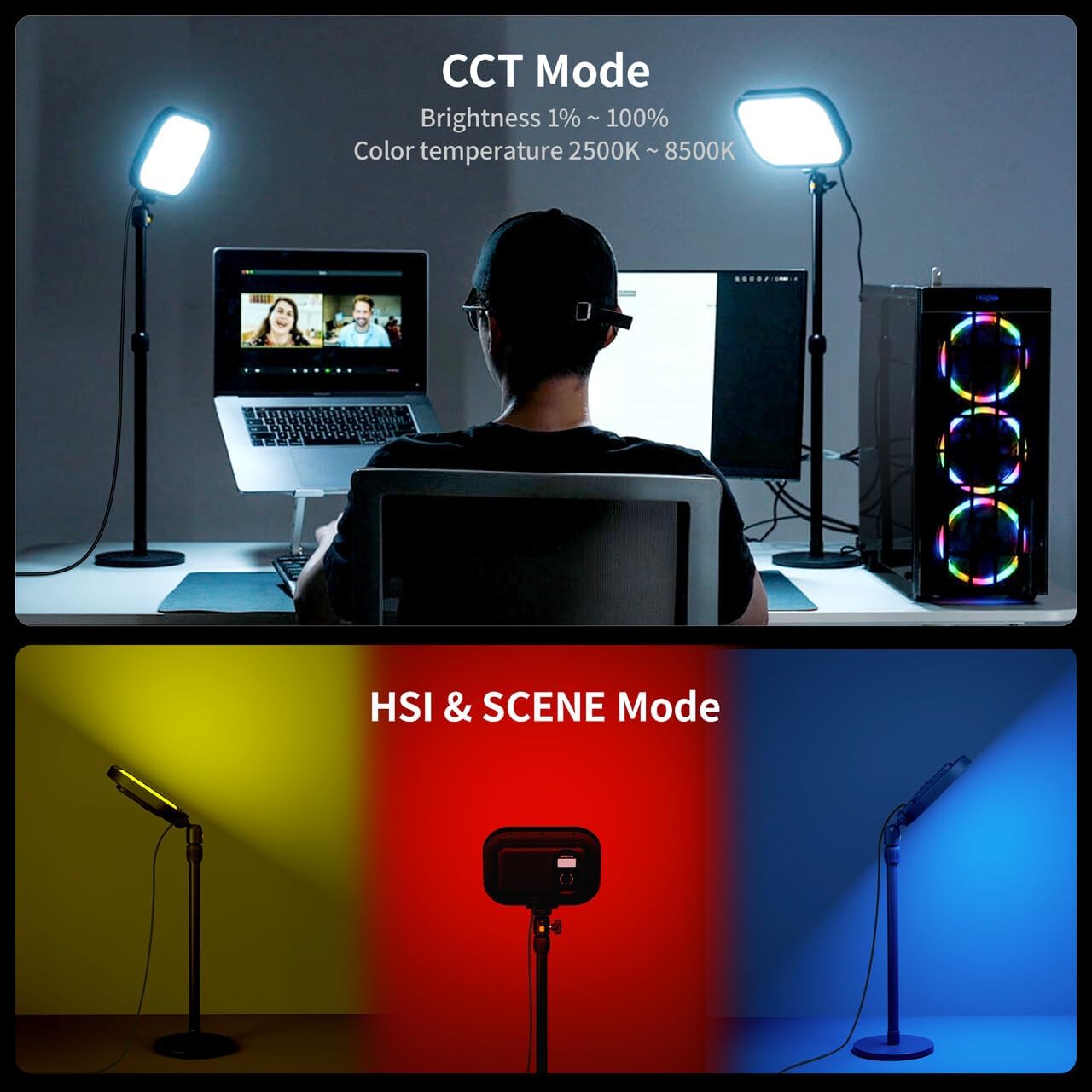
Image 5: Demonstrates the light in CCT mode for standard illumination and HSI mode for colored lighting.
4.3 HSI RGB Mode (Hue, Saturation, Intensity)
HSI RGB mode allows for creative lighting effects, perfect for game broadcasts or photography. In this mode, you can adjust:
- Hue: From 0 to 360° for a full color gamut.
- Saturation: From 1% to 100%.
- Brightness: From 1% to 100%.
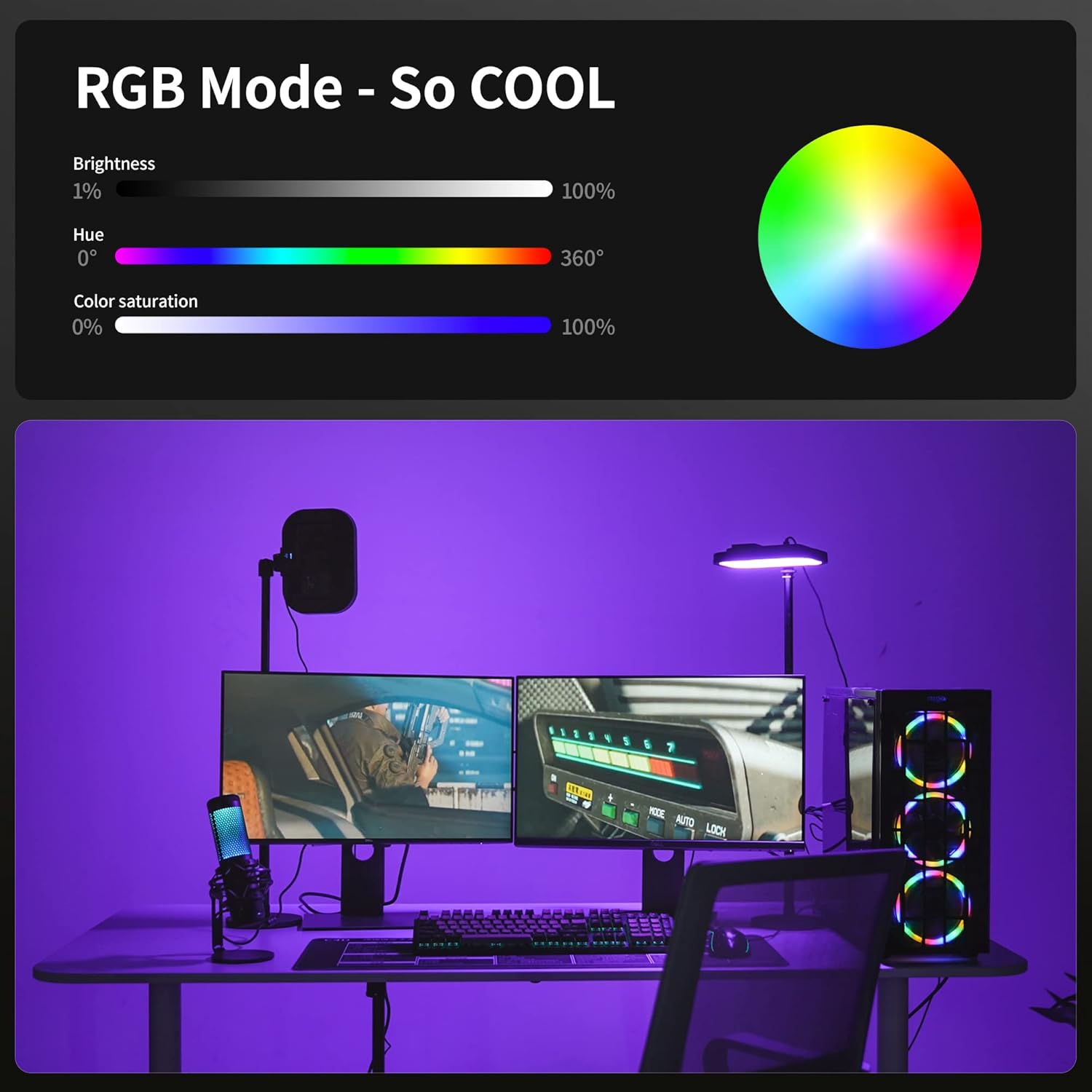
Image 6: Visual representation of RGB mode with a color wheel and adjustable parameters.
4.4 Special Effects
The light offers 6 special effects for dynamic video creation, including Lighting, Police Light, Bad Bulb, Candel, TV, and Color Cycle.

Image 7: Overview of brightness, color gamut, color temperature, and special effects options.
4.5 Using the Remote Control
The remote control allows you to easily switch between modes and adjust parameters. One remote can control multiple lights simultaneously by setting them to the same channel and group.
Video 1: Demonstrates the use of the remote control to change light settings and colors on the RaLeno RGB key light.
Video 2: Shows the RaLeno RGB S116 key light in action for game streaming and video calls, highlighting its color capabilities.
5. Maintenance
To ensure the longevity and optimal performance of your RaLeno Streaming Key Light, follow these maintenance guidelines:
- Keep the device clean by wiping it with a soft, dry cloth. Avoid using abrasive cleaners or solvents.
- Store the light in a cool, dry place when not in use.
- Avoid exposing the light to extreme temperatures or direct sunlight for prolonged periods.
- Ensure the Type-C charging port is free from dust and debris.
6. Troubleshooting
If you encounter any issues with your RaLeno Streaming Key Light, refer to the following common troubleshooting tips:
- Light not turning on: Ensure the light is fully charged or connected to a power source. Check the power button on the light and the remote control.
- Remote control not responding: Ensure the remote control is charged and properly paired with the light. Re-insert the remote into its magnetic slot on the light to re-establish connection.
- Inconsistent light output: Check for any obstructions to the light panel. Ensure the brightness and color temperature settings are correctly adjusted on the remote.
7. Specifications
| Feature | Specification |
|---|---|
| Product Dimensions | 7.64"L x 7.48"W x 1.1"H |
| Item Weight | 5.37 pounds |
| Item Model Number | RGB-S116 KEY LIGHT |
| Batteries | 1 Lithium Ion batteries required (included) |
| Battery Life | Approximately 1 Hour |
| Connectivity Technology | 2.4G remote control |
| Hardware Interface | USB Type C |
| Color Temperature | 2500K to 8500K |
| Brightness Adjustment | 1% to 100% |
| Color Gamut | 0 to 360° |
8. Warranty and Support
RaLeno products are covered by a manufacturer's warranty. For specific warranty details, product support, or to inquire about replacement parts, please visit the official RaLeno website or contact their customer service directly. Keep your purchase receipt as proof of purchase.
For additional information and product updates, you may visit the RaLeno Store on Amazon.