
Introduction
This manual provides essential information for the safe and efficient operation, installation, and maintenance of your LG MVEL2033D 2.0 Cu. Ft. Black Stainless Steel Over-the-Range Microwave. Please read all instructions thoroughly before using the appliance and retain this manual for future reference.
Important Safety Instructions
To reduce the risk of fire, electric shock, injury to persons, or exposure to excessive microwave energy when using your appliance, follow basic precautions, including the following:
- Read all instructions before using the appliance.
- Do not attempt to operate this oven with the door open or if the door is damaged.
- Do not heat liquids or other foods in sealed containers as they are liable to explode.
- Do not overcook food.
- Clean the microwave regularly and remove any food deposits.
- Do not use corrosive chemicals or vapors in this appliance.
- Ensure proper grounding to avoid electrical shock.
- Only allow qualified service personnel to service or repair the appliance.
Product Overview
The LG MVEL2033D is a 2.0 cubic foot over-the-range microwave oven designed for convenient cooking and kitchen ventilation. It features a sleek PrintProof™ Black Stainless Steel finish and intuitive SmoothTouch™ glass controls.
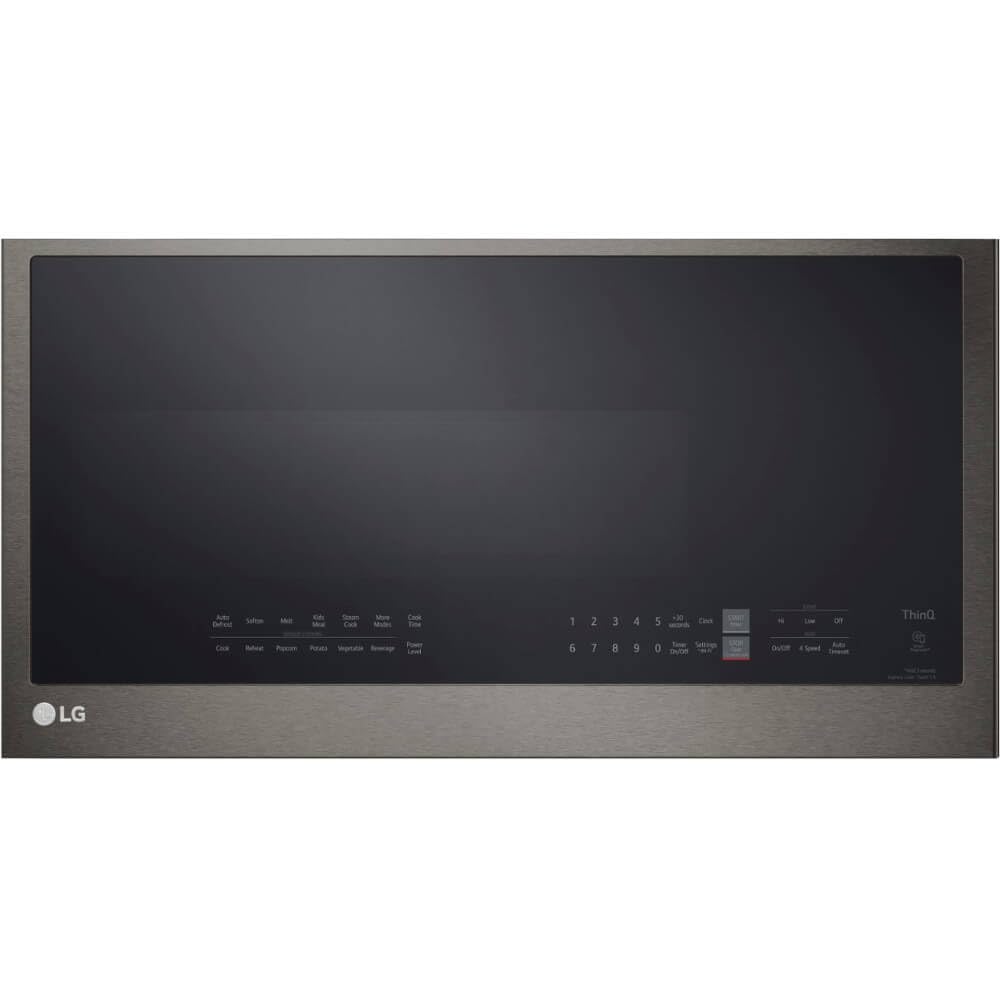
Front view of the LG MVEL2033D Over-the-Range Microwave.

The LG MVEL2033D microwave, highlighting its sleek design and controls.

Angled view showcasing the microwave's profile.
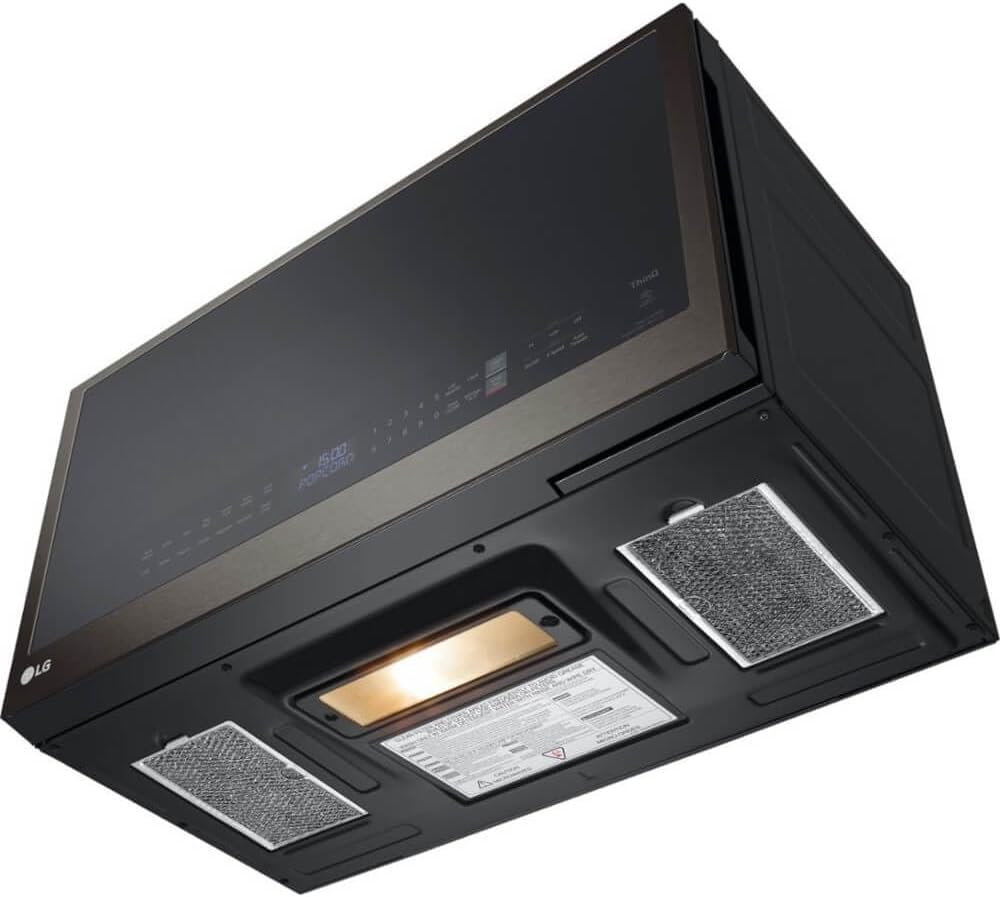
Underside of the microwave, revealing the exhaust filters and cooktop lighting.

Interior of the microwave with the door open, showing the spacious cavity.

Detailed view of the microwave's interior, including the glass turntable.
Setup & Installation
Mounting
This microwave is designed for over-the-range installation. Proper mounting requires adherence to the detailed instructions provided in the separate installation guide. Ensure adequate clearance above the cooking surface and secure attachment to the wall and upper cabinet.
Ventilation Options
The microwave offers flexible ventilation options to suit your kitchen setup. It can be configured for:
- Outside Venting: Exhausts cooking odors and steam directly to the exterior of your home.
- Recirculating (Ductless) Venting: Filters air through a charcoal filter and recirculates it back into the kitchen.
Refer to the installation manual for specific instructions on how to configure the ventilation system.
Electrical Requirements
The microwave requires a dedicated 120V, 60Hz, 15A electrical outlet. Ensure the circuit is properly grounded and meets all local electrical codes. Do not use extension cords.
Operating Instructions
Your LG MVEL2033D microwave features a user-friendly control panel and various cooking functions.
Control Panel
The SmoothTouch™ glass control panel is located on the right side of the microwave door. It includes a numeric keypad, function buttons, and a digital display.
- Cook Time: Press this button and enter the desired cooking duration using the numeric keypad.
- Power Level: Adjust the microwave power from 1 (lowest) to 10 (highest) after setting the cook time.
- Add 30 Second: Quickly add 30 seconds of cooking time at full power.
- Start/Enter: Begins the cooking cycle or confirms a selection.
- Stop/Clear: Cancels a program or stops cooking. Hold to activate/deactivate Control Lock.
- Vent Fan: Controls the exhaust fan speed (4 levels) to remove smoke and odors.
- Surface Light: Illuminates the cooktop below the microwave.
Special Features
- Sensor Cooking: Humidity-sensing technology automatically adjusts cooking time and power to prevent over or undercooking.
- Auto Cook Modes: Select from 6 preset options for common foods: Auto Defrost, Soften, Melt, Simmer, Steam Cook, or Kids Meal.
- Scan-to-Cook (ThinQ® App): Use the LG ThinQ® app to scan barcodes on compatible frozen food packaging. The app will remotely send cooking instructions to the microwave.
- LG Range Sync (ThinQ® App): Connect your compatible Wi-Fi enabled LG microwave and range via the ThinQ® app. The microwave's vent and light will automatically synchronize with your range cooktop's operation.
Maintenance & Cleaning
Regular cleaning and maintenance will ensure optimal performance and longevity of your microwave.
Exterior Cleaning
Wipe the exterior surfaces, including the PrintProof™ Black Stainless Steel finish, with a soft, damp cloth. For stubborn stains, use a mild soap solution. Avoid abrasive cleaners or scouring pads.
Interior Cleaning (EasyClean®)
The microwave features an EasyClean® interior. To clean, wipe the interior with a soft, damp cloth and mild detergent. For baked-on food, place a cup of water with lemon slices inside and microwave for a few minutes to loosen residue, then wipe clean.
Filter Maintenance
- Grease Filters: The two grease filters located on the underside of the microwave should be removed and cleaned regularly (monthly or as needed). Wash them in hot water with detergent or in a dishwasher.
- Charcoal Filter: If your microwave is set up for recirculating ventilation, the charcoal filter (located behind the vent grille) should be replaced approximately every 6-12 months, depending on usage. This filter is not washable.
Turntable Care
The glass turntable and its support ring can be removed for cleaning. Wash them in warm, soapy water or in the dishwasher. Ensure they are dry before placing them back in the microwave.
Troubleshooting
If you encounter issues with your microwave, consult the following table for common problems and solutions.
| Problem | Possible Cause | Solution |
|---|---|---|
| Microwave does not start | Door not closed properly; Power outage; Control Lock activated. | Ensure door is latched; Check circuit breaker; Deactivate Control Lock by holding 'Stop/Clear'. |
| No power | Power cord unplugged; Blown fuse or tripped circuit breaker. | Check power connection; Replace fuse or reset circuit breaker. |
| Food not cooking evenly | Food not stirred or rotated; Turntable not rotating. | Stir or rotate food during cooking; Ensure turntable is correctly seated and not obstructed. |
| Oven light not working | Bulb needs replacement. | Contact service for bulb replacement. |
| Vent fan not working | Fan speed set to 'Off'; Obstruction in fan. | Adjust fan speed; Check for and remove any obstructions. |
Specifications
Detailed technical specifications for the LG MVEL2033D microwave oven:
| Feature | Specification |
|---|---|
| Brand | LG |
| Model Name | MVEL2033D |
| Capacity | 2.0 Cubic Feet |
| Color | PrintProof Black Stainless Steel |
| Exterior Dimensions (WxHxD) | 29 7/8" x 17 15/16" x 15 7/16" |
| Product Dimensions (DxWxH) | 15.43"D x 29.87"W x 17.93"H |
| Microwave Power Output | 1050 Watts |
| Wattage (Power Consumption) | 1800 Watts |
| Voltage | 120 Volts |
| Frequency | 60 Hz |
| Power Levels | 10 |
| Control Type | Glass Touch (SmoothTouch™) |
| Interior Material | EasyClean® (smooth, non-stick material) |
| Turntable Diameter | 14.2 inches |
| Ventilation Air Flow (CFM) | 400 CFM |
| Vent Power Levels | 4 |
| Lighting (Exterior) | Halogen |
| Lighting (Interior) | LED |
| Special Features | Scan-to-Cook, Sensor Cooking, Auto Cook Presets, ThinQ® Technology, PrintProof Finish |
| UPC | 048231342094 |

Diagram illustrating the dimensions of the LG MVEL2033D microwave.
Warranty & Support
Your LG MVEL2033D microwave oven comes with the following warranty:
- Parts and Labor: 1 Year
- Magnetron: 5 Years
For technical assistance, service, or to register your product, please visit the official LG website or contact LG customer support. Keep your purchase receipt for warranty claims.
For further support, visit: LG Support