
DCCStands Nexgo N5
Nexgo N5 Low Profile Freestanding Swivel and Tilt Stand with Square Plate - User Manual
Model: Nexgo N5 | Brand: DCCStands
Introduction
This user manual provides comprehensive instructions for the setup, operation, and maintenance of your DCCStands Nexgo N5 Low Profile Freestanding Swivel and Tilt Stand with Square Plate. This stand is designed to securely hold your Nexgo N5 payment terminal, enhancing customer interaction and protecting your equipment.
What's in the Box
- Low Swivel and Tilt Stand
- 8" x 8" Square Countertop Plate
- Mounting Screws
- Adhesive Pad (for alternative securing method)
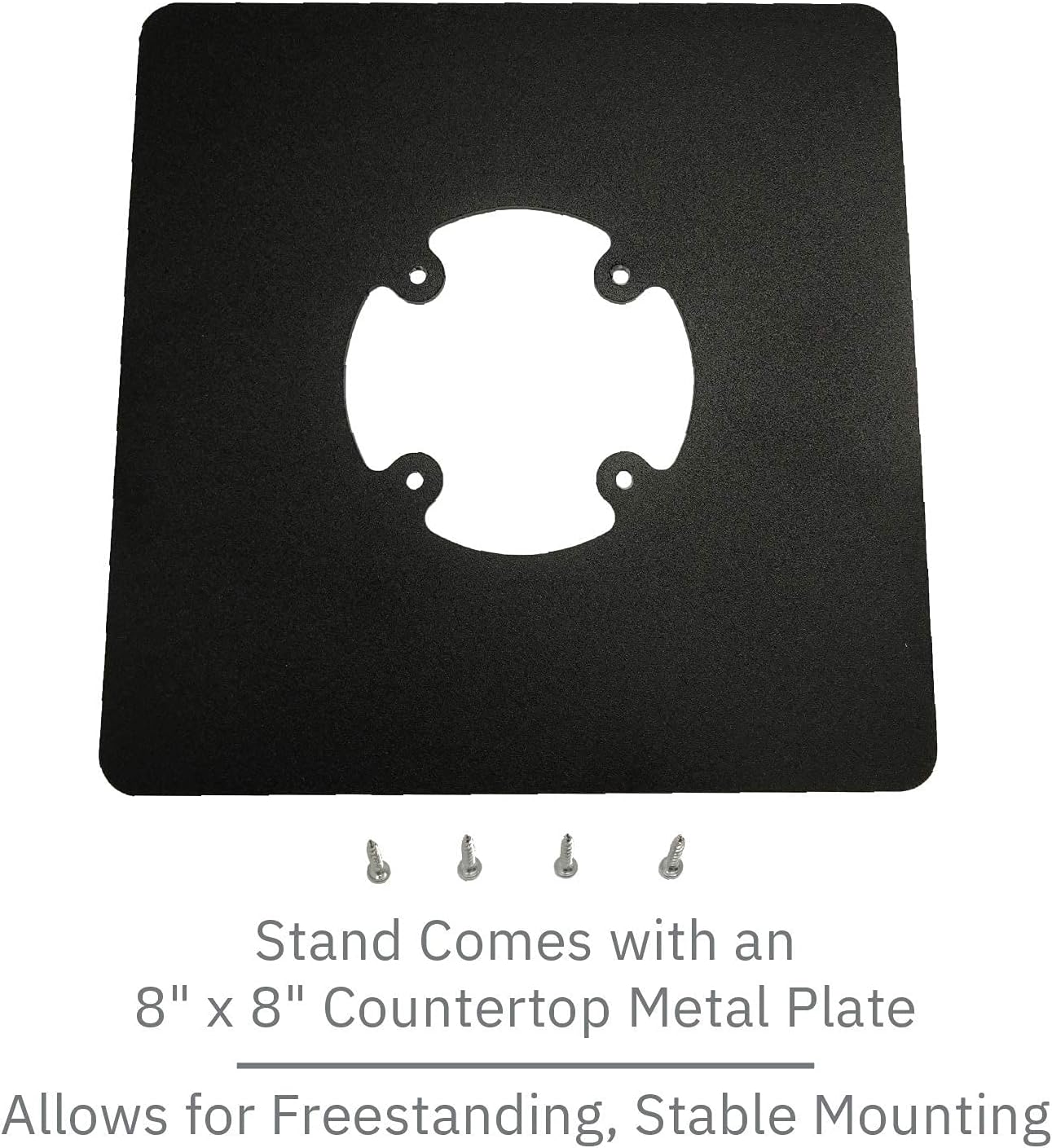
Figure 1: Included 8" x 8" square countertop plate and mounting screws. This plate allows the stand to be freestanding.
Key Features
- Durable Construction: Manufactured from sturdy steel with a durable powder-coated finish for longevity and protection.
- Enhanced Customer Experience: The stand can tilt up to 60° and swivel a full 190°, facilitating easy movement of the device between customer and merchant.
- Secure Mounting: Features a flange cover to conceal wires and a secure mount to minimize damage and theft risks to the POS terminal.
- Freestanding Design: Includes an 8" x 8" square countertop plate for stable, freestanding placement.
- Easy Installation: Supplied fully built with options for screw-down or adhesive pad securing.
- Compatibility: Specifically designed to fit the Nexgo N5 payment terminal.
- Compact Design: Pole stands 4" tall, providing a low-profile solution.

Figure 2: The Nexgo N5 stand, showcasing its low profile and robust design.
Setup and Installation
The Nexgo N5 stand is supplied fully assembled for ease of installation. Choose one of the following methods to secure the stand.
Method 1: Freestanding with Square Plate (Recommended)
- Place the 8" x 8" square countertop plate on your desired flat surface.
- Align the pre-drilled holes on the base of the swivel and tilt stand with the corresponding holes on the square plate.
- Secure the stand to the plate using the provided screws. Ensure they are tightened firmly but do not overtighten.
- Place your Nexgo N5 payment terminal onto the stand's mounting bracket. Ensure it clicks securely into place.

Figure 3: The stand with a Nexgo N5 terminal in an operational environment, demonstrating its sleek integration.
Method 2: Permanent Mounting (Screw-Down)
For a more permanent installation, the stand can be directly screwed to a countertop.
- Identify the desired mounting location on your countertop. Ensure the surface is stable and can accommodate drilling.
- Using the stand's base as a template, mark the screw hole positions on the countertop.
- Drill pilot holes into the countertop at the marked positions. Use an appropriate drill bit size for the provided screws.
- Place the stand over the pilot holes and secure it using the provided screws. Tighten firmly.
- Place your Nexgo N5 payment terminal onto the stand's mounting bracket. Ensure it clicks securely into place.
Method 3: Permanent Mounting (Adhesive Pad)
An adhesive pad is provided for securing the stand without drilling.
- Clean and dry the desired mounting surface thoroughly. Ensure it is free of dust, grease, and moisture.
- Peel the protective backing from one side of the adhesive pad and apply it firmly to the bottom of the stand's base.
- Peel the remaining protective backing from the adhesive pad.
- Carefully position the stand on the prepared countertop surface and press down firmly for at least 30 seconds to ensure good adhesion.
- Allow the adhesive to cure for the recommended time (typically 24 hours) before placing the terminal on the stand or applying significant force.
- Place your Nexgo N5 payment terminal onto the stand's mounting bracket. Ensure it clicks securely into place.
Operation
Once installed, the Nexgo N5 stand allows for flexible positioning of your payment terminal.
- Swivel Function: The stand can swivel a full 190°. Gently rotate the terminal holder to face the customer or merchant as needed during transactions.
- Tilt Function: The stand can tilt up to 60°. Adjust the angle of the terminal by gently pushing or pulling the terminal holder to achieve the optimal viewing and interaction angle.

Figure 4: Technical diagram illustrating the 60° tilt and 190° swivel capabilities of the stand.
The flange cover at the base of the stand helps to hide and manage cables, contributing to a tidy and professional appearance. Ensure cables are routed safely to prevent tripping hazards or damage.
Maintenance
To ensure the longevity and optimal performance of your Nexgo N5 stand, follow these simple maintenance guidelines:
- Cleaning: Wipe the stand with a soft, damp cloth. Avoid using abrasive cleaners or solvents, as these can damage the powder-coated finish.
- Inspection: Periodically check all screws and connections to ensure they remain tight. Retighten if necessary.
- Movement: Ensure the swivel and tilt mechanisms move smoothly. Do not force movement if resistance is encountered.
- Environment: Keep the stand in a dry environment and avoid exposure to extreme temperatures or direct sunlight for prolonged periods.
Troubleshooting
This section addresses common issues you might encounter with your stand.
| Problem | Possible Cause | Solution |
|---|---|---|
| Stand feels wobbly after installation. | Screws are loose or adhesive not fully cured. | Ensure all mounting screws are tightened. If using adhesive, allow full curing time before use. Verify the mounting surface is flat and stable. |
| Terminal does not fit securely on the bracket. | Incorrect terminal model or improper alignment. | Confirm you are using a Nexgo N5 terminal. Ensure the terminal is correctly aligned with the bracket and pushed firmly into place until it clicks. |
| Swivel or tilt mechanism is stiff. | Dust accumulation or lack of lubrication. | Clean around the pivot points. Avoid applying lubricants unless specifically instructed by manufacturer support. |
Specifications
| Model | Nexgo N5 Low Profile Freestanding Swivel and Tilt Stand |
| Brand | DCCStands |
| Material | Sturdy Steel with Powder Coated Finish |
| Color | Black |
| Pole Height | 4 inches (approx. 10.16 cm) |
| Tilt Angle | Up to 60° |
| Swivel Angle | 190° |
| Base Plate Dimensions | 8" x 8" (approx. 20.32 cm x 20.32 cm) |
| Mounting Type | Tabletop (Freestanding, Screw-Down, or Adhesive) |
| Compatible Terminal | Nexgo N5 |
Warranty and Support
For information regarding product warranty, technical support, or replacement parts, please contact DCCStands directly through their official website or the retailer from whom the product was purchased. Please have your product model and purchase details ready when contacting support.
Manufacturer: DCCStands
ASIN: B0BJ7LJZWB
Ask a question about this manual
Ask about setup, troubleshooting, compatibility, parts, safety, or missing instructions. Manuals+ will review the question and use this page’s manual context to help answer it.