
1. Introduction
This manual provides detailed instructions for the installation, operation, and maintenance of your VIOFO A139 Pro 2CH Dash Cam. The A139 Pro 2CH is a high-performance dual-channel dash camera equipped with the revolutionary Sony STARVIS 2 IMX678 sensor, delivering superb 4K HDR video quality for both front and rear recordings. It features advanced functionalities such as 5GHz Wi-Fi, GPS logging, and comprehensive 24-hour parking modes.

The VIOFO A139 Pro 2CH Dash Cam system, including the front camera, rear camera, CPL filter, and a view of the companion mobile application showing video playback and GPS tracking.
2. What's in the Box
Please check the contents of your package against the list below:
- 1x Front Camera
- 1x Rear Camera
- 1x GPS Module with sticker
- 1x Rear Mount
- 1x Trim Removal Tool
- 1x CPL (Circular Polarizing Lens)
- 1x Car Charger (4m cable)
- 2x Static (Windshield) Stickers
- 1x Rear Cable (6m)
- 1x 3M Sticker

An illustration detailing the contents of the VIOFO A139 Pro 2CH Dash Cam package, including the cameras, cables, mounting accessories, and manual.
3. Setup and Installation
Proper installation is crucial for optimal performance. The A139 Pro 2CH utilizes super slim coaxial cables and miniature connectors for a user-friendly and discreet setup, minimizing electromagnetic interference.
3.1 Mounting the Front Camera
- Clean the windshield area where the camera will be mounted.
- Apply a static sticker to the windshield, then attach the 3M adhesive mount to the static sticker.
- Secure the front camera to the mount. Ensure the camera has a clear view of the road.
3.2 Mounting the Rear Camera
- Identify a suitable location on the rear windshield for the rear camera, ensuring a clear view.
- Use the provided 3M adhesive to attach the rear camera mount.
- Connect the rear camera to the front camera using the 6-meter coaxial cable. Route the cable discreetly along the vehicle's interior trim using the trim removal tool.
3.3 Power Connection
- Connect the car charger to the front camera's power input.
- Plug the car charger into your vehicle's 12V power outlet (cigarette lighter socket).
3.4 CPL Filter Installation
The included Circular Polarizing Lens (CPL) can be attached to the front camera lens to reduce reflections and glare from glass and road surfaces, enhancing image quality and contrast.

Comparison of the super slim coaxial cable (2.8mm) used for the A139 Pro rear camera versus a standard cable (5mm), highlighting the user-friendly and discreet installation.
An overhead diagram of a car illustrating the recommended cable routing for the front and rear dash cameras, emphasizing user-friendly and hidden installation.
4. Operation
4.1 Basic Recording
Once powered on, the A139 Pro 2CH will automatically begin recording. The front camera records in 4K (2160P@30fps) and the rear camera in 1080P resolution.
4.2 5GHz Wi-Fi Connectivity
The upgraded 5GHz Wi-Fi module provides faster data transfer speeds. Use the VIOFO app on your smartphone to connect to the dash cam's Wi-Fi for live video preview, downloading recordings, and adjusting settings.
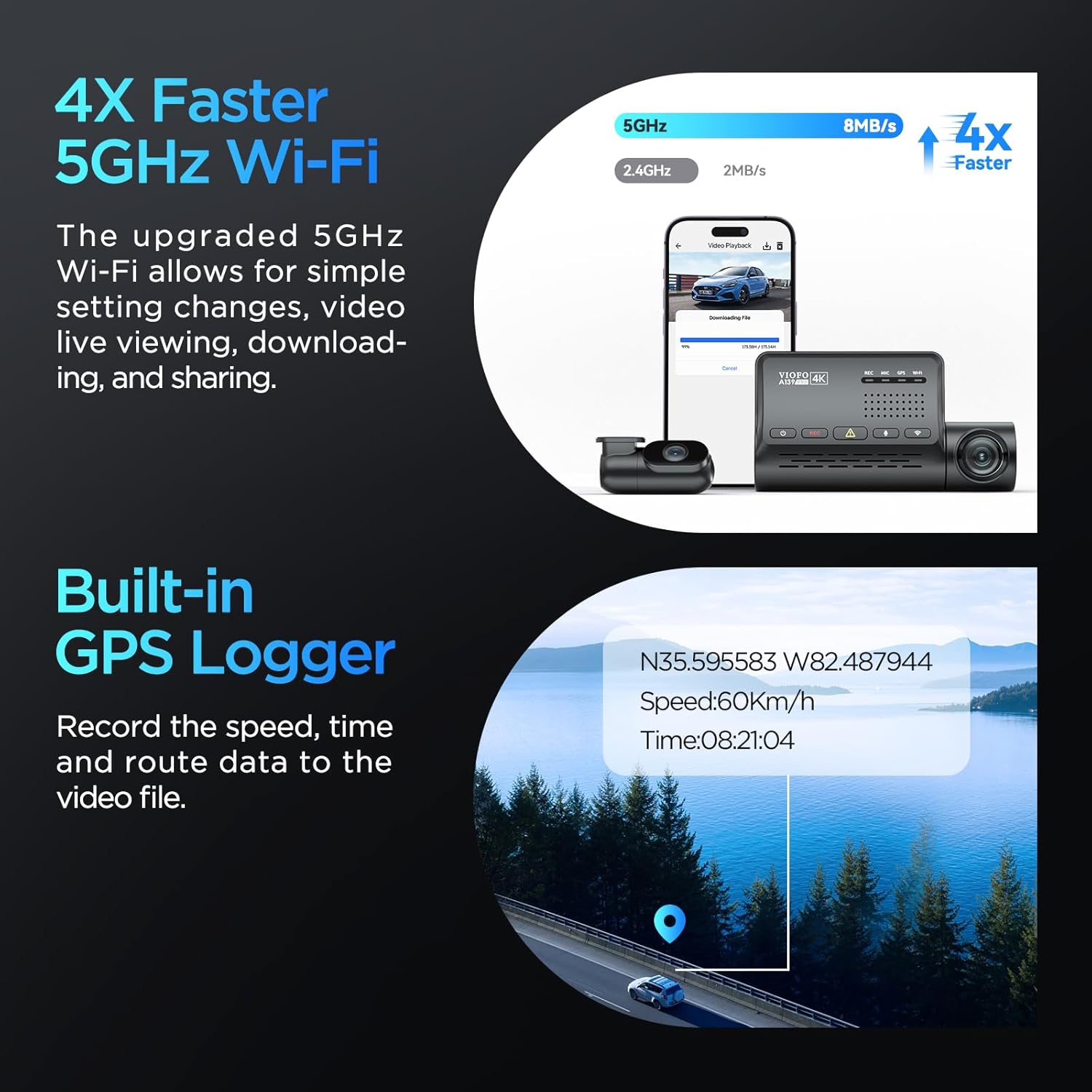
The VIOFO A139 Pro 2CH dash cam's 5GHz Wi-Fi capability for faster video transfer to a smartphone, alongside its built-in GPS logger displaying speed, time, and location data on a map.
4.3 GPS Logger
The built-in GPS logger records your vehicle's current speed and GPS location. This data can be embedded into the video files and viewed during playback via the VIOFO app or on a computer.
4.4 24-Hour Buffered Parking Mode
The A139 Pro offers three parking modes for continuous surveillance:
- Auto Event Detection: Automatically starts recording 15 seconds before and 30 seconds after an event (e.g., impact or motion) is detected.
- Time Lapse: Continuously records video at low frame rates (1/2/3/5/10/15 fps) to save storage space.
- Low Bitrate Recording: Continuous recording in a mini file size.
Note: For 24-hour parking mode functionality, the optional HK3-C hardwire kit (B08TW9BBGB) is required and sold separately.
An overview of the 24-hour buffered parking mode features, including auto event detection (recording 15 seconds before and 30 seconds after an event), low bitrate recording, and time-lapse recording.
4.5 Voice Notification
The dash cam provides English voice notifications to inform you of its status, confirm setting changes, and assist in diagnosing issues, allowing you to remain focused on driving.

The VIOFO A139 Pro dash cam's voice notification feature, which provides spoken English alerts for status updates and setting changes, and a demonstration of the CPL filter's effect on reducing glare.
5. Key Features
5.1 Sony STARVIS 2 IMX678 Sensor & 4K HDR
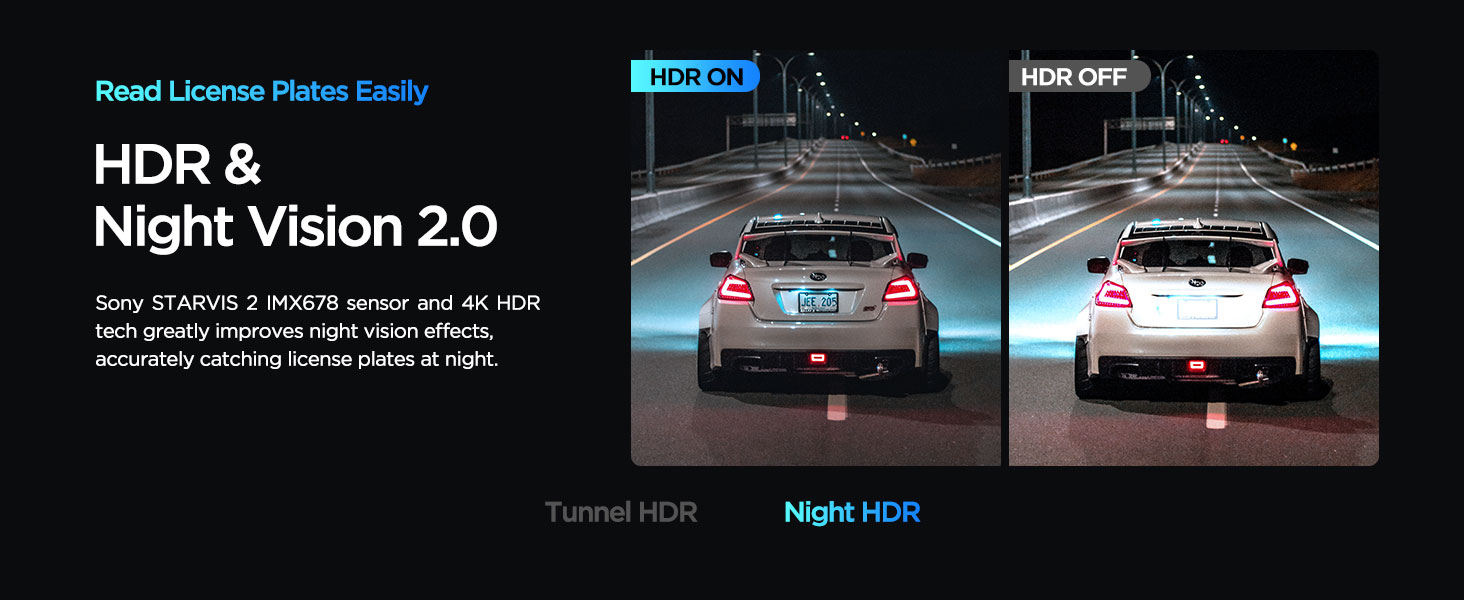
The A139 Pro 2CH features the latest Sony STARVIS 2 IMX678 sensor with a larger 1/1.8'' image pixel size, providing superior sensitivity and clarity, especially in low-light conditions. Combined with an upgraded 7-Glass F1.6 aperture lens and HDR technology, it delivers sharp, balanced 4K video day and night, capturing license plate details clearly.
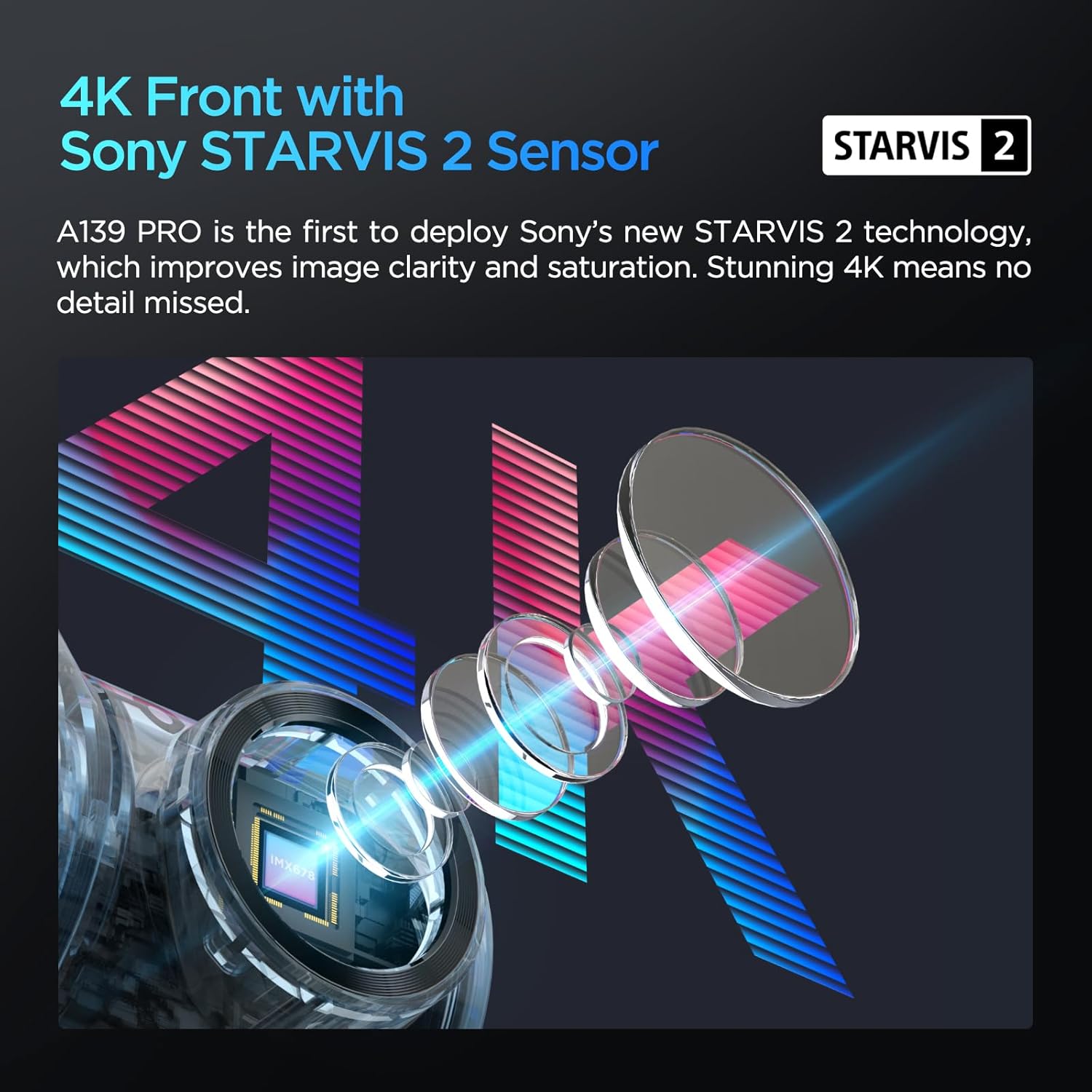
An illustration highlighting the Sony STARVIS 2 sensor's role in achieving stunning 4K image clarity and saturation for the A139 Pro dash cam.

A visual comparison demonstrating the effectiveness of 4K HDR Night Vision 2.0, showing clearer and more balanced images with HDR enabled versus disabled in low-light conditions.
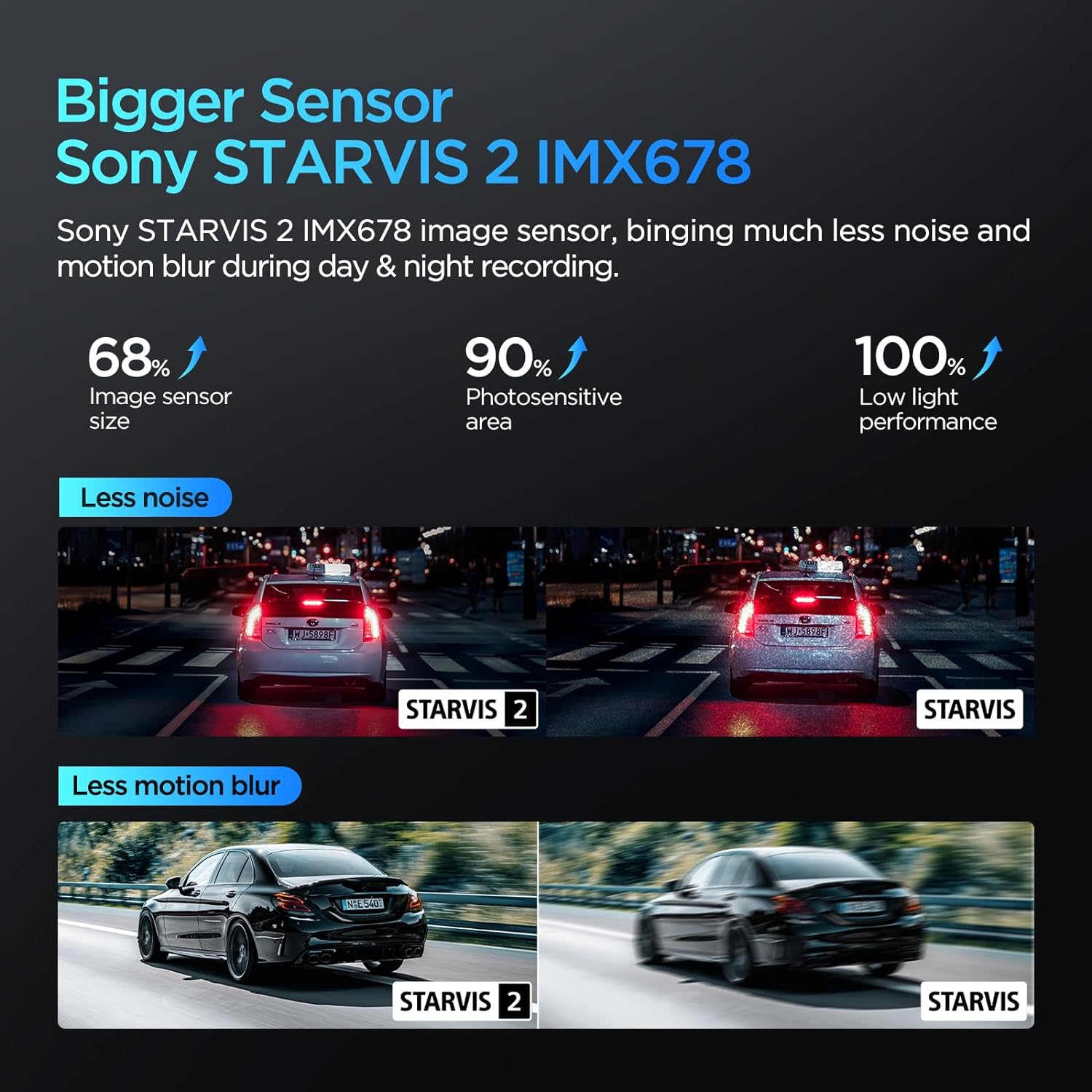
A comparison illustrating the superior performance of the Sony STARVIS 2 IMX678 sensor over the original STARVIS, demonstrating significantly less noise and motion blur in both day and night recordings.
6. Maintenance
6.1 Memory Card Recommendations
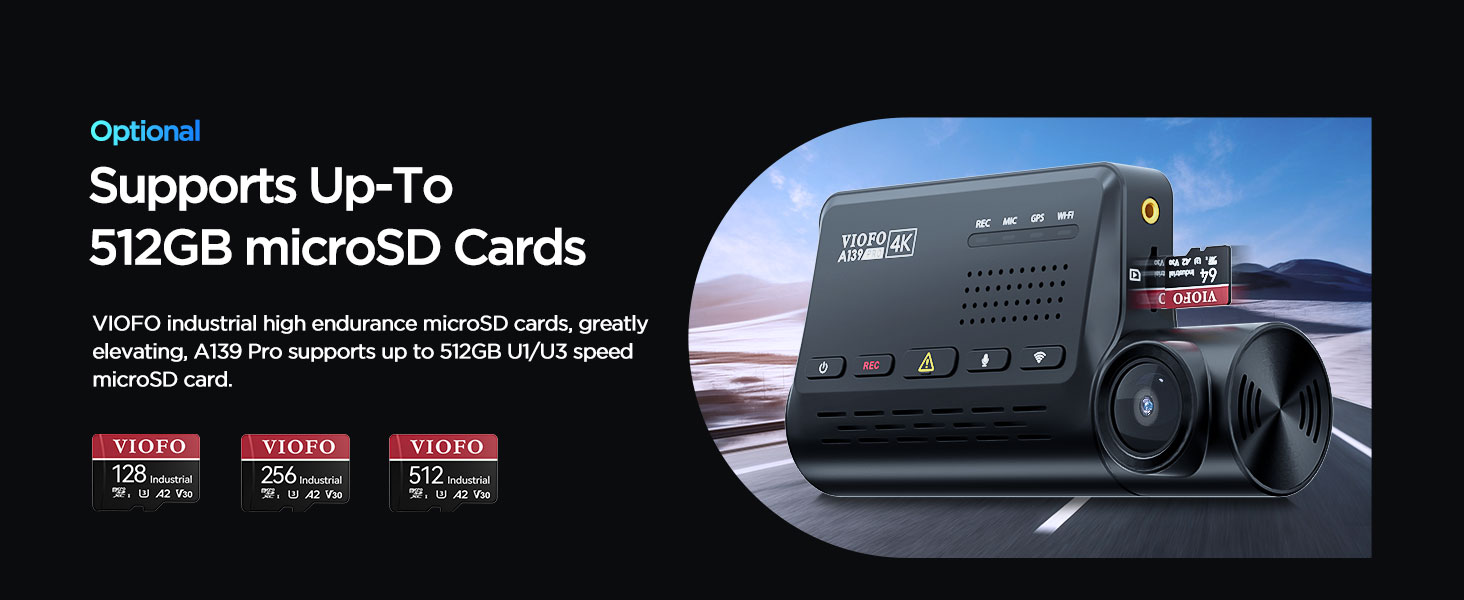
The A139 Pro does not include a memory card. For optimal performance and reliability, VIOFO recommends using a high-quality VIOFO industrial-grade microSD card. The maximum supported capacity is 512GB, but a 256GB card is suggested for optimal performance and stability.

An image showing the VIOFO A139 Pro dash cam with various VIOFO industrial high endurance microSD cards (128GB, 256GB, 512GB), indicating support for up to 512GB capacity.
6.2 Cleaning
Wipe the camera lenses periodically with a soft, lint-free cloth to ensure clear recordings. Avoid using harsh chemicals.
7. Troubleshooting
If you encounter issues, the voice notification feature can provide initial diagnostic information. Common issues and solutions include:
- Camera not powering on: Check the power connection and ensure the car charger is properly inserted into the 12V outlet.
- Recording errors: Ensure a compatible, high-quality microSD card is inserted and formatted. Replace the card if errors persist.
- Wi-Fi connection issues: Restart the camera and your smartphone. Ensure you are connecting to the correct VIOFO Wi-Fi network.
- Poor video quality: Clean the camera lenses. Ensure the CPL filter is correctly installed if glare is an issue. Check that the protective film has been removed from the lenses.
8. Specifications
| Product Dimensions | 4.72 x 2.36 x 1.18 inches |
| Item Weight | 1.6 pounds |
| Model Number | A139PRO |
| Batteries | 1 Lithium Ion batteries required (included) |
| Connectivity Technologies | Wi-Fi |
| GPS | GPS logger |
| Special Features | 4K HDR Sony STARVIS 2 IMX678 Sensor, Built-in GPS, 5GHz Wi-Fi for Video downloading, Dual Recording 4K+1080P, Anti-Glare CPL Included, Voice Notification, 3 Parking Mode Solutions |
| Color | A139 Pro 2CH |
| Video Capture Resolution | Front: 4K 2160P, Rear: 1080P |
| Mounting Type | Windshield Mount |
| Field Of View | 170 Degrees |
9. Warranty and Support
VIOFO is committed to providing excellent customer support and product reliability.
- Money-Back Guarantee: Enjoy a 30-Day Money-Back Guarantee.
- Customer Support: Dedicated 24/7 customer support is available.
- Warranty Coverage: The product comes with a 24-Month Warranty Coverage, which can be extended.
For technical assistance or inquiries, please contact VIOFO support:
- Email: support@viofo.com
- Phone (US): +1 323 505 9898

VIOFO's trusted customer support details, including email, phone number, money-back guarantee, dedicated support, and extended warranty.


