
Leebein ANS-8051
Leebein Electric Spin Scrubber User Manual
Model: ANS-8051 | Brand: Leebein
1. Introduction
The Leebein Electric Spin Scrubber (Model ANS-8051) is a versatile cordless cleaning brush designed to simplify household cleaning tasks. Featuring multiple brush heads, adjustable speeds, and an extendable handle, it provides an efficient solution for cleaning various surfaces in bathrooms, kitchens, and more.
2. Safety Information
- Do not immerse the main unit in water beyond the IPX7 waterproof rating.
- Keep out of reach of children.
- Ensure the charging port is dry before connecting the charging cable.
- Use only the provided charging cable.
- Avoid applying excessive pressure, especially on delicate surfaces.
- Turn off the device before changing brush heads or adjusting the handle.
3. Package Contents
Verify that all items are present in your package:
- Electric Spin Scrubber Main Unit
- Adjustable Extension Handle (2 sections)
- 8 Replaceable Brush Heads:
- Dome Brush
- Large Flat Brush
- Corner Brush
- Small Flat Brush
- Cloth Brush (Large)
- Cloth Brush (Small)
- Scouring Pad
- Sponge Brush
- USB-C Charging Cable
- User Manual

Image: Complete package contents including the main unit, extension handle, various brush heads, and charging cable.
4. Setup
4.1 Initial Charging
Before first use, fully charge the spin scrubber. Connect the USB-C charging cable to the charging port on the main unit and plug the other end into a compatible USB power adapter (not included). The LED display will show the battery status. A full charge takes approximately 3 hours.
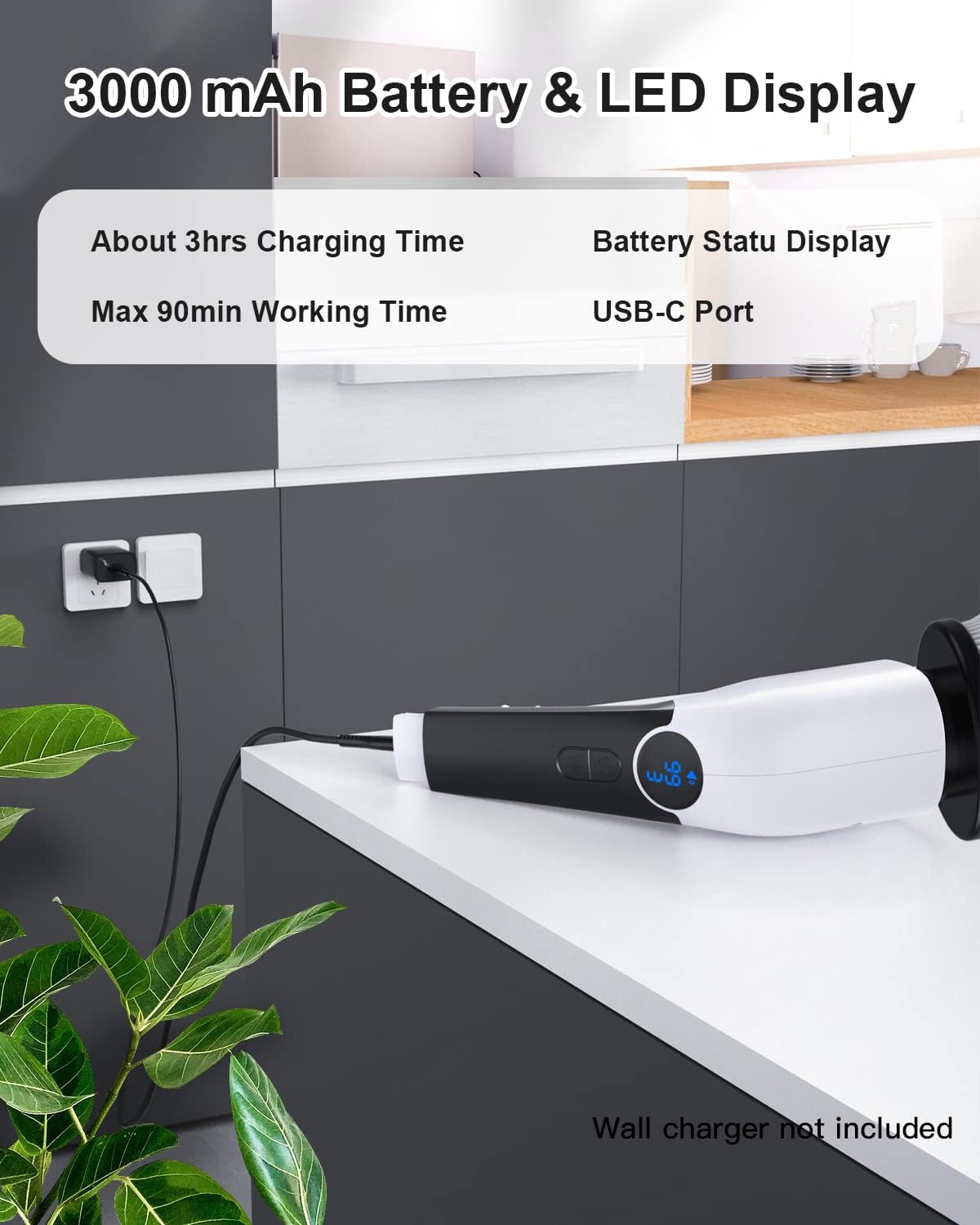
Image: The main unit connected to a USB-C charging cable, showing the LED display indicating battery status.
4.2 Assembling the Handle
The scrubber can be used as a handheld unit or with the extension handle for extended reach.
- To attach the extension handle, align the main unit with the handle section and twist clockwise until secure.
- To extend the handle further, unlock the adjustable section by twisting the collar, pull to the desired length (up to 54 inches), and twist the collar counter-clockwise to lock it in place.

Image: The electric spin scrubber with its adjustable extension handle, demonstrating various lengths for different cleaning needs.
4.3 Attaching Brush Heads
Select the appropriate brush head for your cleaning task. Align the brush head with the rotating base of the main unit and push firmly until it clicks into place.
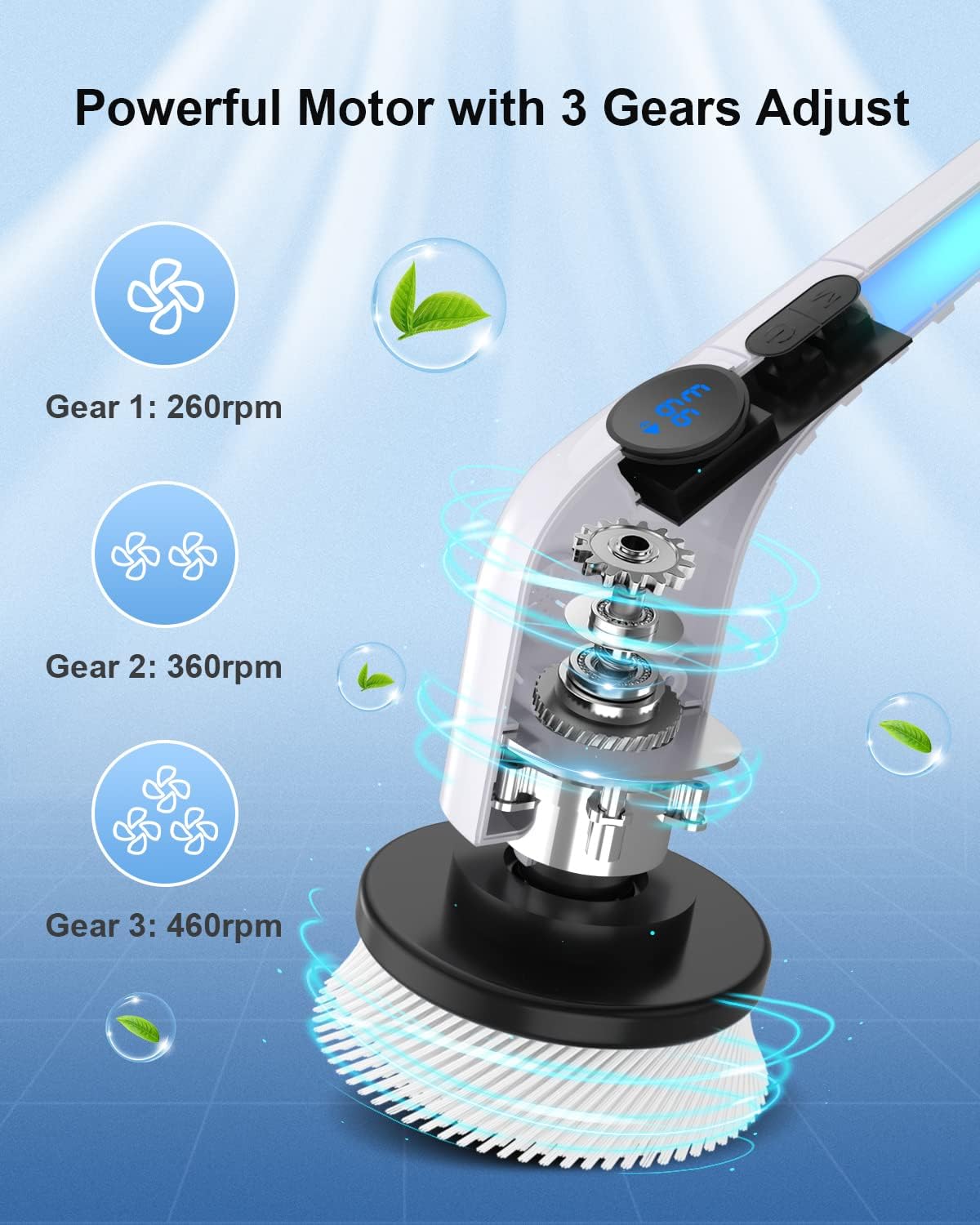
Image: A selection of 8 versatile brush heads, including dome, flat, corner, cloth, and sponge types, for different cleaning applications.
5. Operating Instructions
5.1 Power On/Off and Speed Adjustment
Press the power button (⏻) to turn the scrubber on. The LED display will illuminate. Press the 'M' button to cycle through the 3 adjustable speeds:
- Gear 1 (260 RPM): For fragile surfaces like leather or wood furniture.
- Gear 2 (360 RPM): For regular cleaning tasks.
- Gear 3 (460 RPM): For stubborn stains and heavy-duty cleaning.
The voice prompt feature will announce the current speed. To turn off the voice prompt, long-press the 'M' button.
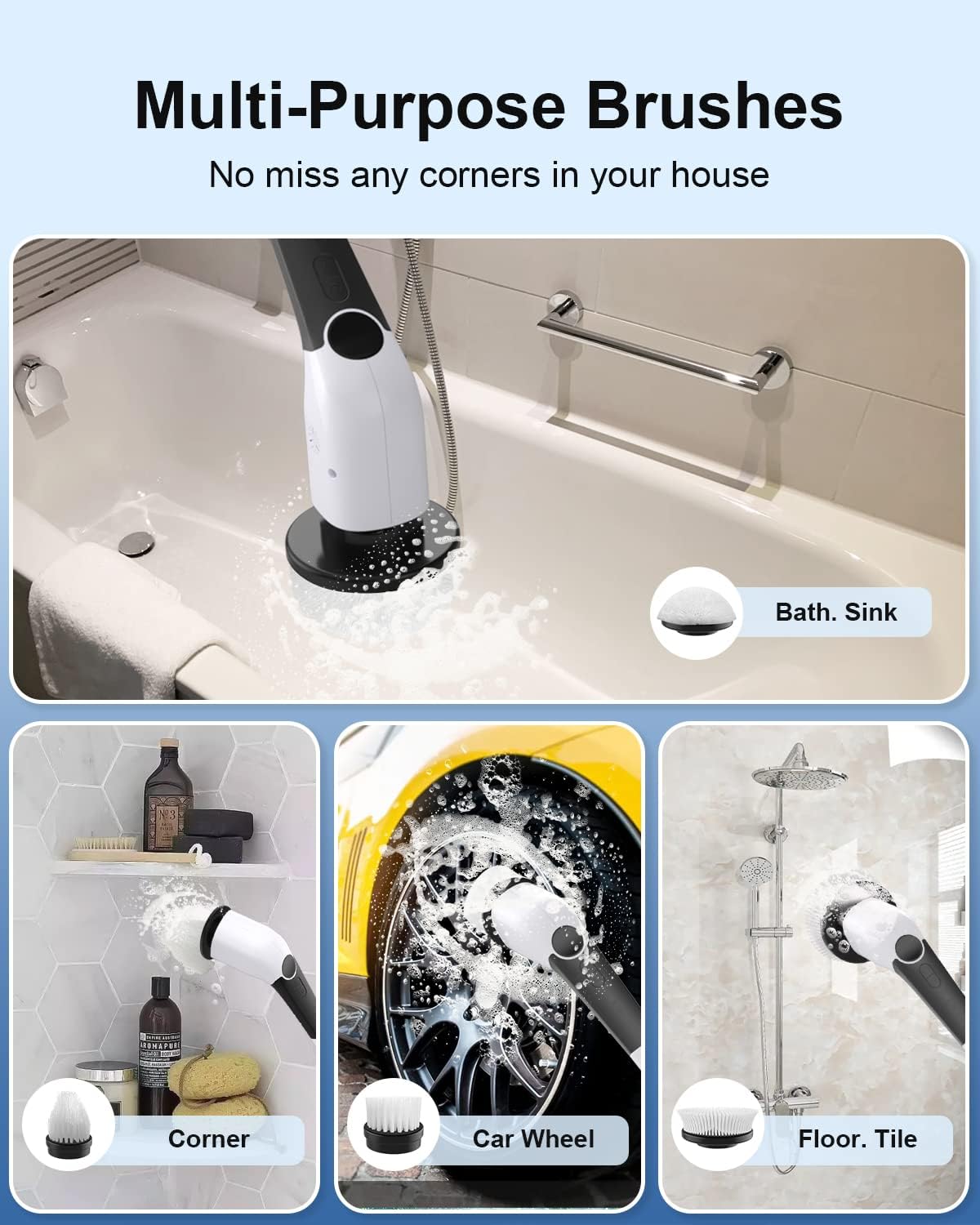
Image: Diagram illustrating the powerful motor and three adjustable speed settings (260 RPM, 360 RPM, 460 RPM) for varied cleaning needs.
5.2 General Usage Tips
- Apply appropriate cleaning solution to the surface or brush head before scrubbing.
- Use the extension handle for floors, high walls, or hard-to-reach areas to reduce bending and kneeling.
- The IPX7 waterproof design allows the scrubber to be used and cleaned in water.
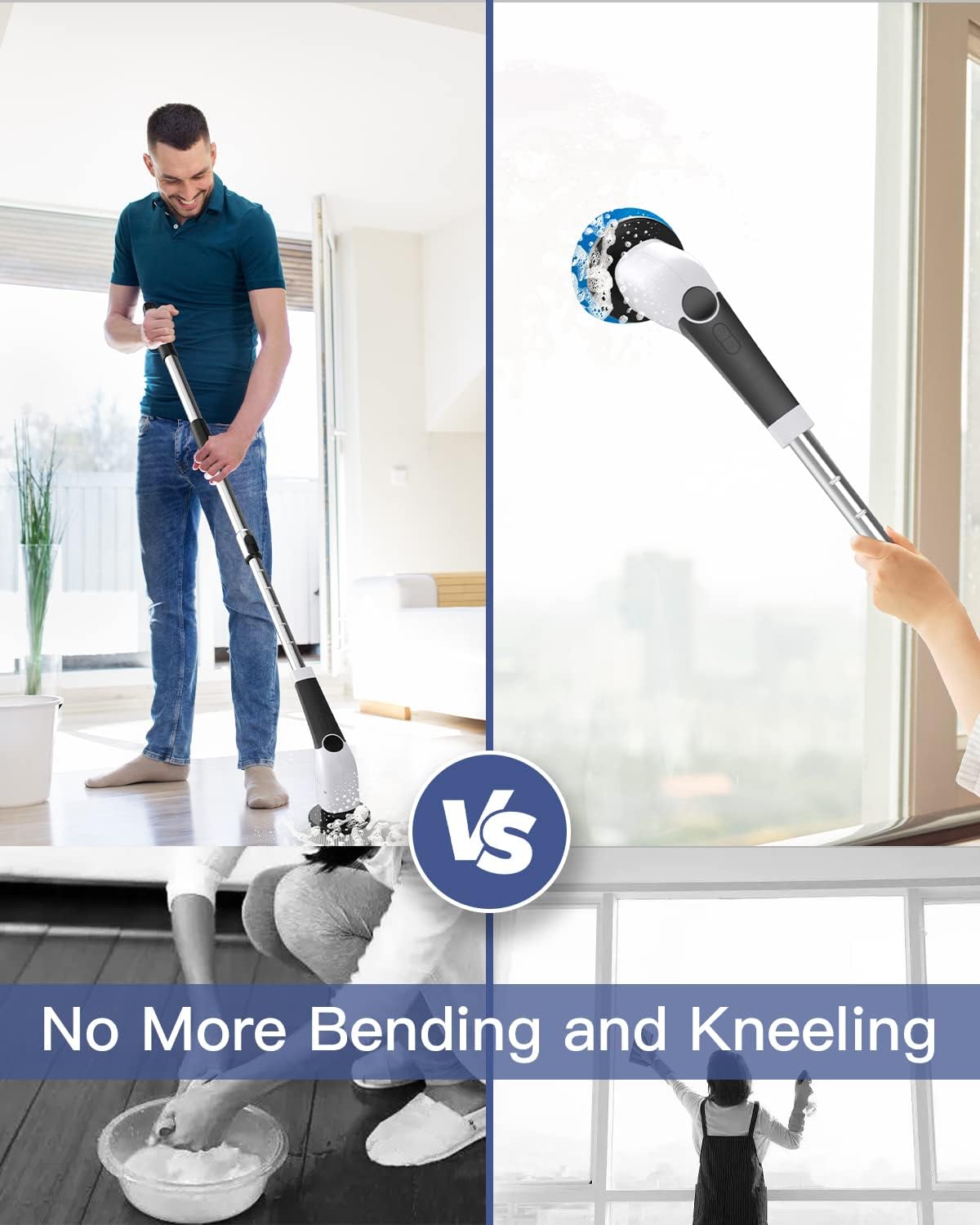
Image: A person cleaning a floor with the extended handle, highlighting the benefit of not needing to bend or kneel.
5.3 Official Product Video
Video: Leebein 2023 New Release ANS-8051 Electric Cleaning Brush. This video demonstrates the product's features and various uses.
6. Maintenance and Care
6.1 Cleaning the Unit
After each use, rinse the brush head thoroughly under running water. The main unit is IPX7 waterproof, allowing for easy rinsing under a faucet. Wipe the unit dry with a clean cloth before storing.
6.2 Brush Head Care
Periodically inspect brush heads for wear and tear. Replace worn-out brush heads to maintain optimal cleaning performance. Ensure brush heads are clean and dry before storing.
6.3 Storage
Store the scrubber and its accessories in a cool, dry place away from direct sunlight and extreme temperatures. Ensure the unit is fully charged before long-term storage to preserve battery life.
7. Troubleshooting
- Device not turning on: Ensure the battery is charged. Connect to the charger and check the LED display.
- Brush head not spinning: Check if the brush head is securely attached. Ensure there are no obstructions preventing rotation.
- Reduced power/performance: Fully charge the battery. Replace the brush head if it is worn out.
- Voice prompt issues: Long-press the 'M' button to toggle the voice prompt on/off.
8. Specifications
| Feature | Detail |
|---|---|
| Brand | Leebein |
| Model Number | ANS-8051 |
| Battery Capacity | 3000 mAh |
| Charging Time | Approx. 3 hours |
| Working Time | Up to 90 minutes |
| Rotating Speeds | 3 (260 RPM, 360 RPM, 460 RPM) |
| Waterproof Rating | IPX7 |
| Handle Material | Stainless-steel |
| Adjustable Handle Length | 12 inches to 54 inches |
| Item Weight | 2.5 Pounds |
9. Warranty and Support
Leebein provides a 90-day worry-free refund and a 2-year extended warranty for this product. For any problems or inquiries, please contact Leebein customer support.
Contact Information:
- Email: [Insert Manufacturer Support Email Here]
- Website: [Insert Manufacturer Website Here]
Please have your model number (ANS-8051) and purchase date ready when contacting support.
Related documentsANS-8051


Ask a question about this manual
Ask about setup, troubleshooting, compatibility, parts, safety, or missing instructions. Manuals+ will review the question and use this page’s manual context to help answer it.