1. Introduction
The Urban Prime UP-AC-220014 Portable Electric Air Compressor is a compact and wireless device designed for convenient inflation of various items such as tires and sports equipment. It features a maximum pressure of 150 PSI (10.3 BAR), an auto-stop function for precise inflation, and an integrated LED light for use in low-light conditions. Its portable design ensures it can be easily carried and used without an external power source.
2. Safety Instructions
Please read and understand all safety instructions before operating the air compressor. Failure to follow these instructions may result in electric shock, fire, and/or serious injury.
- Keep the work area clean and well-lit. Cluttered or dark areas invite accidents.
- Do not operate the compressor in explosive atmospheres, such as in the presence of flammable liquids, gases, or dust.
- Keep children and bystanders away while operating the compressor. Distractions can cause you to lose control.
- Avoid accidental starting. Ensure the switch is in the off-position before connecting to a battery pack, picking up or carrying the appliance.
- Do not over-inflate. Always check the recommended pressure for the item being inflated.
- Do not leave the compressor unattended while in operation.
- Allow the compressor to cool down after extended use to prevent overheating.
- Store the compressor indoors in a dry, secure place, out of reach of children.
- Use only manufacturer-specified attachments and accessories.
3. Package Contents
Verify that all items listed below are included in your package:
- 1 x Urban Prime Portable Electric Air Compressor (Teal)
- 1 x Inflation Hose
- 1 x USB Charging Cable
- Various Nozzle Adapters (e.g., for balls, bicycles)

Image: The Urban Prime portable electric air compressor shown with its included inflation hose and USB charging cable.
4. Product Overview
Familiarize yourself with the components of your Urban Prime air compressor:

Image: A close-up view of the compressor's control panel, featuring a digital display for pressure readings and buttons for operation.
- Digital Display: Shows current pressure, target pressure, and selected mode.
- Control Buttons: Power/Start/Stop, Mode Selection, Pressure Adjustment (+/-), LED Light.
- Inflation Port: Where the inflation hose connects.
- LED Light: Provides illumination for use in dark environments.
- USB Charging Port: For recharging the internal battery.
- Hose Storage: Integrated housing to protect the hose when not in use.
5. Setup
5.1 Charging the Compressor
Before first use, fully charge the air compressor.
- Locate the USB charging port on the bottom of the compressor.
- Connect the provided USB charging cable to the compressor and to a suitable USB power adapter (not included).
- The display will indicate charging status. Charge until the battery indicator shows full.

Image: The USB-C charging port located at the base of the compressor, with a charging cable connected.
5.2 Attaching the Inflation Hose
The inflation hose is essential for connecting the compressor to the item you wish to inflate.
- Remove the inflation hose from its storage compartment (if applicable).
- Screw the inflation hose securely into the inflation port on the top of the compressor.
- Select the appropriate nozzle adapter for your item (e.g., Presta valve adapter, ball needle) and attach it to the end of the inflation hose.

Image: A user screwing the inflation hose into the designated port on the top of the air compressor.
6. Operation
6.1 Powering On and Mode Selection
- Press and hold the Power button (usually the central button) to turn on the compressor. The digital display will illuminate.
- Press the Mode button (often indicated by an icon like a car, bicycle, or ball) to cycle through the available inflation modes. Each mode may have a default pressure setting.
- Use the '+' and '-' buttons to adjust the target pressure to your desired PSI or BAR.

Image: A user holding the compressor, with the digital display showing the current and target pressure settings.
6.2 Inflating an Item
- Connect the inflation hose with the appropriate adapter to the valve of the item you wish to inflate. Ensure a secure connection to prevent air leakage.
- Once connected, the display will show the current pressure of the item.
- Press the Power/Start button to begin inflation. The compressor will start pumping air.
- The compressor will automatically stop once the preset target pressure is reached.
- Carefully disconnect the hose from the item and then from the compressor.
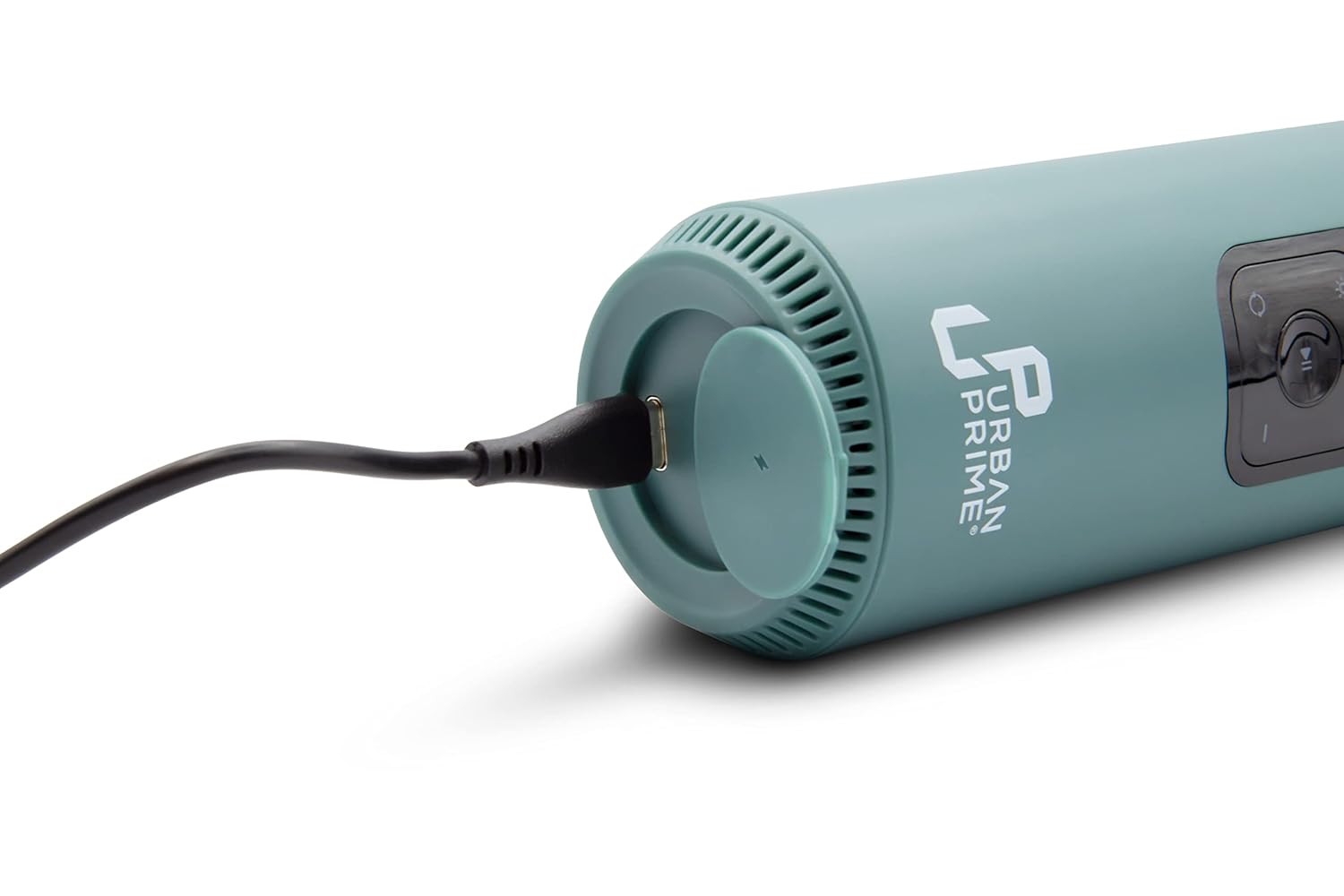
Image: The Urban Prime air compressor actively inflating a bicycle tire, demonstrating its practical use.
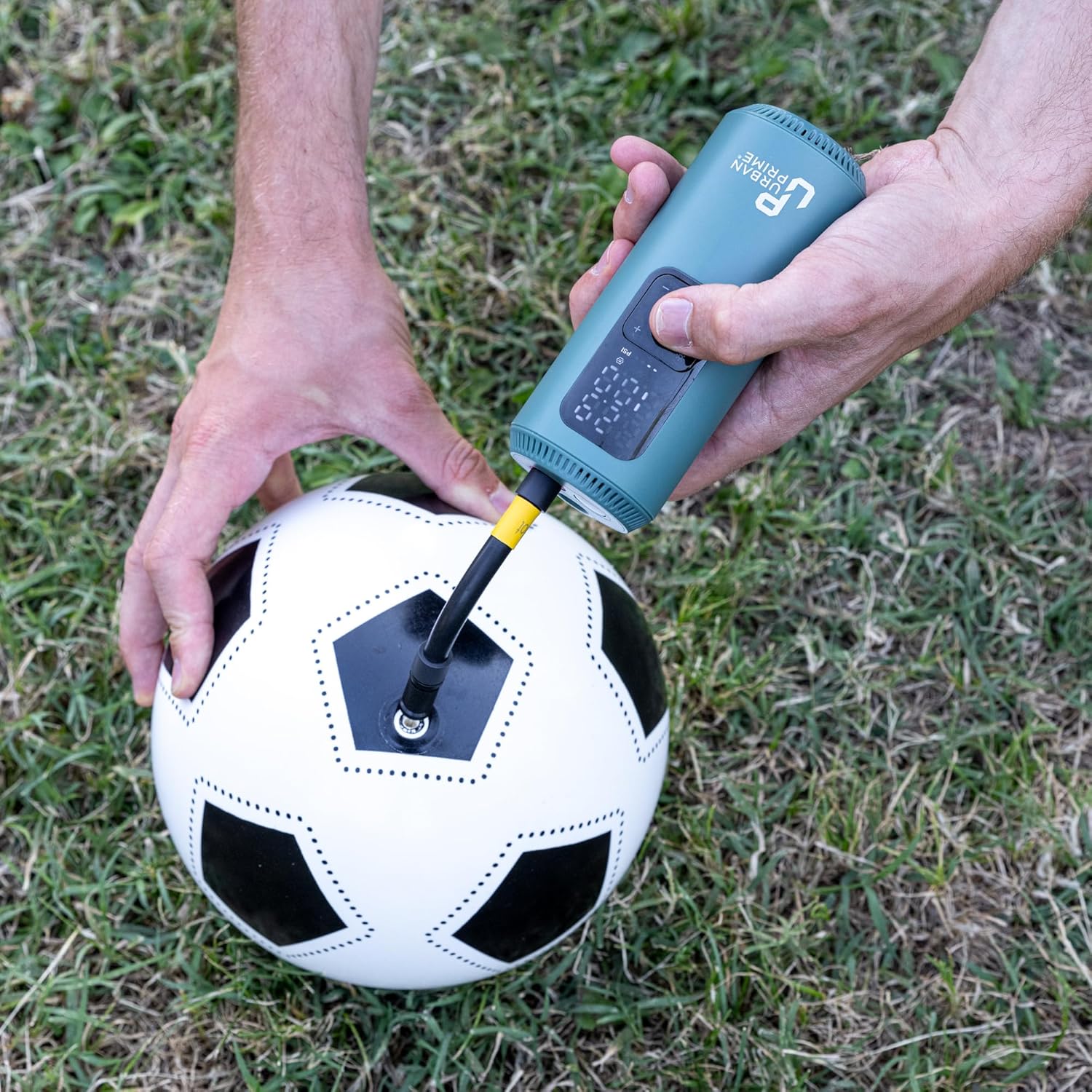
Image: The Urban Prime air compressor inflating a soccer ball using the appropriate needle adapter.
6.3 Using the LED Light
The integrated LED light is useful for illuminating your work area in low-light conditions or as an emergency signal.
- With the compressor powered on, press the LED light button (often indicated by a light bulb icon) to turn the light on or off.
- Some models may have multiple light modes (e.g., steady, flashing). Press the button repeatedly to cycle through modes.
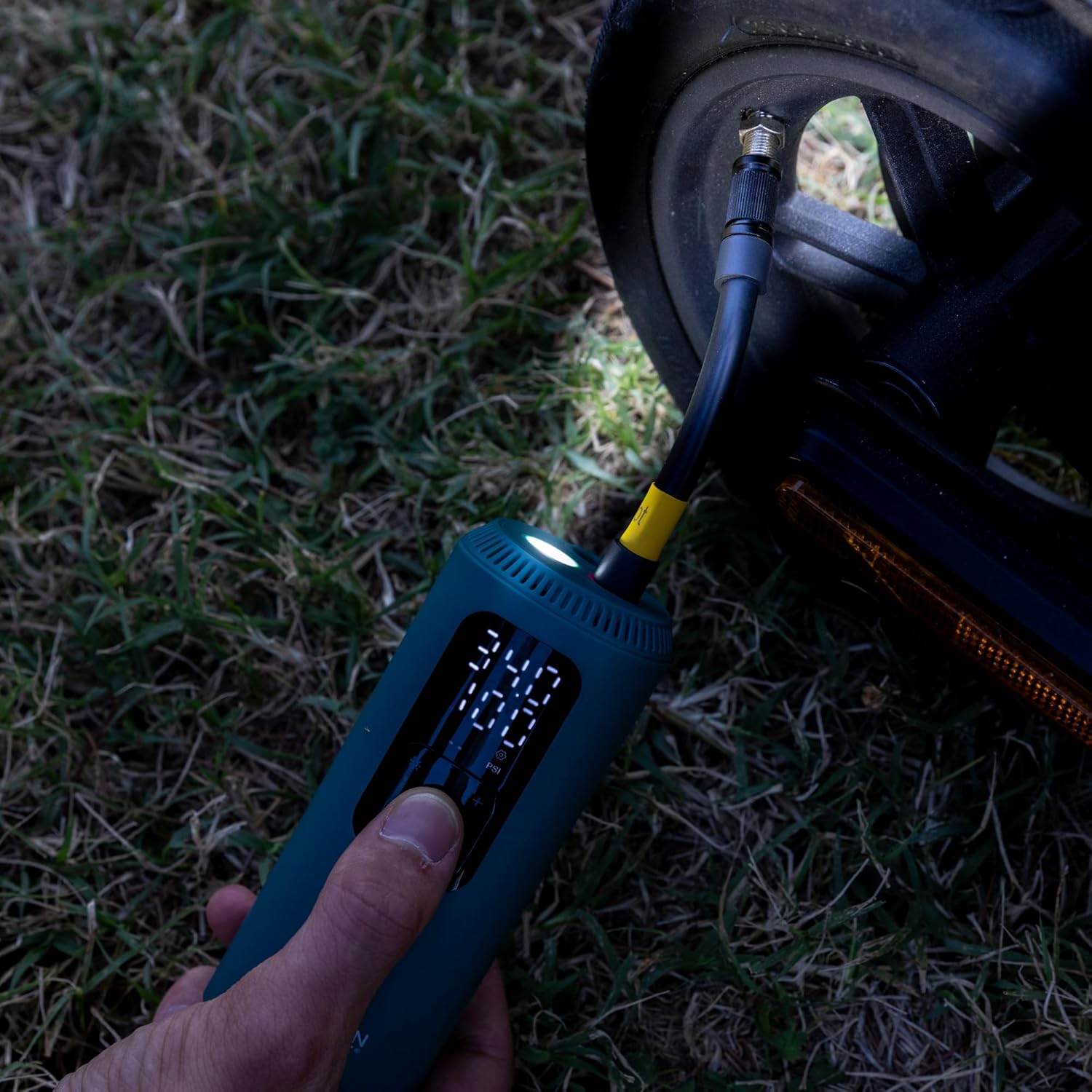
Image: The compressor's LED light is active, providing illumination while inflating a scooter tire in a dimly lit environment.
7. Maintenance
7.1 Cleaning
- Ensure the compressor is turned off and disconnected from any power source before cleaning.
- Wipe the exterior of the compressor with a soft, damp cloth. Do not use harsh chemicals or abrasive cleaners.
- Keep the air intake and exhaust vents clear of dust and debris to ensure proper airflow and prevent overheating.
7.2 Storage
- After use, allow the compressor to cool down completely.
- Store the inflation hose in its designated housing to protect it from damage.
- Store the compressor in a dry, cool place, away from direct sunlight and extreme temperatures.
- For prolonged storage, it is recommended to charge the battery periodically (e.g., every 3-6 months) to maintain battery health.
8. Troubleshooting
If you encounter issues with your Urban Prime air compressor, refer to the table below for common problems and solutions:
| Problem | Possible Cause | Solution |
|---|---|---|
| Compressor does not turn on. | Battery is depleted. | Charge the compressor fully. |
| Compressor turns on but does not inflate. | Hose not securely connected or damaged. | Ensure hose is tightly screwed in. Check for leaks. |
| Inflation is slow or pressure is low. | Nozzle adapter not properly sealed. | Check the connection between the hose, adapter, and item valve for air leaks. |
| Compressor stops prematurely. | Target pressure reached (auto-stop feature). | This is normal operation. If not, check target pressure setting. |
| Compressor overheats. | Extended continuous use. | Allow the compressor to cool down for at least 15-20 minutes before resuming use. |
9. Specifications
Key technical specifications for the Urban Prime UP-AC-220014 Air Compressor:
| Feature | Detail |
|---|---|
| Model Name | Air Compressor |
| Item Model Number | UP-AC-220014 |
| Maximum Operating Pressure | 150 PSI / 10.3 BAR |
| Power Source | Battery Powered |
| Special Feature | Portable, Auto-stop, LED Light |
| Material | Plastic |
| Color | Teal (blue-green) |
| Item Weight | 360 Grams |
| Product Dimensions (LxWxH) | 5.5 x 5.5 x 13.7 cm |
| Recommended Uses | Tire Inflation |
| Manufacturer | M.T. Distribution Srl |


