
1. Product Overview
The DIHOOM Wireless Outdoor Security Camera is a 1080P rechargeable battery-operated device designed for outdoor surveillance. It features 2.4 GHz Wi-Fi connectivity, human motion detection, color night vision, two-way audio, and IP65 weatherproofing. This camera provides clear video monitoring and enhanced security for your property.

Image 1.1: Front view of the DIHOOM Wireless Outdoor Security Camera, showing the lens, spotlight, and dual antennas.
2. Package Contents
Please verify that all items are present and in good condition upon opening the package:
- DIHOOM Wireless Outdoor Security Camera
- Mounting Bracket and Screws
- USB Charging Cable
- User Manual
3. Product Diagram
Familiarize yourself with the components of your security camera:
Image 3.1: Detailed view of the camera. Key components include the camera lens, infrared LEDs, spotlight, PIR motion sensor, microphone, speaker, charging port, and reset button (typically under a cover).
- Camera Lens: Captures video footage.
- Spotlight: Provides illumination for color night vision and acts as a deterrent.
- PIR Motion Sensor: Detects human and animal movement.
- Microphone: Captures audio for two-way communication.
- Speaker: Enables two-way audio communication.
- Antennas: For 2.4 GHz Wi-Fi connectivity.
- Mounting Base: For wall installation.
- Charging Port: For recharging the internal battery (usually Micro USB or USB-C).
- Reset Button: Used to reset the camera to factory settings (often located under a rubber cover).
- SD Card Slot: For local video storage (often located under a rubber cover).
4. Setup
4.1 Initial Charging
Before first use, fully charge the camera's built-in rechargeable battery. Connect the provided USB charging cable to the camera's charging port and a standard 5V/1A USB power adapter (not included). The charging indicator light will typically show red during charging and turn blue or off when fully charged. A full charge supports approximately 2400 wake-up calls.
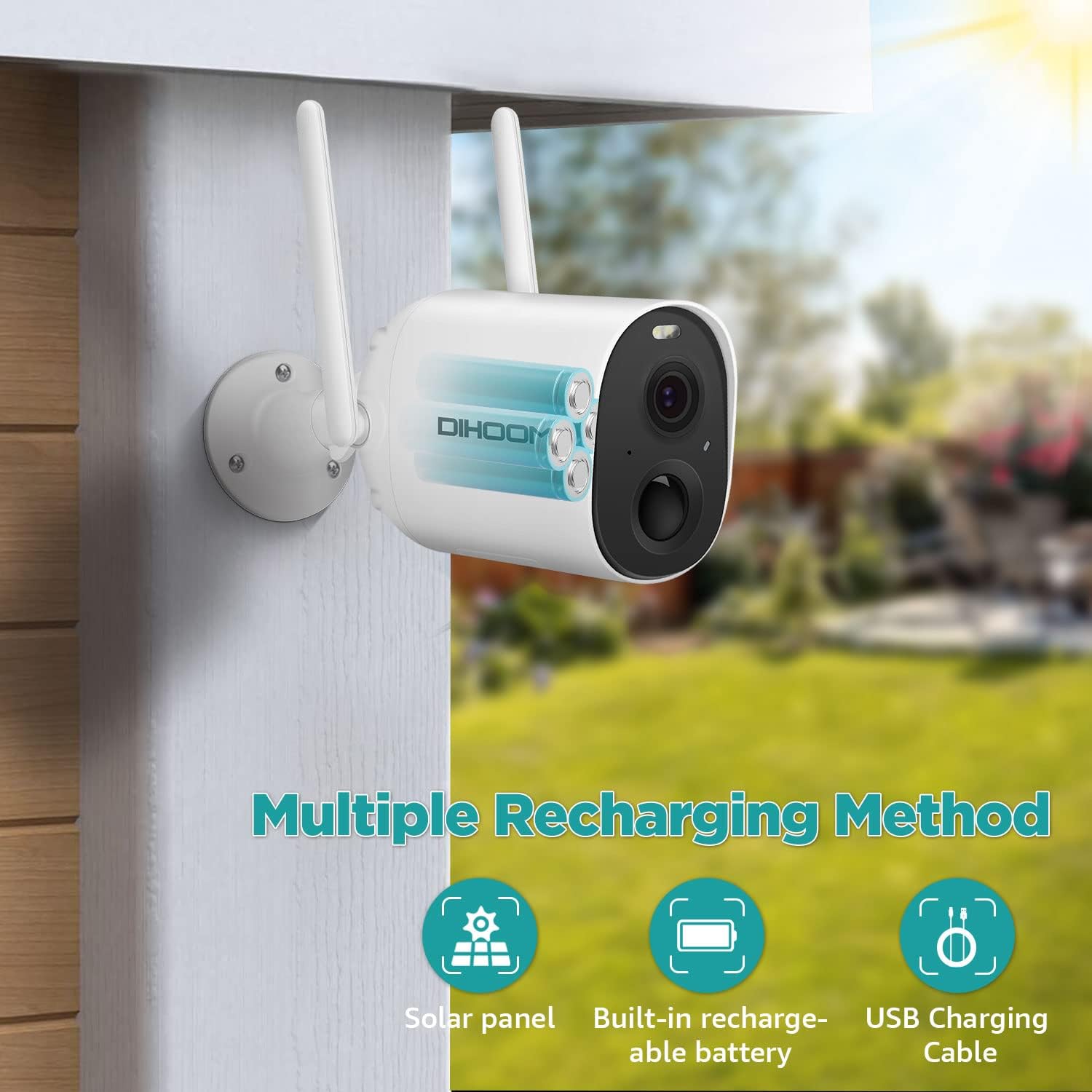
Image 4.1: Illustration of the camera's internal battery and various recharging options, including USB charging.
4.2 App Installation
Download and install the VicoHome app on your smartphone or tablet. Search for "VicoHome" in your device's app store (iOS App Store or Google Play Store).
4.3 Device Pairing and Wi-Fi Connection
- Open the VicoHome app and create an account or log in.
- Tap the "+" icon to add a new device.
- Follow the on-screen instructions to power on the camera and put it into pairing mode (usually indicated by a flashing LED). You may need to press the reset button for a few seconds.
- Select your 2.4 GHz Wi-Fi network and enter the password. The camera only supports 2.4 GHz Wi-Fi.
- The app will generate a QR code. Position your camera to scan this QR code from your phone screen.
- Once the camera successfully scans the QR code, it will connect to your Wi-Fi network. A voice prompt or LED indicator will confirm successful connection.
4.4 Mounting the Camera
Choose a suitable outdoor location for mounting. Ensure the area has good Wi-Fi signal strength and provides the desired viewing angle. The camera is IP65 weatherproof, suitable for various outdoor conditions.
- Use the provided mounting bracket as a template to mark drill holes on the wall.
- Drill holes and insert wall anchors if necessary.
- Secure the mounting bracket to the wall using the screws.
- Attach the camera to the mounting bracket and adjust the angle for optimal coverage.
5. Operating Instructions
5.1 Live View
Open the VicoHome app and select your camera from the device list to access the live video feed. You can view 1080P resolution footage remotely on your phone or tablet at any time.
5.2 Motion Detection and Alerts
The camera features intelligent PIR sensors for human motion detection. When motion is detected, the camera will:
- Trigger spotlights and alarms (if enabled).
- Send a mobile app notification to your device.
- Record the event.
You can customize detection sensitivity and alert settings within the VicoHome app. The camera supports intelligent detection of humans, vehicles, pets, and packages, classifying motion alerts to help identify threats.

Image 5.1: Screenshot of the VicoHome app demonstrating classified alerts for human, pet, and vehicle detection.
5.3 Night Vision
The camera automatically switches to night vision mode in low-light conditions. It supports full-color night vision, allowing objects to be clearly seen within 66 feet at night, in addition to standard infrared mode.

Image 5.2: Visual comparison showing the clarity and detail provided by full-color night vision versus traditional infrared night vision.
5.4 Two-Way Audio
Utilize the two-way audio feature to communicate with individuals near the camera. Tap the microphone icon in the live view interface of the VicoHome app to speak, and release to listen.

Image 5.3: An illustration of using the two-way audio function to communicate with a delivery person at the door.
5.5 Video Storage
The camera supports two storage options for recorded footage:
- Micro SD Card: Insert a Micro SD card (up to 128GB, not included) into the designated slot for local storage.
- Cloud Storage: Encrypted secure cloud storage is available through the VicoHome app (subscription may be required).
5.6 Multiple-User Sharing
You can share access to your camera with family members or trusted individuals. Within the VicoHome app, locate the sharing option and scan the QR code to grant access. This allows for collaborative monitoring of your property.
6. Maintenance
6.1 Battery Management
Monitor the battery level through the VicoHome app. Recharge the camera when the battery is low to ensure continuous operation. The camera can also be connected to a compatible solar panel (sold separately) for continuous charging.
6.2 Cleaning
Periodically clean the camera lens and housing with a soft, damp cloth to remove dust and dirt. Avoid using harsh chemicals or abrasive materials that could damage the lens or finish.
6.3 Weatherproofing
The camera has an IP65 weatherproof rating, meaning it is protected against dust and low-pressure water jets. Ensure all covers (e.g., for charging port, SD card slot) are securely closed to maintain its weather resistance.

Image 6.1: The DIHOOM camera mounted outdoors, with rain falling, illustrating its IP65 weatherproof design.
7. Troubleshooting
- Camera not connecting to Wi-Fi: Ensure your Wi-Fi network is 2.4 GHz. Verify the Wi-Fi password is correct. Move the camera closer to the router to improve signal strength. Reset the camera and try pairing again.
- Poor video quality: Check your Wi-Fi signal strength. Ensure the camera lens is clean and free from obstructions.
- Motion detection not working: Verify that motion detection is enabled in the app settings. Adjust sensitivity levels. Ensure there are no physical obstructions blocking the PIR sensor.
- Battery draining quickly: Reduce the frequency of live view access. Adjust motion detection sensitivity to minimize unnecessary recordings. Ensure the camera is fully charged. Consider a solar panel for continuous power.
- Two-way audio issues: Ensure your phone's microphone and speaker are enabled for the VicoHome app. Check the camera's microphone and speaker for obstructions.
8. Specifications
| Feature | Specification |
|---|---|
| Model Name | security camera outdoor wireless |
| Effective Video Resolution | 1080 Pixels |
| Wireless Communication Technology | Wi-Fi (2.4 GHz only) |
| Power Source | Battery Powered (1 Lithium Polymer battery included) |
| Battery Life | Approx. 2400 wake-up calls per full charge |
| Water Resistance Level | IP65 Waterproof |
| Viewing Angle | 150 Degrees |
| Night Vision | Color Night Vision, Infrared Mode (up to 66 feet) |
| Storage Options | Micro SD Card (up to 128GB), Cloud Storage |
| Special Features | 2-Way Audio, HD Resolution, Motion Sensor, Night Vision |
| Compatible Devices | Smartphone (iOS, Android) |
| Item Weight | 585 g |
| Product Dimensions | 8 x 5 x 10 cm |
9. Warranty and Support
DIHOOM offers lifetime support for DIHOOM brand products. If you encounter any issues or have questions regarding your security camera, please contact the DIHOOM support team for assistance. Refer to the contact information provided in your product packaging or on the official DIHOOM website.


