
ORICO Black
ORICO M.2 NVMe SATA SSD Enclosure Adapter User Manual
Model: PWDM2-BK Black
Introduction
This manual provides comprehensive instructions for the ORICO M.2 NVMe SATA SSD Enclosure Adapter. This versatile enclosure allows you to convert your M.2 NVMe or SATA SSD into a portable external storage device, offering high-speed data transfer and robust protection for your data.

The ORICO M.2 NVMe SATA SSD Enclosure Adapter, shown with its included USB-C to USB-C cable and heat dissipation components.
What's in the Box
Please verify that all items listed below are included in your package:
- 1 x M.2 SSD Enclosure
- 1 x USB C to C cable
- 1 x Thermal Pad
- 2 x Rubber Fastener
- 1 x Cooling Vest (Heatsink)
- 1 x Instruction Book
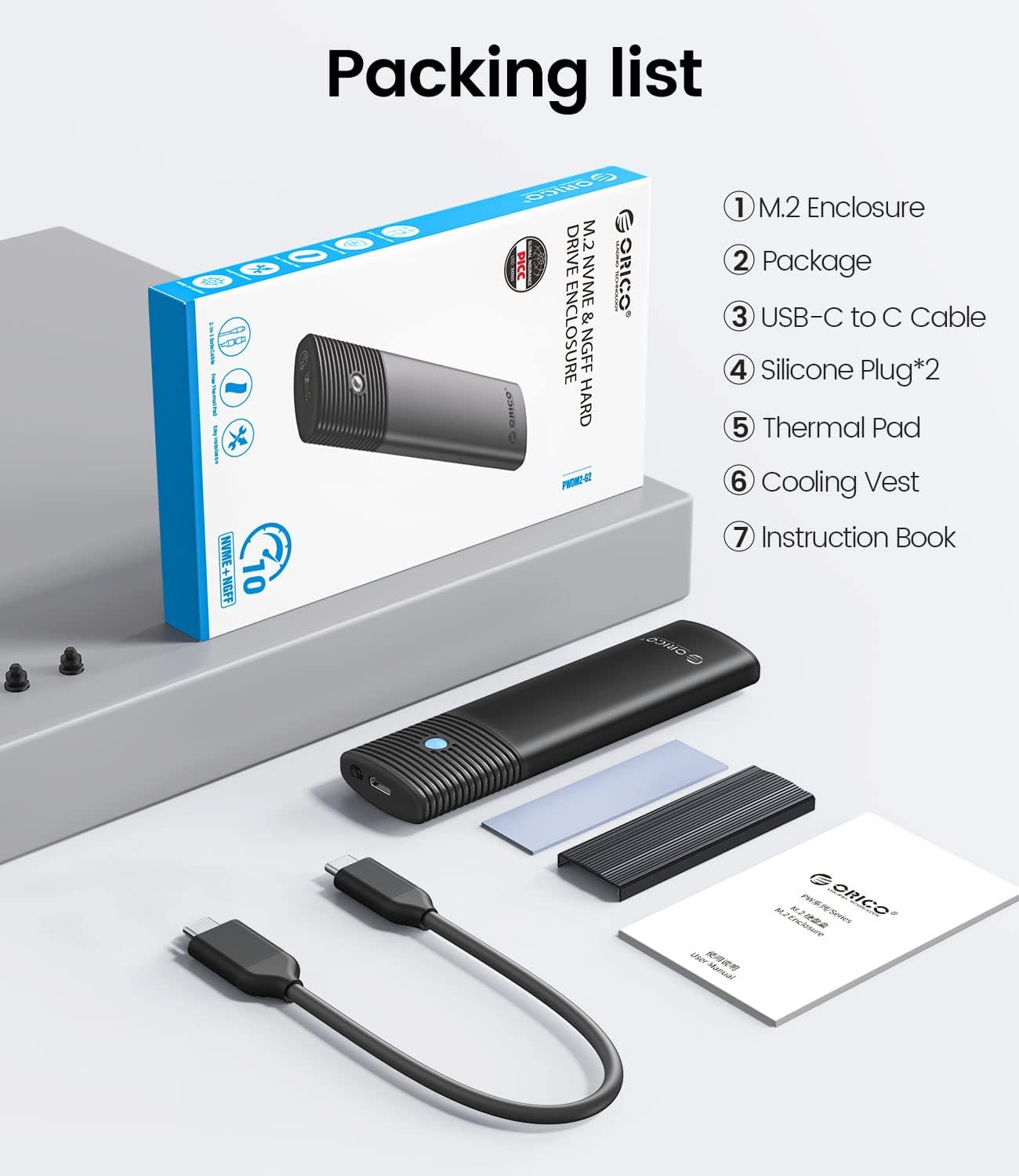
Contents of the ORICO M.2 SSD Enclosure package.
Setup and Installation (Tool-Free)
The ORICO M.2 NVMe SATA SSD Enclosure features a tool-free design for easy installation. Follow these steps to install your M.2 SSD:
- Slide the button cover to the left and pull the shell out. This will expose the internal tray.
- Stick the thermal pad and the cooling vest on the SSD. Ensure the thermal pad is placed between the SSD and the cooling vest for optimal heat dissipation.
- Stick the silicone plug to the SSD and insert the SSD in. Align the SSD with the M.2 slot and gently push it in until it seats firmly. Secure it with the provided silicone plug.
- Place the shell back and slide the button cover back. Ensure the enclosure is securely closed.

Step-by-step guide for tool-free SSD installation into the enclosure.

The ORICO M.2 SSD Enclosure connected to a laptop via USB-C.
Compatibility
The ORICO M.2 Enclosure is designed for broad compatibility with various M.2 SSD types and sizes:
- Supported SSD Types: M.2 NVMe M Key / B+M Key and M.2 NGFF SATA B+M Key SSD (based on SATA protocol).
- Supported SSD Sizes: 2230, 2242, 2260, 2280.
- Maximum Capacity: Up to 4TB.
- Operating System Compatibility: Windows, Mac OS, Linux, Android.

Visual guide to compatible M.2 NVMe and SATA SSD key types.

Illustration of supported M.2 SSD sizes (2230, 2242, 2260, 2280).
Operating Instructions
Once your M.2 SSD is installed, connect the enclosure to your device using the provided USB-C to C cable. The enclosure is plug-and-play, requiring no additional drivers for most operating systems.
High-Speed Data Transfer
The ORICO M.2 Enclosure supports high-speed data transfer protocols:
- NVMe SSD: Up to 10Gbps transmission rate, with read/write speeds around 1000MB/s.
- M.2 SATA SSD: Up to 5Gbps transmission rate, with read/write speeds around 450MB/s.
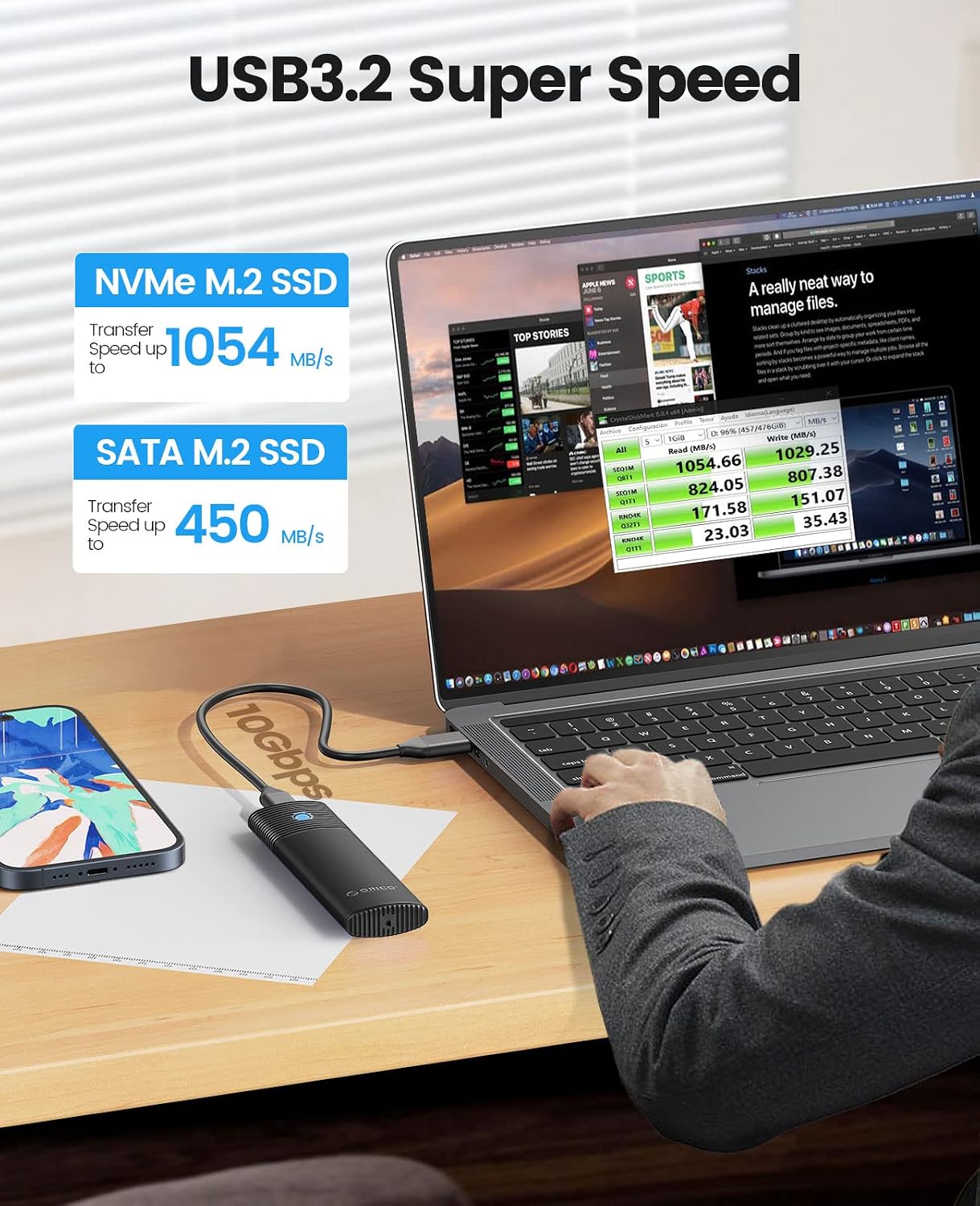
Demonstration of the high-speed data transfer capabilities of the enclosure with NVMe and SATA SSDs.

Comparison of read/write speeds between M.2 SATA and M.2 NVMe SSDs in the enclosure.
Efficient Heat Dissipation
The enclosure is equipped with a professional heatsink (cooling vest) and thermal silicone to effectively dissipate heat, ensuring stable performance even during prolonged use.

Diagram illustrating the multiple heat dissipation layers: aluminum body, thermal pad, and cooling vest.

Graph showing temperature performance comparison, highlighting the improved heat dissipation of this product.
Portability
The compact and durable design makes this enclosure highly portable, ideal for on-the-go data access and backup.

A person holding the compact ORICO SSD enclosure alongside a laptop sleeve, demonstrating its portability.
Troubleshooting
- Enclosure not recognized: Ensure the SSD is properly seated in the enclosure. Try connecting to a different USB port or a different computer. Verify that the USB cable is not damaged.
- Slow transfer speeds: Ensure your device's USB port supports USB 3.2 Gen 2 (10Gbps) for NVMe SSDs or USB 3.0 (5Gbps) for SATA SSDs. Older USB ports will result in slower speeds. Check if your SSD is properly formatted.
- SSD not appearing in 'My Computer'/'This PC': For new SSDs, you may need to initialize and format the drive in Disk Management (Windows) or Disk Utility (Mac OS) before it appears.
- Overheating: Ensure the thermal pad and cooling vest are correctly installed on the SSD. Avoid placing the enclosure in direct sunlight or enclosed spaces during heavy use.
Specifications
| Feature | Detail |
|---|---|
| Brand | ORICO |
| Model Number | Black (PWDM2-BK) |
| Compatible Devices | Laptop, Desktop, Tablet, Phone |
| Hardware Interface | PCI, USB Type C |
| Data Transfer Rate | 10 Gigabits Per Second (NVMe), 5 Gigabits Per Second (SATA) |
| Memory Storage Capacity | Up to 4 TB |
| Supported SSD Sizes | 2230, 2242, 2260, 2280 |
| Material | Aluminum, Silicone |
| Product Dimensions | 1.38 x 0.55 x 4.88 inches |
| Item Weight | 0.352 ounces (0.01 Kilograms) |
| First Available Date | October 13, 2022 |
Warranty and Support
For warranty information and technical support, please visit the official ORICO website or contact their customer service. You can also find more products and information at the ORICO Store on Amazon.
Related documentsBlack


Ask a question about this manual
Ask about setup, troubleshooting, compatibility, parts, safety, or missing instructions. Manuals+ will review the question and use this page’s manual context to help answer it.