

Introduction
The Marantz CINEMA 70s AV Surround Receiver features a new generation chassis design. The mechanical design has been revised to optimize the shape of the steel plates forming the top cover and chassis, as well as the thickness and number of screws used to secure each part, significantly improving build quality. This AV surround receiver condenses the latest audio/visual formats and Marantz's rich musical sound into a slim chassis.
This manual provides essential information for setting up, operating, maintaining, and troubleshooting your CINEMA 70s receiver. Please read it thoroughly before use.

Figure 1: Front view of the Marantz CINEMA 70s AV Surround Receiver.
Setup
Unpacking and Placement
Carefully remove the receiver from its packaging. Ensure all accessories are present:
- Quick Start Guide
- Safety Instructions
- Radio Wave Precautions
- Instruction Manual (online)
- Warranty Card
- Cable Labels
- Power Cord
- FM Indoor Antenna
- AM Loop Antenna
- Setup Microphone
- Microphone Stand
- Remote Control (RC050SR)
- AAA Batteries (2)
- Bluetooth/Wireless LAN External Antennas (2)
Place the receiver on a stable, level surface with adequate ventilation. Avoid direct sunlight, heat sources, and high humidity.

Figure 2: Proper placement of the CINEMA 70s receiver.
Connecting Speakers
The CINEMA 70s supports a 7.2 channel configuration. Connect your speakers to the corresponding terminals on the rear panel. Ensure correct polarity (+ to + and - to -) for each speaker.
For optimal surround sound, refer to the speaker placement guidelines in the full online manual. The receiver also features 7ch pre-out for future expandability with external amplifiers.
Connecting Video and Audio Sources
Connect your video sources (e.g., Blu-ray player, game console, streaming device) to the HDMI input ports. This receiver supports 8K/4K120Hz HDMI, HDR10+, and eARC.
Connect your display (TV or projector) to the HDMI OUT (eARC) port for audio return channel functionality.

Figure 3: Rear panel showing HDMI, speaker, and other input/output connections.
Network and Antenna Connections
Connect the included Bluetooth/Wireless LAN external antennas to the rear panel. For wired network connection, use an Ethernet cable to the NETWORK port.
Connect the FM indoor antenna and AM loop antenna for radio reception.
Initial Setup and Calibration
After connecting all components, plug in the power cord. Follow the on-screen setup assistant on your TV. Use the included setup microphone and stand for Audyssey MultEQ XT room acoustic calibration. This process optimizes the sound for your specific listening environment.
Operating Instructions
Basic Operation
Use the remote control (RC050SR) or the front panel controls to power on the unit, select input sources, and adjust volume. The front panel display provides essential information.
Sound Modes and Surround Experience
The CINEMA 70s supports advanced audio formats like Dolby Atmos and DTS:X, providing an immersive sound experience with overhead and height effects. Select your preferred sound mode using the remote control or the Marantz app.
Streaming and Network Features
The receiver features built-in HEOS technology, enabling wireless streaming from various services such as Spotify, TIDAL, and AirPlay2. Connect the receiver to your home network via Wi-Fi or Ethernet to access these features.

Figure 4: Marantz app for music streaming and control.
Marantz App Control
Download the Marantz AVR Remote app on your smartphone or tablet for convenient control of the receiver. The app allows you to manage settings, select inputs, adjust volume, and browse music services.

Figure 5: Marantz AVR Remote app for system configuration.
Maintenance
Cleaning
To maintain the appearance of your receiver, wipe the exterior with a soft, dry cloth. Avoid using abrasive cleaners or solvents, as these can damage the finish.
Firmware Updates
Marantz periodically releases firmware updates to improve performance and add new features. Connect your receiver to the internet to check for and install available updates. Refer to the online manual for detailed instructions on performing firmware updates.
Troubleshooting
If you encounter issues with your CINEMA 70s receiver, refer to the following common troubleshooting steps:
- No Power: Ensure the power cord is securely connected to both the receiver and a working power outlet.
- No Sound:
- Check speaker connections for correct polarity and secure fit.
- Verify the correct input source is selected.
- Adjust the volume level.
- Ensure speakers are not muted.
- Confirm audio settings in the receiver menu and on your source device.
- No Video:
- Check HDMI cable connections between the source, receiver, and TV.
- Ensure the correct HDMI input on the TV is selected.
- Verify video output settings on your source device.
- Network Connection Issues:
- Ensure Wi-Fi antennas are properly connected or Ethernet cable is secure.
- Restart your router and the receiver.
- Check network settings in the receiver menu.
- Remote Control Not Working:
- Replace the batteries.
- Ensure there are no obstructions between the remote and the receiver's IR sensor.
For more detailed troubleshooting, consult the comprehensive online instruction manual available on the Marantz website.
Specifications
| Feature | Detail |
|---|---|
| Brand | Marantz |
| Model Number | CINEMA70S |
| Color | Silver Gold |
| Surround Sound Channels | 7.2 |
| HDMI Inputs | 7 |
| Video Support | 8K/60Hz, 4K/120Hz, HDR10+, Dolby Vision |
| Audio Features | Dolby Atmos, DTS:X, eARC |
| Connectivity | Bluetooth, HDMI, USB, Wi-Fi (HEOS Built-in) |
| Product Dimensions (W x D x H) | 44.2 x 38.4 x 10.9 cm |
| Item Weight | 8.7 kg |
| Included Accessories | Remote control, setup microphone, antennas, power cord, etc. |
Internal Components Overview
The CINEMA 70s features a robust internal design for high-quality audio processing and power delivery.

Figure 6: Internal layout of the receiver.

Figure 7: Example of a circuit board.

Figure 8: High-quality capacitors used in the CINEMA 70s.

Figure 9: Power transformer for stable power delivery.
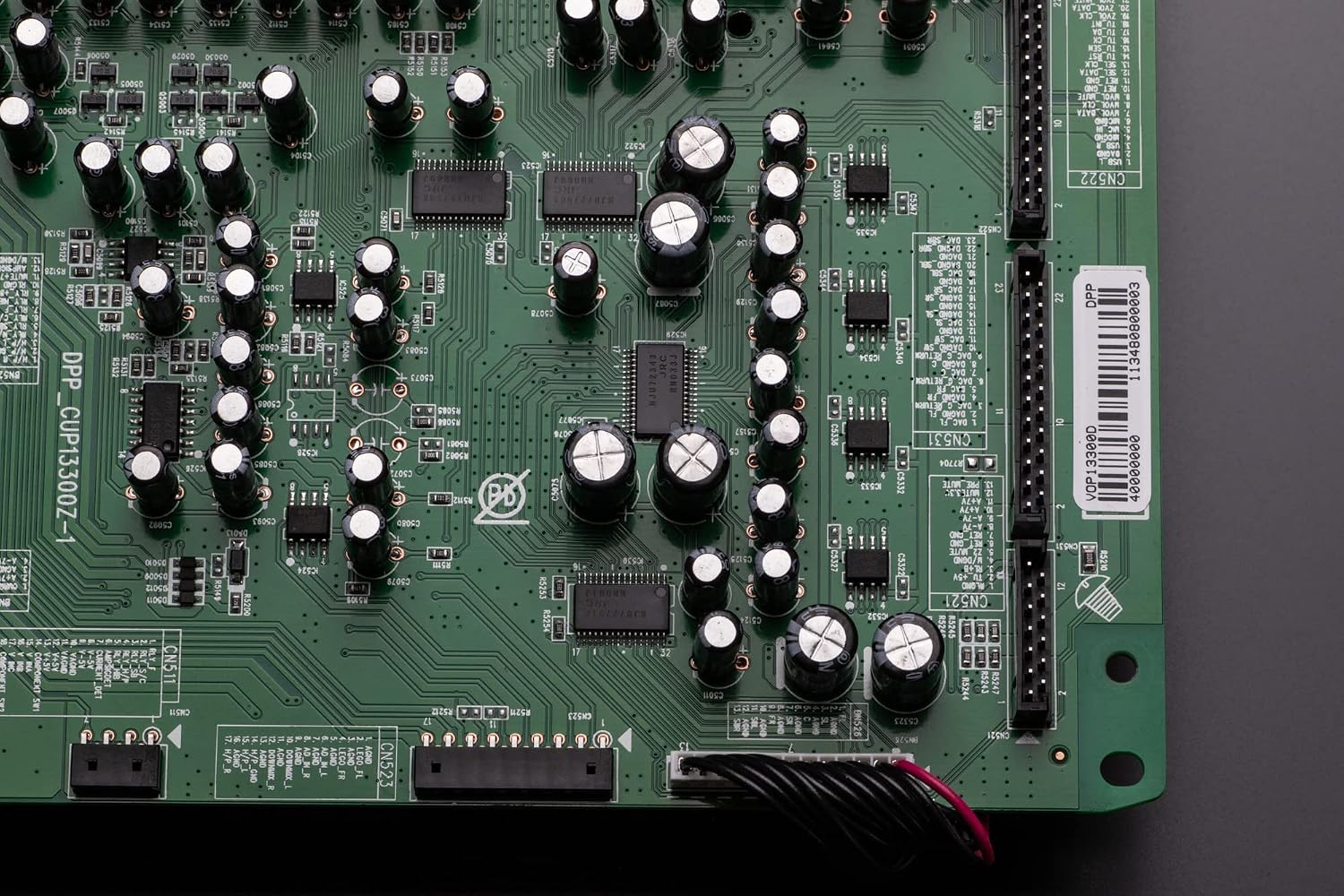
Figure 10: Detail of the main circuit board (part number 113480800003).
Warranty and Support
Warranty Information
Your Marantz CINEMA 70s receiver comes with a limited warranty. Please refer to the included warranty card for specific terms and conditions, including coverage period and service procedures. Keep your proof of purchase for warranty claims.
Customer Support
For further assistance, technical support, or to download the full instruction manual, please visit the official Marantz website. You can also find FAQs and contact information for customer service there.
Official Marantz Website: www.marantz.com