
1. Introduction
This manual provides instructions for the installation, operation, and maintenance of the DCCStands Dejavoo P3 Freestanding Swivel and Tilt Stand. This stand is designed to securely hold your Dejavoo P3 payment terminal, enhancing customer interaction and protecting your equipment.
The stand features a robust steel construction with a durable powder-coated finish, ensuring longevity and stability. Its swivel and tilt capabilities allow for flexible positioning, improving transaction efficiency and customer convenience.

Figure 1.1: Overview of the Dejavoo P3 Freestanding Swivel and Tilt Stand. This image displays the black metal stand with its square base plate, designed to securely hold a payment terminal (terminal not included).
2. What's in the Box
Please verify that all components are present before beginning installation:
- Swivel and Tilt Stand (Pre-assembled)
- 8" x 8" Square Freestanding Countertop Plate
- Mounting Screws (for attaching stand to plate)
- Adhesive Pad (alternative securing method)
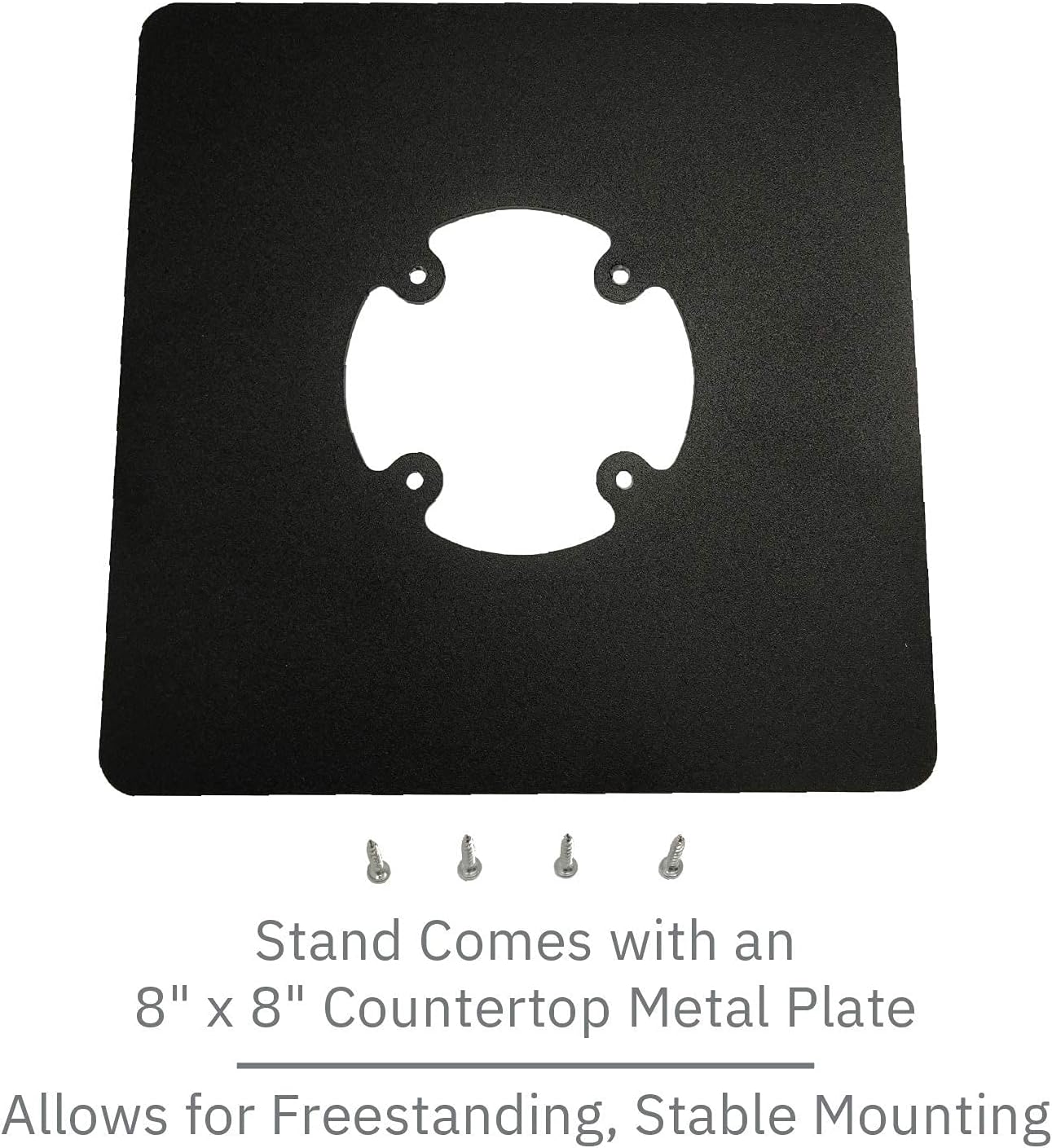
Figure 2.1: The 8" x 8" square countertop plate and included mounting screws. These components are essential for assembling the freestanding base of the payment terminal stand.
3. Setup Instructions
The swivel and tilt stand is supplied fully built for a simple installation process. Two primary methods are available for securing the stand to a surface: using screws for a permanent fixture or an adhesive pad for a less permanent option.
3.1. Attaching the Stand to the Freestanding Plate
- Place the 8" x 8" square countertop plate on a flat, stable surface.
- Align the base of the pre-assembled swivel and tilt stand with the screw holes on the square plate.
- Using the provided screws, securely fasten the stand to the plate. Ensure all screws are tightened to prevent wobbling.
3.2. Securing the Stand to a Countertop (Optional)
For enhanced stability or theft prevention, the assembled stand can be further secured to a countertop:
- Using Screws: If your countertop allows, drill pilot holes through the designated mounting points on the square plate and secure with appropriate screws (not included for countertop mounting).
- Using Adhesive Pad: For a non-drilling option, apply the provided adhesive pad to the underside of the square plate and firmly press the stand onto the desired countertop location. Allow sufficient time for the adhesive to cure before heavy use.
3.3. Installing the Dejavoo P3 Terminal
The stand is designed to fit Dejavoo P3 pole stands. Carefully align your Dejavoo P3 payment terminal with the mounting bracket on the stand. Secure the terminal according to its specific mounting instructions. The stand's flange cover helps to hide wires, maintaining a clean and organized appearance.

Figure 3.1: The stand highlighting its simple installation process and robust design. This image emphasizes the ease of setup and the inherent durability of the product.
4. Operating the Stand
The DCCStands Dejavoo P3 stand is engineered for optimal flexibility and ease of use, facilitating seamless transactions between merchant and customer.
4.1. Swivel Function
The stand allows for a full 190° swivel. To rotate the terminal, gently grasp the terminal or the top portion of the stand and turn it to the desired orientation. This enables easy movement of the device from the merchant to the customer for signature or PIN entry.
4.2. Tilt Function
The stand can tilt up to 60°. To adjust the viewing angle, hold the terminal or the top bracket and gently push or pull to achieve the preferred tilt. This feature improves visibility for both the merchant and the customer, accommodating various heights and lighting conditions.

Figure 4.1: A merchant demonstrating the use of the Dejavoo P3 stand with a payment terminal. The stand's design facilitates easy customer interaction and a professional appearance on the counter.
5. Maintenance
Regular maintenance ensures the longevity and optimal performance of your stand.
- Cleaning: Wipe the stand with a soft, damp cloth. Avoid abrasive cleaners or solvents, as these can damage the powder-coated finish.
- Inspection: Periodically check all screws and connections to ensure they remain tight. Loose components can affect stability and movement.
- Movement: The swivel and tilt mechanisms are designed for smooth operation. If movement becomes stiff, ensure no debris is obstructing the joints. Do not apply lubricants unless specifically recommended by the manufacturer.
6. Troubleshooting
This section addresses common issues you might encounter with your stand.
- Stand is wobbly:
- Ensure all screws attaching the stand to the base plate are securely tightened.
- If using the adhesive pad, verify it is firmly pressed onto a clean, dry surface.
- Check that the countertop surface itself is stable and level.
- Terminal does not fit securely:
- Confirm that your payment terminal is a Dejavoo P3 model. This stand is specifically designed for compatibility with Dejavoo P3 pole stands.
- Review the terminal's own mounting instructions to ensure it is correctly attached to the stand's bracket.
- Swivel/Tilt movement is stiff:
- Inspect the moving parts for any obstructions or debris.
- Avoid forcing the movement. The mechanisms are designed for smooth, controlled motion.
7. Specifications
| Feature | Detail |
|---|---|
| Brand | DCCStands |
| Model | P3 (Compatible with Dejavoo P3) |
| Material | Sturdy Steel |
| Finish | Durable Powder Coated |
| Color | Black |
| Tilt Angle | Up to 60° |
| Swivel Angle | Full 190° |
| Base Plate Dimensions | 8" x 8" Square |
| Form Factor | Stand Alone |
| Height | 5.5” (pole stand height) |

Figure 7.1: The stand's robust black steel construction, emphasizing its durability and security features.
8. Warranty Information
DCCStands products are manufactured to high-quality standards. For specific warranty terms and conditions, please refer to the documentation provided with your purchase or contact DCCStands customer support directly. Keep your proof of purchase for warranty claims.
9. Customer Support
If you require assistance with your DCCStands Dejavoo P3 Freestanding Swivel and Tilt Stand, please contact DCCStands customer support. Provide your product model and a detailed description of the issue to facilitate a quicker resolution.
Contact information can typically be found on the manufacturer's official website or on the product packaging.