
1. Introduction
This manual provides detailed instructions for the installation, operation, and maintenance of your FEELWORLD POE20X PTZ Camera. Please read this manual thoroughly before using the product to ensure proper and safe operation. Keep this manual for future reference.
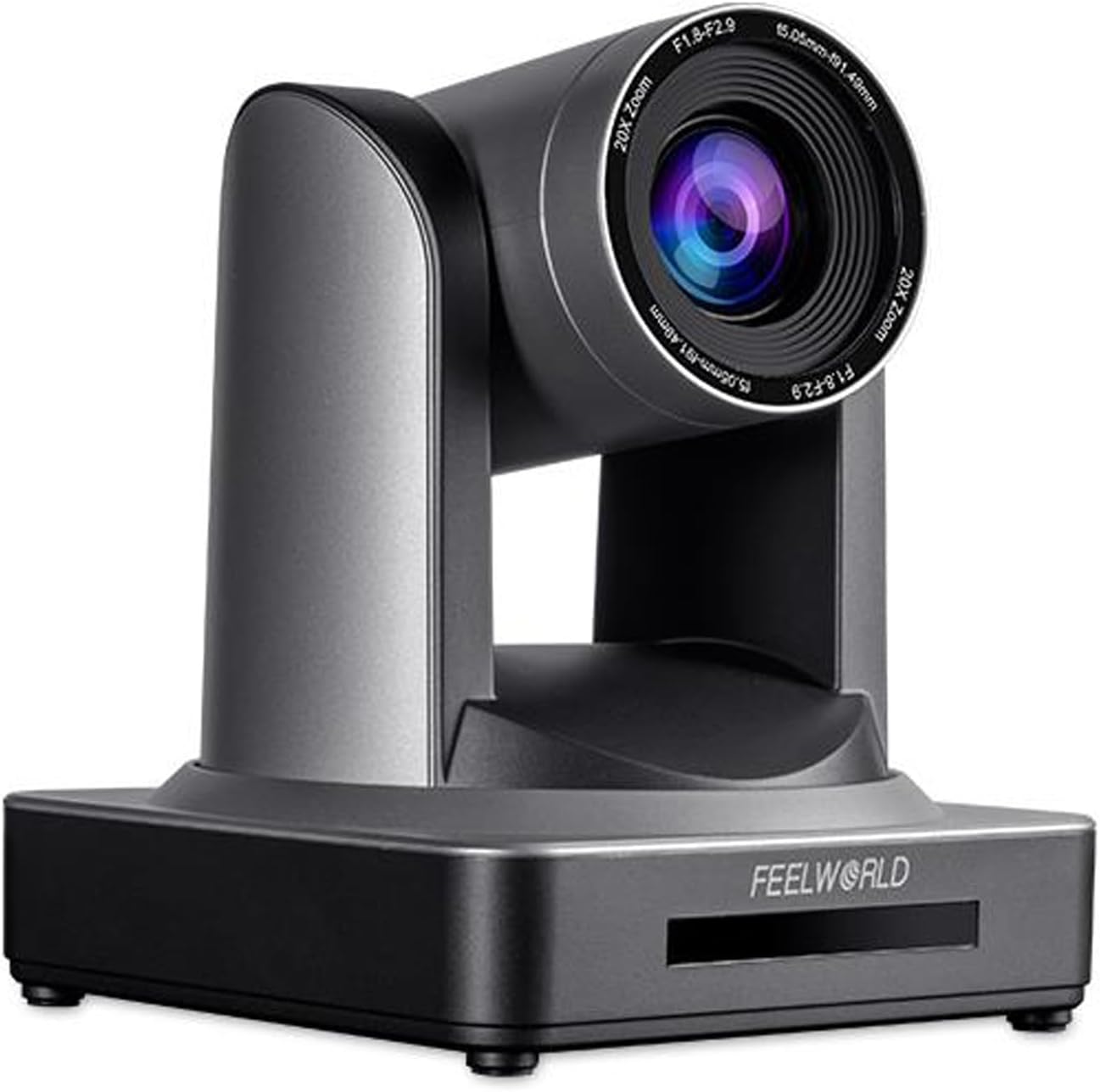
Image 1.1: Front view of the FEELWORLD POE20X PTZ Camera. This image displays the camera's main body, lens, and base, highlighting its compact and professional design.
2. Product Overview
2.1 Key Features
- High-Resolution Video: Supports Full HD 1080P at 60fps for clear and fluid video capture.
- 20X Optical Zoom: Allows for detailed close-ups without loss of image quality.
- Power over Ethernet (PoE): Simplifies installation by providing power, video, audio, and control over a single Ethernet cable.
- Multiple Video Outputs: Simultaneous 3G-SDI, HDMI, and IP streaming capabilities.
- Advanced Video Compression: Supports H.264 and H.265 for efficient bandwidth usage.
- Low-Light Performance: Automatically adjusts brightness for clear images in challenging lighting conditions.
- Flexible Control Options: Controllable via IR remote, WEBSEVER software, or FEELWORLD L2 PLUS video switcher.
- Preset Positions: 10 presets via IR remote, up to 255 via WEBSEVER for quick camera positioning.
2.2 Components and Interfaces
Familiarize yourself with the various parts and connection ports of the POE20X camera.

Image 2.1: Detailed view of the FEELWORLD POE20X PTZ Camera's front and rear interfaces. This image labels the HD 1080P Optical Lens, Remote Control Receiving Indicator, Camera Base, DC12V Power Supply Socket, 10/100M Network Interface, RS232 (input/output), RS485 Interface, Audio Input, 3G-SDI Output, HDMI Output, and USB 2.0 port.
- HD 1080P Optical Lens: The primary lens for video capture.
- Remote Control Receiving Indicator: LED indicator for IR remote signals.
- Camera Base: Provides stability and mounting points.
- DC12V Power Supply Socket: For external power adapter connection.
- 10/100M Network Interface (PoE): Ethernet port for IP video, control, and Power over Ethernet.
- RS232 (IN/OUT) & RS485 Interface: Serial ports for camera control.
- Audio Input: For connecting external audio sources.
- 3G-SDI Output: Professional video output interface.
- HDMI Output: High-definition video output.
- USB 2.0: For potential firmware updates or other connections.
3. Setup
3.1 Mounting Options
The POE20X camera offers versatile mounting options to suit various environments.

Image 3.1: Examples of mounting the FEELWORLD POE20X PTZ Camera. This image illustrates the camera mounted on a wall, on a tripod, and inverted from a ceiling, demonstrating its adaptability for different installation scenarios.
- Desktop Placement: Place the camera on a flat, stable surface.
- Tripod Mounting: Secure the camera to a standard tripod using the mounting screw hole on the base.
- Wall Mounting: Use a compatible wall mount bracket (sold separately) to attach the camera to a wall. Ensure the wall can support the camera's weight.
- Ceiling Mounting: Use a compatible ceiling mount bracket (sold separately) to attach the camera to the ceiling. The camera supports image flip for inverted installations.
3.2 Connecting the Camera
- Power Connection:
- If using PoE, connect an Ethernet cable from a PoE-enabled switch or injector to the camera's Network Interface. No separate power adapter is needed.
- If not using PoE, connect the provided 12V DC power adapter to the DC12V Power Supply Socket and plug it into a power outlet.
- Video Output Connection:
- For HDMI output, connect an HDMI cable from the camera's HDMI port to an HDMI input on a display or video switcher.
- For 3G-SDI output, connect an SDI cable from the camera's 3G-SDI port to an SDI input on a professional monitor or video switcher.
- For IP streaming, connect an Ethernet cable to the Network Interface. Video will be streamed over the network.
- Audio Input Connection: Connect an external microphone or audio source to the Audio Input port if required.
- Control Connection (Optional):
- For RS232/RS485 control, connect the appropriate control cable to the RS232 or RS485 interface.
- For IP control, ensure the camera is connected to the network via the Ethernet port.
4. Operating Instructions
4.1 Basic Camera Control (Pan, Tilt, Zoom)
The camera supports precise pan, tilt, and zoom movements to capture the desired view.

Image 4.1: Various methods to control the FEELWORLD POE20X PTZ Camera. This image shows control via software (WEBSEVER/OBS), a dedicated keyboard controller, and an IR remote control.
- Pan: Horizontal rotation of the camera. The POE20X supports 170° left and 170° right rotation.
- Tilt: Vertical movement of the camera. The POE20X supports 90° up and 30° down movement.
- Zoom: Adjusts the focal length of the lens. The 20X optical zoom allows for clear magnification of distant subjects.
These movements can be controlled using the IR remote controller, WEBSEVER software, or a compatible PTZ keyboard controller.
4.2 Preset Positions
The camera allows you to save and recall specific pan, tilt, and zoom settings for quick transitions between different views.
- Setting Presets: Position the camera to the desired view, then use the IR remote or WEBSEVER interface to save the preset to a specific number (e.g., Preset 1-10 for IR remote, up to 255 for WEBSEVER).
- Recalling Presets: Select the desired preset number on the IR remote or WEBSEVER interface to instantly move the camera to the saved position.
4.3 Video Output and Streaming
The POE20X offers multiple simultaneous video outputs for various applications.

Image 4.2: Diagram illustrating the multiple video output capabilities of the FEELWORLD POE20X PTZ Camera. It shows the camera connected to various streaming platforms and output types like 3G-SDI, HDMI, and NDI|HX.
- HDMI Output: Connect to a local display or video recorder for high-quality monitoring.
- 3G-SDI Output: Ideal for professional broadcast and long-distance cable runs.
- IP Streaming (NDI|HX): Stream video directly over your network to compatible software and platforms using H.264/H.265 compression.
5. Maintenance
- Cleaning: Use a soft, dry cloth to clean the camera body. For the lens, use a specialized lens cleaning cloth and solution. Avoid harsh chemicals.
- Environment: Operate and store the camera in a clean, dry environment, away from extreme temperatures, humidity, and direct sunlight.
- Firmware Updates: Periodically check the FEELWORLD official website for firmware updates to ensure optimal performance and access to new features. Follow the provided instructions carefully for any updates.
- Cable Management: Ensure all cables are securely connected and properly routed to prevent damage or accidental disconnection.
6. Troubleshooting
| Problem | Possible Cause | Solution |
|---|---|---|
| No power | Power adapter not connected; PoE not active or faulty cable. | Check power adapter connection and outlet. Verify PoE switch/injector is active and Ethernet cable is functional. |
| No video output | Incorrect cable connection; wrong input selected on display; camera not powered on. | Ensure HDMI/SDI cables are securely connected. Select correct input on monitor/switcher. Confirm camera is powered on. |
| Camera not responding to control | IR remote battery low; incorrect control settings; network issue for IP control. | Replace IR remote batteries. Check control protocol settings (e.g., VISCA address). Verify network connectivity for IP control. |
| Image quality is poor | Lens dirty; lighting conditions; incorrect video settings. | Clean the lens. Adjust lighting. Check camera's video resolution and frame rate settings. |
7. Specifications
| Feature | Detail |
|---|---|
| Model Number | MG-POE20X |
| Video Capture Resolution | 1080p (up to 60fps) |
| Optical Zoom | 20x |
| Photo Sensor Technology | CMOS |
| Maximum Focal Length | 55 Millimeters |
| Maximum Aperture | 1.8 f |
| Connectivity Technology | Ethernet (PoE), HDMI, 3G-SDI, RS232, RS485, USB 2.0 |
| Special Feature | Low Light Performance |
| Item Weight | 5.34 pounds (approx. 2.42 kg) |
| Package Dimensions | 10.63 x 10 x 9.21 inches (approx. 27 x 25.4 x 23.4 cm) |
8. Warranty and Support
FEELWORLD products are designed for reliability and performance. For warranty information, please refer to the warranty card included with your product or visit the official FEELWORLD website. For technical support, troubleshooting assistance, or service inquiries, please contact FEELWORLD customer support through their official channels.
Official FEELWORLD Website: www.feelworld.cn