
Introduction
This manual provides essential information for the proper use, adjustment, and maintenance of your Giro Fixture II MIPS Mountain Bike Helmet. Please read these instructions carefully before using your helmet to ensure maximum safety and performance. The helmet is designed to offer protection during cycling activities.
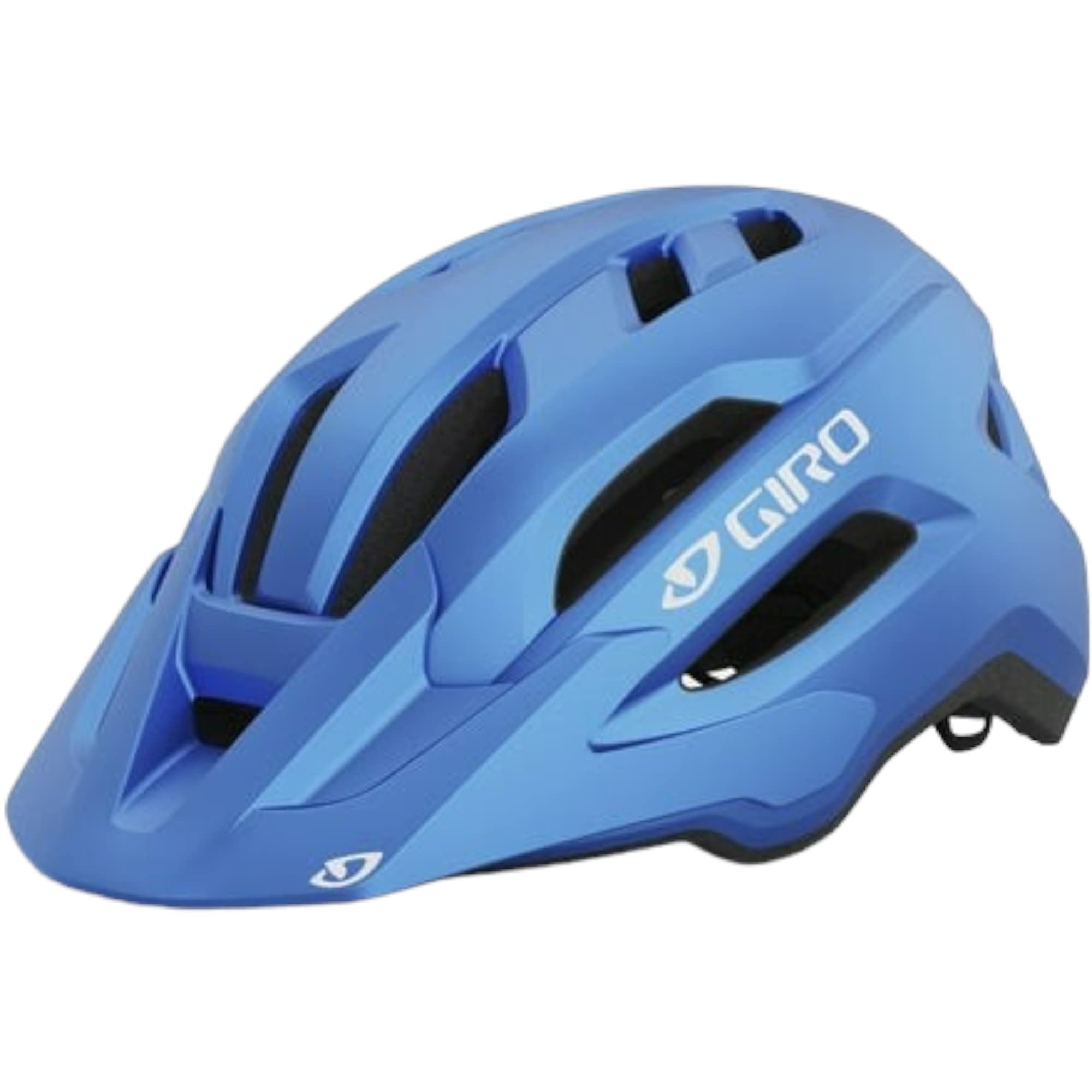
Figure 1: Giro Fixture II MIPS Mountain Bike Helmet, Matte Ano Blue.
Product Features
- Integrated MIPS: Multi-Directional Impact Protection System designed to reduce rotational forces to the brain during certain angled impacts.
- In-Molding Construction: Durable polycarbonate outer shell fused with an EPS foam liner for enhanced protection.
- Roc Loc Sport Fit System: Adjustable dial system for a secure and comfortable fit.
- Snap-Fit 2 Visor: Removable visor for sun and debris protection.
- Ventilation: 18 Wind Tunnel vents with internal channeling for optimal airflow.
- Universal Fit Sizing: Designed to fit a wide range of head sizes comfortably.
- Reflective Details: Rear decals for increased visibility.
Setup and Adjustment
Proper helmet fit is crucial for safety. Follow these steps to ensure your helmet is correctly fitted:
- Measure Your Head: Use a flexible tape measure to find the circumference of your head, placing the tape just above your ears and eyebrows. Refer to the sizing chart below to select the appropriate helmet size.
- Initial Fit: Place the helmet on your head. It should feel snug but comfortable, with the front edge resting just above your eyebrows. The helmet should not move excessively when you shake your head.
- Adjust the Roc Loc Sport System: Use the dial at the back of the helmet to tighten or loosen the internal retention system until the helmet feels secure without causing pressure points.
- Adjust Side Straps: Position the side straps so that the strap dividers sit comfortably just below your ears, forming a 'V' shape. Ensure there is no slack in the straps around your ears.
- Adjust Chin Strap: Buckle the chin strap. It should be snug enough that you can only fit one or two fingers between the strap and your chin. You should be able to open your mouth to eat and speak without discomfort, but the helmet should not slide forward or backward.
- Check Stability: With all straps adjusted, try to roll the helmet forward and backward. It should not move significantly or obstruct your vision.

Figure 2: Guide for measuring head circumference.
Sizing Chart
| Size | Circumference (cm) | Circumference (inches) |
|---|---|---|
| Universal Youth | 50 - 57 | 19.75 - 22.5 |
| Universal Adult | 54 - 61 | 21.25 - 24 |
| Universal Women | 50 - 57 | 19.75 - 22.5 |
| Universal X-Large | 58 - 65 | 22.75 - 25.5 |
Note: Head shapes vary, so always try on the helmet to ensure the best fit.
Video Guide: How to Fit a Bike Helmet
Video 1: Official Giro guide on how to properly fit a bike helmet, covering measuring, trying on, adjusting straps, and checking for stability.
Operating the Helmet
The Giro Fixture II MIPS helmet is designed for ease of use and maximum protection. Once properly fitted, ensure all straps are securely fastened before each ride.
Visor Adjustment
The Snap-Fit 2 Visor can be easily attached or detached based on your preference and riding conditions. To attach, align the tabs on the visor with the slots on the helmet and press firmly until it clicks into place. To remove, gently pull the visor away from the helmet.

Figure 3: The Snap-Fit 2 Visor provides adjustable protection.
Maintenance and Care
To prolong the life and effectiveness of your helmet, follow these care guidelines:
- Cleaning: Use only mild soap and water to clean the helmet's exterior and interior pads. Avoid harsh chemicals, solvents, or abrasive cleaners, as these can damage the helmet's materials and compromise its protective qualities.
- Drying: Allow the helmet to air dry completely after cleaning. Do not expose it to direct heat sources like hair dryers or direct sunlight for extended periods.
- Storage: Store your helmet in a cool, dry place away from direct sunlight and extreme temperatures. Avoid storing it in areas where it might be exposed to chemicals or fumes.
- Inspection: Regularly inspect your helmet for any signs of damage, such as cracks in the shell, dents in the foam, or frayed straps. If any damage is found, the helmet should be replaced immediately.
Specifications
| Feature | Detail |
|---|---|
| Brand | Giro |
| Model Name | Fixture MIPS |
| Outer Material | Polycarbonate (PC) |
| Inner Material | Expanded Polystyrene (EPS) |
| Item Weight | 10 Ounces (approx. 283g) |
| Product Dimensions | 8 x 8 x 8 inches |
| Ventilation | 18 Wind Tunnel vents with internal channeling |
| Special Feature | Adjustable - Wide Sizing Range |
| Included Components | Bike Helmet |
Troubleshooting
If you encounter any issues with your Giro Fixture II MIPS helmet, consider the following common solutions:
- Helmet feels loose or unstable: Re-check all adjustment points: the Roc Loc Sport dial, side strap dividers, and chin strap. Ensure they are snug but comfortable. Refer to the "Setup and Adjustment" section.
- Discomfort or pressure points: Loosen the Roc Loc Sport dial slightly. Ensure no hair or clothing is caught under the straps or padding. If discomfort persists, the helmet size or shape may not be ideal for your head.
- Visor detaches easily: Ensure the Snap-Fit 2 Visor tabs are fully engaged in their respective slots. Press firmly until you hear a click.
- Excessive sweating: While the helmet has 18 vents, intense activity or hot weather can still lead to sweating. Consider wearing a moisture-wicking skull cap underneath.
If problems persist or you suspect damage, discontinue use and contact Giro customer support or your retailer.
Warranty and Support
Giro stands behind the quality of its products. For specific warranty information, please refer to the warranty card included with your helmet or visit the official Giro website. Keep your proof of purchase for any warranty claims.
For further assistance, questions about fit, features, or conditions of your helmet, please contact Giro customer service. Contact details can typically be found on the Giro website or product packaging.