
Introduction
The Giro Aries Spherical Bike Helmet is engineered for optimal comfort, cooling, and protection. Featuring Spherical Technology powered by Mips, AURA II Reinforcement Arch, and a DryCore brow pad, this helmet is designed to provide superior energy management and ventilation. This manual provides essential information on fitting, operation, maintenance, and care to ensure the best performance and longevity of your helmet.
1. Setup and Fitting
Proper helmet fit is crucial for both comfort and safety. Follow these steps to ensure your Giro Aries Spherical helmet fits correctly.
1.1. Measuring Your Head
To determine the correct helmet size, use a flexible measuring tape. Wrap the tape around your head, keeping it just above your ears and eyebrows, and ensure it is level from front to back. Record the circumference measurement.
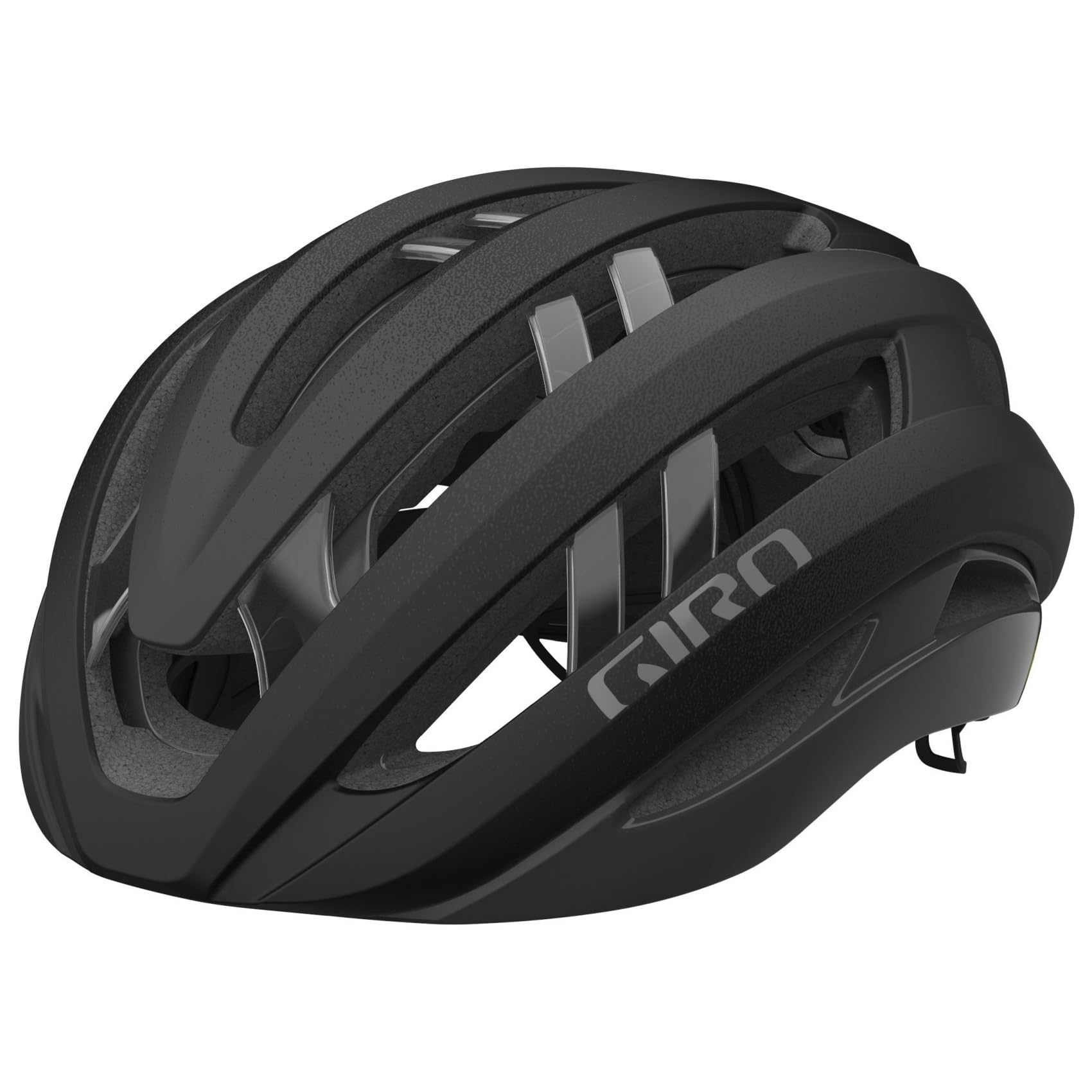
Image: Front-side view of the Giro Aries Spherical helmet in Matte Black. This image shows the overall design and ventilation of the helmet.
Refer to the size guide below to match your head measurement with the recommended helmet size:
| Brand Size | Head Circumference (in) |
|---|---|
| S | 20.1 - 21.7 |
| M | 21.7 - 23.3 |
| L | 23.2 - 24.8 |
| XL | 24.8 - 25.6 |
1.2. Trying On the Helmet
Place the helmet on your head. It should feel snug but comfortable, without excessive pressure points. The front edge of the helmet should rest just above your eyebrows, providing adequate forehead protection without obstructing your vision.

Image: Side view of the Giro Aries Spherical helmet, highlighting the Mips safety system sticker.
1.3. Adjusting Straps and Fit System
Adjust the side straps so that the strap joint sits comfortably and snugly just below your ears, forming a 'V' shape. Ensure there is no slack in these straps. Next, adjust the chin strap so it is comfortably snug against your jaw and neck. You should be able to open your mouth to eat and speak without difficulty, but the helmet should not slide around. Finally, use the Roc Loc 5+ Air fit system dial at the back of the helmet to fine-tune the fit, ensuring the helmet is stable on your head without causing discomfort or a headache.
Video: This video demonstrates the correct steps to measure your head, try on the helmet, and adjust the straps and fit system for optimal comfort and safety.

Image: Rear view of the Giro Aries Spherical helmet, showing the Spherical Technology branding and the Roc Loc 5+ Air fit system dial.
1.4. Final Fit Check
With all straps buckled and adjusted, twist the helmet lightly to the left and right. It should not move excessively. Next, try to roll the helmet forward and backward with both hands. The helmet should not be able to roll off your head, nor should it move so far forward that it blocks your vision. If the helmet moves significantly, re-adjust the straps and fit system until it is secure.
2. Operating the Helmet
Once properly fitted, wearing your helmet correctly during every ride is essential for maximum protection.
2.1. Proper Wearing Position
Always wear the helmet level on your head, with the front edge positioned just above your eyebrows. Ensure all straps are securely fastened and adjusted as described in the fitting section. The helmet should not tilt backward, exposing your forehead, or forward, obstructing your view.
2.2. Compatibility with Eyewear
The Aries Spherical helmet is designed to accommodate most cycling eyewear. When wearing sunglasses, ensure they fit comfortably with the helmet straps and shell without causing pressure points or interfering with the helmet's stability.
3. Maintenance
Regular maintenance will help preserve the integrity and extend the lifespan of your helmet.
3.1. Cleaning
- Clean the helmet shell and straps with a soft cloth, mild soap, and cool water.
- Avoid using harsh chemicals, abrasive cleaners, or solvents, as these can damage the helmet's materials and compromise its protective properties.
- The internal padding can often be removed and hand-washed with mild soap and water, then air-dried.
3.2. Storage
Store your helmet in a cool, dry place, away from direct sunlight and extreme temperatures. Avoid storing it in places where it might be exposed to chemicals or petroleum products, which can degrade the helmet's materials.
3.3. Inspection
Regularly inspect your helmet for any signs of damage, such as cracks, dents, or frayed straps. Even minor damage can compromise the helmet's protective capabilities. If your helmet has sustained an impact, even if there are no visible signs of damage, it should be replaced immediately.
4. Troubleshooting
Here are solutions to common issues you might encounter with your helmet.
4.1. Helmet Feels Too Tight or Too Loose
Re-adjust the Roc Loc 5+ Air fit system by turning the dial at the back of the helmet. Ensure the side straps and chin strap are also correctly adjusted. Refer to Section 1.3 for detailed adjustment instructions.
4.2. Straps Digging In or Causing Discomfort
Check the positioning of the side strap adjusters. They should sit just below your ears. Loosen and re-position them if necessary to relieve pressure. Ensure the chin strap is not overtightened.
4.3. Helmet Slides Around on Head
Tighten the Roc Loc 5+ Air system using the dial. Ensure the chin strap is snug enough to prevent excessive movement. If the helmet still slides, it might be the wrong size; re-measure your head and consult the size chart.
5. Specifications
| Feature | Detail |
|---|---|
| Brand | Giro |
| Model Name | Aries Spherical |
| Color | Matte Black |
| Size | Medium |
| Age Range | Adult |
| Outer Material | Polycarbonate (PC) |
| Inner Material | Expanded Polystyrene |
| Item Weight | 10 Ounces |
| Special Features | Adjustable, Spherical Technology (Mips), AURA II Reinforcement Arch, DryCore Sweat Management System, Roc Loc 5+ Air Fit System |
| Recommended Uses | Cycling |
| Safety Standard | CPSC |
6. Warranty Information
Any Giro helmet determined by Giro to be defective in materials or workmanship within one (1) year from the date of original purchase will be repaired or replaced, at Giro’s option, free of charge when received at the factory freight prepaid, together with proof of purchase.
7. Support
For further assistance, questions about the features or condition of your helmet, or warranty claims, please contact your retailer or Giro directly.
- Visit the official Giro Store: Giro Store on Amazon
- Consult your product packaging for specific contact details or visit the Giro website for customer service information.
