
1. Product Overview
This FANEPRO 42-inch Smart Ceiling Fan integrates a retractable ceiling fan, crystal chandelier, colorful dimmable LED light, and a Bluetooth speaker. It is designed for indoor use in various rooms such as living rooms, dining rooms, bedrooms, and offices. The fan features a quiet motor, remote control, and smartphone application control for enhanced functionality.

Image 1: FANEPRO Smart Ceiling Fan showcasing its integrated features including remote control, 3-level wind speed, 7-color dimmable light, music player, and quiet operation.
2. Safety Information
- Always turn off the power at the circuit breaker before installation or maintenance.
- Installation must be performed by a qualified electrician.
- Ensure the ceiling structure can support a minimum of 30kg (66 lbs) for the fan's weight.
- Do not bend the fan blades during installation or cleaning.
- Keep children away from the fan during operation.
- Use only the provided remote control and follow APP instructions for safe operation.
3. Package Contents
Verify that all components are present before beginning installation:
- Fan Body with integrated light kit
- Remote Control
- Two Downrods (4-inch and 8-inch)
- Mounting Hardware
- User Manual
4. Specifications
| Feature | Detail |
|---|---|
| Brand | FANEPRO |
| Model Name | FH44 |
| Color | Black |
| Material | Acrylic Blades, Metal Frame, Crystal Shade, Copper Motor |
| Fan Diameter (Extended) | 42 inches |
| Fan Diameter (Retracted) | 19 inches |
| Height (with 4-inch downrod) | 16.5 inches |
| Height (with 8-inch downrod) | 20.5 inches |
| Light Source Type | LED |
| Light Wattage | 36 Watts |
| Voltage | 110 Volts |
| Control Method | Remote Control, Smartphone APP |
| Special Features | 7-Color Dimmable LED Light, Quiet Operation, Timer, Retractable Blades, Bluetooth Speaker |
| Recommended Room Size | 8-28 square meters |

Image 2: Detailed dimensions of the FANEPRO Smart Ceiling Fan, showing 19-inch width when blades are retracted and 42-inch width when extended, with height options of 16.5 or 20.5 inches depending on the downrod used.
5. Setup and Installation
This ceiling fan requires assembly. For safety and proper function, professional installation by a qualified electrician is highly recommended.
5.1 Pre-Installation Checks
- Ensure the power supply is disconnected at the main circuit breaker.
- Confirm that the ceiling junction box is securely mounted and capable of supporting the fan's weight.
- Unpack all components and verify against the package contents list.
5.2 Mounting the Fan
- Attach the mounting bracket to the ceiling junction box using the provided screws.
- Select the appropriate downrod (4-inch or 8-inch) based on your ceiling height. A floor height greater than 8 feet is suggested.
- Feed the electrical wires from the fan motor through the chosen downrod.
- Secure the downrod to the fan motor assembly.
- Carefully lift the fan assembly and hang it onto the mounting bracket.
5.3 Electrical Connections
Connect the fan's electrical wires to the household wiring according to local electrical codes. Typically, this involves connecting live, neutral, and ground wires. Refer to the detailed wiring diagram in the included manual for specific instructions.
5.4 Final Assembly
- Attach the canopy to cover the mounting bracket and wiring connections.
- Install the crystal shade and light cover.
- Ensure all connections are secure and the fan is stable before restoring power.
6. Operating Instructions
6.1 Remote Control Operation
The included remote control allows for basic fan and light functions:
- Fan Speed: Controls 3 speeds (High, Medium, Low) and turns the fan off.
- Light On/Off: Toggles the light on or off.
- Light Color: Cycles through 3 ordinary lighting colors: Warm White (3000K), Natural White (4500K), and Cool White (6500K).
- Timer: Sets the fan/light to turn off after 1h, 2h, 4h, or 8h.
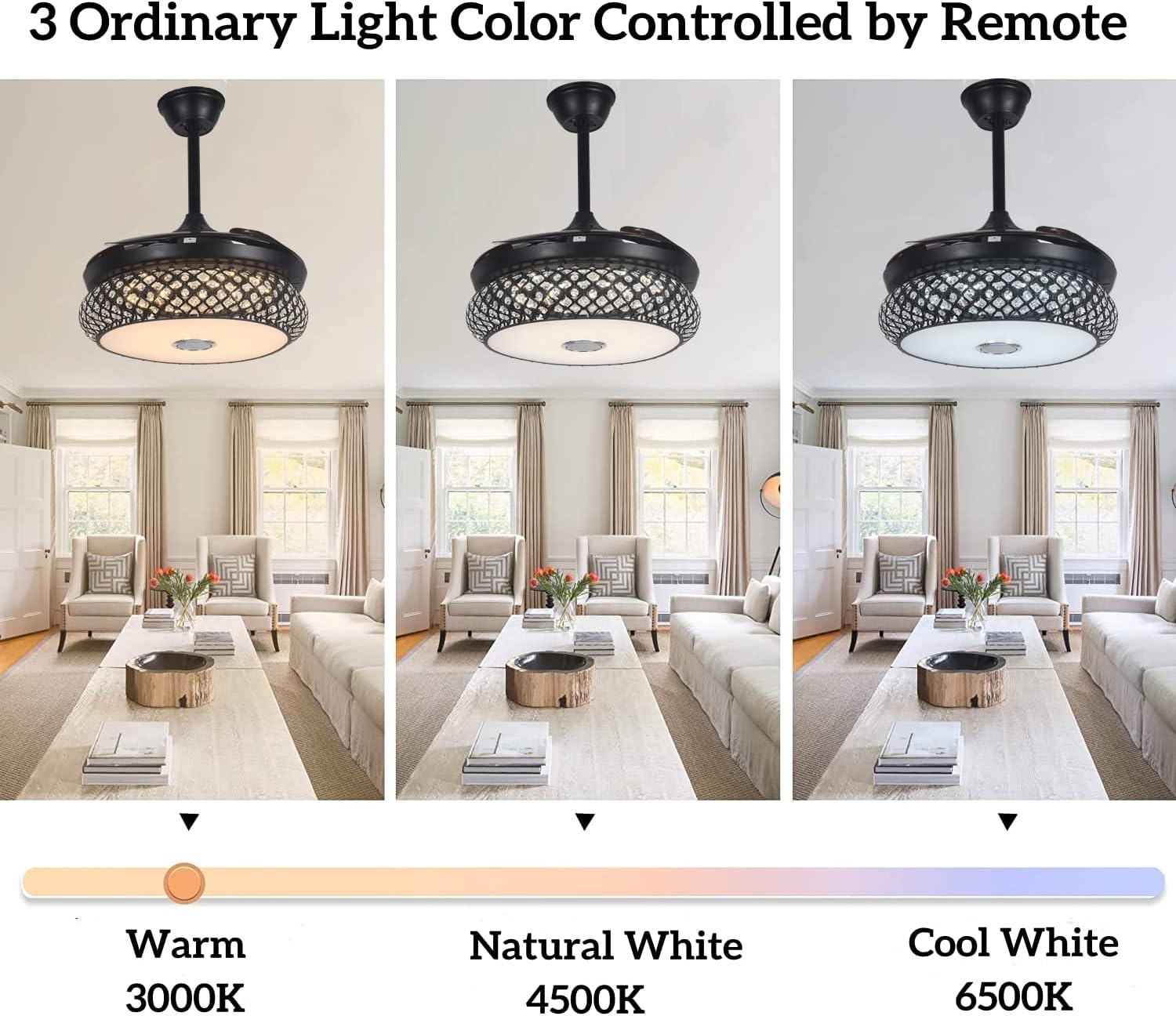
Image 3: Illustration of the FANEPRO Smart Ceiling Fan's remote control, highlighting buttons for fan speed, light color selection (Warm White, Natural White, Cool White), and timer settings.
6.2 Smartphone APP Control
For advanced features, download the dedicated smartphone APP. The APP allows for comprehensive control:
- Light Color & Temperature: Freely change light color (16 million RGB options), temperature (3000K-6000K), and brightness (0-100%).
- Light Modes: Access 12 light changing modes (e.g., Rainbow, Flash, Random, Heartbeat, Slow, Magic).
- Music Sync: Set the light to automatically change with the melody of music played through the Bluetooth speaker.
- Timing Functions: Set light timing, music timing, and alarm clock functions.
Note: The light must be turned on to use Bluetooth functions via the APP.
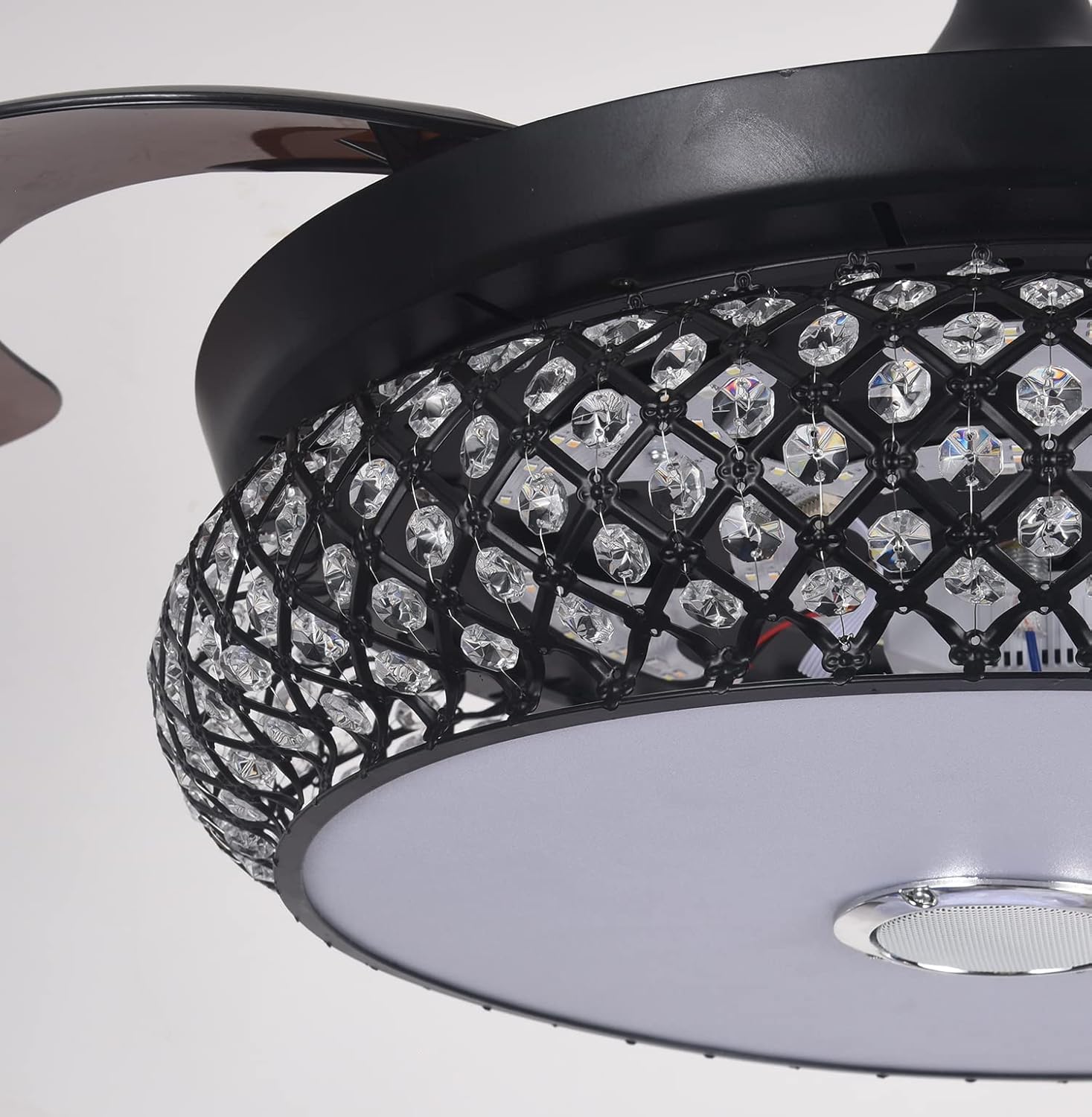
Image 4: Screenshot of the smartphone APP interface demonstrating control over light temperature (3000K-6000K), brightness (0-100%), and 16 million RGB light colors, along with 12 light changing modes.
6.3 Bluetooth Speaker Functionality
The built-in Bluetooth speaker provides 3D stereo surround sound. To use:
- Ensure the fan's light is turned on.
- Enable Bluetooth on your smartphone or other device.
- Search for the fan's Bluetooth name (refer to the APP or included manual for the specific name).
- Pair your device with the fan.
- Play music from your device, and it will stream through the fan's speaker.

Image 5: The FANEPRO Smart Ceiling Fan with its Bluetooth speaker active, playing music in a living room setting, demonstrating the 3D surround sound capability.
6.4 Retractable Blades
The fan blades automatically extend when the fan is turned on and retract when the fan is turned off, providing a sleek, chandelier-like appearance when not in use.
7. Maintenance
7.1 Cleaning
- Before cleaning, ensure the power is turned off at the circuit breaker.
- Use a soft, damp cloth to wipe down the fan body, blades, and crystal shade.
- Do not use abrasive cleaners or solvents, as these can damage the finish.
- Regularly dust the fan to prevent buildup.
7.2 Light Source Replacement
The LED light source is designed for long-term use. If replacement is necessary, contact customer support for guidance, as it may require professional service.
8. Troubleshooting
| Problem | Possible Cause | Solution |
|---|---|---|
| Fan does not turn on | No power supply; Loose wiring; Remote battery dead | Check circuit breaker; Verify wiring connections; Replace remote battery. |
| Light does not turn on | No power supply; Loose wiring; LED failure | Check circuit breaker; Verify wiring connections; Contact customer support for LED issues. |
| Fan makes excessive noise | Loose screws; Unbalanced blades; Motor issue | Tighten all screws; Ensure blades are balanced; Contact customer support if motor noise persists. |
| Remote control not working | Dead battery; Remote not paired | Replace remote battery; Refer to manual for remote pairing instructions. |
| Bluetooth speaker not connecting | Light is off; Bluetooth not enabled on device; Fan not in pairing mode | Turn on the fan light; Enable Bluetooth on your device; Ensure fan is discoverable. |
9. Warranty and Support
This FANEPRO Smart Ceiling Fan comes with a 1-year quality assurance warranty from the date of purchase. This warranty covers manufacturing defects and material flaws under normal use.
The warranty does not cover damage caused by improper installation, misuse, accidents, unauthorized repairs, or normal wear and tear.
9.1 Customer Support
If you encounter any issues or have questions regarding your FANEPRO Smart Ceiling Fan, please contact our customer support team. We are committed to responding within 24 hours to assist you.
For support, please refer to the contact information provided on your purchase receipt or the official FANEPRO website.