1. Product Overview
The MIPEACE MI04 Bluetooth Earplug Headphones are designed to provide hearing protection and wireless audio in noisy environments. Featuring a comfortable neckband design and a 29 dB Noise Reduction Rating (NRR), these earbuds allow users to listen to music or take calls while reducing ambient noise.

Figure 1: MIPEACE Bluetooth Earplug Headphones
Package Contents:
- MIPEACE Bluetooth Earplug Headphones
- Protective Case
- USB Charging Cable
- User Manual (this document)
2. Setup
2.1 Charging the Device
Before first use, fully charge the headphones. The device features a USB-C charging port.
- Locate the charging port on the control module.
- Connect the provided USB charging cable to the port.
- Connect the other end of the cable to a compatible USB power source.
- The indicator light will show charging status and turn off when fully charged. A full charge typically takes 1.5-2 hours.
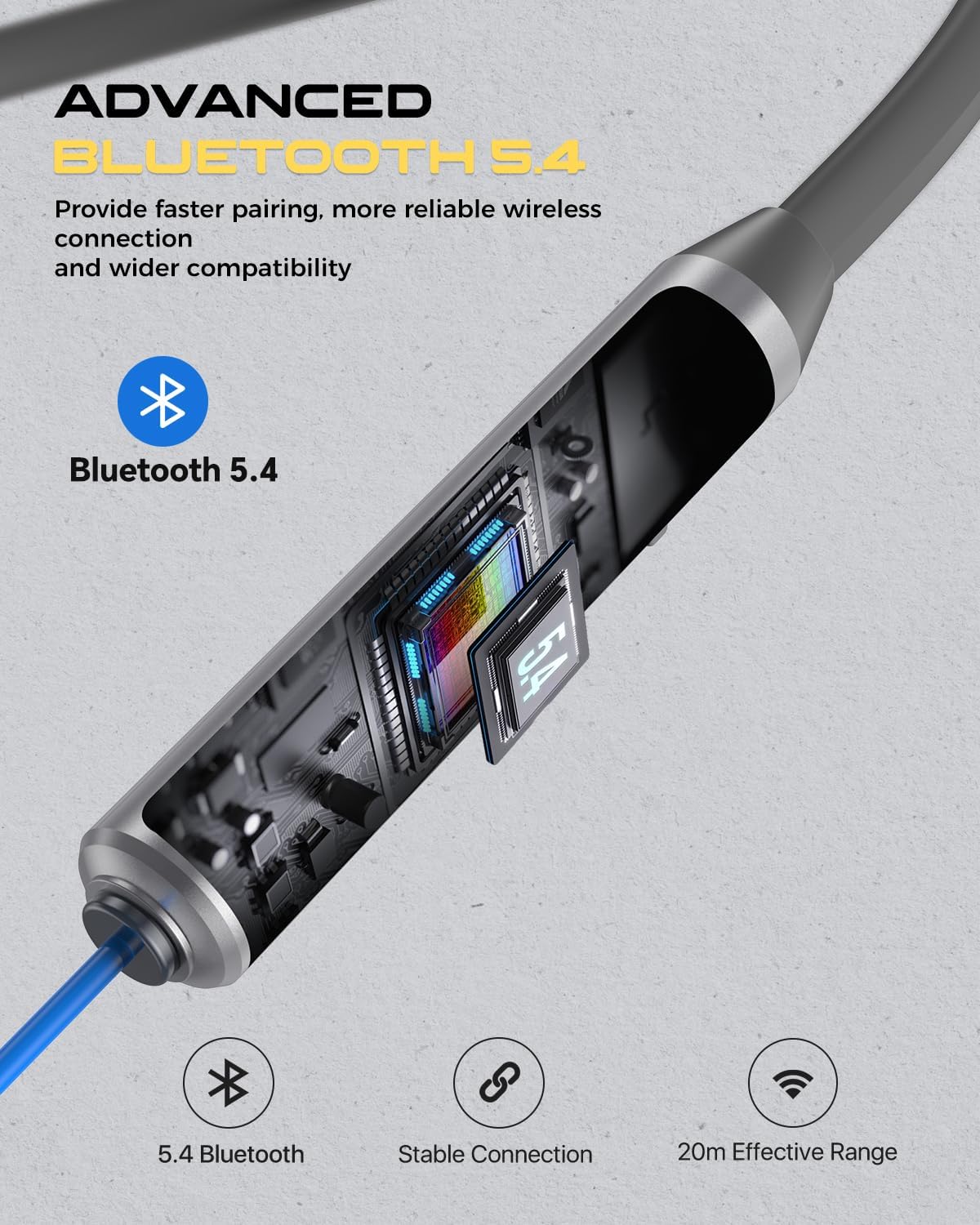
Figure 2: Charging the headphones
2.2 Bluetooth Pairing
The headphones utilize Bluetooth 5.4 for enhanced connectivity.
- Ensure the headphones are charged and powered off.
- Press and hold the multi-function button (usually the power button) until the indicator light flashes, indicating pairing mode.
- On your device (smartphone, tablet, etc.), enable Bluetooth and search for available devices.
- Select "MIPEACE MI04" from the list of found devices.
- Once paired, the indicator light will change, and a voice prompt may confirm the connection.
2.3 Proper Fit and Noise Reduction
For optimal noise reduction and sound quality, ensure the earplugs are properly inserted.
- The earplugs feature an oval-shaped soft silicone eartip designed for a snug and comfortable fit.
- Gently insert the earplugs into your ear canals until a comfortable seal is achieved.
- The neckband should rest comfortably around your neck, providing stability.
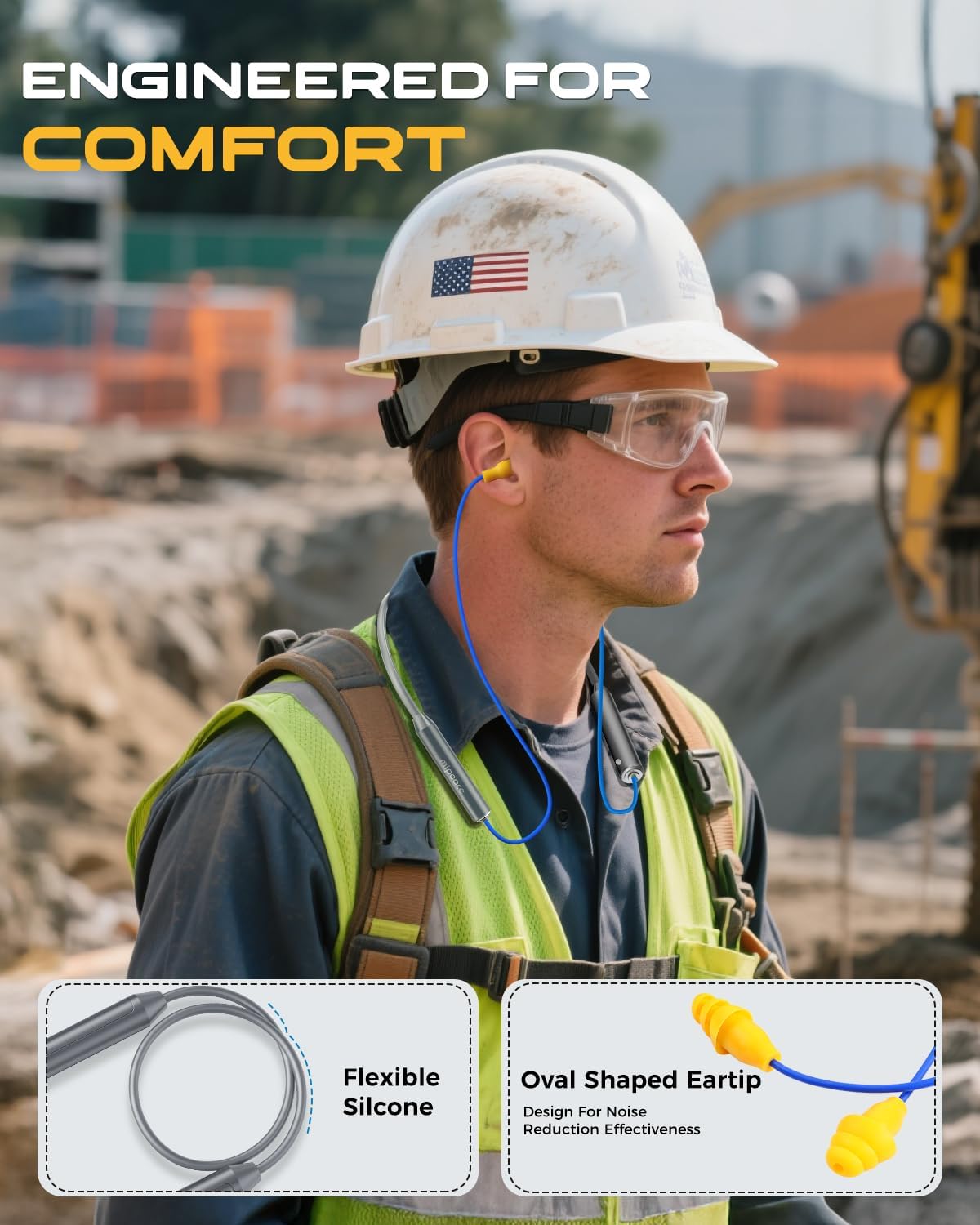
Figure 3: Proper wearing of the headphones
3. Operating Instructions
3.1 Controls Overview
The control module on the neckband allows for easy management of audio and calls.

Figure 4: Control Module
| Function | Action |
|---|---|
| Power On/Off | Press and hold the multi-function button. |
| Play/Pause | Press the multi-function button once. |
| Volume Up | Press the '+' button. |
| Volume Down | Press the '-' button. |
| Next Track | Press and hold the '+' button. |
| Previous Track | Press and hold the '-' button. |
| Answer/End Call | Press the multi-function button once. |
| Reject Call | Press and hold the multi-function button. |
3.2 Noise Reduction Feature
The earplug headphones provide a 29 dB Noise Reduction Rating (NRR), effectively reducing ambient noise to protect your hearing and allow for clearer audio playback. This feature is passive and relies on the physical seal of the earplugs.
4. Maintenance
4.1 Cleaning
- Regularly clean the silicone earplugs with a soft, damp cloth and mild soap. Ensure they are completely dry before use.
- Wipe the neckband and control module with a dry or slightly damp cloth. Avoid excessive moisture.
4.2 Storage
When not in use, store the headphones in the provided protective case to prevent damage and keep them clean.

Figure 5: Headphones and protective case
4.3 Water Resistance
The headphones are IPX5 sweat resistant, meaning they can withstand splashes of water and sweat. They are not designed for submersion in water.

Figure 6: IPX5 Sweat Resistance
5. Troubleshooting
5.1 Pairing Issues
- Headphones not entering pairing mode: Ensure the headphones are fully charged and powered off before attempting to enter pairing mode.
- Device not finding headphones: Make sure Bluetooth is enabled on your device and the headphones are within the 10-meter (33 feet) range. Try restarting both devices.
5.2 No Sound or Low Volume
- Check volume levels: Ensure the volume on both the headphones and your connected device is turned up.
- Re-pair the devices: Disconnect and re-pair the headphones with your device.
- Check earplug fit: Improperly seated earplugs can significantly reduce perceived volume and noise reduction effectiveness.
5.3 Charging Issues
- Headphones not charging: Verify that the charging cable is securely connected to both the headphones and the power source. Try a different USB port or cable.
6. Specifications
| Feature | Detail |
|---|---|
| Model Name | MI04 |
| Connectivity Technology | Wireless (Bluetooth) |
| Bluetooth Version | Up to 5.4 |
| Bluetooth Range | 10 Meters (33 feet) |
| Noise Reduction Rating (NRR) | 29 dB |
| Battery Life (Playtime) | Up to 19 Hours |
| Standby Time | Up to 270 Hours |
| Water Resistance Level | IPX5 (Sweat Resistant) |
| Item Weight | 29.2 Grams (1.03 ounces) |
| Included Components | Protective Case |
7. Official Product Video
Video 1: Overview of MIPEACE Neckband Wireless Bluetooth Earplug Headphones, demonstrating features and use cases.
8. Warranty and Support
MIPEACE products are designed for durability and performance. For warranty information, technical support, or any product-related inquiries, please refer to the contact details provided with your purchase or visit the official MIPEACE website.


