
1. Introduction
Thank you for choosing the FEELON 52" RGB LED Light Bar and 4" Flood LED Pods. This product is designed to provide enhanced illumination and customizable lighting effects for various off-road and vehicle applications. This manual provides detailed instructions for proper installation, operation, and maintenance to ensure optimal performance and longevity of your lighting system.

Figure 1: FEELON 52" RGB LED Light Bar and 4" Flood LED Pods Kit.
2. Package Contents
Please verify that all items listed below are included in your package. If any components are missing or damaged, please contact customer support.
- 1 x 52-inch 300W RGB LED Light Bar
- 2 x 4-inch 18W RGB LED Pods Fog Lights with Chasing RGB Halo Strip
- 1 x Rocker Switch
- 1 x Control Wiring Harness
- Necessary Mounting Brackets and Hardware
3. Specifications
Refer to the table below for detailed product specifications.
| Feature | Specification |
|---|---|
| Model Number | RGB Light Bars |
| Color | Multicolor (RGB) |
| Shape | Rectangular (Light Bar), Square (Pods) |
| Material | Aluminum, Stainless Steel |
| Finish Type | Aluminum, Stainless Steel |
| Light Source Type | LED |
| Power Source | Corded Electric |
| Voltage | 12 Volts (DC) |
| Maximum Compatible Light Source Wattage | 336 Watts |
| Bulb Features | Chasing RGB Halo, 16 Solid Colors, Over 92 Flashing Modes, Music Mode, Automatic Control Functions |
| Mounting Type | Surface or Bracket Mount |
| Product Dimensions | 50.79"L x 7.28"W x 3.94"H (Light Bar) |
| Item Weight | 10.23 pounds |
| Waterproof Rating | IP67 |

Figure 2: Product Dimensions.
4. Safety Information
Please read and understand all safety instructions before installation and operation. Failure to follow these instructions may result in electrical shock, fire, or serious injury.
- Always disconnect power before installing or servicing the lights.
- Ensure proper wiring and connections to prevent short circuits.
- Do not look directly into the light source when illuminated, as it may cause eye damage.
- Keep children away from the product during installation and operation.
- Ensure the mounting location is secure and can support the weight of the lights.
- Consult a professional if you are unsure about any part of the installation process.
5. Setup and Installation
This section outlines the general steps for installing your FEELON LED light bar and pods. Specific vehicle requirements may vary.
5.1 Mounting the Lights
- Choose a Location: Select a suitable mounting location on your vehicle (e.g., car roof, grille cover, front bar, hood). Ensure the location provides adequate clearance and a stable surface for the brackets.
- Attach Brackets: Secure the provided mounting brackets to the light bar and pods using the included hardware. The brackets are adjustable up to approximately 45 degrees, allowing for precise aiming of the light.
- Mount Lights to Vehicle: Position the lights with attached brackets onto your chosen location and secure them firmly using appropriate fasteners.

Figure 3: Example Installation Positions on a Vehicle.

Figure 4: Heat Sink Design and Adjustable Brackets.
5.2 Wiring Connections
Use the provided control wiring harness for connecting the light bar and pods to your vehicle's power system. Ensure all connections are secure and properly insulated to maintain the IP67 waterproof rating.
- Connect the light bar and pods to the wiring harness.
- Connect the wiring harness to a 12V DC power source on your vehicle.
- Install the rocker switch in a convenient location within your vehicle's cabin.
- Ensure all wiring is routed safely, away from moving parts or heat sources.

Figure 5: Waterproof Features and Connections.
6. Operating Instructions
Your FEELON RGB LED lights can be controlled via the included remote control or a dedicated smartphone application.
6.1 Remote Control Operation
- Power On: Before using the remote control, press and hold the ON button on the remote until the lights power on.
- Color Selection: Use the color buttons to select from 16 solid colors.
- Mode Selection: Cycle through over 92 flashing modes using the mode buttons.
- Brightness Adjustment: Adjust the brightness levels as desired.
6.2 Smartphone App Control
The dedicated app provides advanced control over your lighting system, including music synchronization and custom color modes.
- Download the App: Scan the QR code below or search for "BLEDIM2" in your device's App Store or Google Play Store.
- Connect to Lights: Follow the in-app instructions to connect your smartphone to the FEELON RGB LED lights. The app can control up to 4 sets of lights simultaneously.
- Explore Features: Utilize the app for:
- Custom color selection (millions of colors)
- Music mode (lights glow to the rhythm of music or voice)
- Flashing functions and automatic control modes
- Color DIY (add/delete up to 7 different colors)

Figure 6: BLEDIM2 App Interface and QR Code for Download. App Download Link: http://qr07.cn/A9M4xq

Figure 7: App and Remote Control Options with Lighting Examples.
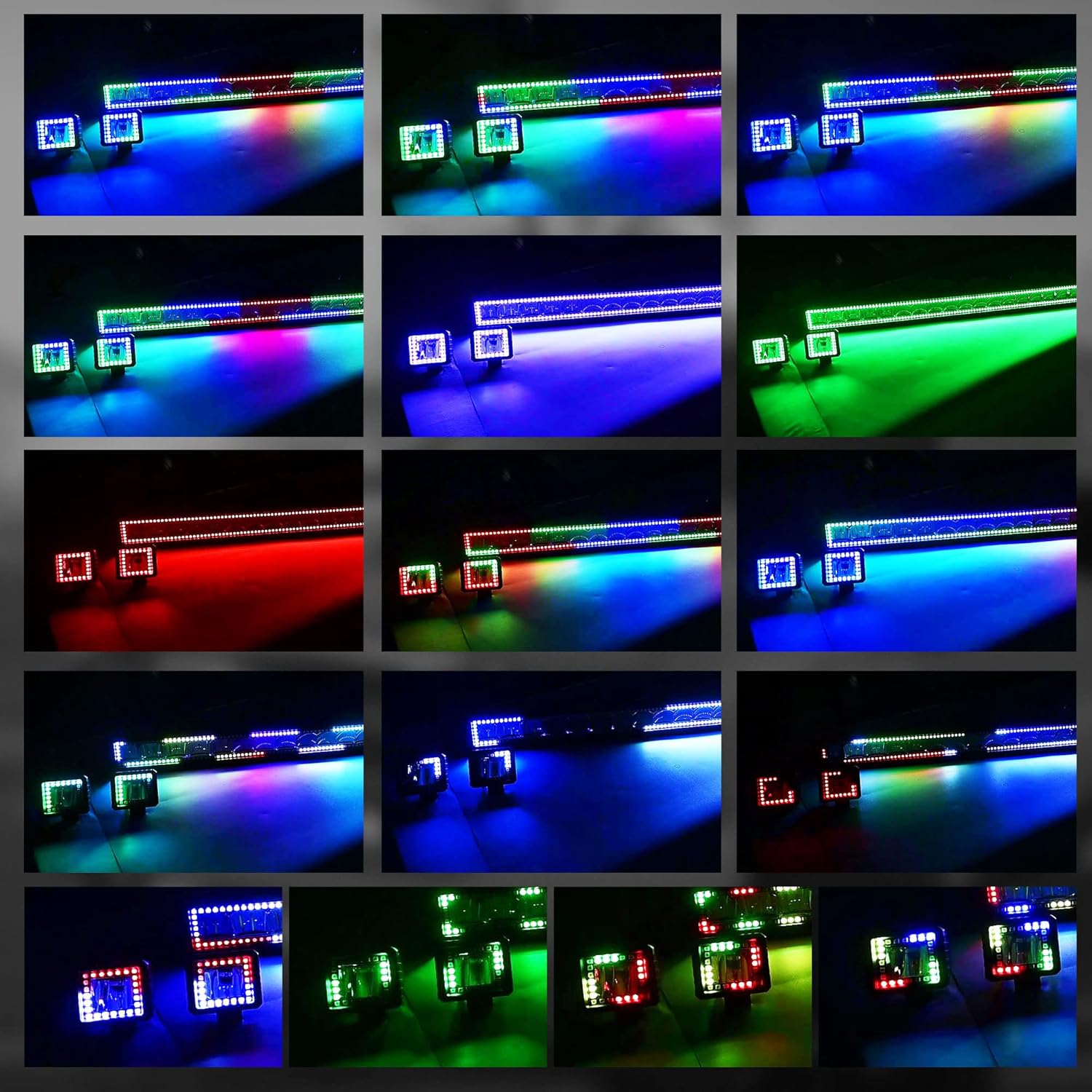
Figure 8: Diverse RGB Lighting Effects.
7. Maintenance
Regular maintenance helps ensure the longevity and performance of your LED lights.
- Cleaning: Periodically clean the light bar and pods with a soft cloth and mild detergent. Avoid abrasive cleaners that could scratch the lenses or housing.
- Connection Check: Regularly inspect all wiring connections for tightness and signs of corrosion. Re-tighten or clean as necessary.
- Mounting Security: Verify that the mounting brackets and hardware remain secure. Tighten any loose fasteners.
8. Troubleshooting
If you encounter issues with your FEELON RGB LED lights, refer to the following troubleshooting tips:
| Problem | Possible Cause / Solution |
|---|---|
| Lights do not turn on. | Check power connections and fuses. Ensure the remote control's ON button is pressed and held until the unit powers on. Verify the rocker switch is in the ON position. |
| Remote control is unresponsive. | Ensure the remote's ON button was pressed and held to activate the system. Check the remote's battery. Ensure no obstructions are blocking the signal. |
| App cannot connect to lights. | Ensure Bluetooth is enabled on your smartphone. Restart the app and the lights. Re-download the app if issues persist. Check for app updates. |
| Outer RGB lights remain on after main switch is off. | This can be a characteristic of the system. Use the smartphone app to turn off the outer RGB rings if they are not desired when the main white light is off. Consider wiring the system to an accessory power source that completely cuts power when the vehicle is off. |
| Water inside the light housing. | While rated IP67, improper installation or damage can compromise the seal. Inspect for cracks or loose seals. Ensure all wiring connections are properly sealed during installation. |
| Missing components upon arrival. | Contact FEELON customer support immediately for assistance. |
9. Application Scenarios
The FEELON RGB LED Light Bar and Pods are versatile and suitable for a wide range of 10-30V (12V, 24V) off-road and general lighting applications.
- 4x4 Trucks and Off-Road Vehicles
- UTVs and ATVs
- Boats and Marine Applications
- Work Lights
- Vehicle Dome Lights
- Emergency and Auxiliary Lighting
- Garden and Decorative Lighting
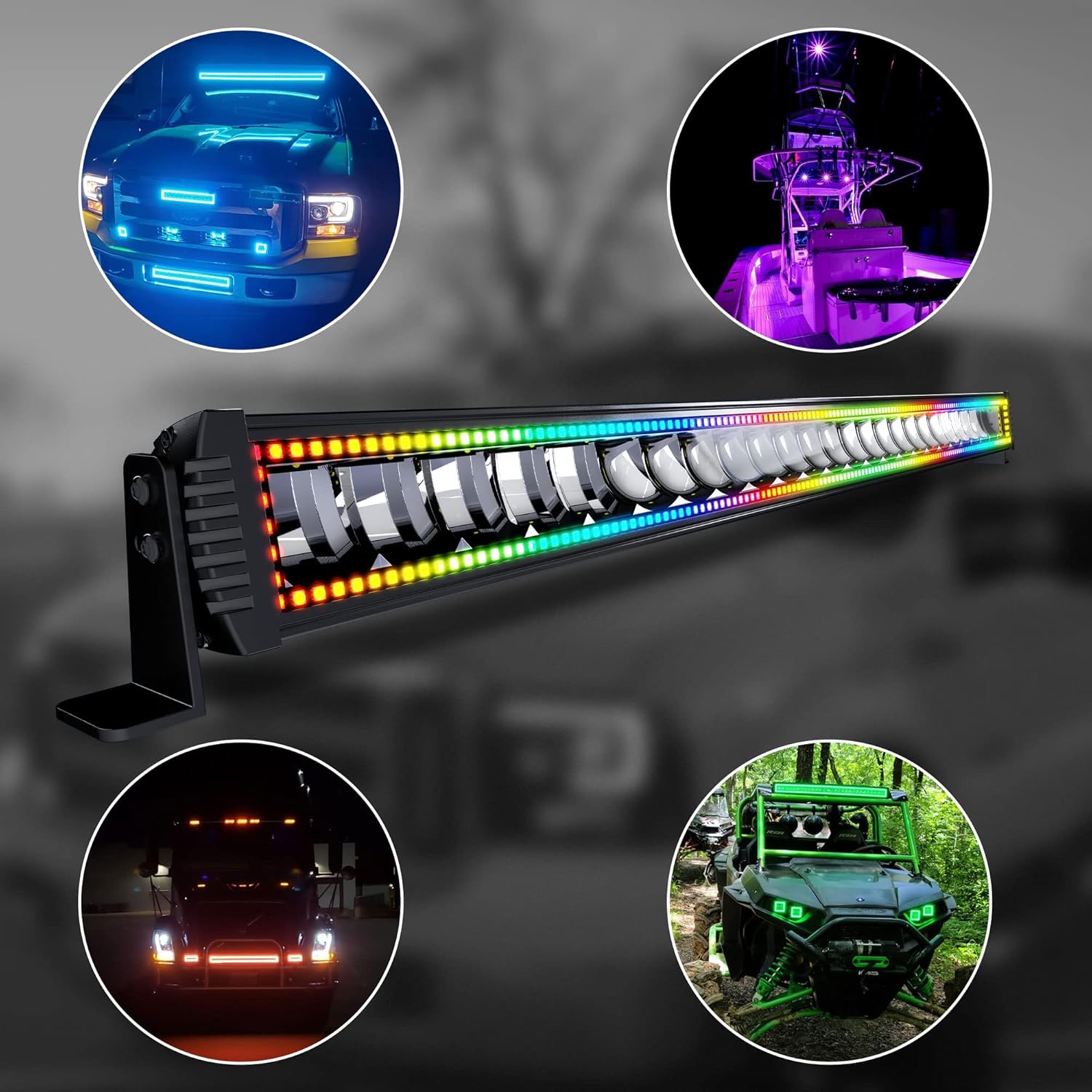
Figure 9: Various Application Examples.
10. Warranty and Support
FEELON provides a One Year hassle-free warranty for this product. Additionally, Lifetime free service is offered. If you have any questions, concerns, or require technical assistance, please do not hesitate to contact FEELON customer support directly.


