
1. Introduction
The GOLDCHAMP GC-533M-US is a portable air quality monitor designed to detect various indoor air pollutants and environmental factors. This device utilizes semiconductor sensor technology to provide accurate measurements of Formaldehyde (HCHO), Total Volatile Organic Compounds (TVOC), temperature, and humidity. It is suitable for monitoring air quality in various indoor environments such as homes, offices, schools, and vehicles.
Key features include:
- High-precision semiconductor sensor for HCHO and TVOC detection.
- Integrated temperature and humidity monitoring.
- Large LCD screen (84 x 69 mm) for clear display of readings.
- Rechargeable 2000 mAh battery with USB charging support.
- Two alarm levels and visual indicators for dangerous gas concentrations.
- Selectable temperature units (Celsius/Fahrenheit).
- Automatic shutdown function.

Image 1.1: The GOLDCHAMP GC-533M-US Air Quality Monitor displaying its various measurement capabilities and features.
2. Setup
2.1 Unpacking and Initial Inspection
Carefully remove the air quality monitor from its packaging. Verify that all components are present: the GC-533M-US monitor, a storage bag, a user manual, and a USB data cable.
2.2 Battery Connection and Charging
The device includes a rechargeable 2000 mAh Lithium-metal battery. Before first use, ensure the internal battery cable is securely connected. If the device does not power on, open the back cover and check the battery connection as shown in the image below. Then, connect the monitor to a USB power source (e.g., PC, power bank, wall adapter) using the provided USB-Type-C cable to fully charge it.

Image 2.1: Instructions for connecting the internal battery cable and charging the device via USB.
2.3 Powering On/Off
To power on the device, press and hold the power button (ESC) for 3 seconds. The LCD screen will illuminate. To power off, press and hold the power button for 3 seconds again.
2.4 Initial Calibration
Upon powering on, the device may require a short calibration period, typically 2-5 minutes, before displaying stable readings. During this time, keep the device in a well-ventilated area free from strong odors or pollutants.
3. Operating Instructions
3.1 Button Functions
The monitor features several buttons for navigation and settings:

Image 3.1: Detailed functions of the control buttons.
- ESC (Power Button): Press and hold for 1 second to turn on/off. In setting state, press to exit.
- MAX (Maximum Value / Down): Press once to measure the maximum value. In setting state, press to move selection downward.
- Backlight / Up: Press once to turn backlight on/off. In setting state, press to move selection upward.
- SET (Settings / °F/°C): Press once to select setting items (view storage, alarm sound, date/time, auto shutdown). Long press to convert between Fahrenheit and Celsius.
3.2 Understanding the Display
The LCD screen displays real-time readings for HCHO, TVOC, temperature, and humidity. It also shows the current time, date, battery indicator, and air quality level through visual cues.
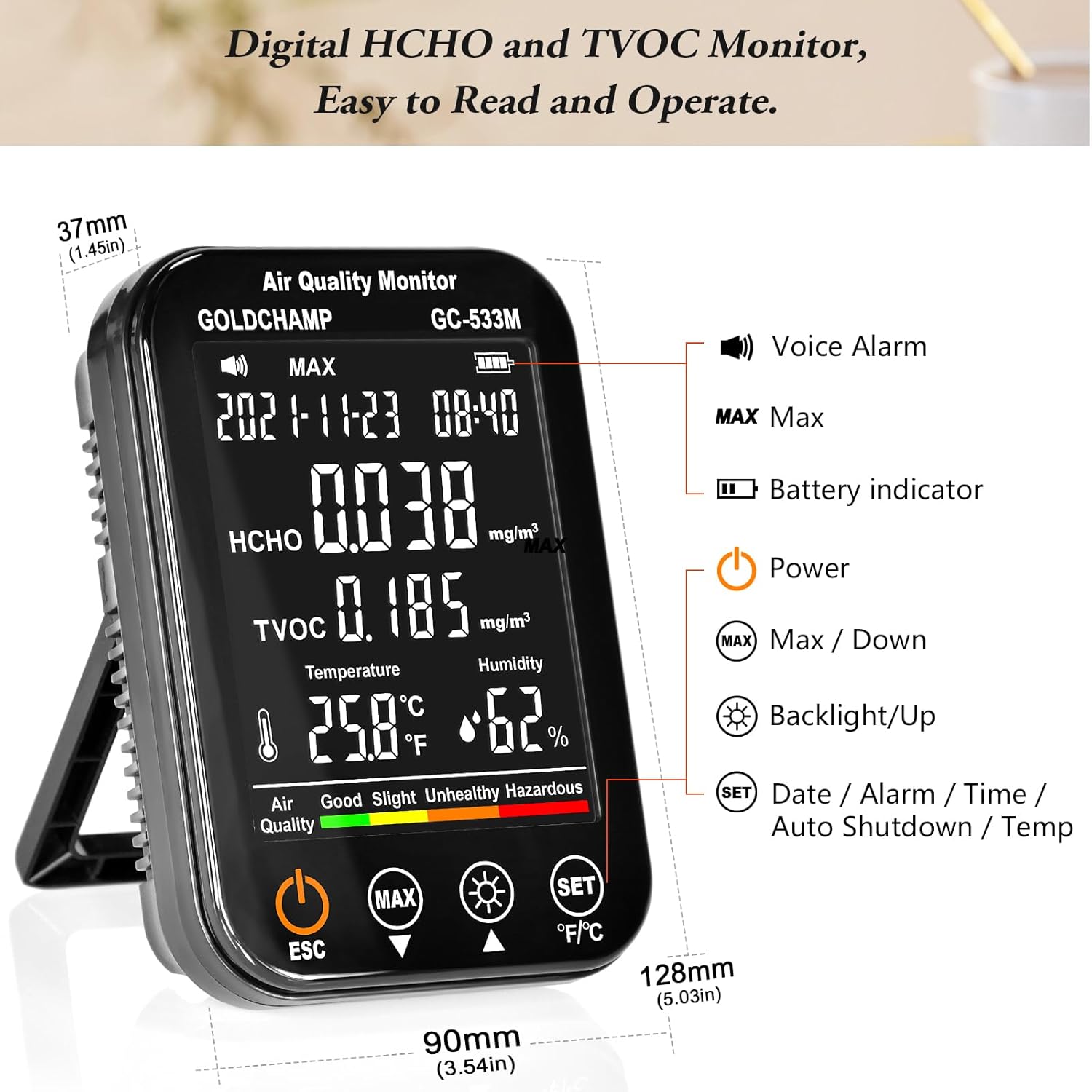
Image 3.2: Overview of the monitor's display and key indicators.
3.3 Air Quality Pollution Level Reference
The monitor provides an intuitive color-coded bar and facial expressions to indicate air quality levels. Refer to the table below for detailed concentration ranges and their corresponding air quality classifications:

Image 3.3: Air Quality Pollution Level Reference Table for HCHO and TVOC.
3.4 Alarm Function
The device features two alarm levels to alert users to potentially dangerous gas concentrations. When HCHO or TVOC levels exceed predefined thresholds, the monitor will trigger an audible alarm and display visual warnings. Alarm settings can be adjusted via the SET button.
3.5 Data Saving
The GOLDCHAMP GC-533M-US supports saving up to 96 groups of data, covering a 24-hour cycle. This feature allows users to review historical air quality trends. Access saved data through the settings menu.
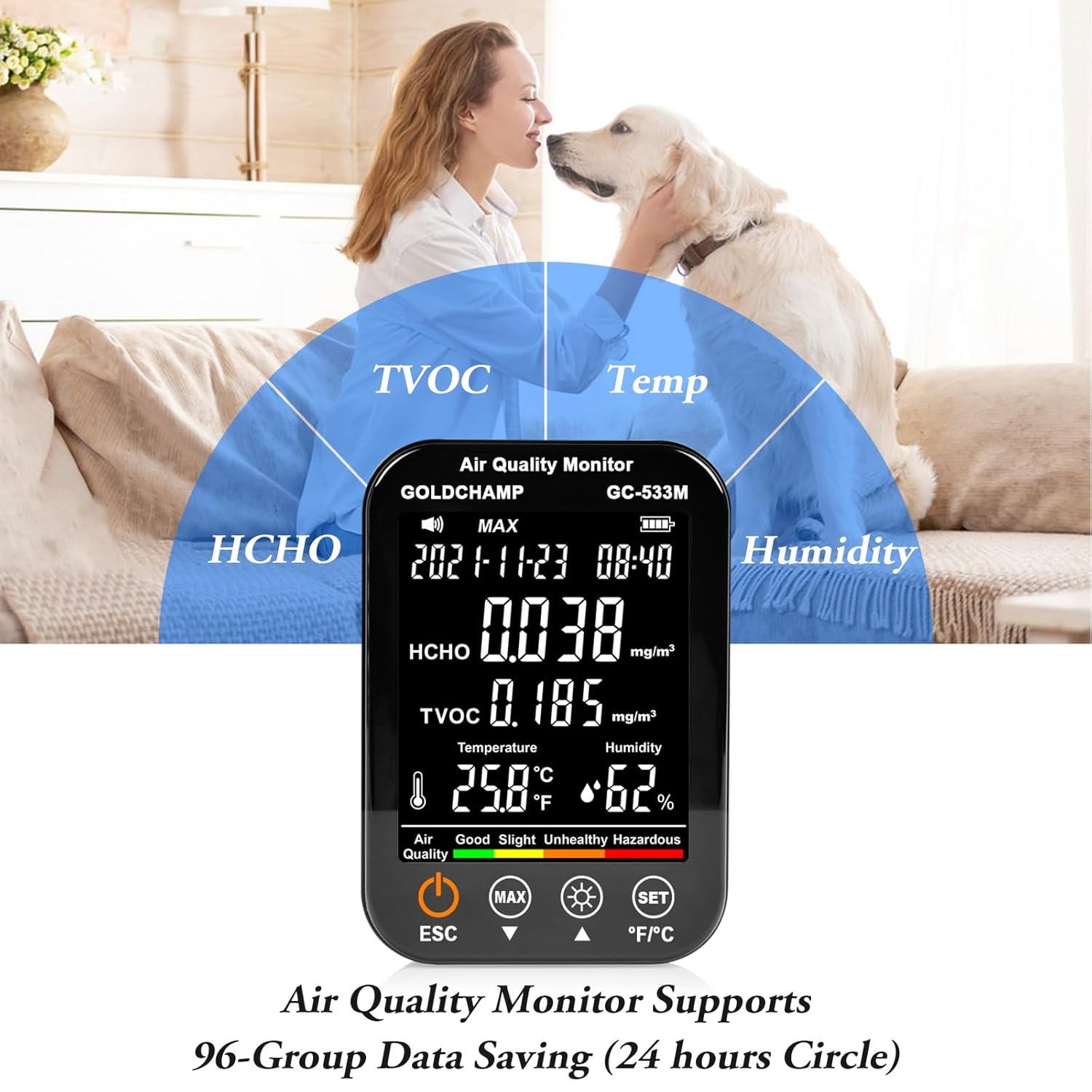
Image 3.4: The monitor supports 96-group data saving over a 24-hour period.
4. Maintenance
4.1 Charging the Device
When the battery indicator shows low power, connect the device to a USB power source using the provided cable. A full charge allows for continuous operation for approximately 24 hours with the backlight off.
4.2 Cleaning
To clean the monitor, gently wipe the exterior with a soft, dry cloth. Do not use abrasive cleaners, solvents, or immerse the device in water. Ensure no liquids enter the sensor openings.
4.3 Storage
When not in use for extended periods, store the monitor in a cool, dry place, away from direct sunlight and extreme temperatures. Use the provided storage bag to protect it from dust and scratches.
5. Troubleshooting
- Device does not power on: Ensure the internal battery cable is securely connected (refer to Section 2.2). Verify the battery is charged by connecting it to a USB power source.
- Readings appear unstable or inaccurate: Allow the device to complete its initial calibration (2-5 minutes) in a clean, well-ventilated environment. Avoid placing the monitor near strong scents (e.g., perfumes, cleaning products) as these can temporarily affect readings due to the semiconductor sensor's sensitivity.
- Difficulty navigating settings: Refer to the detailed button functions in Section 3.1. Practice using short presses versus long presses for different functions.
- Alarm sounds frequently: Check the current HCHO and TVOC readings against the reference table (Section 3.3). If levels are high, ventilate the area. Adjust alarm thresholds in the settings if necessary.
6. Specifications
| Feature | Specification |
|---|---|
| Model Number | GC-533M |
| Measurement Accuracy | +/- 3% |
| Temperature Range | -10 ℃ to 50 ℃ (14 ℉ to 122 ℉) |
| Humidity Range | 0-95% RH |
| Battery Type | Lithium-metal (1 CR2 required, included) |
| Battery Capacity | 2000 mAh |
| Product Dimensions | 3.2 x 8 x 17.5 cm (1.26 x 3.15 x 6.89 inches) |
| Weight | 453.59 g (1 Pound) |
| Included Components | 1 Air Quality Monitor, USB Data Cable, User Manual, Storage Bag |
7. Warranty and Support
This product is covered by a manufacturer's warranty. For specific warranty terms, duration, and to obtain support, please refer to the documentation included with your purchase or contact GOLDCHAMP customer service directly. Keep your purchase receipt as proof of purchase for warranty claims.