Introduction
Thank you for choosing the Generic BL-602 TWS Wireless Earbuds. This manual provides essential information on how to set up, operate, and maintain your new earbuds. Please read it carefully before use to ensure optimal performance and longevity of your device.

Image: Generic BL-602 TWS Wireless Earbuds resting inside their open white charging case.
Setup
1. Package Contents
- BL-602 TWS Wireless Earbuds (Left and Right)
- Charging Case
- USB Charging Cable
- User Manual
- Black Protective Case (optional accessory)
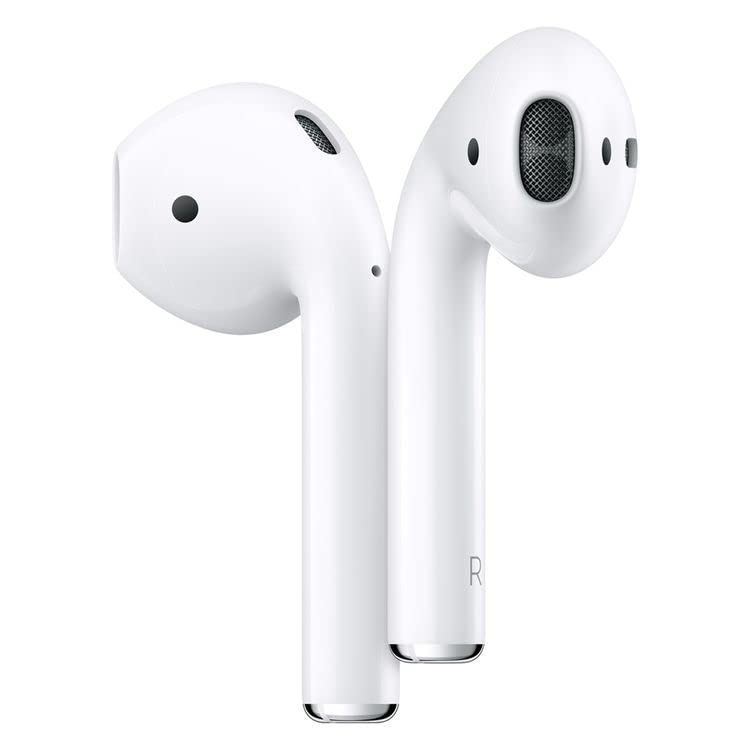
Image: The white charging case with a green indicator light, a black silicone protective case, and a white USB charging cable.
2. Initial Charging
Before first use, fully charge the earbuds and the charging case. Connect the provided USB charging cable to the charging port on the case and a compatible USB power source. The indicator light on the case will show charging status. Once fully charged, the indicator light will change or turn off.
3. Pairing with Your Device
- Ensure the earbuds are charged and placed inside the charging case.
- Open the charging case lid. The earbuds will automatically enter pairing mode.
- On your device (smartphone, tablet, etc.), enable Bluetooth.
- Search for available Bluetooth devices and select "BL-602" from the list.
- Once connected, you will hear a confirmation tone, and the earbuds will be ready for use.
Operating Instructions
The BL-602 earbuds feature touch controls for easy management of music and calls.
Touch Control Functions:
- Play/Pause: Single tap on either earbud.
- Next Track: Double tap on the right earbud.
- Previous Track: Double tap on the left earbud.
- Answer/End Call: Single tap on either earbud during an incoming call.
- Reject Call: Press and hold either earbud for 2 seconds during an incoming call.
- Activate Voice Assistant: Triple tap on either earbud.
- Power On: Open the charging case lid or press and hold the touch area for 3 seconds if earbuds are out of case and off.
- Power Off: Place earbuds back into the charging case and close the lid, or press and hold the touch area for 5 seconds.
Maintenance
Cleaning
- Regularly clean the earbuds and charging case with a soft, dry, lint-free cloth.
- Do not use abrasive cleaners, alcohol, or chemical solvents.
- Ensure charging contacts on both earbuds and case are clean and free of debris.
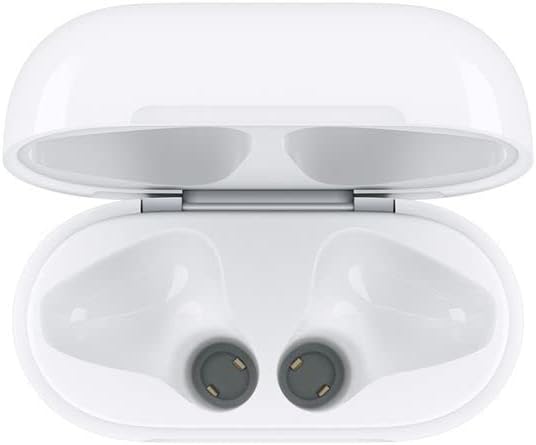
Image: Interior of the charging case, highlighting the charging contacts for the earbuds.
Battery Care
- Avoid fully discharging the battery frequently.
- Store the earbuds and case in a cool, dry place when not in use.
- Charge the device at least once every three months if not used regularly to prevent battery degradation.
Storage
When not in use, store the earbuds in their charging case to protect them from dust, damage, and to keep them charged. The optional black protective case can provide additional protection.
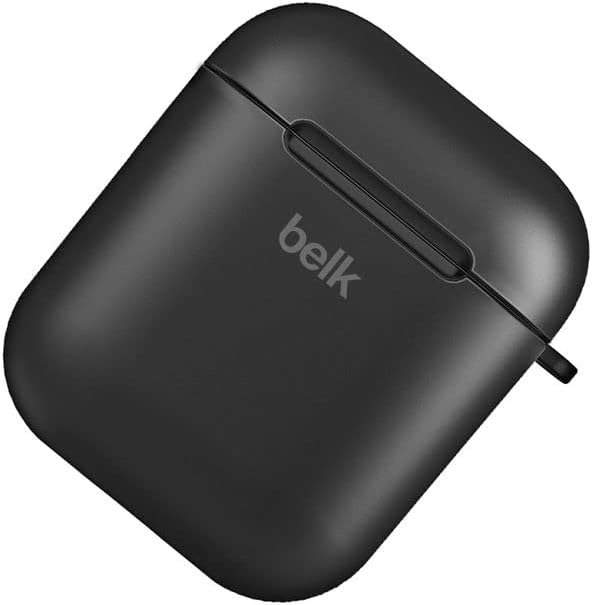
Image: A closed black protective case, designed to hold the earbud charging case.
Troubleshooting
| Problem | Possible Solution |
|---|---|
| Earbuds not pairing |
|
| No sound from one or both earbuds |
|
| Charging case not charging |
|
| Earbuds not charging in case |
|
Specifications
- Model: BL-602
- Communication Range: <10 meters (standard environment)
- Frequency Response: 20Hz - 20kHz
- Support Protocols: HSP/HFP/A2DP/AVRCP
- Earbud Impedance: 32 Ohm
- Operating Voltage: 3.1-4.2V
- Power: 5mW
- Earbud Battery Capacity: 45mAh
- Charging Case Battery Capacity: 400mAh
- Material: Plastic
- Control Method: Touch
- Compatible Devices: Phones, Tablets, Desktop computers, Laptops, Mobile phones, Smart speakers, TVs, Car audio systems, Digital video game consoles
- Color: White
- Ear Placement: In-ear
- Connectivity Technology: Wireless (Bluetooth)
- Included Components: USB Charging Cable
- Package Dimensions: 10 x 10 x 10 cm; 100 grams
Warranty & Support
This product comes with a standard manufacturer's warranty. Please refer to your purchase documentation for specific warranty terms and conditions.
Customer Support
For any inquiries or support needs, please contact your retailer or the manufacturer's customer service. Most email inquiries are typically answered within 24 hours.

Image: Graphic detailing general service information including delivery, payment, and customer support response times.


