Introduction
This manual provides instructions for the VINABTY AXD7583 Replacement Remote Control, designed for use with Pioneer AV Receivers VSX-820-K and VSX-820. This remote control requires no programming and operates using two (2) AAA batteries.
Product Overview
The VINABTY AXD7583 is a dedicated replacement remote control for compatible Pioneer AV receivers. It features a comprehensive layout of buttons for controlling various functions of your receiver, including power, volume, input selection, and menu navigation. Its ergonomic design ensures comfortable handling during use.
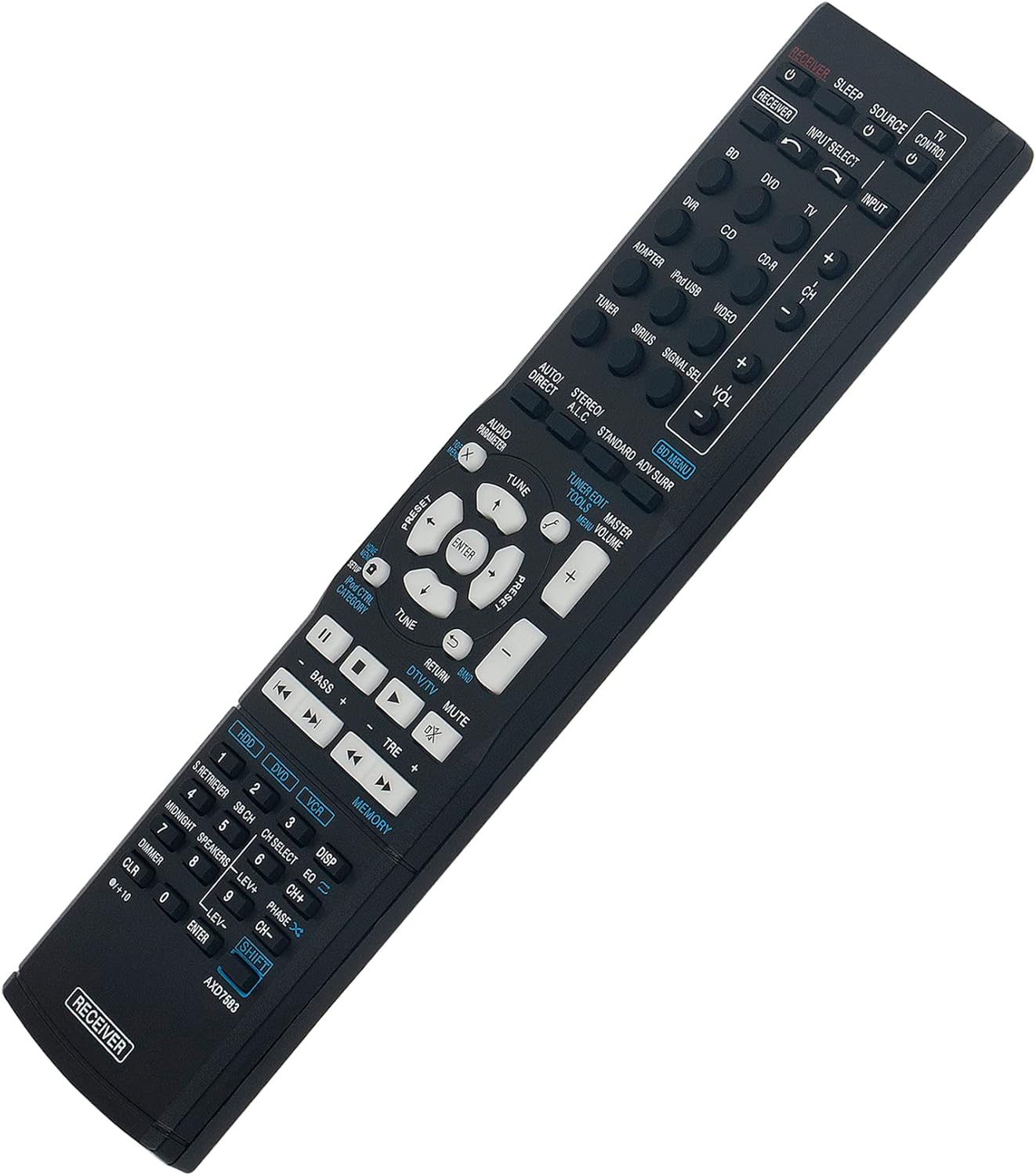
Image 1: Front view of the VINABTY AXD7583 Replacement Remote Control, showing all buttons and their labels.

Image 2: Back view of the VINABTY AXD7583 Replacement Remote Control, highlighting the battery compartment.
Setup
Follow these steps to prepare your remote control for use:
- Locate the battery compartment on the back of the remote control.
- Open the battery compartment cover by sliding it down or pressing the latch.
- Insert two (2) AAA batteries, ensuring that the positive (+) and negative (-) terminals align correctly with the markings inside the compartment.
- Close the battery compartment cover securely until it clicks into place.
The remote control is now ready for immediate use with your compatible Pioneer AV receiver.
Operating Instructions
To operate your Pioneer AV receiver with the VINABTY AXD7583 remote control:
- Point the remote control directly at the infrared sensor on your Pioneer AV receiver.
- Press the desired function buttons to control your receiver, such as POWER to turn the unit on/off, VOLUME +/- to adjust sound levels, INPUT SELECT to switch sources, and navigation buttons for menu control.
- Ensure there are no physical obstructions between the remote control and the receiver's infrared sensor for optimal performance.
Maintenance
Proper maintenance will extend the life of your remote control:
- Battery Replacement: Replace batteries when the remote control's performance diminishes or stops functioning. Always replace both batteries at the same time with new ones of the same type (AAA).
- Cleaning: Use a soft, dry cloth to clean the remote control. Do not use liquid cleaners, abrasive materials, or chemical solvents, as these can damage the surface or internal components.
- Storage: Avoid exposing the remote control to extreme temperatures, high humidity, or direct sunlight. Store it in a safe place to prevent physical damage.
Troubleshooting
If you encounter issues with your remote control, refer to the following common solutions:
- Remote not responding:
- Check battery polarity and ensure batteries are fresh. Replace if necessary.
- Ensure the remote is pointed directly at the receiver's infrared sensor.
- Remove any obstructions between the remote and the receiver.
- Limited functionality:
- Verify that your receiver model (VSX-820-K or VSX-820) is compatible with this remote (AXD7583).
- Some advanced functions may require direct interaction with the receiver's front panel controls or an original remote with specific programming capabilities.
Specifications
| Model Number | AXD7583 |
| Brand | VINABTY |
| Compatible Devices | Pioneer AV Receivers VSX-820-K, VSX-820 |
| Connectivity Technology | Infrared |
| Battery Type | 2 x AAA batteries (not included) |
| Product Dimensions | 8.1 x 2 x 0.7 inches |
| Item Weight | 2.89 ounces |
| Special Feature | Ergonomic |
Warranty and Support
For warranty information or further product support, please refer to the product packaging or contact the manufacturer directly. Keep your purchase receipt for any warranty claims.
