
Introduction
The Minthouz GY-Z8-1 is a versatile 3-in-1 wireless charging station designed to simultaneously charge your compatible iPhone, Apple Watch (Series 2 and later), and AirPods (with wireless charging case). This device aims to simplify your charging experience by reducing cable clutter and providing efficient power delivery.
What's in the Box
- 1 x Minthouz 3-in-1 Wireless Charging Station
- 1 x 20W QC3.0+PD Adapter
- 1 x USB C-A Cable
Setup Instructions
- Connect the Power Adapter: Plug the provided USB C-A cable into the charging station's USB-C port and connect the other end to the 20W QC3.0+PD adapter. Plug the adapter into a wall outlet. The LED indicator on the base will illuminate, indicating the station is powered on.
- Placement: Place the charging station on a flat, stable surface.

Image: The Minthouz 3-in-1 Wireless Charging Station connected to its 20W QC3.0+PD adapter, highlighting the dual-port adapter.
Operating Instructions
Charging Your Devices
The Minthouz GY-Z8-1 allows for simultaneous wireless charging of up to three compatible devices:
- Smartphone: Place your Qi-compatible smartphone on the upright charging pad. The phone can be charged in both vertical and horizontal orientations, allowing for video calls or media viewing while charging.
- Apple Watch: Place your Apple Watch (Series 2 or later) on the dedicated magnetic charging module at the top.
- AirPods: Place your AirPods (with wireless charging case) on the flat charging pad at the base.
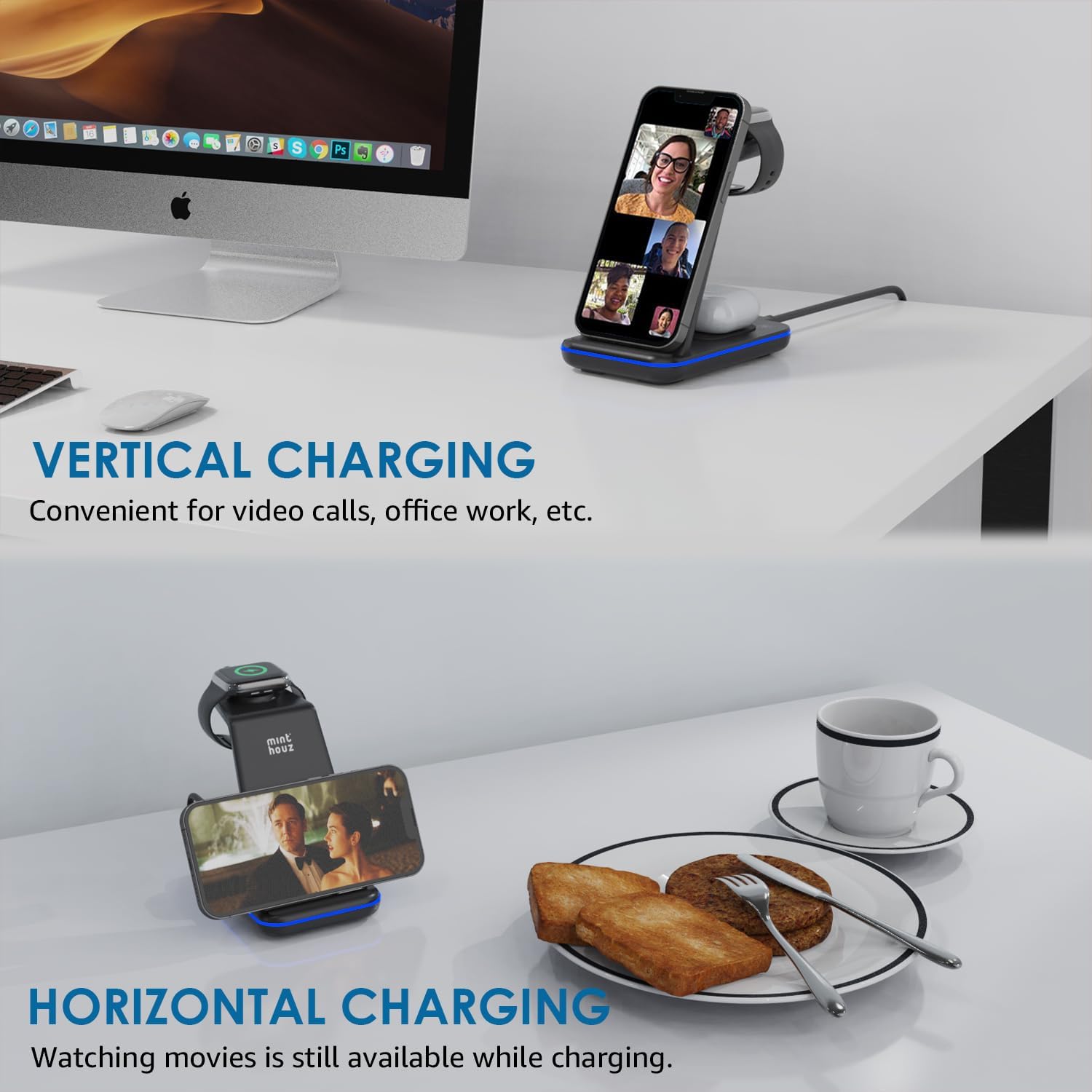
Image: The charging station demonstrating both vertical and horizontal phone charging positions.
LED Indicator Guide
The charging station features a smart breathing LED indicator to provide charging status at a glance:
- Green Light: Indicates standby mode, iWatch charging, or earphone charging.
- Blue Breathing Light: Indicates phone charging.
- Blinking Blue and Green Light: Indicates foreign object detection or an error.
You can turn the LED light on or off by pressing the touch-sensitive button on the base of the charger.

Image: Close-up of the charging station showing the smart breathing LED indicator and its different color meanings.
Official Product Videos
Video: 3 in 1 wireless charger station. This video demonstrates the basic functionality and setup of the Minthouz 3-in-1 wireless charger, showing how to place a phone, Apple Watch, and AirPods for charging.
Video: Minthouz CW006 Wireless Charger. This video provides an overview of the Minthouz CW006 (GY-Z8-1) wireless charger, showcasing its design and multi-device charging capabilities.
Maintenance
- Cleaning: Disconnect the power before cleaning. Use a soft, dry cloth to wipe the surface of the charging station. Do not use abrasive cleaners or solvents.
- Storage: Store the device in a cool, dry place away from direct sunlight and extreme temperatures.
- Avoid Liquids: Keep the charging station away from water and other liquids to prevent damage.
Troubleshooting
- Device Not Charging:
- Ensure the charging station is properly connected to the 20W QC3.0+PD adapter and a working power outlet.
- Check if your device is Qi-compatible and correctly aligned on the charging area.
- Remove any thick phone cases (over 8mm) or cases containing metal, magnets, or credit cards, as these can interfere with wireless charging.
- Ensure no foreign objects are between your device and the charging surface. The blinking blue and green LED indicates foreign object detection.
- Slow Charging:
- Verify you are using the provided 20W QC3.0+PD adapter. Lower wattage adapters may result in slower charging.
- Ensure your device supports fast wireless charging.
- Overheating:
- The charger has built-in overheat protection. If a device feels excessively hot, remove it from the charger and allow it to cool down.
- Ensure proper ventilation around the charging station.

Image: Diagram illustrating the safety features of the charging station, including overcharge, overheat, over-voltage protection, and foreign object detection.

Image: Illustration showing that the charger is case-friendly for cases up to 8mm, but not compatible with metal cases, PopSockets, or credit cards.
Specifications
| Feature | Detail |
|---|---|
| Model Number | GY-Z8-1 |
| Brand | Minthouz |
| Connector Type | USB Type C |
| Input Voltage | 12 Volts (DC) |
| Amperage | 1.5 Amps |
| Special Feature | Fast Charging, Portable, Wireless Charging |
| Color | Black |
| Item Weight | 11.7 ounces |
| Package Dimensions | 5.28 x 5.16 x 3.39 inches |
Warranty and Support
Minthouz products are designed for reliability and performance. For warranty information, technical support, or any inquiries regarding your Minthouz GY-Z8-1 Wireless Charging Station, please refer to the contact information provided with your purchase or visit the official Minthouz website.
Please retain your proof of purchase for warranty claims.