1. Introduction
This manual provides detailed instructions for the installation, operation, and maintenance of the Real HD 16 Port Full Gigabit PoE Switch (Model: PSW16-2GV2). This unmanaged switch is designed for reliable network connectivity and Power over Ethernet (PoE) capabilities, suitable for various applications including IP cameras, wireless access points, and VoIP phones.
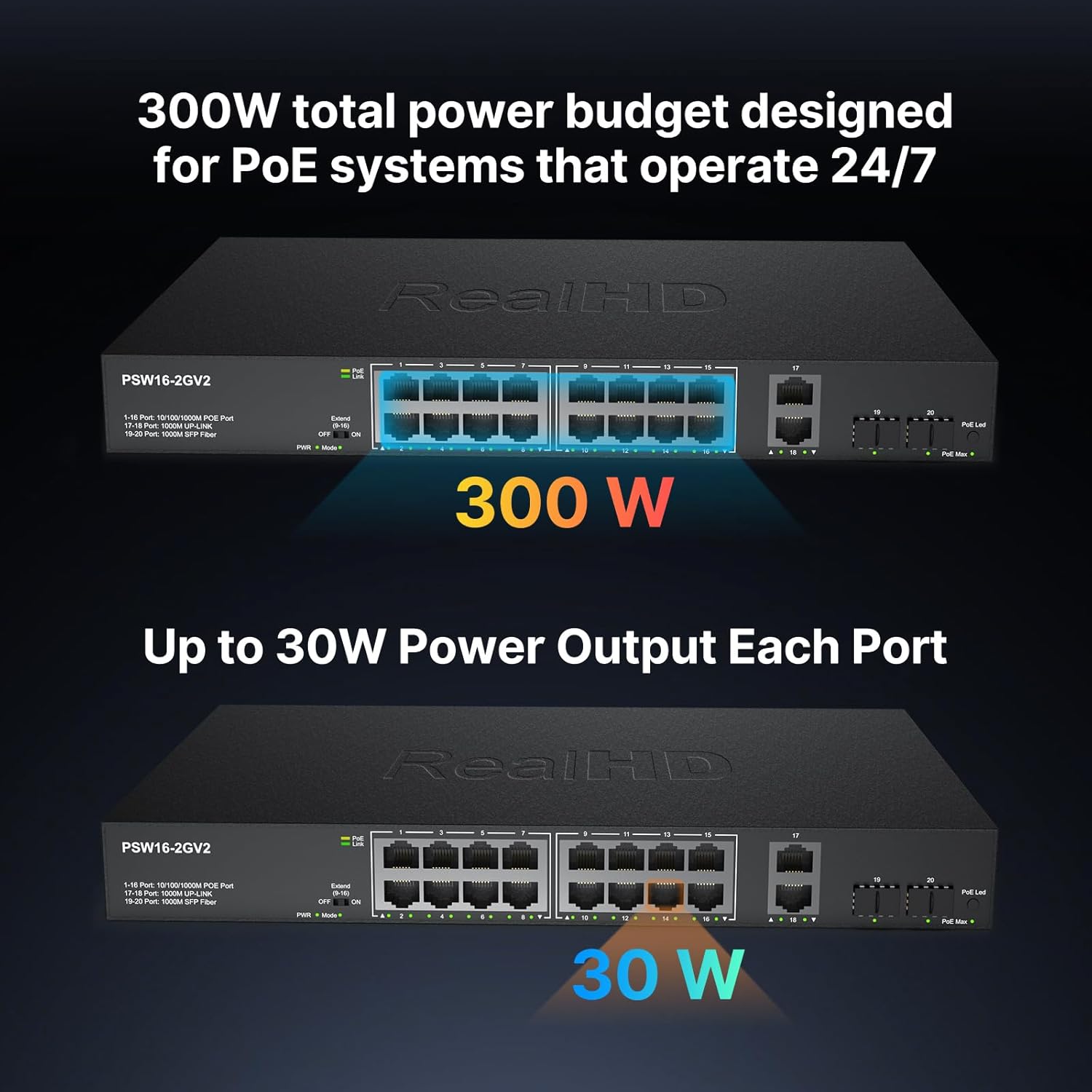
The Real HD 16 Port Full Gigabit PoE Switch features 16 10/100/1000Mbps PoE ports, 2 Gigabit RJ45 uplink ports, and 2 1000M SFP fiber ports. It supports 802.3af/at PoE standards with a total power budget of 300W, delivering up to 30W per port. Its fanless design ensures quiet operation and efficient heat dissipation.
2. Packing List
Please verify the contents of your package. If any items are missing or damaged, please contact customer support.
- Real HD 16 Port Full Gigabit PoE Switch (Model: PSW16-2GV2)
- Power Cable
- User Manual
- Rack Mount Brackets (for 19" rack installation)
- Screws for mounting
3. Safety Precautions
Observe the following safety guidelines to prevent damage to the equipment or personal injury:
- Do not install the equipment in an environment with excessive seepage, drip, or condensation.
- Ensure the environment where the equipment is installed is well-ventilated. Do not block the cooling holes.
- Do not install the equipment in a high-density dust environment.
- If rack switches are in a natural heat dissipation environment, ensure the separation distance exceeds 1U.
- Do not use aerial cabling outdoors, otherwise the equipment is prone to lightning strike.
- Using temperature and humidity depend on the descriptions of the specific product.
- Do not look directly at the optical port to prevent laser beam from burning your eyes.
- Do not install the power cord with power on to avoid personal injury.
- Do not supply power before equipment installation and wiring.
- ESD protection is necessary during the installation and maintenance of equipment.
- Do not place objects on the device.
4. Product Overview
The Real HD 16 Port Full Gigabit PoE Switch (PSW16-2GV2) is an unmanaged device designed for ease of use and robust performance. It features a durable metal housing and a fanless cooling design for quiet and stable operation.
4.1 Front Panel Layout
The front panel includes the network ports, LED indicators, and mode switches.

Front view of the Real HD 16 Port Full Gigabit PoE Switch, showing 16 PoE ports, 2 RJ45 uplink ports, and 2 SFP fiber ports, along with LED indicators and mode switches.
- 1-16 Ports: 10/100/1000M PoE Ports. These ports provide both data and power to connected PoE-compatible devices.
- 17-18 Ports: 1000M SFP Fiber Ports. These ports are for fiber optic connections, typically used for uplink to other network devices.
- 19-20 Ports: 1000M RJ45 Uplink Ports. These are standard Gigabit Ethernet ports for connecting to routers, NVRs, or other network devices.
- LED Indicators:
- PWR: Power indicator (Light on: Power normal; Light off: Powered abnormal).
- SYS: System indicator (Light on: System normal; Flash: System starting).
- PoE: PoE indicator (Light on: PoE powered; Light off: No PoE powered).
- 1000M: Link Rate indicator (Light on: Gigabit; Light off: 10/100M).
- Link/ACT: Link & Data indicator (Light on: Link is normal; Flash: Data transmission).
- Mode Switch (Extend/Default/VLAN): This switch allows selection of different operating modes for ports 1-16.
- VLAN (1-16): Port isolation mode. Designated ports cannot communicate with each other.
- Default: Normal mode. All ports can communicate with each other.
- Extend (9-16): Link extension mode. Designated port link extended to 250 meters.
4.2 Rear Panel Layout
The rear panel includes the AC power input and grounding screw.

Rear view of the switch, highlighting the built-in power supply and overall dimensions (12.6 inches wide, 8.1 inches deep, 1.7 inches high).
- AC Input: Standard power input for the device.
- Grounding Screw: For connecting an earth wire to ensure safety.
5. Setup and Installation
The Real HD 16 Port Full Gigabit PoE Switch is an unmanaged plug-and-play device, requiring no software installation or complex configuration.
5.1 Desktop Installation
For desktop use, simply place the switch on a stable, flat surface. Ensure adequate ventilation around the device to prevent overheating.
5.2 Rack Mount Installation
The switch can be installed in a standard 19-inch equipment rack.
- Install 4 floating screws on the front hole bar of the cabinet, 2 on each side.
- Load the equipment into the cabinet.
- Use M6 screws to secure the equipment with the cabinet/rack.
- Install earth wire to earth connection point.

The switch is compatible with standard 19-inch rack mounting for organized network setups.
5.3 Connecting Devices
Connect your network devices to the appropriate ports:
- PoE Devices (IP Cameras, Wireless APs, VoIP Phones): Connect to ports 1-16 using standard Ethernet cables. The switch will automatically detect and power these devices if they are 802.3af/at compliant.
- Non-PoE Devices (Computers, NVRs): Can be connected to ports 1-16 (they will receive data but no power) or to the dedicated RJ45 uplink ports (19-20).
- Fiber Optic Connections: Use SFP modules in ports 17-18 for long-distance fiber connections.

The unmanaged switch offers plug-and-play connectivity for various PoE devices like access points, IP cameras, and VoIP phones.
6. Operating Modes
The switch features a mode switch on the front panel to select between different operational modes for ports 1-16.
- Default Mode: (Switch in 'Default' position) All ports (1-20) operate as standard Gigabit Ethernet ports and can communicate with each other. PoE is active on ports 1-16.
- Extend Mode: (Switch in 'Extend' position) This mode extends the data and power transmission range for ports 9-16 up to 600 feet (approximately 183 meters). In this mode, the speed of these extended ports will be reduced to 10 Mbps. This is ideal for surveillance systems where cameras might be located further away.
- VLAN Mode: (Switch in 'VLAN' position) This mode isolates ports 1-16 from each other, preventing direct communication between them. This enhances security and reduces broadcast storms. Uplink ports (17-20) can still communicate with all isolated ports.
Extend mode allows PoE power and data transmission up to 600ft, with a reduced bandwidth of 10 Mbps for ports 9-16.
7. Power over Ethernet (PoE) Function
The switch supports IEEE 802.3af/at standards, providing power and data over a single Ethernet cable to compatible devices.
- Standard PoE: The switch automatically detects PoE-compatible devices and supplies power up to 30W per port, with a total power budget of 300W. Non-standard PoE devices will not be powered, preventing damage.
- Power Budget: The total power budget of 300W is designed for PoE systems that operate 24/7, ensuring stable power delivery to all connected devices.

The switch provides a total power budget of 300W, with up to 30W output per port for connected PoE devices.
8. Maintenance
To ensure optimal performance and longevity of your Real HD PoE Switch, consider the following maintenance tips:
- Keep the device in a clean, dust-free environment.
- Ensure proper ventilation and avoid blocking the cooling vents.
- Regularly check cable connections for secure fit.
- Avoid exposing the switch to extreme temperatures or humidity.
9. Troubleshooting
If you encounter issues with your Real HD PoE Switch, refer to the following common troubleshooting steps:
- No Power:
- Check if the power cable is securely connected to both the switch and the power outlet.
- Verify that the power outlet is functional.
- Ensure the PWR LED indicator is lit. If not, try a different power cable or outlet.
- No Link/Data:
- Check if the Ethernet cable is properly connected to both the switch port and the device.
- Ensure the Link/ACT LED indicator for the connected port is lit or flashing.
- Try a different Ethernet cable or port.
- Verify that the connected device is functioning correctly.
- PoE Device Not Receiving Power:
- Ensure the connected device is PoE (802.3af/at) compliant.
- Check the PoE LED indicator for the specific port. If it's off, the device might not be receiving power.
- Verify that the total power consumption of all connected PoE devices does not exceed the switch's 300W budget.
- Try connecting the PoE device to a different PoE port.
- Slow Network Speed in Extend Mode:
- This is normal behavior. In Extend Mode, ports 9-16 operate at 10 Mbps to achieve longer transmission distances (up to 600ft).
- If full Gigabit speed is required, switch back to Default mode.
- Devices Cannot Communicate in VLAN Mode:
- This is normal behavior. In VLAN mode, ports 1-16 are isolated from each other for security.
- Devices connected to ports 1-16 can only communicate with devices connected to the uplink ports (17-20) or other network segments connected via the uplink ports.
- If direct communication between ports 1-16 is required, switch back to Default mode.
10. Specifications
| Feature | Specification |
|---|---|
| Model Number | PSW16-2GV2 |
| Number of Ports | 16 x 10/100/1000M PoE Ports, 2 x 1000M SFP Fiber Ports, 2 x 1000M RJ45 Uplink Ports |
| PoE Standard | IEEE 802.3af/at |
| Max Power Per PoE Port | 30W |
| Total PoE Power Budget | 300W |
| Data Transfer Rate | 10/100/1000 Mbps (Gigabit) |
| Interface Type | PoE, SFP, RJ45 |
| Operating Modes | Default, Extend (up to 600ft at 10Mbps), VLAN |
| Case Material | Metal |
| Cooling | Fanless |
| Voltage | 48 Volts (DC) - Internal Power Supply |
| Item Weight | 2.46 Kilograms (5.41 pounds) |
| Dimensions | 14.57 x 11.5 x 3.43 inches (Package) |
| Operating Temperature | -20 to 50℃ (14 to 131 Degrees Fahrenheit) |
| Compatible Devices | 48V Access Points (not 24V), PoE IP Cameras, VOIP Phones |
11. Official Product Video
Watch the official product video for a visual overview of the Real HD 16 Port Full Gigabit PoE Switch.
Official product video showcasing the features and benefits of the Real HD 16 Port Full Gigabit PoE Switch.
12. Warranty and Support
For warranty information and technical support, please refer to the documentation included with your product or visit the official Real HD website. You can also contact Real HD customer service for assistance.
Real HD is committed to providing smart security solutions for homes and businesses, including surveillance cameras, DVR/NVR, PoE switches, and accessories. US local office support is available for inquiries.
For more information, visit the Real HD Store on Amazon.


