
1. Product Overview
The PNI CB Escort HP 6550 is a multistandard CB radio station designed for reliable communication. It features a compact design and is enhanced with the PNI ECH01 Echo and Roger Beep Module for advanced audio effects. This manual provides detailed instructions for the installation, operation, and maintenance of your device.
Key Features:
- 4W AM-FM output power
- 12V power supply
- 9-level configurable Automatic Digital Squelch (ASQ)
- 28-level configurable Manual Squelch
- 9-level configurable RF Gain function for controlling radio reception
- VOX function for automatic transmission without pressing PTT
- Integrated PNI ECH01 Echo and Roger Beep Module
2. Setup and Installation
2.1 Package Contents
Before starting, ensure all components are present:
- PNI CB Escort HP 6550 Radio Station
- Microphone with Echo and Roger Beep mode pre-installed
- Radio station and microphone holder with screws
- Power cord
- Cigarette lighter plug
- User manual (this document)

Image: All components included with the PNI CB Escort HP 6550 Radio Station and PNI ECH01 module.
2.2 Basic Installation
The PNI CB Escort HP 6550 is designed for easy installation. Simply plug the radio into your vehicle's cigarette lighter socket for power. For optimal performance, connect an outdoor antenna, typically mounted on the car dome, to the radio's antenna connector.
2.3 PNI ECH01 Module Installation (Pre-installed)
The PNI ECH01 Echo and Roger Beep module is pre-installed in your microphone. For reference, the installation process involves opening the radio unit, soldering the module's wires to specific points on the main circuit board, and then reassembling the unit. This ensures seamless integration of the echo and Roger beep functions.

Image: PNI CB Escort HP 6550 Radio Station with PNI ECH01 module and wiring.
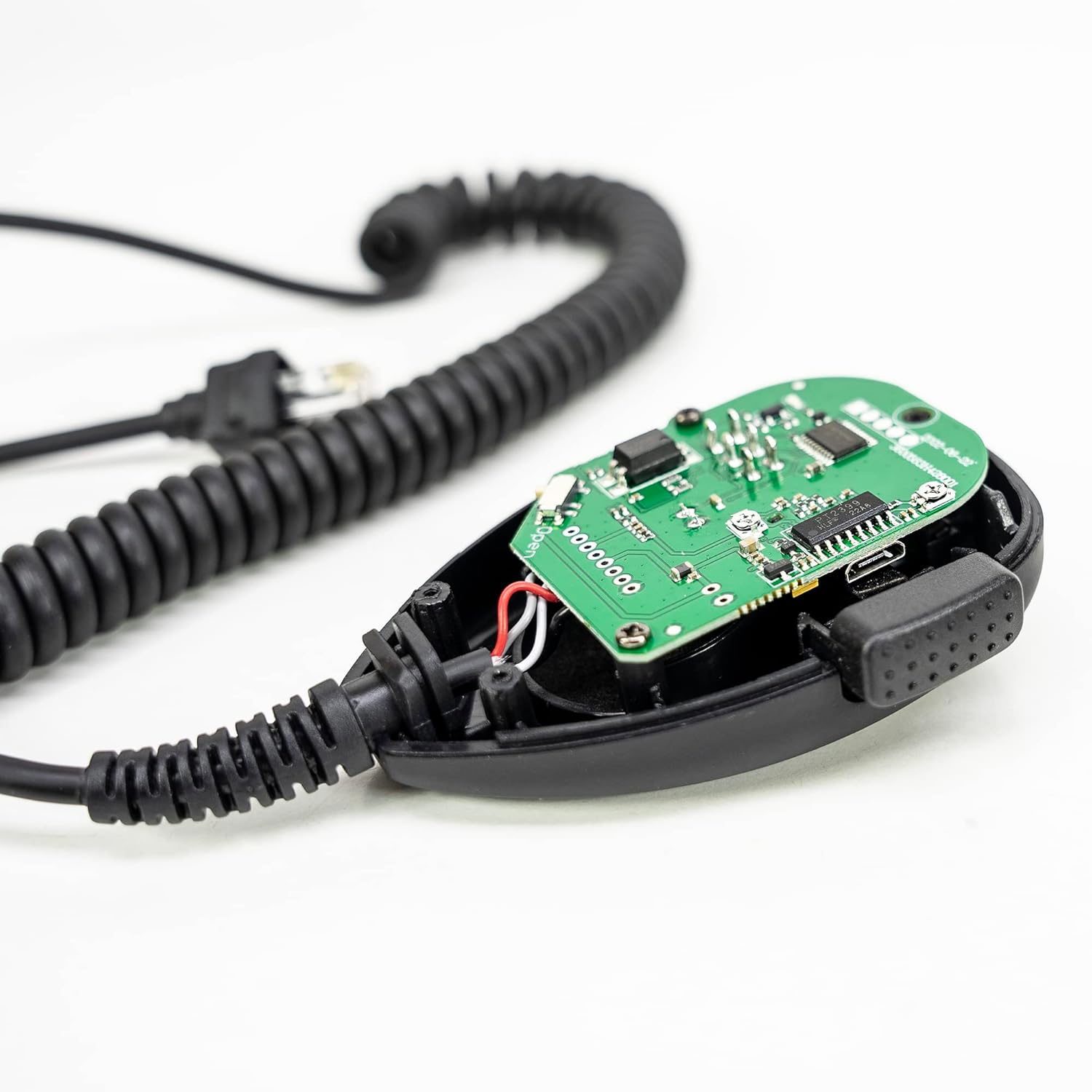
Image: Close-up of the PNI ECH01 module circuit board.
2.4 Installation Demonstration Video
For a visual guide on the installation process of the PNI ECH01 module on CB radio stations, please refer to the video below. Note that your module is already integrated into the microphone, but this video illustrates the internal connections.
Video: Official video demonstrating the installation and customization of the PNI ECH01 Echo and Roger Beep Module with PNI CB radio stations.
3. Operating Instructions
3.1 Front Panel Controls

Image: Front panel of the PNI CB Escort HP 6550 Radio Station, showing display and controls.
- A/F Button: Switches between AM and FM modulation.
- SQ Button: Activates/deactivates and adjusts the Squelch level.
- RFG Button: Adjusts the RF Gain (radio reception sensitivity).
- EMG Button: Accesses emergency channels.
- Up/Down Buttons: Navigate through channels or menu options.
- Volume Knob: Controls the audio output volume.
3.2 Echo Function
The Echo function generates an echo effect of the signal captured by the radio station's microphone. This effect is then inserted into the modulation stage, adding a distinct audio characteristic to your transmissions.
3.3 Roger Beep Function
The Roger Beep function allows you to transmit a personalized audio signal (e.g., an MP3 file) upon completion of your broadcast. This signal is maintained briefly after you release the PTT (Push-to-Talk) button, serving as an end-of-transmission warning to other CB users.
3.4 Customizing Echo and Roger Beep Effects
To customize the Echo and Roger Beep effects, connect the PNI ECH01 module (integrated into your microphone) to a computer. You can then copy customized audio files (e.g., MP3 or WAV) to the module according to the instructions provided with the PNI ECH01 module software. This allows you to personalize the end-of-broadcast warning signal.
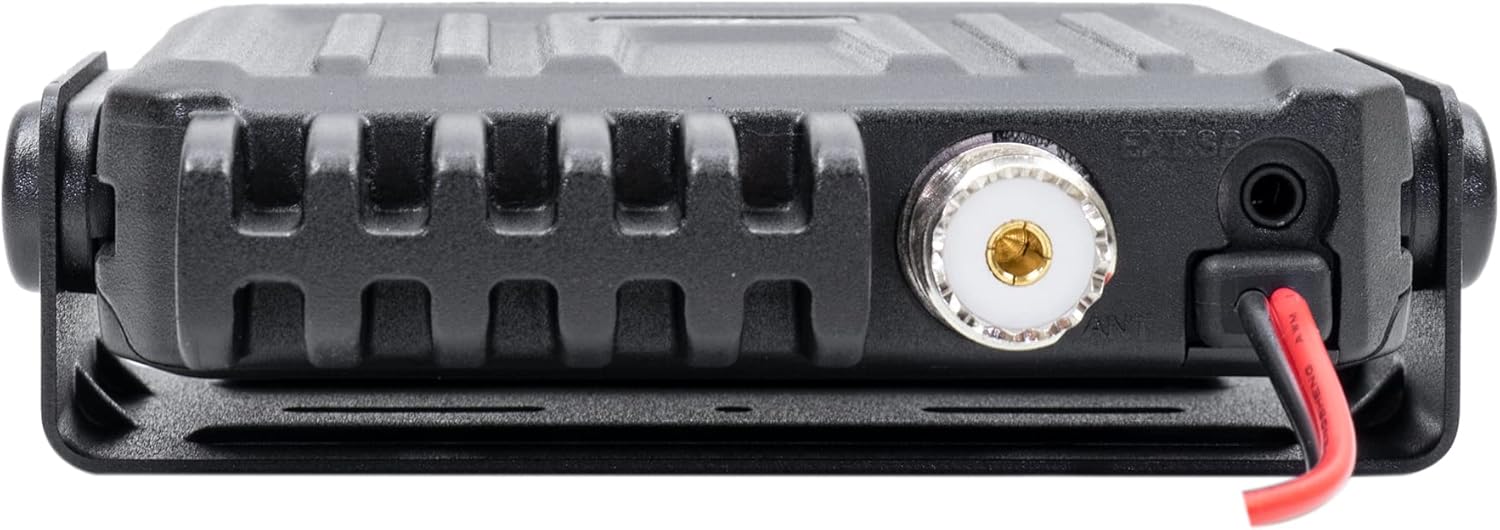
Image: PNI ECH01 module connected to a laptop via USB for customization.
4. Maintenance
To ensure the longevity and optimal performance of your PNI CB Escort HP 6550 Radio Station and PNI ECH01 module, follow these general maintenance guidelines:
- Keep the device clean and free from dust and debris. Use a soft, dry cloth for cleaning.
- Avoid exposing the radio to extreme temperatures, direct sunlight, or high humidity.
- Ensure all connections (power, antenna, microphone) are secure and free from damage.
- Do not attempt to open the radio unit or microphone for repairs, as this may void the warranty. Refer to qualified service personnel.
5. Troubleshooting
If you encounter any issues with your PNI CB Escort HP 6550 Radio Station, please consider the following general troubleshooting steps:
- No Power: Check the cigarette lighter connection and ensure the vehicle's power outlet is functioning. Verify the power cord is securely connected to the radio.
- No Transmission/Reception: Ensure the antenna is properly connected and tuned. Check the channel selection and squelch settings.
- Poor Audio Quality: Adjust the volume and squelch levels. Ensure the microphone is clean and free from obstructions.
- Echo/Roger Beep Issues: Verify the module is correctly connected (if applicable for external modules) and that custom audio files are properly loaded.
For persistent problems or issues not covered here, please contact PNI customer support.
6. Specifications
| Feature | Specification |
|---|---|
| Product Dimensions | 4.33 x 4.33 x 0.98 inches |
| Item Weight | 1.49 pounds (678 Grams) |
| Item Model Number | PNI-HP-6550 |
| Special Features | Automatic Squelch, Echo Mode, Roger Beep |
| Other Display Features | Wireless |
| Color | Black |
| Brand | PNI |
| Number of Channels | 40 |
| Frequency Range | 26.965 - 27.405 MHz |
| Talking Range Maximum | 15 Kilometers |
| Voltage | 13 Volts |
| Water Resistance Level | Water Resistant |
7. Warranty and Support
7.1 Warranty Information
Your PNI CB Escort HP 6550 Radio Station is covered by the manufacturer's warranty. Please refer to the warranty card included in your package or visit the official PNI website for detailed terms and conditions regarding warranty coverage and service.
7.2 Customer Support
For technical assistance, troubleshooting, or any questions regarding your product, please contact PNI-USA customer support. You can find contact information on the official PNI website or through your retailer.


