
1. Introduction
Thank you for choosing the Dr. Senst Non-Contact Infrared Thermometer. This device is designed for fast, accurate, and hygienic temperature measurement of both the human body and various objects. Its advanced infrared technology ensures reliable readings without physical contact, making it ideal for all ages, from infants to adults. Please read this manual thoroughly before use to ensure proper operation and to maintain the device's accuracy and longevity.

Figure 1.1: Multifunctional High-Precision Thermometer Features
This image illustrates the key features of the Dr. Senst thermometer, including its ability to provide results in 1 second, switch between body and object modes, sound an alarm for high temperatures, its BPA and latex-free construction, memory for 10 measurements, and an LCD backlight for easy reading.
2. Safety Information
To ensure safe and effective use of your thermometer, please observe the following precautions:
- Do not immerse the thermometer in water or other liquids.
- Keep the device away from direct sunlight, dust, and extreme temperatures.
- Avoid dropping the thermometer or subjecting it to strong impacts.
- Do not attempt to disassemble or repair the device yourself. Contact qualified service personnel for assistance.
- This thermometer is intended for household use. Consult a medical professional for any health concerns.
- Keep out of reach of small children to prevent accidental ingestion of small parts or batteries.

Figure 2.1: Safe and Versatile Use
This image demonstrates the thermometer's suitability for various users, highlighting its child-safe design, age-appropriate technology, and the benefit of contactless and safe measurement for all.
3. Product Overview
Familiarize yourself with the components of your Dr. Senst Non-Contact Infrared Thermometer:

Figure 3.1: Thermometer Components
This diagram labels the key parts of the thermometer: the Object/Body Mode Symbol, Digital Display, Mode Button, Start Button, Memory Symbol, IR Sensor, Alarm Signal, and the Battery Compartment.
- IR Sensor: Detects infrared heat emitted from the forehead or object.
- Digital Display: Shows temperature readings, mode indicators, and battery status.
- START Button: Initiates a temperature measurement.
- Mode Button: Switches between Body Temperature Mode and Object Temperature Mode.
- Memory Symbol: Indicates that the current reading is stored in memory.
- Alarm Signal: Visual and/or auditory indicator for high temperatures.
- Battery Compartment: Houses the AAA batteries.
4. Setup
4.1 Battery Installation
Your Dr. Senst thermometer requires 2 AAA batteries (included). To install or replace batteries:
- Open the battery compartment cover located at the bottom of the handle.
- Insert the 2 AAA batteries, ensuring correct polarity (+ and -).
- Close the battery compartment cover securely.
4.2 Initial Settings
Upon first use or after battery replacement, the thermometer may require initial setup:
- Temperature Unit Selection: Press the Mode button while the device is off to cycle between Celsius (°C) and Fahrenheit (°F). Release the button when your desired unit is displayed.
- Mode Selection: After turning on the device, press the Mode button to toggle between Body Temperature Mode (indicated by a person icon) and Object Temperature Mode (indicated by a house icon).
5. Operating Instructions
5.1 Measuring Body Temperature
For accurate body temperature readings:
- Ensure the thermometer is in Body Temperature Mode.
- Hold the thermometer approximately 2-3 cm (0.8-1.2 inches) from the center of the forehead.
- Press the START button. The reading will appear on the display within 1 second.
- The display backlight color will indicate the temperature status:
- Green: Normal temperature.
- Yellow: Slightly elevated temperature.
- Red: High temperature (fever alarm).

Figure 5.1: Non-Contact Body Temperature Measurement
This image shows the thermometer being used to measure a baby's temperature without contact, highlighting the infrared measurement capability and the clear, backlit LCD display.

Figure 5.2: Color-Coded Temperature Display
This image illustrates how the thermometer's display changes color to indicate temperature status: green for normal, yellow for elevated, and red for high temperatures, providing a quick visual alert.
5.2 Measuring Object Temperature
To measure the temperature of objects, liquids, or ambient temperature:
- Switch the thermometer to Object Temperature Mode.
- Point the IR sensor towards the object or surface you wish to measure.
- Press the START button. The temperature will be displayed instantly.
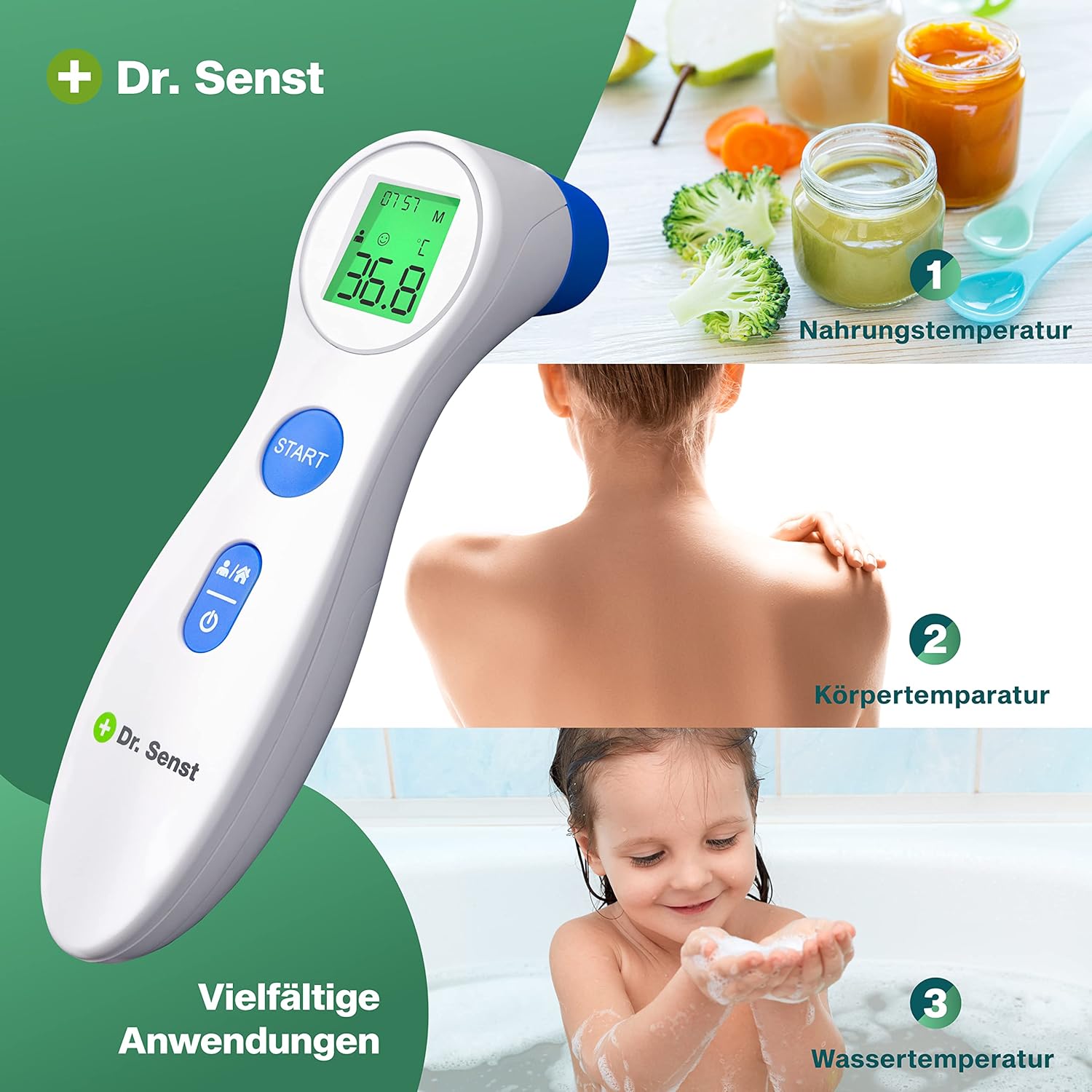
Figure 5.3: Diverse Applications
This image demonstrates the thermometer's versatility, showing its use for measuring food temperature, body temperature, and water temperature, making it suitable for a wide range of household needs.
5.3 Memory Function
The thermometer automatically stores the last 10 temperature readings. To recall past measurements:
- With the device off, press and hold the START button for a few seconds until the memory symbol appears.
- Each subsequent press of the START button will cycle through the stored readings, from most recent to oldest.
6. Maintenance and Care
Proper maintenance ensures the longevity and accuracy of your thermometer:
- Cleaning: Use a soft, dry cloth to clean the thermometer body. For the IR sensor, gently wipe with a cotton swab lightly moistened with alcohol. Do not use abrasive cleaners or immerse the device.
- Storage: Store the thermometer in a cool, dry place, away from direct sunlight and extreme temperatures. Keep it in its original packaging or a protective case when not in use.
- Battery Replacement: Replace batteries when the low battery indicator appears on the display. Dispose of used batteries according to local regulations.
7. Troubleshooting
If you encounter issues with your thermometer, refer to the table below for common problems and solutions:
| Problem | Possible Cause | Solution |
|---|---|---|
| No display/Device won't turn on | Dead or incorrectly installed batteries. | Check battery polarity or replace batteries. |
| Inaccurate readings | Dirty IR sensor; incorrect measurement distance; environmental factors (drafts, direct sunlight). | Clean the IR sensor; ensure correct distance (2-3 cm); measure in a stable environment. |
| "Lo" or "Hi" displayed | Temperature is outside the measurable range. | Ensure the temperature is within the specified operating range. |
| Display shows "Err" | System error or malfunction. | Remove batteries, wait 1 minute, then reinsert. If error persists, contact customer support. |
8. Specifications
| Feature | Detail |
|---|---|
| Model Number | DET-306 |
| Power Source | 2 x AAA Batteries (included) |
| Measurement Range (Body) | 32.0°C - 42.9°C (89.6°F - 109.2°F) |
| Measurement Range (Object) | 0°C - 100°C (32°F - 212°F) |
| Accuracy | ±0.5°C / ±1°F |
| Measurement Distance | 2-3 cm (0.8-1.2 inches) |
| Display Type | Digital LCD with Backlight |
| Memory Storage | 10 readings |
| Dimensions | 17.8 x 9.5 x 5.4 cm (approx.) |
| Weight | 140 grams (approx.) |
| Special Features | Digital display, High precision, Color-coded fever alarm |
| Connectivity Technology | Infrared |
| Compliant Standards | ISO 13485, ISO 9001 |
9. Warranty and Support
Dr. Senst products are manufactured to high-quality standards. For information regarding warranty coverage, technical support, or service, please refer to the warranty card included with your product or visit the official Dr. Senst website. Please retain your purchase receipt as proof of purchase for any warranty claims.

