1. Introduction
This manual provides essential information for the setup, operation, and maintenance of your Hisense 100L5H Laser TV Ultra Short Throw Projector. The L5H offers a versatile and cost-effective solution for home theater setups, featuring an ALR screen that reduces glare and reflections, enhancing contrast and color accuracy in various lighting conditions. It supports HDR10, HLG, and Dolby Vision, delivering excellent depth, nuanced details, and sharp picture performance with a native contrast ratio of 3000:1. The built-in Dolby Atmos technology provides an immersive audio experience.

Figure 1.1: Hisense 100L5H Laser TV and Projector Unit
2. What's in the Box
Upon unboxing, please verify that all components listed below are present:
- Projector Screen
- Console (Projector Unit)
- Power Cord
- Remote Control
- Cleaning Kit
3. Setup
Proper setup is crucial for optimal performance of your Laser TV system. The ultra-short throw design allows for placement very close to the screen.
3.1 Placement Considerations
Ensure adequate space for the 100-inch ALR screen. The wall space for the 100" Laser TV should be at least 90" wide and 68" high. The projector unit is designed for ultra-short throw, meaning it can be placed very close to the screen, typically around 12.6 inches from the wall.
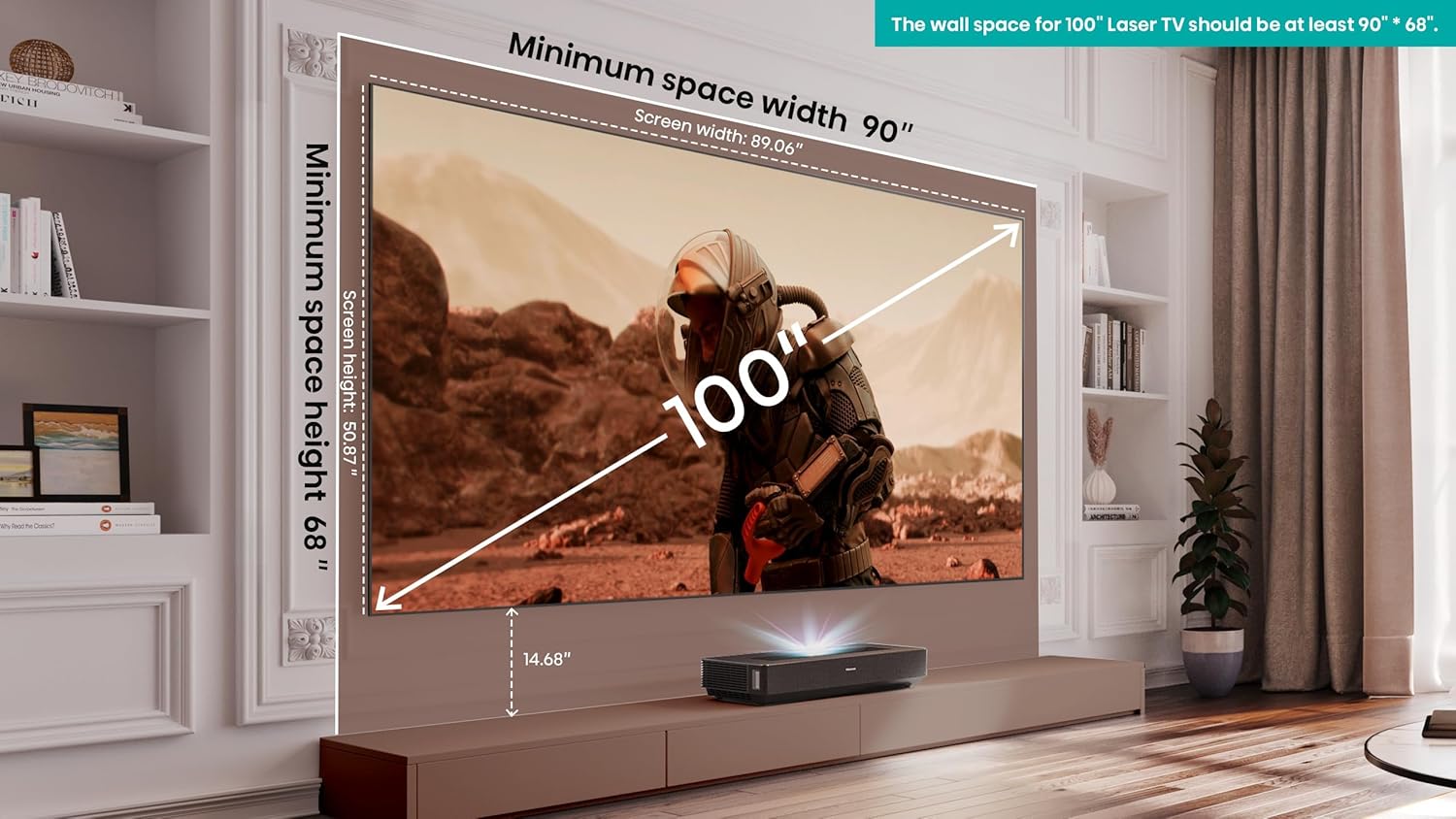
Figure 3.1: Recommended Placement and Dimensions
3.2 Connecting the Projector
The projector unit features various ports for connectivity. Connect the power cord to the AC input. Utilize the HDMI ports for high-speed audio and video input from external devices. USB ports are available for media playback or connecting accessories. An Ethernet port provides wired network connectivity, while Wi-Fi and Bluetooth are also supported.

Figure 3.2: Projector Connectivity Ports
The L5H offers auto keystone correction for quick and easy setup, ensuring a properly aligned image on your screen.
4. Operating Instructions
4.1 Power On/Off
To power on the unit, press the power button on the remote control or the console. To power off, press the power button again. Allow the unit to cool down properly after use.
4.2 Picture Settings and Quality
The Hisense 100L5H delivers stunning visual performance:
- 4K UHD Resolution: Experience clear and vivid displays with 4K UHD resolution and 85% DCI-P3 color gamut.
- Pure Color: With a palette of more than 1.06 billion colors, the Laser TV produces true-to-life images with incredible accuracy and realism.
- 3000:1 Native Contrast: The L5H delivers finely tuned contrast, lifelike images, and exceptional color, making every scene a masterpiece of depth and subtlety.
- Dolby Vision, HDR10, HLG Support: Enjoy exceptional depth and capture every detail in dark to bright scenes.
- Ambient Light Rejection Screen: The included ALR screen minimizes glare and reflections, providing a great picture in various lighting conditions.

Figure 4.1: 4K UHD Display Quality

Figure 4.2: Pure Color Reproduction
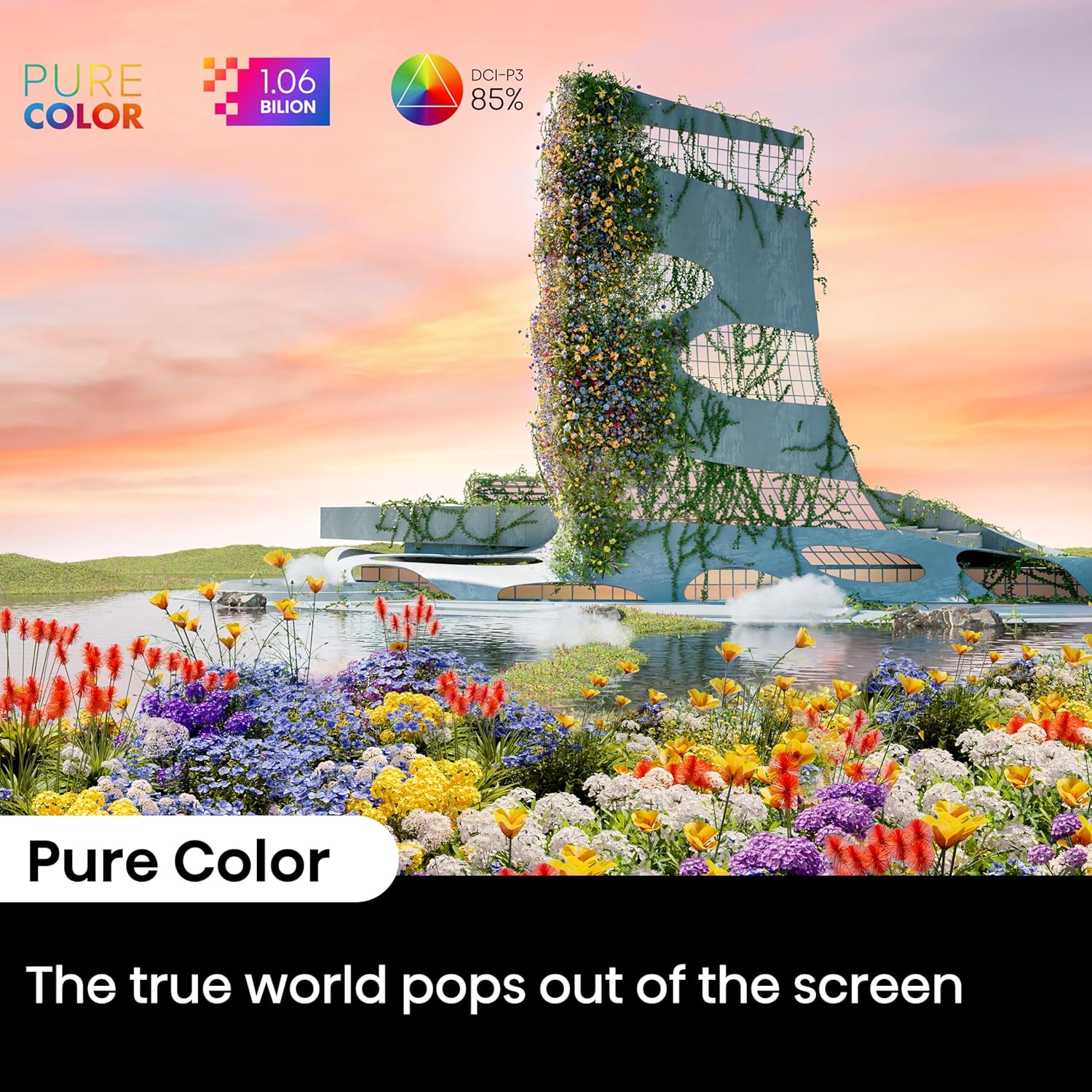
Figure 4.3: Native Contrast Detail
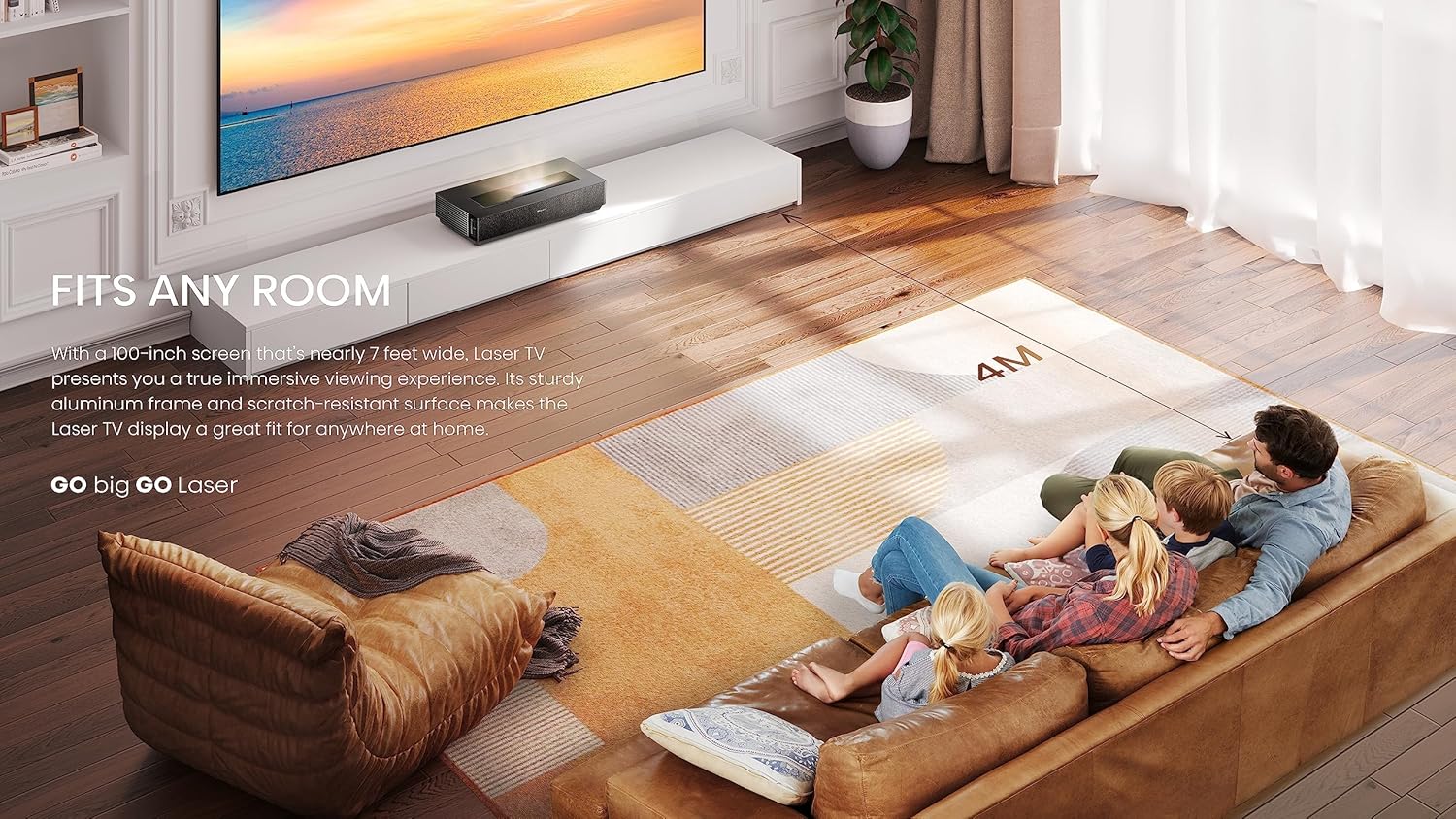
Figure 4.4: Dolby Vision and HDR Support
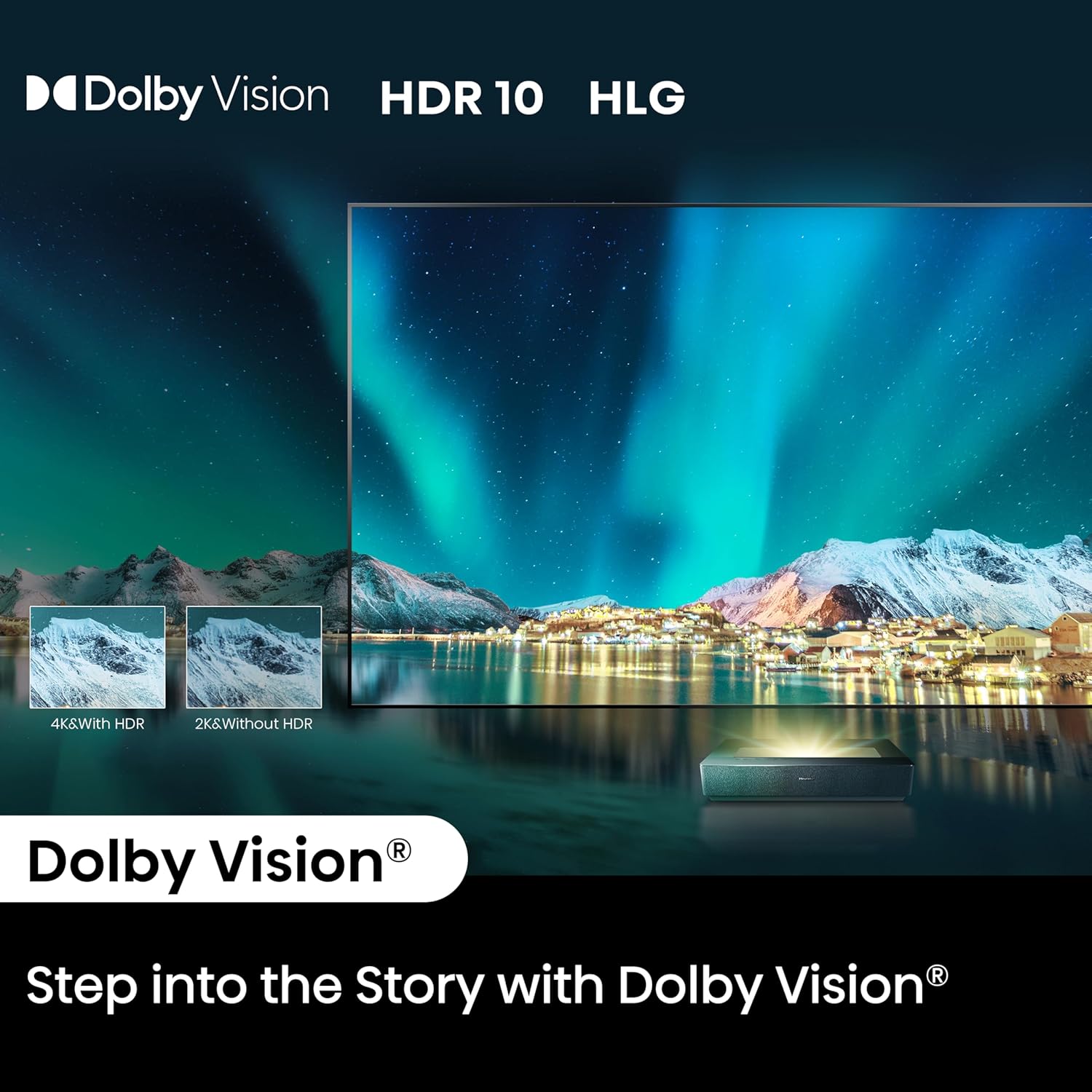
Figure 4.5: Ambient Light Rejection Screen Performance
4.3 Audio Settings
Experience immersive sound with the built-in 40W Dolby Atmos technology. This provides crystal-clear dialogue, sharp highs, and deep lows, enhancing your viewing experience.
4.4 Smart Features (Google TV)
The L5H comes with Google TV, offering access to a vast array of streaming platforms and content. You can indulge in streaming your favorites on popular platforms like Netflix, Prime Video, Disney+, Google Play Movies & TV, and Hulu.

Figure 4.6: Google TV Interface
Enjoy hands-free control of your L5H with built-in Alexa and Google Assistant for adjusting settings, selecting content, and exploring apps. The projector also has built-in Apple AirPlay 2 and HomeKit functionality for seamless screen streaming and smart home integration with your Apple devices.
4.5 Game Mode & Filmmaker Mode
The L5H is equipped with specialized modes to optimize your entertainment:
- Game Mode: With a microsecond-range response time processor, Game Mode ensures every gaming moment is fluid and immersive.
- Filmmaker Mode: Immerse yourself in the movie world with Filmmaker Mode and enjoy all the details as intended by the creators.
5. Maintenance
To ensure the longevity and optimal performance of your Hisense Laser TV, follow these maintenance guidelines:
- Cleaning: Use the provided cleaning kit or a soft, lint-free cloth to gently clean the projector lens and screen. Avoid abrasive materials or harsh chemicals.
- Laser Light Source: The cutting-edge X-Fusion technology utilizes durable laser light sources, offering over 25,000 hours of entertainment. This translates to enjoying approximately 12,500 films (based on 2 hours per film).
- Environmental Considerations: The L5H is designed for eco-friendly home entertainment with a low carbon footprint and high recyclability. Ensure proper ventilation around the unit.
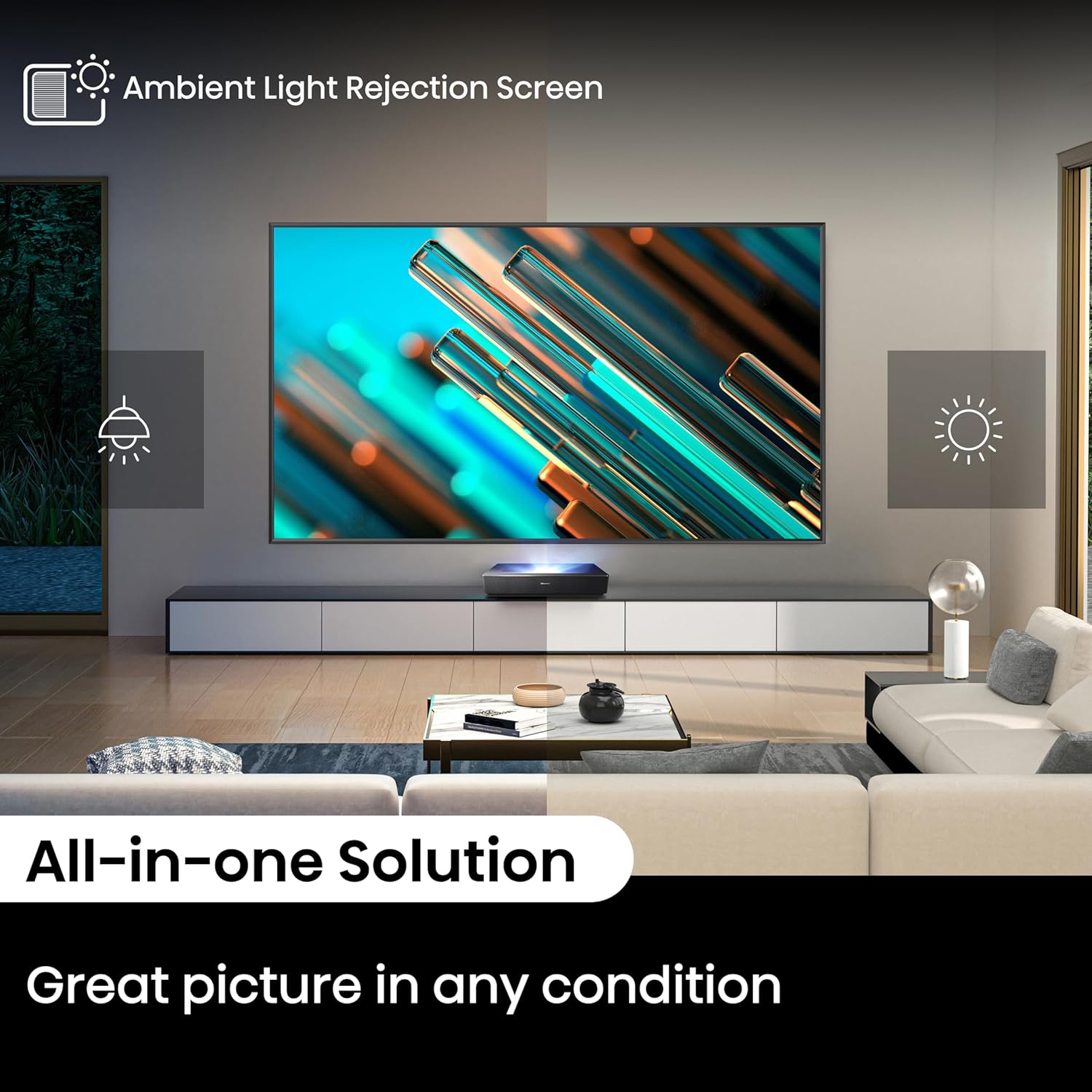
Figure 5.1: Long-lasting Laser Light Source

Figure 5.2: Eco-Friendly Design
6. Troubleshooting
If you encounter issues with your Hisense 100L5H Laser TV, please refer to the following common troubleshooting tips:
- No Picture:
- Check if the power cord is securely connected and the unit is powered on.
- Verify that the correct input source is selected on the projector.
- Ensure all HDMI or other video cables are properly connected to both the projector and the source device.
- Confirm the screen is properly assembled and positioned.
- No Sound:
- Check the volume level on the projector and any connected audio devices.
- Ensure audio cables (if external speakers are used) are correctly connected.
- Verify that the audio output settings on your source device are configured correctly.
- Connectivity Issues (Wi-Fi/Bluetooth):
- Restart your Wi-Fi router and the projector.
- Ensure the projector is within range of your Wi-Fi network or Bluetooth device.
- Check network settings on the projector to ensure correct credentials.
- Image Distortion/Alignment:
- Utilize the auto keystone correction feature.
- Manually adjust the projector's position or settings if auto-correction is insufficient.
- Ensure the projector and screen are on a flat, stable surface.
For more detailed troubleshooting or complex issues, please consult the official User Guide available at: Hisense 100L5H User Guide (PDF).
7. Specifications
Key technical specifications for the Hisense 100L5H Laser TV:
| Feature | Specification |
|---|---|
| Brand Name | Hisense |
| Item Weight | 20.7 pounds |
| Product Dimensions | 12.6 x 22.3 x 4.8 inches |
| Item Model Number | 100L5H-DLT100C |
| Color Name | 100L5H |
| Special Features | 100” Ambient Light Rejecting Screen, 4K Picture with HDR10, Dolby Atmos Sound, Game Mode, Ultra Short Throw |
| Speaker Type | Built-In |
| Recommended Uses | Business, Education, Gaming, Home Cinema |
| Connectivity Technology | Bluetooth, Ethernet, HDMI, USB, Wi-Fi |
| Display Resolution | 3840 x 2160 |
| Date First Available | June 21, 2023 |
8. Warranty and Support
For information regarding product warranty, please refer to the documentation included with your purchase or visit the official Hisense website. Additional protection plans may be available for extended coverage.
For direct support and to explore more products, visit the Hisense Store on Amazon.
You can also find the official User Manual (PDF) here: Hisense 100L5H User Manual (PDF).


