1. Overview
The Casio G-Shock GM-S2100GB-1ACR is a robust and stylish timepiece designed for durability and functionality. It features a compact, metal-clad design with a striking gold-on-black color scheme. The watch is engineered to withstand harsh conditions, offering both shock and water resistance, making it suitable for a variety of activities.
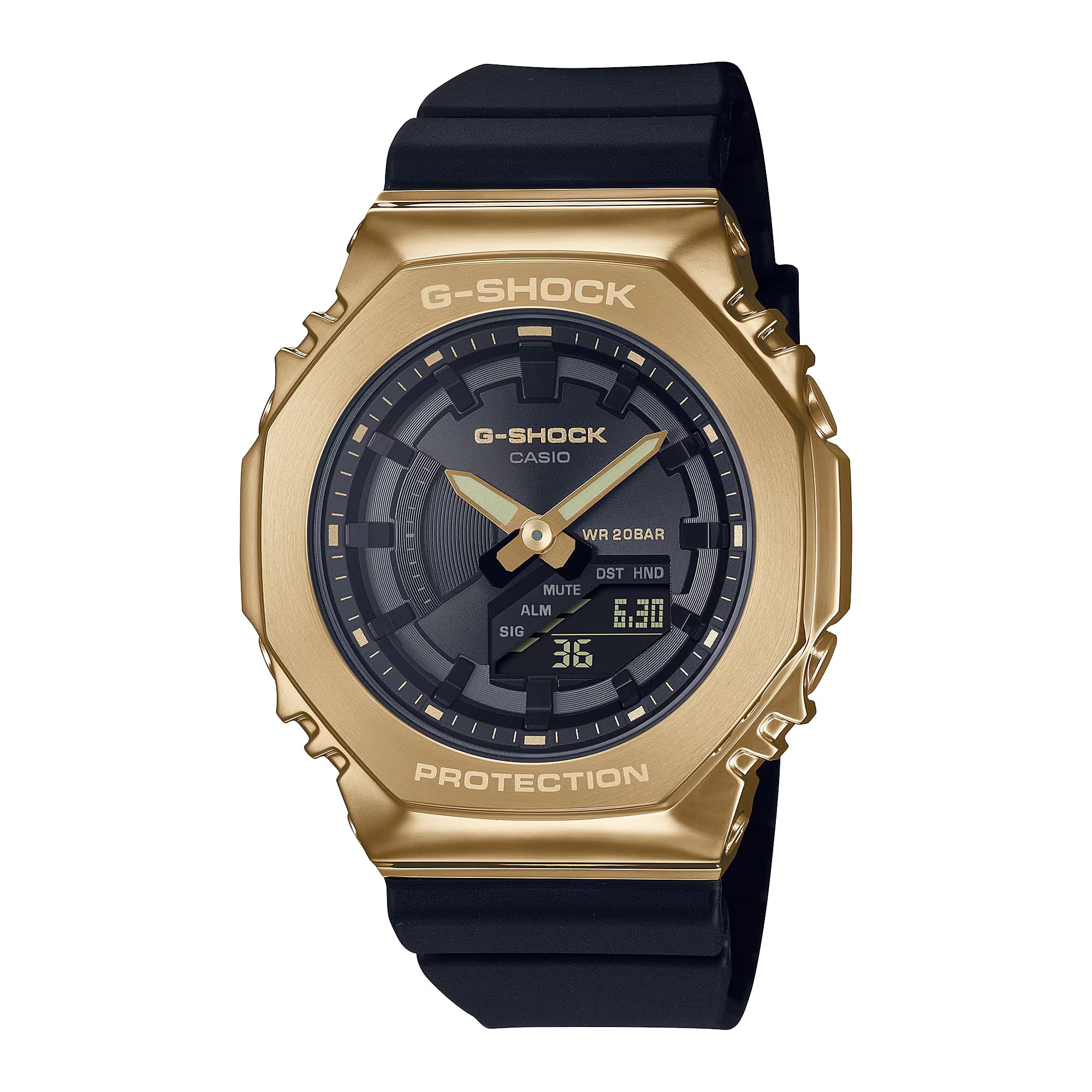
Figure 1: Front view of the Casio G-Shock GM-S2100GB-1ACR watch, showcasing its gold ion-plated bezel and black resin strap.
2. Key Features
- Elegant Design: Features a compact gold-on-black color scheme with a gold ion-plated metal bezel, buttons, and buckle, providing a sophisticated yet durable appearance.
- World Time Function: Capable of tracking time in 31 time zones (48 cities), with daylight saving on/off and automatic summer time switching, including city and city code display.
- Precise Stopwatch: Equipped with a 1/100-second stopwatch that measures up to 24 hours, offering elapsed time and split time modes for accurate tracking.
- Dual LED Lighting: Includes Super Illuminator LEDs for both the analog face and digital display, with adjustable lighting duration and afterglow for enhanced visibility in low-light conditions.
- Multi-Functional Alarms: Features 5 daily alarms and an hourly time signal to help manage your schedule, complemented by a flash alert function.
- Water Resistance: Rated for 200 meters (660 feet), making it suitable for swimming, snorkeling, and other water sports.
- Shock Resistance: Built with G-Shock's renowned shock-resistant construction to protect against impacts and vibrations.
3. Setup
3.1 Initial Time Setting
- In Timekeeping Mode, press and hold the top-left button (ADJUST) until the city code starts to flash.
- Use the top-right (REVERSE) and bottom-right (FORWARD) buttons to select your home city code.
- Press the bottom-left button (MODE) to cycle through settings: DST (Daylight Saving Time), 12/24-hour format, seconds, hour, minute, year, month, day.
- Use the top-right and bottom-right buttons to adjust the flashing setting.
- Once all settings are correct, press the top-left button (ADJUST) to exit the setting screen.
3.2 Analog Hand Adjustment
If the analog hands do not match the digital time, perform a hand home position correction:
- In Timekeeping Mode, press the bottom-left button (MODE) six times to enter the Hand Setting Mode.
- Press the top-left button (ADJUST) to enter the hand alignment setting. The hour and minute hands will move to the 12 o'clock position.
- If the hands are not at 12 o'clock, use the top-right and bottom-right buttons to align them.
- Press the top-left button (ADJUST) to exit. The hands will automatically move to the current digital time.
4. Operating Instructions
4.1 Mode Navigation
Press the bottom-left button (MODE) to cycle through the watch's modes:
- Timekeeping Mode
- World Time Mode
- Stopwatch Mode
- Countdown Timer Mode
- Alarm Mode
4.2 World Time Mode
In World Time Mode, use the top-right (REVERSE) and bottom-right (FORWARD) buttons to view different city times. To swap your Home City Time with your World Time City, press the top-left button (ADJUST) and top-right button (REVERSE) simultaneously.
4.3 Stopwatch Mode
In Stopwatch Mode:
- Press the bottom-right button (START) to start/stop the stopwatch.
- While the stopwatch is running, press the top-left button (ADJUST) for a split time reading. Press ADJUST again to release the split time and continue timing.
- When the stopwatch is stopped, press the top-left button (ADJUST) to reset it to zero.
4.4 Alarm Mode
In Alarm Mode:
- Use the top-right (REVERSE) and bottom-right (FORWARD) buttons to scroll through the 5 alarms (AL1 to AL5) and the Hourly Time Signal (SIG).
- To set an alarm, select the desired alarm and press the top-left button (ADJUST) until the hour setting flashes.
- Use the top-right and bottom-right buttons to adjust the hour and minute.
- Press the top-left button (ADJUST) to save the alarm setting.
- To turn an alarm on/off, press the bottom-right button (FORWARD) while the alarm is displayed.
4.5 LED Light
Press the top-right button (LIGHT) to illuminate the watch face and digital display. The illumination duration can be configured in the settings.
5. Maintenance
5.1 General Care
- Wipe the watch regularly with a soft, dry cloth to remove dirt and moisture.
- Avoid exposing the watch to extreme temperatures or direct sunlight for prolonged periods.
- Keep the watch away from strong magnetic fields to prevent malfunction.
5.2 Water Resistance
The watch is water-resistant to 200 meters. This means it is suitable for recreational diving, but not for saturation diving. Do not operate the watch buttons while it is wet or submerged in water to prevent water ingress.
5.3 Battery
The watch is powered by a battery with an approximate 3-year life. When the battery runs low, the display may dim or functions may become erratic. It is recommended to have the battery replaced by an authorized service center.
6. Troubleshooting
- Incorrect Time/Date: Ensure your Home City setting is correct. If the analog hands are misaligned, perform a hand home position correction as described in Section 3.2.
- Display is Blank/Dim: The battery may be low. Expose the watch to light to charge it (if solar-powered) or consider battery replacement.
- Buttons Not Responding: Ensure the watch is not in a locked mode (if applicable) or that it is not wet. If the issue persists, a reset may be required (refer to the full manual for specific reset procedures).
- Water Inside Watch: Immediately take the watch to an authorized service center. Do not attempt to open or dry the watch yourself.
7. Specifications
| Specification | Detail |
|---|---|
| Model Number | GM-S2100GB-1ACR |
| Product Dimensions | 8 x 5 x 8 inches; 6.38 ounces |
| Department | Unisex |
| Date First Available | October 3, 2022 |
| Manufacturer | Casio |
| ASIN | B0BH72Z1VT |
| Metal Type | No-metal-type (referring to the band material, case is metal-clad) |
| Clasp Type | Buckle |
| Item Type Name | Watch |
8. Warranty and Support
This Casio G-Shock watch is covered by a manufacturer's warranty. For detailed information regarding warranty terms, service, or technical support, please refer to the warranty card included with your product or visit the official Casio G-Shock website. Keep your proof of purchase for any warranty claims.


