1. Introduction
This manual provides detailed instructions for the setup, operation, and maintenance of your VIVOSUN 18-in-1 Wi-Fi Weather Station. This advanced weather station offers comprehensive monitoring of various atmospheric conditions, both indoors and outdoors, including CO2 levels, temperature, humidity, wind speed and direction, rainfall, UV index, sunlight, moon phase, dew point, time, date, and barometric pressure. Please read this manual thoroughly before use to ensure proper installation and optimal performance.
2. Product Components
Your VIVOSUN 18-in-1 Wi-Fi Weather Station includes the following main components:
- Display Console: The indoor unit with a color LCD screen for viewing all weather data.
- Outdoor Sensor Array: An integrated unit that measures outdoor temperature, humidity, wind speed, wind direction, rainfall, UV index, and sunlight. It is solar-powered with battery backup.
- Indoor CO2 Sensor: A separate indoor sensor for monitoring CO2 levels.

Image 2.1: Diagram illustrating the components of the outdoor sensor array, including the UV and Light Sensor, Rain Collector, Solar Panel, Wind Vane, Wind Cup, Level Indicator, and Thermo-Hygrometer Radiation Shield.

Image 2.2: The VIVOSUN weather station display console and the outdoor sensor array, showing their relative sizes and design.
3. Setup and Installation
Follow these steps to set up your VIVOSUN 18-in-1 Wi-Fi Weather Station:
3.1 Outdoor Sensor Array Installation
- Choose a Location: Select an open area for the outdoor sensor array, free from obstructions that could affect wind, rain, or sunlight measurements. Ensure it is within 300 ft (100m) of the display console for wireless transmission.
- Mounting: The outdoor sensor can be mounted horizontally or vertically on a pole or flat surface. For accurate data, it is recommended to install the transmitter in a horizontal position and ensure it is firmly fixed to avoid shaking.
- Power: The outdoor sensor is primarily solar-powered. Install backup batteries (not included) to ensure continuous operation during periods of low light.

Image 3.1: Illustrations demonstrating different mounting methods for the outdoor sensor, including mounting on top, vertically on a pole, horizontally on a pole, and on the side.
3.2 Display Console Setup
- Power On: Connect the display console to a power source. If monitoring CO2, ensure AC power is plugged in, as CO2 data will not display otherwise.
- Sensor Connection: After powering on, wait approximately 5-10 seconds for all remote sensors to report to the display screen. Do not press any buttons during this initial connection phase, or the console may terminate its search for remote sensors.
- Wi-Fi Configuration: Follow the on-screen prompts or refer to the dedicated Wi-Fi setup section to connect your weather station to your home network. This enables data transmission to Weather Underground or Weathercloud.
4. Operation
The VIVOSUN 18-in-1 Wi-Fi Weather Station provides real-time data and various functions for comprehensive weather monitoring.
4.1 Display Console Overview
The 6.3" x 3.7" colorful LCD display presents all measured data clearly. It features adjustable 3-level backlight brightness for comfortable viewing in various lighting conditions.
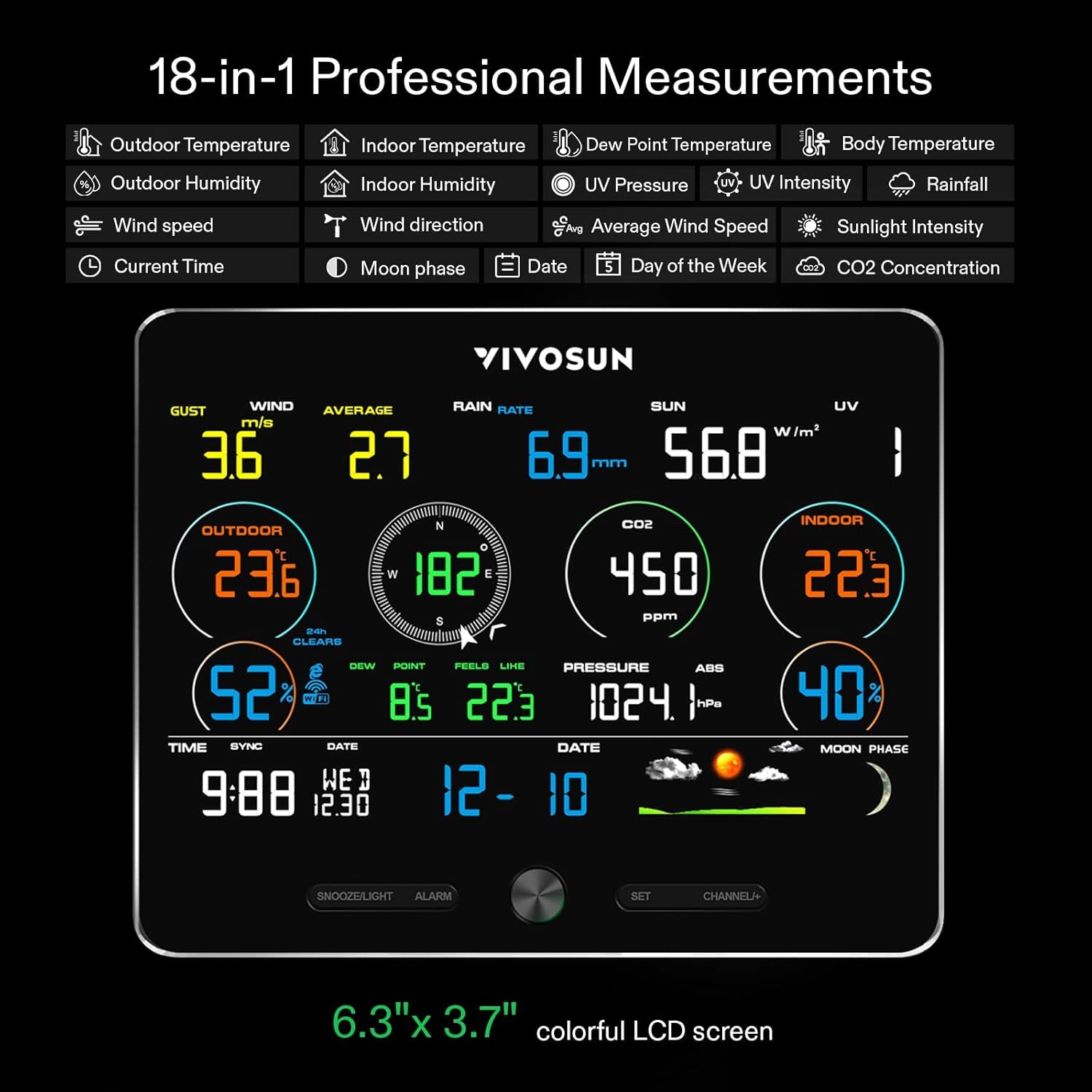
Image 4.1: The display console showing various weather measurements such as outdoor temperature, indoor temperature, CO2 level, wind speed, rain rate, sun intensity, and UV index.
4.2 18-in-1 Professional Measurements
The station provides the following measurements:
- Indoor/Outdoor Temperature (℉/℃)
- Indoor/Outdoor Humidity
- Wind Speed and Direction
- Rainfall
- UV Index
- Sunlight Intensity
- CO2 Level
- Moon Phase
- Dew Point
- Time and Date
- Barometric Pressure
- Weather Forecast (4 icons)
4.3 Wireless Weather Forecast
Based on barometric pressure changes, the station estimates weather for the next 24-48 hours, displayed with 4 vivid icons for quick understanding.

Image 4.2: The outdoor sensor and display console, highlighting the 3-level brightness adjustment for the display and the weather forecast icons.
4.4 Alarm Function
The weather station includes a smart alarm function. You can set custom alerts for time, humidity, temperature, dew point, or other parameters. When a variable exceeds its preset threshold, an audible beeper will sound, and a flashing alarm icon will appear. The station also functions as a clock with two alarm programs.
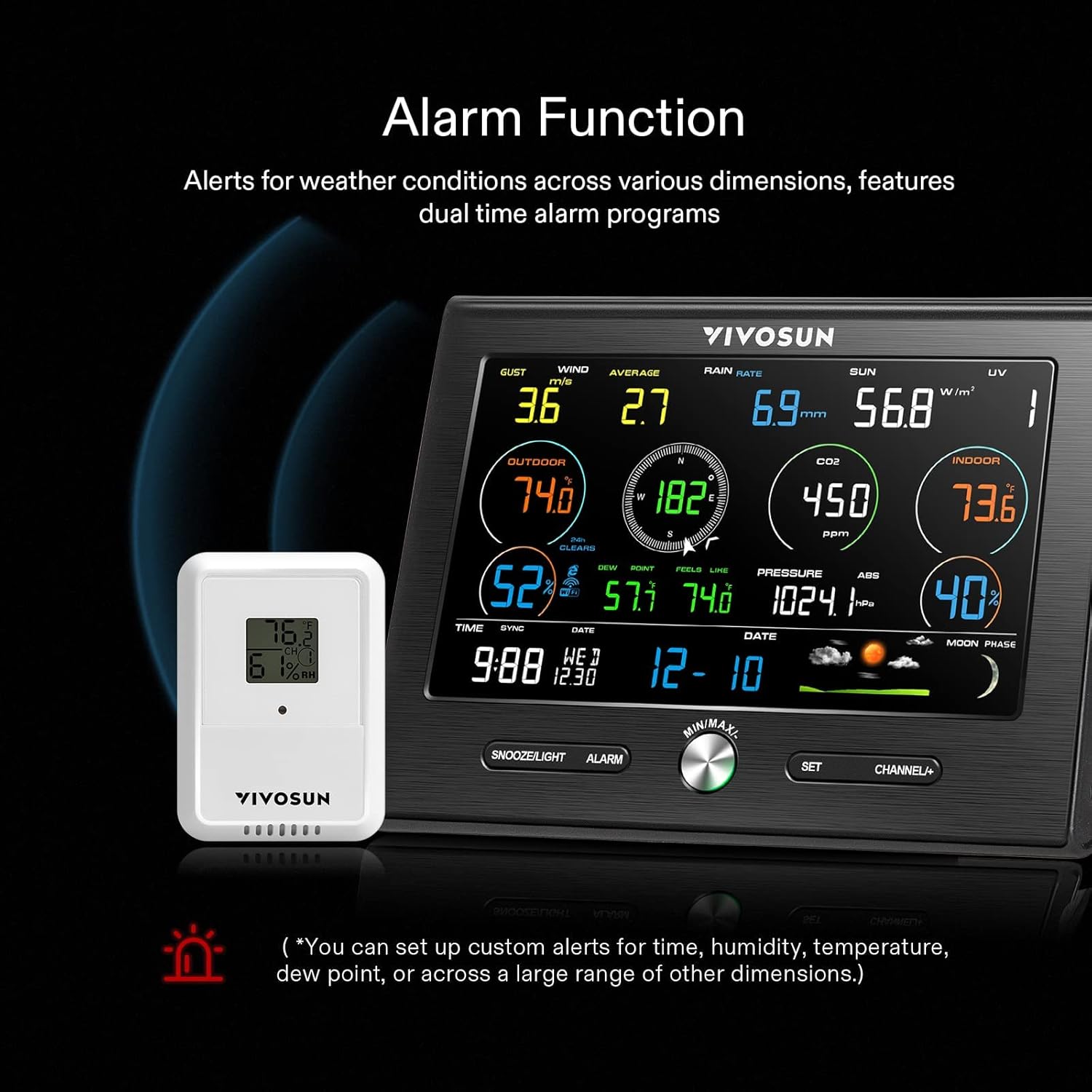
Image 4.3: The display console showing an active alarm icon, indicating a parameter has exceeded its set threshold.
4.5 Wi-Fi Connectivity
Connect the station to your Wi-Fi network to send data to Weather Underground or Weathercloud. This allows you to view historical data and current conditions on your computer, phone, or tablet from anywhere.

Image 4.4: The weather station display console and a laptop screen showing data integration with Weather Underground or Weathercloud via Wi-Fi.
4.6 CO2 Monitoring
The indoor CO2 sensor provides real-time CO2 level readings. Ensure the display console is connected to AC power for this feature to function correctly. If not, CO2 data will display dashes (----).

Image 4.5: The display console highlighting the CO2 level reading in parts per million (ppm).
5. Specifications
Below are the technical specifications for the VIVOSUN 18-in-1 Wi-Fi Weather Station:

Image 5.1: A table detailing the specifications of the VIVOSUN 18-in-1 Wi-Fi Weather Station.
| Feature | Specification |
|---|---|
| Brand | VIVOSUN |
| Material | PC & ABS |
| Display Type | LCD |
| Color | White and Black |
| Power Source | Solar Powered (Outdoor Sensor) |
| Connectivity Technology | Wi-Fi |
| Indoor Temperature Range | 32-140℉ (0-60℃) |
| Outdoor Temperature Range | -40-140℉ (-40-60℃) |
| Temperature Accuracy | 0.5 ℃ |
| CO2 Range | 400-9999ppm |
| Rainfall Range | 0-9999mm |
| Wind Direction Range | 0-360° |
| Wind Speed Range | 0-50m/s |
| UV Index Range | 1-15+ |
| Sunlight Range | 0-200klux |
| Barometric Pressure Range | 300-1100hpa |
| Wireless Transmit Range | Up to 330 ft (100m) in open areas |
| Frequency | 433MHz |
| Thermo-hygrometer Sensor Data Update Period | 60s |
| Integrated Outdoor Sensor Data Update Period | 16s |
6. Maintenance
To ensure the longevity and accuracy of your weather station, follow these maintenance guidelines:
- Clean Sensors Regularly: Periodically clean the outdoor sensor array, especially the rain collector and wind cups, to remove debris, dust, or insects that may affect readings. Use a soft, damp cloth.
- Check Batteries: Replace the backup batteries in the outdoor sensor array as needed to ensure continuous operation.
- Inspect Mounting: Regularly check that the outdoor sensor array is securely mounted and has not shifted, which could impact wind or rain measurements.
- Protect from Extreme Conditions: While designed for outdoor use, extreme weather conditions (e.g., severe storms, heavy snow) may require temporary removal or additional protection for the outdoor sensor.
7. Troubleshooting
If you encounter issues with your VIVOSUN 18-in-1 Wi-Fi Weather Station, refer to the following common problems and solutions:
| Problem | Possible Solution |
|---|---|
| No data on display console | Ensure the display console is powered on and the outdoor sensor has fresh batteries. Verify the outdoor sensor is within range (300 ft/100m) and free from interference. During initial setup, avoid pressing buttons until sensors report. |
| Inaccurate readings (wind, rain) | Check for obstructions around the outdoor sensor. Clean the rain collector and wind cups. Ensure the sensor is mounted horizontally and firmly to prevent shaking. |
| Wi-Fi connection issues | Verify your Wi-Fi network is active and the password is correct. Ensure the weather station is within range of your Wi-Fi router. Restart both the weather station and your router. |
| CO2 data not displayed | Confirm the display console is connected to AC power. The CO2 sensor requires continuous power to function. |
| Alarm not sounding/flashing | Check alarm settings to ensure thresholds are correctly configured. Verify the volume or notification settings on the console. |
8. Official Product Video
Watch the official product video for a visual guide on the VIVOSUN 18-in-1 Wi-Fi Weather Station:
Video 8.1: An official video from VIVOSUN demonstrating the features and ease of setup for the 18-in-1 Wi-Fi Weather Station with Outdoor Sensor.
9. Warranty and Support
For warranty information, technical support, or further assistance, please refer to the VIVOSUN official website or contact their customer service directly. Keep your purchase receipt for warranty claims.


