
Introduction
Thank you for choosing the SVBONY SV202 8x42 ED Binoculars. These binoculars are designed to provide clear, bright, and sharp images for various outdoor activities, including bird watching, hunting, and general observation. Featuring Extra-Low Dispersion (ED) glass, Bak4 prisms, and fully multi-coated optics, they are built to perform in diverse conditions. This manual will guide you through the setup, operation, and maintenance of your new binoculars.
Key Features:
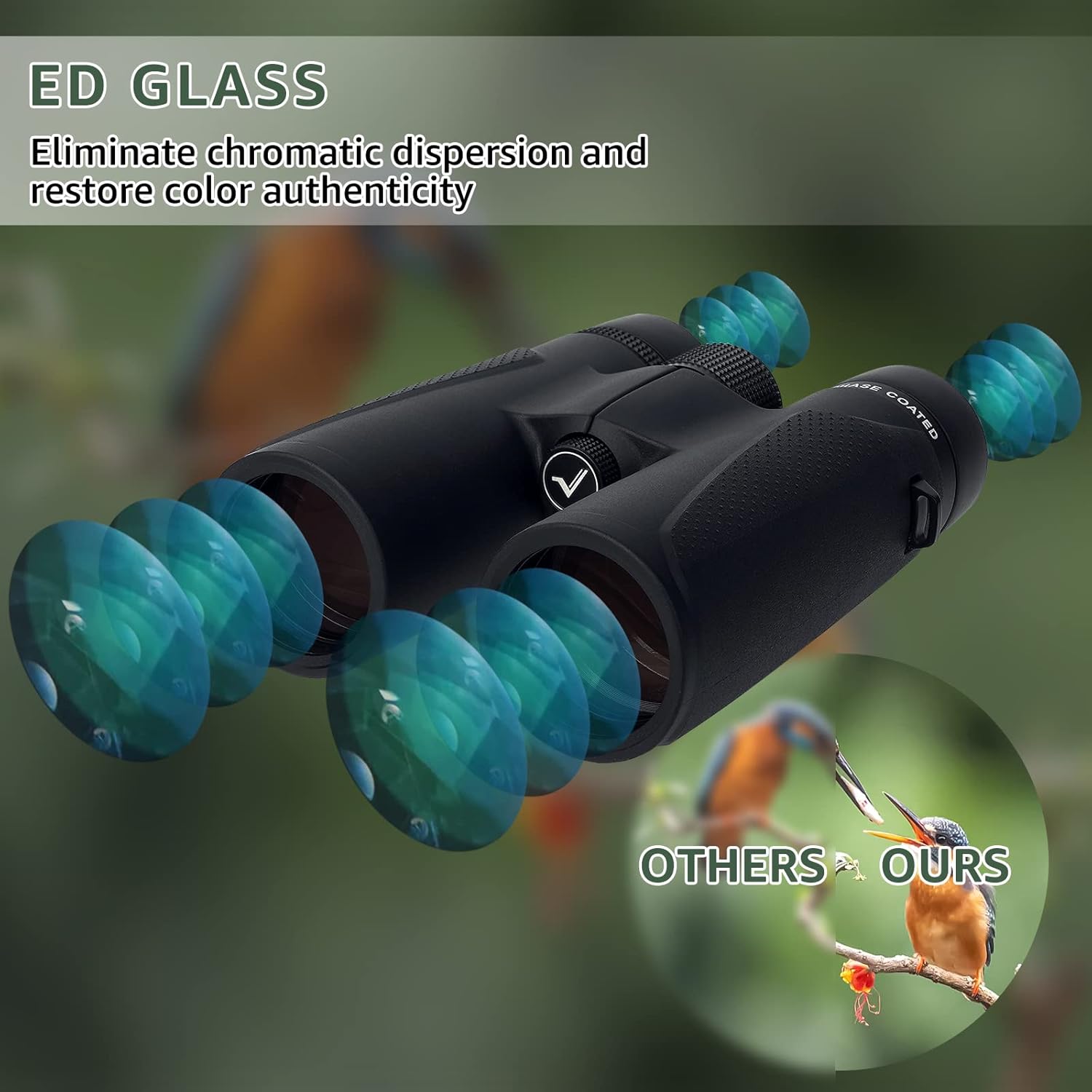
- Extra-Low Dispersion (ED) Glass: Reduces chromatic aberration for superior color fidelity and image clarity.
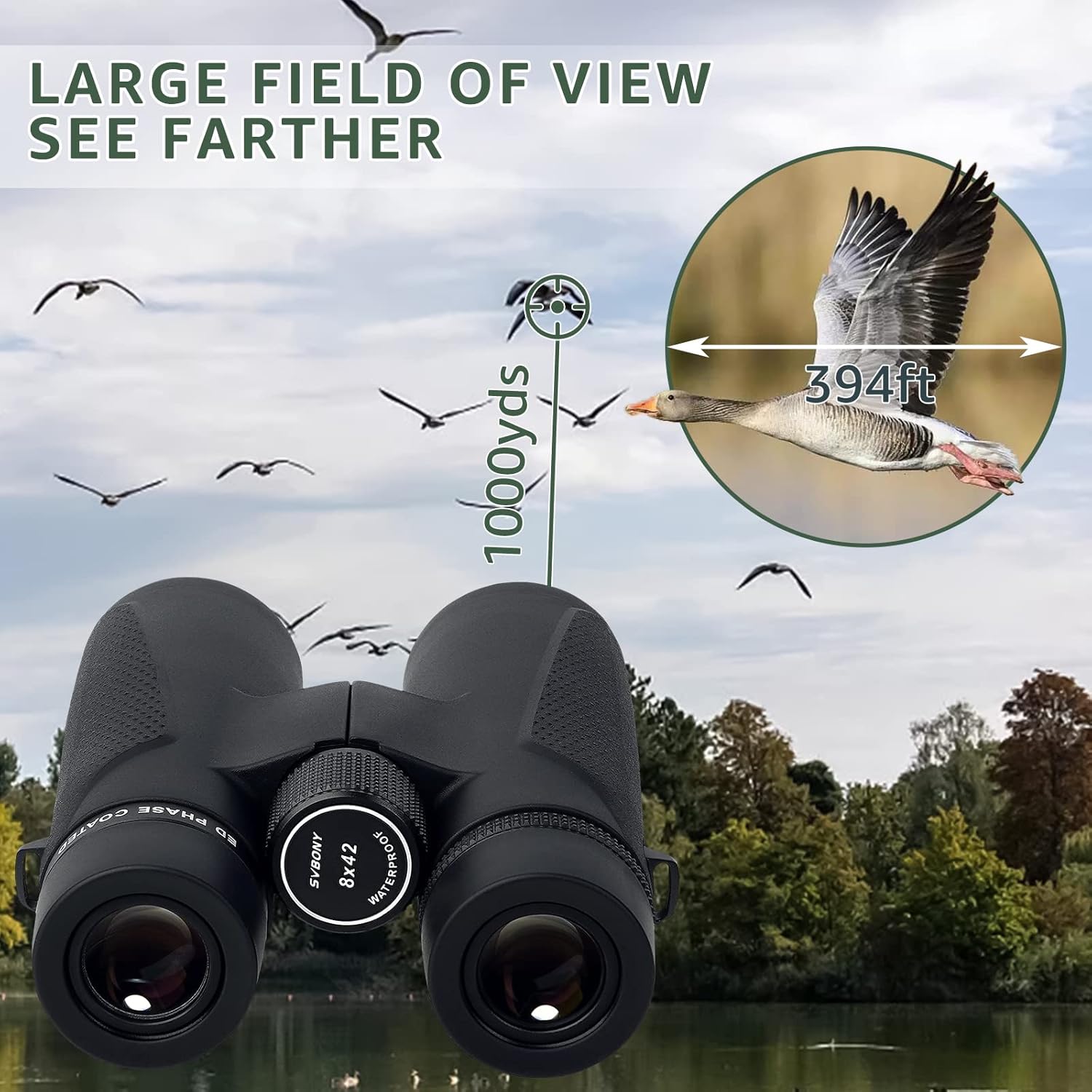
- Large Field of View: 42mm objective lens provides a wide 394ft/1000yards field of view.
- IPX7 Waterproof & Fogproof: Nitrogen-filled internals ensure reliable performance in extreme weather conditions.
- Premium Fully Multi-Coated Optics: Maximizes light transmission for bright, sharp images, even in low-light.
- High-Quality Magnesium Alloy Body: Ensures durability and long-term use.
- Large Central Focusing Wheel: Allows for easy and precise focusing.
- Diopter Adjustment: Eyepiece built-in diopter adjustment lens for visual balance between both eyes.
Package Contents
Upon opening your SVBONY SV202 8x42 ED Binoculars package, please ensure all the following items are present:
- 1x SV202 8x42 ED Glass Binoculars
- 1x Carrying Bag
- 1x Neck Strap
- 1x Lens Cleaning Cloth
- 2x Lens Covers (Objective and Eyepiece)
- 1x User Manual
Setup and First Use
Attaching the Neck Strap
Attach the provided neck strap to the strap lugs on the sides of the binocular body. Ensure the strap is securely fastened to prevent accidental drops. Adjust the strap length for comfortable carrying around your neck or over your shoulder.
Adjusting Eyecups
The SV202 binoculars feature twist-up eyecups. Rotate the eyecups up or down to achieve the optimal eye relief. If you wear eyeglasses, twist the eyecups down to their lowest position. If you do not wear eyeglasses, twist them up to a comfortable position that allows you to see the full field of view without vignetting.

Adjusting Interpupillary Distance (IPD)
The interpupillary distance (IPD) is the distance between the centers of your pupils. To adjust the IPD, hold the binoculars with both hands and bend the body of the binoculars until you see a single, clear circular field of view. This ensures both eyepieces are correctly aligned with your eyes.
Focusing Your Binoculars
Diopter Adjustment
The diopter adjustment compensates for differences in vision between your left and right eyes. First, close your right eye and look through the left eyepiece. Rotate the central focusing wheel until the image is sharp and clear. Next, close your left eye and look through the right eyepiece. Rotate the diopter ring (usually located on the right eyepiece) until the image is sharp. Once set, you should only need to use the central focusing wheel for subsequent focusing.
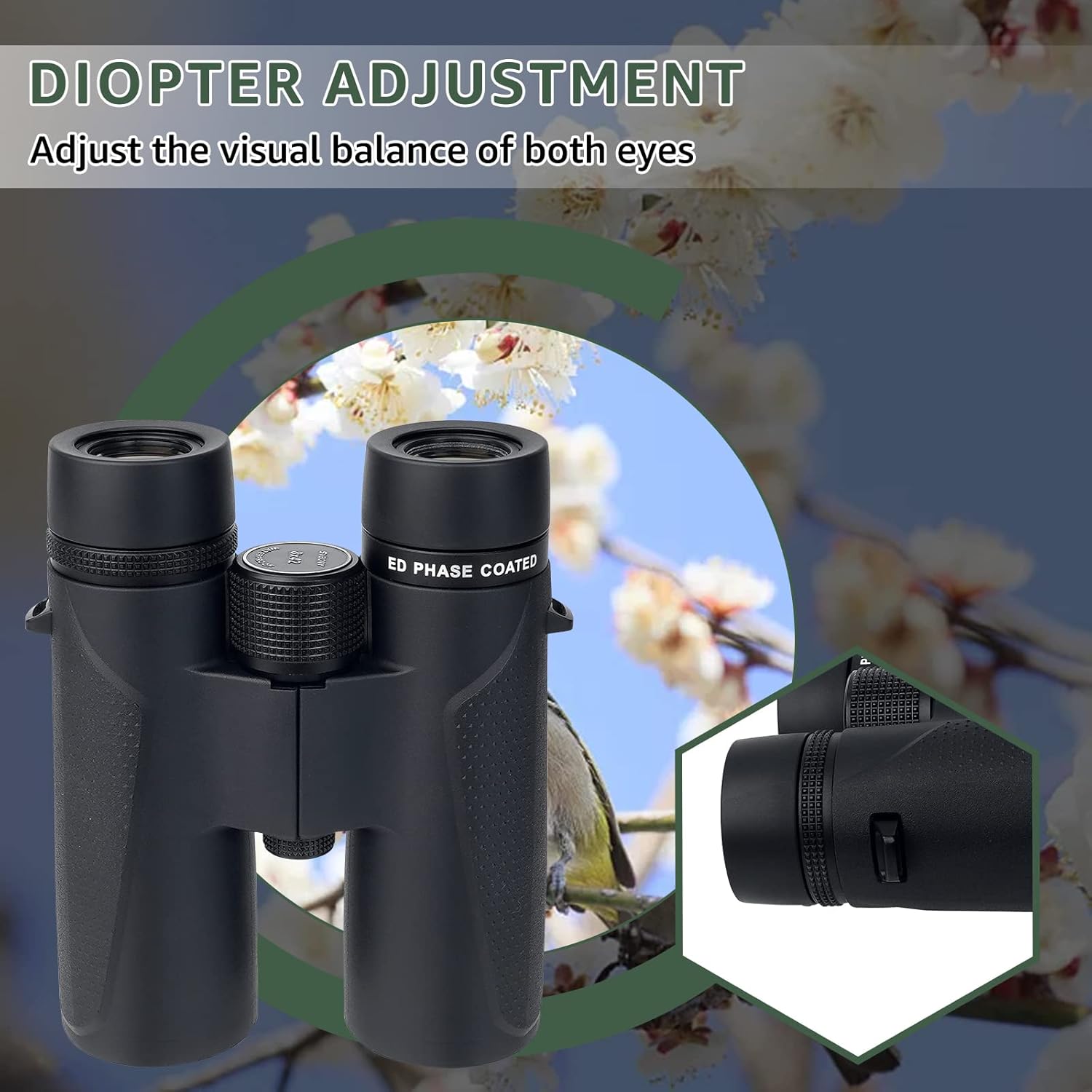
Central Focus Wheel
After adjusting the diopter, use the large central focusing wheel to bring objects at various distances into sharp focus. Simply turn the wheel until your target appears clear.

Tripod Connection
For extended viewing sessions or increased stability, your SV202 binoculars can be mounted on a tripod. Locate the tripod adapter thread, usually covered by a cap, on the front hinge of the binoculars. Remove the cap and screw in a compatible tripod adapter (sold separately).
Operating Your Binoculars
Optimal Viewing
The SV202 binoculars utilize ED glass and premium multi-coatings to deliver a superior viewing experience. The large 42mm objective lenses gather ample light, providing bright and clear images even in challenging light conditions. The wide field of view allows you to easily track moving subjects and observe expansive landscapes.
Weather Resistance
The SV202 binoculars are IPX7 waterproof and fogproof, thanks to their nitrogen-filled construction. This means they can withstand immersion in water up to 1 meter (3 feet) for 30 minutes and will not fog internally due to temperature changes, making them suitable for use in all weather conditions.

Maintenance and Care
Cleaning the Lenses
To clean the lenses, first gently brush off any dust or debris using a soft lens brush or compressed air. Then, use the provided lens cleaning cloth to wipe the lenses in a circular motion. For stubborn smudges, a small amount of lens cleaning fluid can be applied to the cloth, not directly to the lens.
Storage
When not in use, always store your binoculars in the provided carrying bag. Ensure the lens covers are in place on both the objective lenses and eyepieces to protect them from dust, scratches, and impacts. Store the binoculars in a cool, dry place away from direct sunlight and extreme temperatures.
Troubleshooting
Common Issues
- Blurry Image: Ensure the central focusing wheel and diopter adjustment are correctly set for your vision and the distance to the object.
- Double Image: Adjust the interpupillary distance (IPD) by bending the binocular body until a single, circular field of view is achieved.
- Internal Fogging: While the binoculars are fogproof, external fogging can occur in humid conditions. Wipe the exterior lenses with a clean, dry lens cloth. If internal fogging occurs, contact customer support.
- Difficulty Focusing: Check that the eyecups are adjusted correctly for your eyes (especially if wearing glasses). Ensure the diopter is set for your right eye before using the central focus wheel.
Specifications
| Feature | Detail |
|---|---|
| Brand | SVBONY |
| Model Number | FCAF9351D |
| Magnification Maximum | 8.00x |
| Objective Lens Diameter | 42 Millimeters |
| Product Dimensions | 7.09 x 5.91 x 2.95 inches |
| Item Weight | 1.63 pounds |
| Special Feature | Focus Knob |
| Waterproof Rating | IPX7 |
| Glass Type | ED Glass |
| Coating | Fully Multi-Coated |