
Introduction
Thank you for choosing the MasterPro Rocket Duo 900 Dual Air Fryer. This appliance is designed to provide a healthier way to cook your favorite meals, utilizing hot air circulation to achieve crispy results with significantly less oil. With its dual baskets and intuitive controls, you can prepare multiple dishes simultaneously, saving time and effort. Please read this manual carefully before use to ensure safe and optimal operation.

Image: The MasterPro Rocket Duo 900 Dual Air Fryer, showcasing its two independent cooking baskets filled with different foods, highlighting its versatility.
Safety Information
Always follow basic safety precautions when using electrical appliances to reduce the risk of fire, electric shock, and injury.
- Do not immerse the appliance, cord, or plug in water or other liquids.
- Ensure the voltage indicated on the appliance corresponds to your local mains voltage before connecting.
- Keep the appliance out of reach of children.
- Do not block any air vents.
- Do not touch hot surfaces. Use handles or knobs.
- Unplug from outlet when not in use and before cleaning.
- Do not operate any appliance with a damaged cord or plug.
Product Overview
The MasterPro Rocket Duo 900 features two independent cooking zones, each with a 4.5L capacity, totaling 9L. It is equipped with a digital LED touch screen for easy control and monitoring.

Image: A view of the air fryer from above, illustrating the two separate cooking compartments and their contents.
Setup
- Unboxing: Carefully remove the air fryer and all accessories from the packaging. Retain packaging for future storage or transport.
- Initial Cleaning: Before first use, clean the removable non-stick baskets and crisper plates with warm soapy water. Wipe the main unit with a damp cloth. Ensure all parts are completely dry before use.
- Placement: Place the air fryer on a stable, heat-resistant surface, away from walls or other appliances to allow for proper air circulation. Ensure there is at least 10 cm of clear space on all sides.
- Power Connection: Plug the power cord into a grounded electrical outlet.
Operating Instructions
Control Panel
The MasterPro Rocket Duo 900 features an intuitive LED touch screen. Each basket has independent controls for temperature and time, or you can use pre-set functions.

Image: The digital control panel of the air fryer, showing the 11 pre-set cooking functions available for selection.
Cooking Modes
- Pre-set Functions: The appliance includes 11 pre-programmed settings for common foods such as fries, ribs, shrimp, wings, pizza, bacon, meat, fish, bake, reheat, and keep warm. Select the desired program by touching its icon on the display.
- Manual Settings: Adjust temperature from 80°C to 200°C and cooking time up to 60 minutes using the '+' and '-' buttons for each basket.
- Dual Cooking: You can cook two different foods simultaneously at different temperatures and times. Select Basket 1, set its parameters, then select Basket 2 and set its parameters.
- Sync Finish: This feature allows both baskets to finish cooking at the same time, even if they have different cooking times. Set the cooking parameters for both baskets, then press the 'Sync Finish' button. The air fryer will automatically adjust the start times.
For optimal results, preheat the air fryer for 3-5 minutes before adding food. Shake or flip food halfway through cooking for even browning.
Maintenance and Cleaning
Regular cleaning ensures the longevity and performance of your air fryer. The non-stick baskets are designed for easy cleaning.
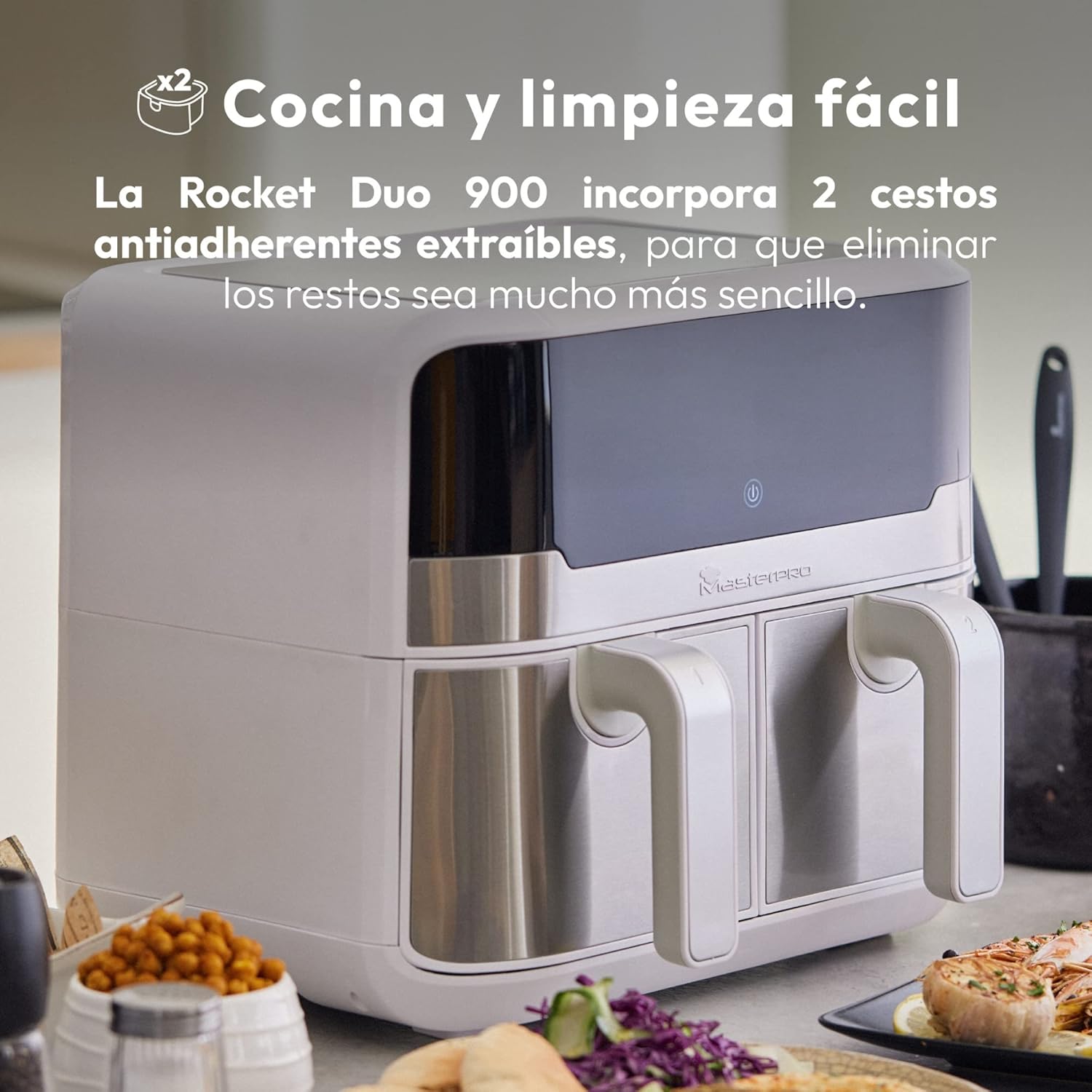
Image: The air fryer with one of its non-stick baskets partially removed, demonstrating the ease of access for cleaning.
- Before Cleaning: Always unplug the air fryer and allow it to cool completely before cleaning.
- Baskets and Crisper Plates: The removable non-stick baskets and crisper plates can be washed by hand with warm soapy water. Avoid abrasive cleaning tools that could damage the non-stick coating. They are also dishwasher safe.
- Main Unit: Wipe the exterior of the air fryer with a damp cloth. Do not use harsh chemicals or abrasive cleaners. Never immerse the main unit in water.
- Interior: Clean the interior of the appliance with a damp cloth. For stubborn residue, use a non-abrasive sponge.
- Storage: Ensure all parts are clean and dry before storing the appliance in a cool, dry place.
Troubleshooting
| Problem | Possible Cause | Solution |
|---|---|---|
| Appliance does not turn on. | Not plugged in; power outlet malfunction. | Ensure the power cord is securely plugged into a working outlet. |
| Food is not cooked evenly. | Baskets overloaded; food not shaken/flipped. | Do not overload baskets. Shake or flip food halfway through cooking. |
| White smoke coming from appliance. | Grease residue from previous use; fatty food. | Clean baskets thoroughly. For fatty foods, drain excess fat during cooking. |
| Food is not crispy. | Insufficient cooking time/temperature; too much moisture. | Increase cooking time or temperature. Pat food dry before cooking. |
Specifications
- Model Number: BGMP-9178-WH
- Capacity: 9 Liters (2 x 4.5L compartments)
- Wattage: 2400 W
- Dimensions (L x W x H): 45 x 38 x 35.5 cm
- Weight: 9 kg
- Material: Stainless steel and PVC
- Temperature Range: 80°C - 200°C
- Timer: Up to 60 minutes
- Special Features: LED Touch Screen, 11 Pre-set Functions, Dual Cooking Zones, Sync Finish Function, Easy Cleaning
Warranty and Support
For warranty information and customer support, please refer to the documentation included with your product packaging or visit the official MasterPro website. Specific warranty terms and conditions may vary by region.
No official product videos are available for embedding based on the provided data.


