
1. Introduction
Thank you for choosing Linkind A19 LED Light Bulbs. These energy-efficient, non-dimmable bulbs are designed to provide reliable and high-quality illumination for your indoor spaces. This manual provides essential information for safe installation, operation, and maintenance of your new LED bulbs.

Image 1.1: A pack of six Linkind A19 LED light bulbs.
2. Safety Information
- Non-Dimmable: These bulbs are NOT DIMMABLE. Do not use them with dimmer switches, as this may cause damage to the bulb or the dimmer.
- Indoor Use Only: These bulbs are designed for indoor use in dry locations. Do not expose to water or use in wet environments.
- Voltage: Ensure the power supply voltage is 120 Volts, 60 Hertz, which is standard for residential use in North America.
- Installation: Always turn off the power to the fixture before installing or removing the bulb.
- UL Listed: These bulbs are UL Listed, ensuring they meet high safety and quality standards.
- Disposal: Dispose of used bulbs according to local regulations.

Image 2.1: Visual reminder that Linkind A19 LED bulbs are non-dimmable.
3. Product Features
The Linkind A19 LED Light Bulbs offer several advantages for your lighting needs:
- Energy Efficiency: Replaces traditional 60W incandescent bulbs with only 9W of power consumption, saving up to 85% on electricity costs.
- Long Lifespan: Designed to last up to 15,000 hours, significantly reducing the frequency of bulb replacement.
- Warm White Light: Emits 800 lumens of 3000K warm white light, creating a comfortable and inviting atmosphere.
- High Color Rendering Index (CRI): With a CRI of 80+, these bulbs render colors vividly and naturally.
- Flicker-Free & Eye Protection: Provides stable, non-flickering light with zero harsh glares to prevent eye fatigue.
- Instant On: Achieves full brightness immediately without any delay.
- Standard Base: Features an E26 standard medium screw base for easy installation in most fixtures.

Image 3.1: Comparison of Linkind LED bulb efficiency and lifespan against traditional incandescent bulbs.

Image 3.2: Illustration of flicker-free lighting for eye comfort.
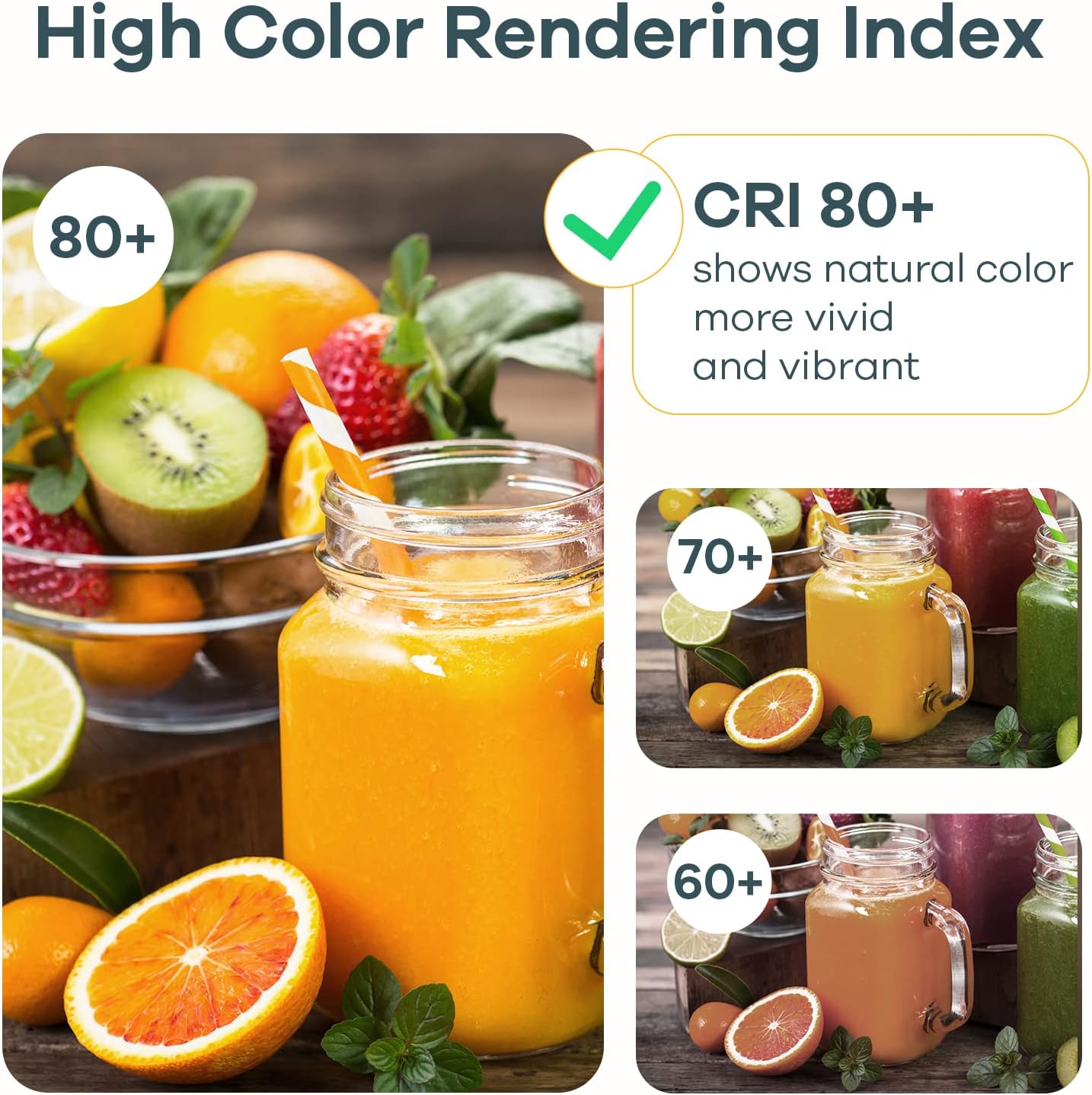
Image 3.3: Demonstration of high Color Rendering Index (CRI 80+) for natural color representation.

Image 3.4: Visual representation of 3000K Warm White light output.
4. Setup and Installation
Installing your Linkind A19 LED Light Bulb is a simple process:
- Turn Off Power: Before replacing any bulb, ensure the power to the light fixture is turned off at the switch and, if necessary, at the circuit breaker.
- Remove Old Bulb: Carefully unscrew the existing bulb from the fixture. Allow it to cool if it has been recently in use.
- Install New Bulb: Screw the Linkind A19 LED bulb into the E26 standard base socket until it is snug. Do not overtighten.
- Restore Power: Turn the power back on at the switch or circuit breaker.
- Test: Turn on the light switch to confirm the bulb is working correctly.

Image 4.1: A Linkind A19 LED bulb installed in a light fixture.
5. Operation
Operating your Linkind A19 LED Light Bulb is straightforward:
- Simply use your existing light switch to turn the bulb on or off.
- The bulb will illuminate instantly to full brightness without any warm-up period.
- As these bulbs are non-dimmable, they are not compatible with dimmer switches. Using them with a dimmer may result in flickering, buzzing, or damage to the bulb.
6. Maintenance
Linkind A19 LED Light Bulbs require minimal maintenance due to their long lifespan and durable construction:
- Cleaning: To clean the bulb, ensure the power is off and the bulb is cool. Wipe gently with a soft, dry cloth. Do not use liquid cleaners or abrasive materials.
- Replacement: With a lifespan of 15,000 hours, frequent replacement is not necessary. Replace the bulb only when it reaches the end of its operational life.
7. Troubleshooting
If you encounter issues with your Linkind A19 LED Light Bulb, refer to the following common solutions:
| Problem | Possible Cause | Solution |
|---|---|---|
| Bulb does not light up | No power to the fixture; Bulb not screwed in properly; Defective bulb. | Check power switch and circuit breaker. Ensure bulb is securely screwed into the socket. Test bulb in a known working fixture. |
| Bulb flickers or buzzes | Used with a dimmer switch; Loose connection; Incompatible fixture. | These bulbs are non-dimmable. Do not use with dimmer switches. Ensure the bulb is tightly screwed in. Verify the fixture is compatible with LED bulbs. |
| Light output is too low | Incorrect bulb type for desired brightness. | Confirm the bulb's lumen output (800 lumens) meets your lighting requirements. |
8. Specifications
Detailed technical specifications for the Linkind A19 LED Light Bulb:

Image 8.1: Key specifications and dimensions of the Linkind A19 LED bulb.
| Attribute | Value |
|---|---|
| Model Name | A19 |
| Light Type | LED |
| Wattage | 9 Watts |
| Incandescent Equivalent | 60 Watts |
| Brightness | 800 Lumens |
| Color Temperature | 3000 Kelvin (Warm White) |
| Bulb Base | E26 Standard |
| Bulb Shape Size | A19 |
| Voltage | 120 Volts |
| Lifespan | 15,000 Hours |
| Color Rendering Index (CRI) | 80+ |
| Beam Angle | 200 Degrees |
| Material | Plastic |
| Product Dimensions | 2.36"W x 3.94"H |
| Indoor/Outdoor Usage | Indoor |
| Certifications | UL Listed, FCC |
| Dimmable | No |
9. Warranty and Support
Linkind is committed to providing high-quality products and customer satisfaction.
- Warranty: This product is covered by a 2-year warranty from the date of purchase. Please retain your proof of purchase for warranty claims.
- Customer Service: For technical support, warranty inquiries, or any questions regarding your Linkind A19 LED Light Bulbs, please contact our customer service team:
- Phone: 1-877-770-5727
- Hours: Monday - Friday, 9 AM - 5 PM PST


