
1. Introduction
The ANTOP Smartpass Amplified Antenna AT-406BV is designed for receiving free over-the-air (OTA) digital TV signals. This antenna features a built-in Smartpass Amplifier for balanced reception and an integrated 5G LTE filter to block interference from mobile signals. Its versatile design allows for both indoor and outdoor installation, providing access to Full HD channels including 720p, 1080i, 1080p, and 4K broadcasts.
The antenna also includes extendable VHF enhancement rods, which can be adjusted to improve reception for VHF channels. This manual provides detailed instructions for the proper setup, operation, and maintenance of your AT-406BV antenna.
2. What's in the Box
Carefully unpack the contents and ensure all items are present:
- ANTOP Flat Panel Smartpass Amplified Digital Indoor/Outdoor Antenna (AT-406BV)
- Power Inserter with Smart Switch
- AC/DC Power Adapter
- Indoor Stand
- 33ft Coaxial Cable
- Pole Mounting Kit (for outdoor installation)

Image: Components included with the ANTOP AT-406BV antenna.
3. Setup and Installation
The AT-406BV antenna offers flexible installation options for both indoor and outdoor environments. Choose the location that provides the best signal reception in your area.
3.1 Connection Method
- Connect the 33ft coaxial cable to the antenna's output port.
- Connect the other end of the coaxial cable to the 'ANT IN' or 'CABLE IN' port on the power inserter.
- Connect a short coaxial cable (not included) from the 'TV OUT' port on the power inserter to the 'ANT IN' or 'CABLE IN' port on your TV or digital converter box.
- Plug the AC/DC power adapter into the power inserter, then plug the adapter into a standard electrical outlet.
- Ensure the Smart Switch on the power inserter is set to the appropriate mode (usually indicated by an LED).

Image: Connection diagram for the ANTOP AT-406BV antenna.
3.2 Placement Options
The effectiveness of the antenna is influenced by its distance from the signal origination point, the strength of the station signal, the antenna's position, reflections from nearby structures, and any power consumption sources. Experiment with different locations to find the best reception.
- Indoor Installation: Use the included indoor stand to place the antenna on a tabletop near your TV.
- Outdoor Installation: Utilize the pole mounting kit to install the antenna on a wall, roof, balcony, or in an attic. Ensure it is securely fastened and has a clear line of sight to broadcast towers if possible.
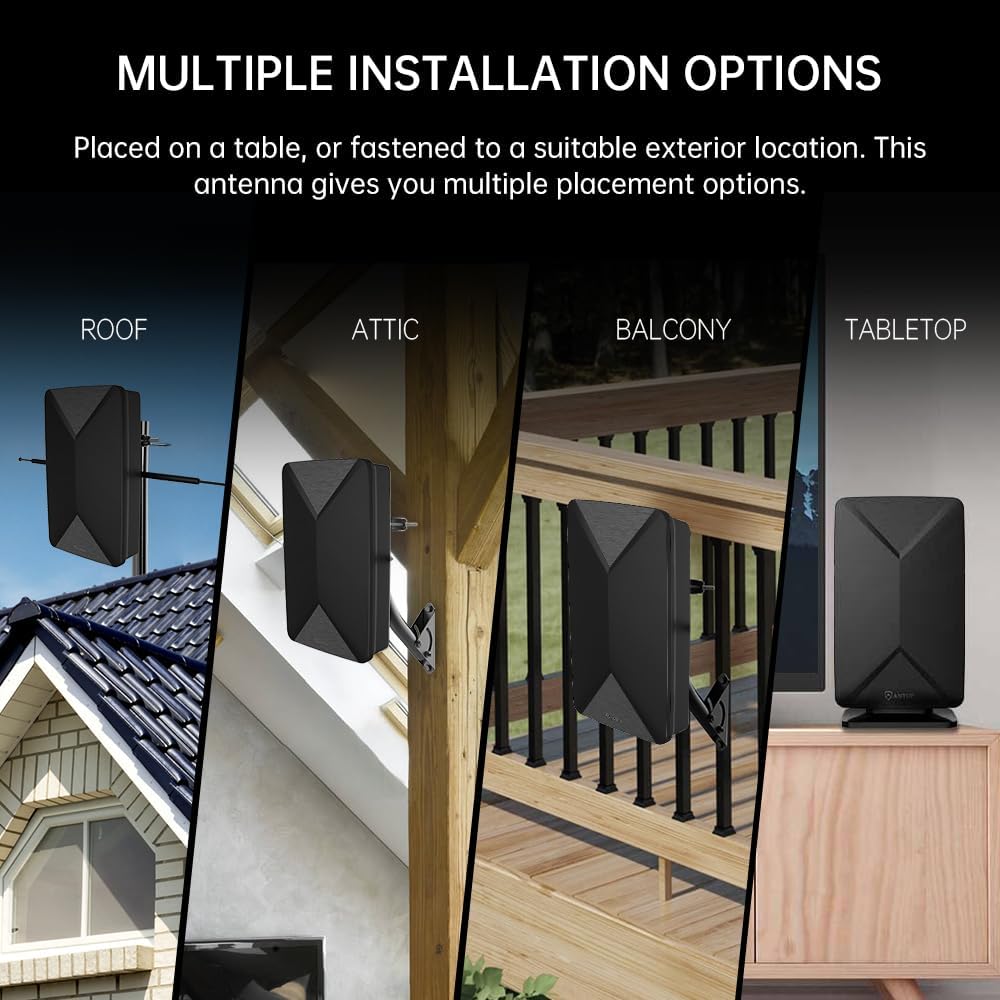
Image: Multiple installation options for the AT-406BV antenna.
Video: This video demonstrates the ANTOP Amplified Indoor Outdoor TV Antenna AT-406BV, showcasing its features and potential installation scenarios.
4. Operating Instructions
4.1 Channel Scan
After connecting the antenna, perform a channel scan on your TV or digital converter box. Refer to your TV's or converter box's instruction manual for specific steps on how to perform a channel scan. This process allows your device to detect and store available digital channels.
4.2 Smartpass Amplifier
The built-in Smartpass Amplifier automatically balances short and long-range reception. Ensure the power inserter is connected and powered for the amplifier to function correctly. The Smart Switch on the power inserter may have different settings; consult the power inserter's specific instructions if available, or try both settings to see which provides better reception.
4.3 Extendable VHF Enhancement Rods
The AT-406BV includes extendable rods for enhanced VHF signal reception. These rods can extend from 8 inches to 15 inches and rotate up to 90 degrees. If you experience poor reception on VHF channels, try extending and adjusting the angle of these rods. When not in use, they can be folded back into the antenna for a compact appearance.
5. Maintenance
The ANTOP AT-406BV antenna is designed for durability and minimal maintenance.
- Cleaning: Wipe the antenna periodically with a soft, damp cloth to remove dust or dirt. Avoid using harsh chemicals or abrasive cleaners.
- Weather Resistance: The antenna features a water-resistant design with UV coating, making it suitable for outdoor use. However, ensure all connections are tight and protected from direct exposure to extreme weather conditions if possible.
- Inspection: Periodically check the coaxial cable and connections for any signs of wear or damage, especially if installed outdoors.
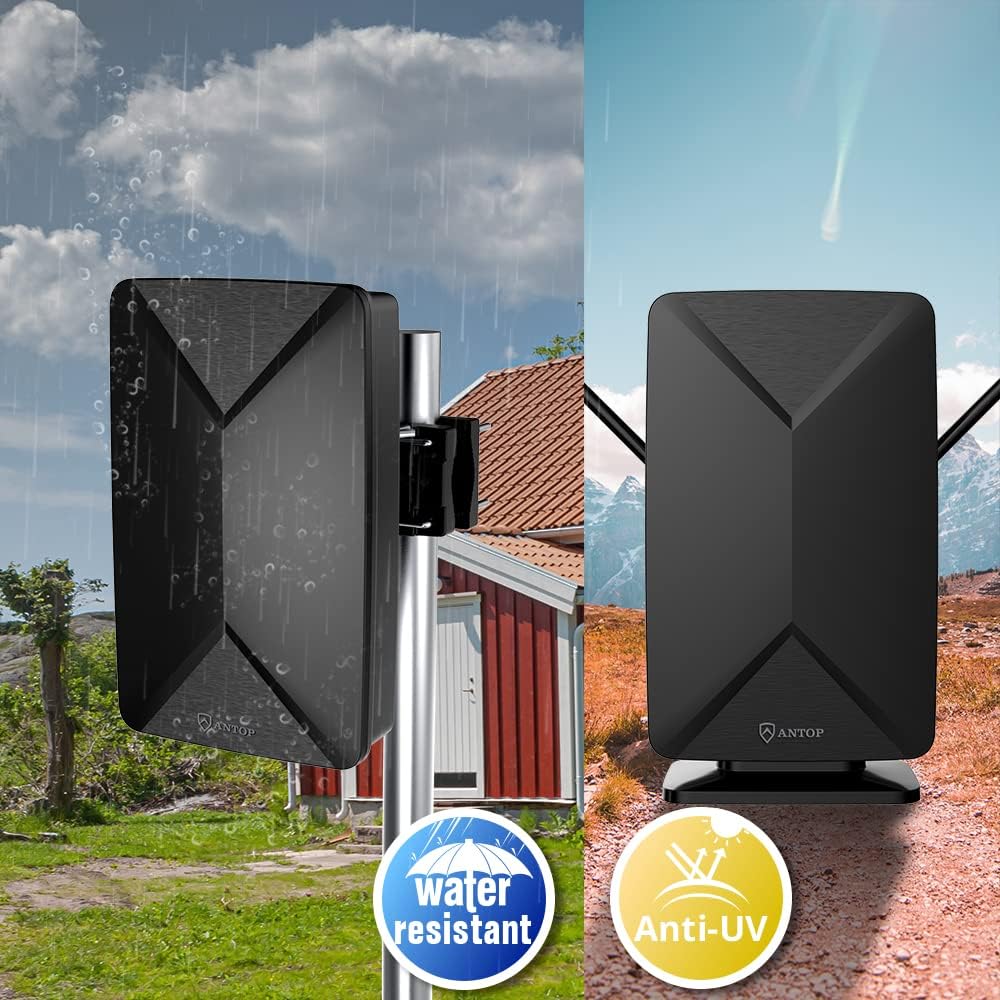
Image: The AT-406BV antenna is designed with water-resistant and anti-UV features for durability.
6. Troubleshooting
If you encounter issues with your ANTOP AT-406BV antenna, consider the following troubleshooting steps:
- No Signal or Poor Reception:
- Rescan Channels: Always perform a channel scan after moving the antenna or if new channels are available.
- Antenna Position: Adjust the antenna's position and orientation. Even small changes can significantly impact reception. Try placing it higher or closer to a window.
- VHF Rods: Extend and adjust the VHF enhancement rods, especially if you are missing lower-frequency channels.
- Check Connections: Ensure all coaxial cable connections are secure and the power inserter is properly powered.
- Signal Strength: The effectiveness is influenced by distance from broadcast towers and terrain. Use online tools to find the direction of local broadcast towers.
- Interference:
- The built-in 5G LTE filter helps reduce interference from mobile signals. If you still experience interference, ensure the antenna is not placed too close to other electronic devices that might emit electromagnetic noise.
- Power Issues:
- Verify the AC/DC power adapter is correctly plugged into both the power inserter and a working electrical outlet. Check the LED indicator on the power inserter to confirm it is receiving power.
7. Specifications
| Model Number | AT-406BV |
| Antenna Type | HDTV Digital Antenna |
| Reception Bands | Lo-VHF, Hi-VHF, UHF |
| Impedance | 75 Ohms |
| Built-in Features | Smartpass Amplifier, 5G LTE Filter, Extendable VHF Rods |
| Dimensions (L x W x H) | 8.1" x 4.4" x 13" |
| Color | Black |
| Coaxial Cable Length | 33 Feet |
8. Warranty and Support
8.1 Warranty Information
The ANTOP Smartpass Amplified Antenna AT-406BV comes with a 1-year limited warranty from the date of purchase. This warranty covers defects in materials and workmanship under normal use. It does not cover damage caused by misuse, accidents, unauthorized modifications, or external causes such as natural disasters.
Please retain your proof of purchase for warranty claims.
8.2 Customer Support
For technical assistance, troubleshooting, or warranty inquiries, please contact ANTOP customer support. Refer to the product packaging or the official ANTOP website for the most current contact information.


