Introduction
This manual provides essential instructions for the safe and efficient operation, maintenance, and troubleshooting of your Aigostar 7L Smart Air Fryer, Model 30AU6. Please read this manual thoroughly before first use and retain it for future reference. Proper use ensures optimal performance and extends the lifespan of your appliance.
Important Safety Instructions
When using electrical appliances, basic safety precautions should always be followed to reduce the risk of fire, electric shock, and injury.
- Always ensure the voltage indicated on the appliance corresponds to your local mains voltage before connecting.
- Do not immerse the main unit, cord, or plug in water or any other liquid to prevent electric shock.
- Keep the appliance and its cord out of reach of children.
- Supervise children closely when the appliance is in use.
- Do not operate any appliance with a damaged cord or plug, or after the appliance malfunctions or has been damaged in any manner.
- Avoid using unauthorized attachments, as they may cause hazards.
- Do not place the appliance against a wall or other appliances. Leave at least 10 cm of free space on the back and sides and 10 cm of free space above the appliance.
- Do not place anything on top of the appliance.
- Do not use the appliance for any purpose other than described in this manual.
- Hot air is released through the air outlet openings during operation. Keep your hands and face at a safe distance from the steam and from the air outlet openings.
- The surfaces may become hot during use. Do not touch hot surfaces directly. Use handles or knobs.
- Unplug the appliance from the outlet when not in use and before cleaning. Allow it to cool down completely before handling.
Product Overview
Familiarize yourself with the components of your Aigostar 7L Smart Air Fryer.
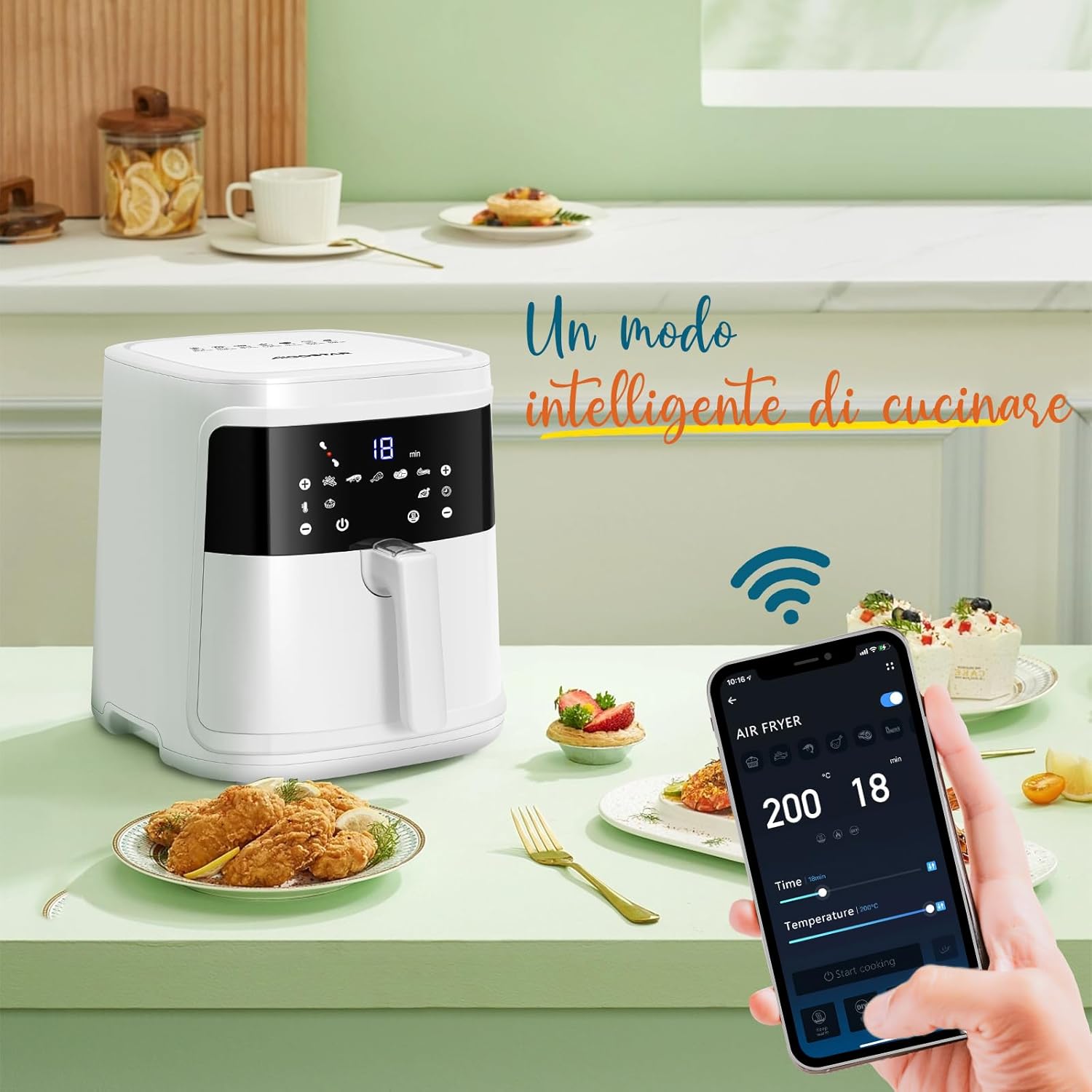
Image: The Aigostar 7L Smart Air Fryer, showing its sleek white design and LED touch panel, alongside a smartphone demonstrating its WiFi app control capabilities. Various cooked dishes are arranged around it.
Components:
- Main Unit: Houses the heating element, fan, and control panel.
- Removable Basket: The primary cooking container, designed for easy food placement and removal.
- Non-stick Frying Pan: An inner component of the basket, featuring a non-stick coating for easy cleaning.
- LED Touch Control Panel: Digital display for setting temperature, time, and selecting preset programs.
- Cool-Touch Handle: Ensures safe handling of the hot basket during and after cooking.
- Power Cord with Tuck-Away Storage: For convenient and tidy storage.
- Recipe Book: Includes 20 recipes to get you started.
Setup
Follow these steps to prepare your air fryer for first use:
- Unpack: Carefully remove all packaging materials and any promotional labels from the appliance.
- Clean Components: Wash the removable basket and the non-stick frying pan thoroughly with warm, soapy water. Rinse and dry completely. The basket and pan are dishwasher safe.
- Wipe Main Unit: Wipe the exterior of the main unit with a damp cloth. Do not immerse the main unit in water.
- Placement: Place the air fryer on a stable, level, and heat-resistant surface. Ensure there is at least 10 cm of clear space around the back and sides, and above the appliance, for proper air circulation.
- Power Connection: Plug the power cord into a grounded electrical outlet. The appliance is now ready for use.
Operating Instructions
Learn how to use your Aigostar Smart Air Fryer for various cooking needs.
Control Panel Overview

Image: A detailed view of the LED touch control panel, showing temperature and time settings, along with icons for various preset cooking programs and WiFi connectivity.
The intuitive LED touch screen allows for easy adjustment of cooking settings. It displays temperature, time, and various preset program icons. Use the '+' and '-' buttons to adjust values.
App and WiFi Control
Enhance your cooking experience by connecting your air fryer to the Aigostar APP via WiFi.
- Download App: Search for 'Aigostar' in your smartphone's app store and download the official application.
- Connect to WiFi: Follow the in-app instructions to connect your air fryer to your home WiFi network.
- Remote Control: Once connected, you can monitor cooking progress, adjust temperature and time, and even preheat the appliance remotely from your mobile device.
Pre-set Programs
The air fryer features 7 pre-set programs for common dishes, simplifying your cooking process with a single touch.

Image: A visual representation of the 7 pre-set cooking options, including fries, steak, shrimp, chicken, fish, cake, and a 'keep warm' function, each with recommended temperature and time settings.
The pre-set options include:
- Cake
- Potatoes (Fries)
- Shrimp
- Chicken
- Steak
- Meat
- Fish
Manual Cooking and Keep Warm Function
- Temperature Adjustment: Set the cooking temperature between 80°C and 200°C using the touch controls.
- Time Adjustment: Set the cooking time from 0 to 60 minutes.
- Keep Warm: Activate the 'Keep Warm' function to maintain your food at an optimal serving temperature of 80°C after cooking.
General Cooking Process
- Prepare Food: Place your ingredients into the removable basket. Do not overfill.
- Insert Basket: Slide the basket firmly into the main unit.
- Select Settings: Choose a pre-set program or manually set the desired temperature and time.
- Start Cooking: Press the start button. The air fryer will begin circulating hot air (360° Rapid Air Circulation) to cook your food.
- Shake/Flip (Optional): For even cooking, especially with items like fries or chicken wings, you may need to remove and shake or flip the food halfway through the cooking cycle. The appliance features a memory function that allows you to resume cooking from where you left off after reinserting the basket.
- Finish: Once the timer completes, carefully remove the basket using the cool-touch handle.

Image: The spacious 7-liter basket of the Aigostar air fryer, accommodating a whole chicken surrounded by vegetables, demonstrating its large cooking capacity.
Video: An official product video demonstrating the Aigostar 7L Smart Air Fryer in action, showcasing its various features including app control, preset programs, 360° air circulation, and the preparation of different meals like roasted chicken, fries, and pastries.
Maintenance and Cleaning
Regular cleaning ensures optimal performance and hygiene of your air fryer.
- Unplug and Cool: Always unplug the air fryer and allow it to cool down completely before cleaning.
- Clean Basket and Pan: The removable basket and non-stick frying pan can be washed by hand with warm, soapy water and a non-abrasive sponge, or placed in the dishwasher for convenience.
- Clean Interior: Wipe the interior of the appliance with a damp cloth. For stubborn food residue, use a mild detergent.
- Clean Exterior: Wipe the exterior of the air fryer with a soft, damp cloth. Do not use harsh chemicals or abrasive cleaners.
- Heating Element: Gently clean the heating element with a soft brush to remove any food particles.
- Storage: Ensure all parts are dry before storing the appliance. Use the integrated cord storage for a tidy setup.

Image: The removable basket and inner pan of the Aigostar air fryer, demonstrating how easily they can be separated for cleaning and placed into a dishwasher.
Troubleshooting
Refer to this table for common issues and their solutions.
| Problem | Possible Cause | Solution |
|---|---|---|
| Appliance does not turn on. | The appliance is not plugged in or the power outlet is not working. | Ensure the power cord is securely plugged into a grounded outlet. Check if the outlet is functional. |
| Food is not cooked evenly. | Basket is overcrowded or food was not shaken/flipped. | Do not overfill the basket. Shake or flip ingredients halfway through cooking for even results. |
| White smoke comes from the appliance. | Fat residue from previous use or fatty ingredients are being cooked. | Clean the basket and pan thoroughly after each use. For fatty foods, ensure proper ventilation. |
| App connection fails. | Incorrect WiFi password, weak signal, or app not updated. | Verify WiFi password. Ensure the air fryer is within WiFi range. Update the Aigostar app to the latest version. |
Specifications
Technical details of your Aigostar 7L Smart Air Fryer.
| Feature | Detail |
|---|---|
| Model | 30AU6 |
| Brand | Aigostar |
| Capacity | 7 Liters |
| Power | 1900W |
| Temperature Range | 80°C - 200°C |
| Timer Range | 0 - 60 minutes |
| Product Dimensions (LxWxH) | 47 cm x 36.5 cm x 40.5 cm |
| Material | Plastic |
| Color | White |
| Special Features | WiFi/App Control, 7 Preset Programs, LED Touch Screen, 360° Air Circulation, Oil-Free Cooking, Removable Dishwasher Safe Basket, BPA-free, Non-slip feet, Cool-touch handle, Memory function |
Warranty and Support
For detailed warranty information, product registration, or to contact customer support, please refer to the warranty card included with your purchase or visit the official Aigostar website. Keep your purchase receipt as proof of purchase for any warranty claims.


