
Birkhey G3
Birkhey Dog Bark Collar User Manual
Model: G3
Brand: Birkhey
1. Introduction
This manual provides detailed instructions for the proper use and maintenance of your Birkhey Dog Bark Collar, Model G3. This device is designed to assist in training dogs to reduce excessive barking through humane and effective correction methods. Please read this manual thoroughly before use to ensure optimal performance and the safety of your pet.

Image: The Birkhey Dog Bark Collar shown with two dogs, illustrating its application.
2. Safety Information
- This collar is intended for dogs over 6 months old and weighing between 10-120 lbs.
- Do not leave the collar on your dog for more than 12 hours per day to prevent skin irritation.
- Regularly check your dog's neck for any signs of irritation or sores. If found, discontinue use until the skin heals.
- Ensure the contact points are clean and dry before placing the collar on your dog.
- This device is not a toy. Keep out of reach of children.
- Use the shock function responsibly and only if necessary, starting with the lowest effective level.
3. Package Contents
Upon opening your Birkhey Dog Bark Collar package, you should find the following items:
- Birkhey Bark Collar Unit
- Adjustable Nylon Collar Strap
- USB Charging Cable
- Test Light Tool
- Metal Prongs (short and long sets)
- Rubber Caps for Prongs
- User Manual (this document)

Image: An illustration of all components included in the Birkhey Dog Bark Collar package.
4. Setup
4.1. Charging the Collar
Before initial use, fully charge the bark collar. The collar features a high-capacity battery that charges quickly and offers extended use.
- Connect the USB charging cable to the charging port on the collar.
- Plug the other end of the USB cable into a compatible USB power source (e.g., computer, power bank, wall adapter).
- The collar will indicate charging status (refer to the collar's display for specific indicators).
- A full charge typically takes approximately 2 hours. Once fully charged, the battery can last up to 15 days, depending on usage.

Image: The collar connected to a USB charger, demonstrating its fast-charging capability and long battery life.
4.2. Attaching Contact Points and Rubber Caps
Select the appropriate metal prongs (short for short-haired dogs, long for long-haired dogs) and screw them onto the collar unit. For added comfort and to reduce direct skin contact, place the provided rubber caps over the metal prongs.
4.3. Fitting the Collar
Proper fit is crucial for the collar's effectiveness and your dog's comfort. The Birkhey bark collar is adjustable to fit dogs from 10 to 120 lbs with neck sizes ranging from 7 to 27 inches.
- Place the collar around your dog's neck, ensuring the contact points are positioned underneath, touching the skin.
- Adjust the strap so that it is snug but not too tight. You should be able to fit one or two fingers comfortably between the collar and your dog's neck.
- Trim any excess strap length if necessary, and use a lighter to seal the cut edge to prevent fraying.

Image: Visual guide for fitting the adjustable collar, suitable for various dog sizes and breeds.
5. Operating Instructions
5.1. Power On/Off
To power on the device, press and hold the power button until the display illuminates. To power off, press and hold the power button again until the display turns off.
5.2. Adjusting Sensitivity Levels
The collar offers 5 sensitivity settings to detect barking. A higher sensitivity level means the collar will react to softer barks or sounds. Adjust this based on your dog's barking volume and the surrounding environment.
- Level 1-3: Recommended for noisy environments (e.g., dog parks, areas with music).
- Level 2-4: Suitable for normal environments (e.g., typical household noise, conversations).
- Level 3-5: Ideal for very quiet environments (e.g., sleep time, late evening).

Image: A guide to selecting the appropriate sensitivity level based on the dog's environment.
5.3. Selecting Training Modes
The Birkhey bark collar provides two distinct training modes to suit your dog's needs and your training preferences:
- No Electric Shock Mode: This mode utilizes a combination of beep sounds and vibrations across 6 correction levels. It is a humane option for sensitive dogs or for initial training.
- Electric Shock Mode: This mode incorporates beep sounds, vibrations, and static shock across 6 correction levels. The static shock is designed to be a deterrent, not to cause harm.
You can switch between these modes using the designated button on the collar (refer to the product diagram for button location).

Image: A comparison of the two available training modes and their respective correction methods.
5.4. Automatic Correction System
The collar features an advanced barking recognition chip that accurately detects your dog's barks and responds within 0.1 seconds. It is designed with smart anti-interference technology to prevent false triggers from external noises like other dogs barking, head shakes, music, or car sounds.
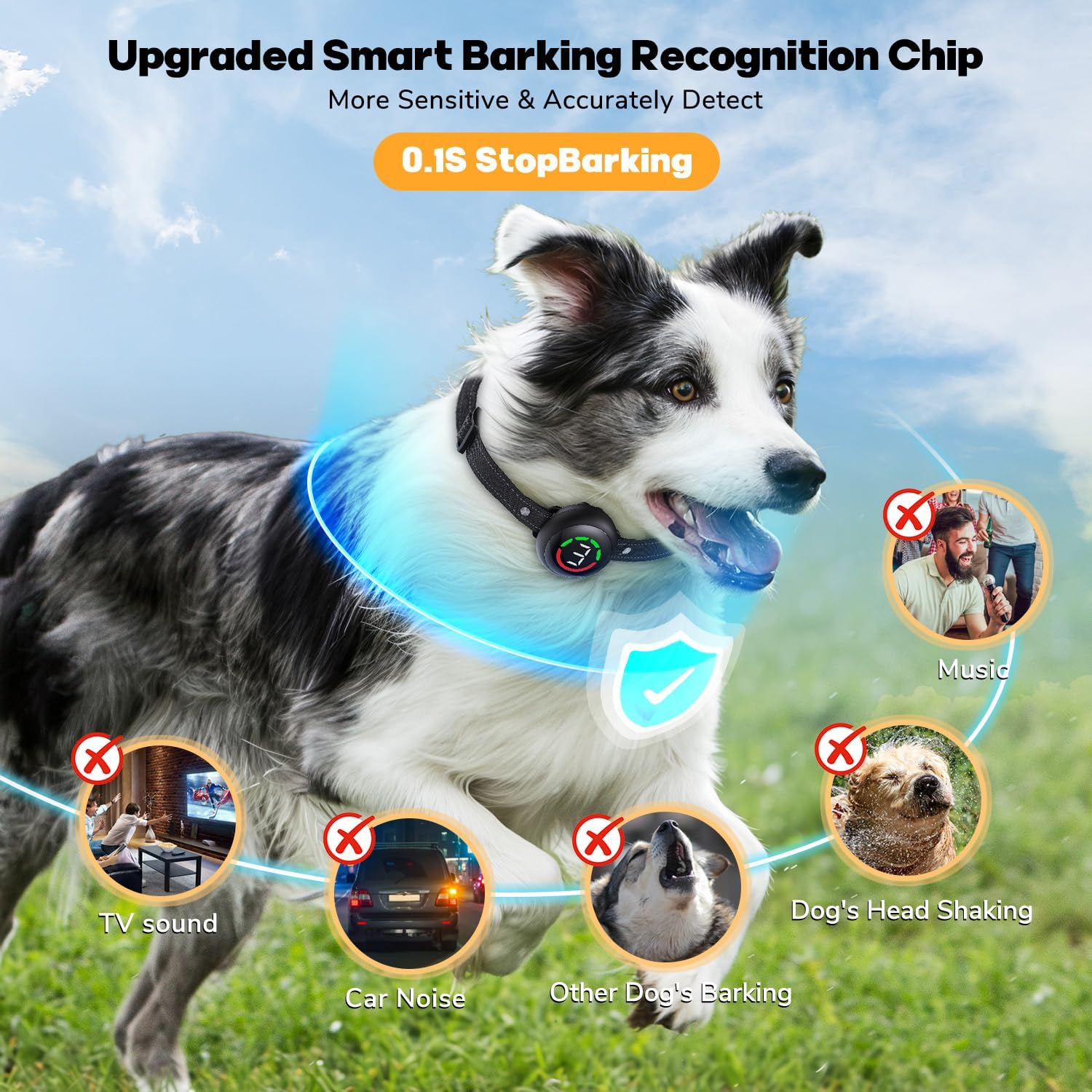
Image: The collar's smart barking recognition chip effectively filters out irrelevant sounds.
5.5. Safety Protection Mode
To ensure your dog's safety and prevent over-correction, the collar will automatically stop working for 30 seconds after 6 consecutive correction levels are triggered. This feature protects your dog from excessive exposure to stimuli.
5.6. Waterproof Design
The Birkhey bark collar boasts an IP67 waterproof rating, making it suitable for various outdoor activities. Your dog can wear it in the rain, during swimming, bathing, or playing in the snow without affecting its functionality.

Image: The collar's IP67 waterproof feature, allowing use in wet conditions.
6. Maintenance
- Cleaning: Regularly wipe the collar unit and strap with a damp cloth. Ensure the contact points are clean and free of debris. Do not use harsh chemicals.
- Storage: When not in use, store the collar in a dry, cool place, away from direct sunlight and extreme temperatures.
- Battery Care: To prolong battery life, avoid fully discharging the battery frequently. Charge it when the battery indicator is low.
7. Troubleshooting
| Problem | Possible Cause | Solution |
|---|---|---|
| Collar not activating | Low battery; Incorrect sensitivity; Loose fit; Contact points not touching skin. | Charge the collar; Increase sensitivity; Adjust collar fit; Ensure contact points are snug against skin. |
| False triggers | Too high sensitivity; External noises (other dogs, loud sounds). | Decrease sensitivity level; Ensure collar is not reacting to non-barking sounds. |
| No shock/vibration | Incorrect mode selected; Contact points not making proper contact. | Verify the desired mode is active; Adjust collar fit and check contact points. |
| Battery not holding charge | Faulty charging cable/adapter; Battery degradation. | Try a different charging cable/adapter; Contact customer support if issue persists. |
8. Specifications
| Feature | Detail |
|---|---|
| Model Number | G3 |
| Brand | Birkhey |
| Item Weight | 4.6 ounces |
| Product Dimensions | 2.25 x 1.11 x 0.1 inches |
| Material | Silicone |
| Battery Type | 1 Lithium Ion (included) |
| Charging Time | Approx. 2 hours |
| Working Time | Up to 15 days |
| Waterproof Rating | IP67 |
| Dog Weight Range | 10-120 lbs |
| Neck Size Range | 7-27 inches |
| Sensitivity Levels | 5 |
| Correction Levels | 6 (for each mode) |
| Correction Modes | Beep + Vibration; Beep + Vibration + Shock |
9. Warranty and Support
Birkhey products are manufactured with quality and customer satisfaction in mind. For any questions, concerns, or warranty claims, please refer to your purchase documentation or contact Birkhey customer support through the retailer where the product was purchased. You can also visit the official Birkhey store on Amazon for more information: Birkhey Amazon Store.
Related documentsG3

Ask a question about this manual
Ask about setup, troubleshooting, compatibility, parts, safety, or missing instructions. Manuals+ will review the question and use this page’s manual context to help answer it.