
Introduction
The Salter EE7096NUDSTKEU7 Teardrop Aroma Essential Oil Mist Diffuser is designed to create a calming and tranquil atmosphere in your home. This ultrasonic diffuser features a stylish teardrop design, color-changing LED lights, and an integrated timer. It operates with a USB connection and has a 120ml water tank, allowing you to enjoy your favorite essential oils.
Image: Front view of the Salter Teardrop Aroma Diffuser.
Safety Information
Please read and understand all safety instructions before using this product.
- Avoid direct skin contact with undiluted essential oils.
- Keep the device out of reach of children and pets.
- Ensure adequate ventilation when the diffuser is in use.
- Do not immerse the diffuser in water or any other liquid.
- Use only the provided USB cable and a compatible power source.
- Do not block the mist outlet during operation.
Package Contents
Verify that all items are present in the package:
- 1 x Salter Aroma 120ml Teardrop Diffuser
- 1 x USB Power Cable
Setup
Follow these steps for initial setup:
- Place the diffuser on a stable, flat, and water-resistant surface.
- Gently remove the top cover of the diffuser.
- Fill the water tank with clean tap water up to the indicated maximum fill line (120ml capacity). Do not overfill.
- Add a few drops (typically 3-5) of your preferred essential oil directly into the water. Adjust quantity based on desired intensity.
- Replace the top cover securely, ensuring it is properly aligned.
- Connect the USB power cable to the diffuser's port and then to a suitable USB power source (e.g., USB adapter, computer USB port).
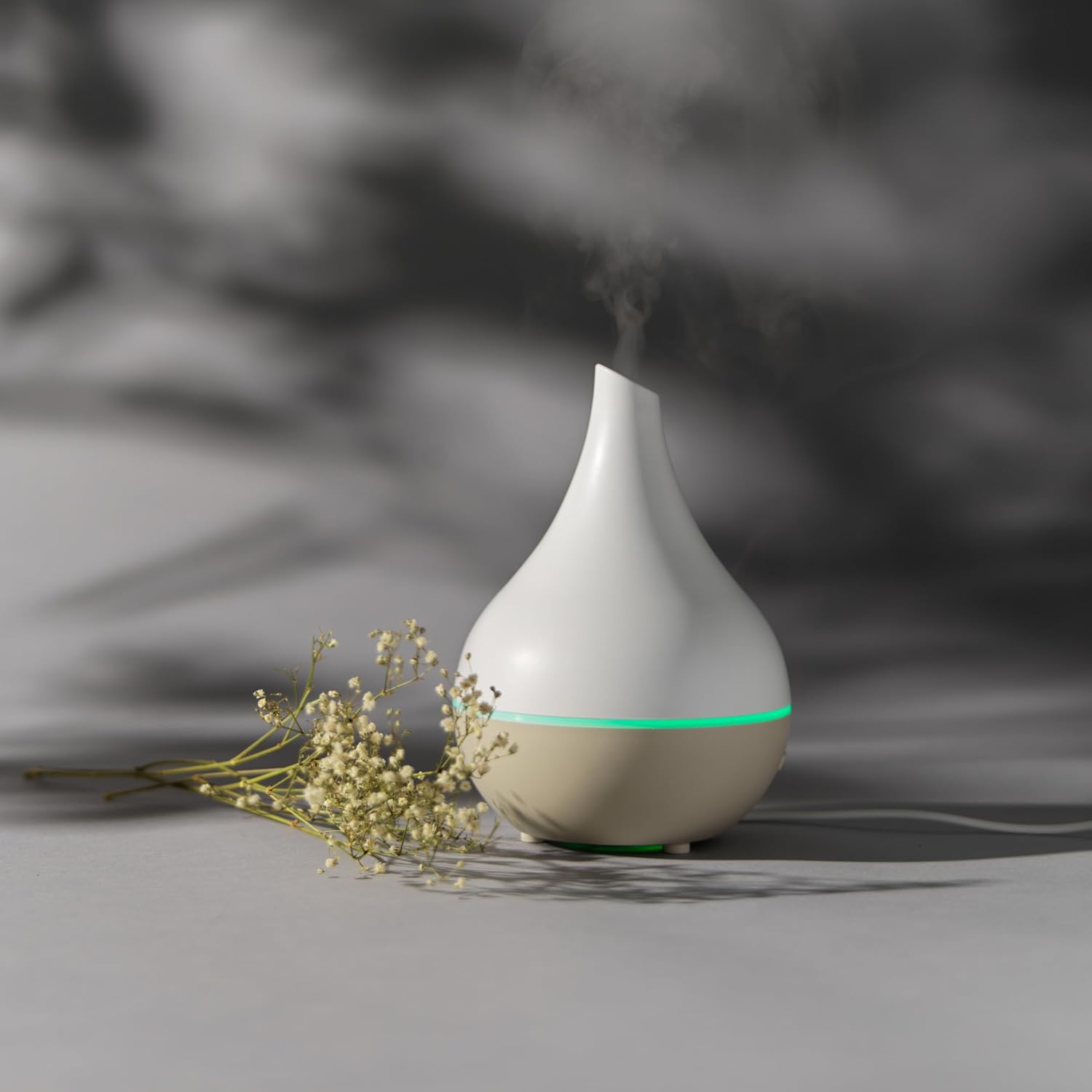
Image: The diffuser emitting mist, positioned next to a small plant.
Operating Instructions
The diffuser features intuitive controls for mist and light functions, located on the front base of the unit.

Image: Close-up of the control buttons on the diffuser base.
Mist Control and Power
- Press the power button (⏻) once to turn on the diffuser and activate continuous mist.
- Press and hold the power button to turn off the diffuser.
- The diffuser will automatically shut off when the water level is low to prevent damage.
Timer Settings
- Press the timer button (⏱) to cycle through available operating durations.
- Available timer settings typically include 1 hour, 3 hours, and 6 hours. An indicator light will show the selected duration.
- The diffuser will automatically turn off once the selected timer expires.
LED Light Control
- Press the light button (💡) once to turn on the color-changing LED lights.
- Press the light button again to cycle through individual colors or to pause on a specific color.
- Press and hold the light button to turn off the LED lights.

Blue LED light

Red LED light

Green LED light
Maintenance
Regular cleaning is essential to maintain the diffuser's performance and extend its lifespan.
- Always unplug the diffuser from the power source before cleaning.
- Empty any remaining water from the tank.
- Wipe the inside of the water tank with a soft, damp cloth. For stubborn residue, use a cotton swab dipped in white vinegar.
- Gently clean the ultrasonic disc (located at the bottom of the water tank) with a cotton swab. Do not scrub or use harsh chemicals, as this may damage the disc.
- Wipe the exterior of the diffuser with a soft, dry cloth.
- Allow all parts to dry completely before reassembling or storing the diffuser.
- Do not use abrasive cleaners or solvents on any part of the diffuser.
Troubleshooting
If you encounter any issues with your diffuser, refer to the following common problems and solutions:
| Problem | Possible Cause | Solution |
|---|---|---|
| No mist production | Not powered on; insufficient water; cover not aligned; ultrasonic disc dirty. | Ensure power is on; refill water to max line; re-align cover; clean ultrasonic disc. |
| Weak mist | Water level incorrect; ultrasonic disc dirty; too much/little essential oil. | Adjust water level; clean ultrasonic disc; use recommended oil quantity. |
| LED lights not working | Diffuser not powered on; light function not activated. | Ensure power is on; press the light button to activate. |
| Diffuser leaks | Water tank overfilled; cover not secured; diffuser on uneven surface. | Do not overfill; ensure cover is secure; place on a flat, stable surface. |
Specifications
| Brand | Salter |
| Model Number | EE7096 |
| Product Dimensions | 11.4 x 11.4 x 16.2 cm |
| Weight | 250 g |
| Material | Plastic |
| Capacity | 120 Milliliters |
| Power Source | USB Cable |
| Coverage Area | 15 Square meters |
| Color | Nude |
| BPA Free | Yes |
| Special Features | 360-degree mist nozzle, Automatic shut-off, Compact, Pet-friendly, Child-friendly, Long-lasting aroma, Multiple light settings, Timer setting. |
Warranty and Support
For detailed warranty information, product registration, or customer support, please refer to the documentation included with your purchase. You may also visit the official Salter website for further assistance and contact information.