1. Introduction
Thank you for choosing the BLAVOR Upgrade Solar Charger Power Bank. This device is designed to provide reliable power for your electronic devices, especially in outdoor and emergency situations. It features multiple charging options, a durable design, and integrated utility features. Please read this manual thoroughly before using the product to ensure proper operation and to maximize its lifespan.
2. Product Overview
The BLAVOR Upgrade Solar Charger Power Bank is a versatile 10,000mAh external battery pack equipped with Qi wireless charging, Type-C input/output, and a dual super bright flashlight. Its robust construction makes it IPX5 waterproof, dustproof, and shockproof, ideal for outdoor enthusiasts. It also includes a compass carabiner for added utility.

Figure 2.1: Front view of the BLAVOR Upgrade Solar Charger Power Bank, showing the solar panel and LED indicators.
3. Features
- 10,000mAh High Capacity: Provides ample power for multiple device charges.
- Qi Wireless Charging: Convenient cable-free charging for compatible devices.
- USB-A & Bi-directional USB-C Ports: Supports simultaneous charging of up to 3 devices with fast charging capabilities.
- Solar Panel Charging: Supplementary charging option for emergencies and outdoor use.
- Dual Super Bright Flashlight: Integrated LED flashlight for illumination in low-light conditions.
- Compass Carabiner: Included for navigation and easy attachment to gear.
- Durable Construction: Made from flame-retardant ABS+PC materials with IPX5 waterproof, dustproof, and shockproof ratings.
- Lithium-Cobalt Battery: Ensures safety and extended cycle life.
4. What's in the Box
- 1 x BLAVOR Magnetic Solar Power Bank
- 1 x USB Type-C Cable
- 1 x Compass Carabiner
- 1 x User Manual (this document)
5. Setup
5.1 Initial Charging
Before first use, fully charge the power bank using the provided USB Type-C cable and a wall adapter (not included). This ensures the internal battery is conditioned for optimal performance.

Figure 5.1: Charging the power bank using a USB wall adapter.
The LED indicators on the power bank will show the charging progress. All four blue LEDs will be solid when fully charged.
6. Operating Instructions
6.1 Wired Charging (USB-A & USB-C)
- Connect your device to the power bank using a compatible USB-A or USB-C cable.
- The power bank will automatically begin charging your device.
- You can charge up to three devices simultaneously using the available ports and wireless charging.
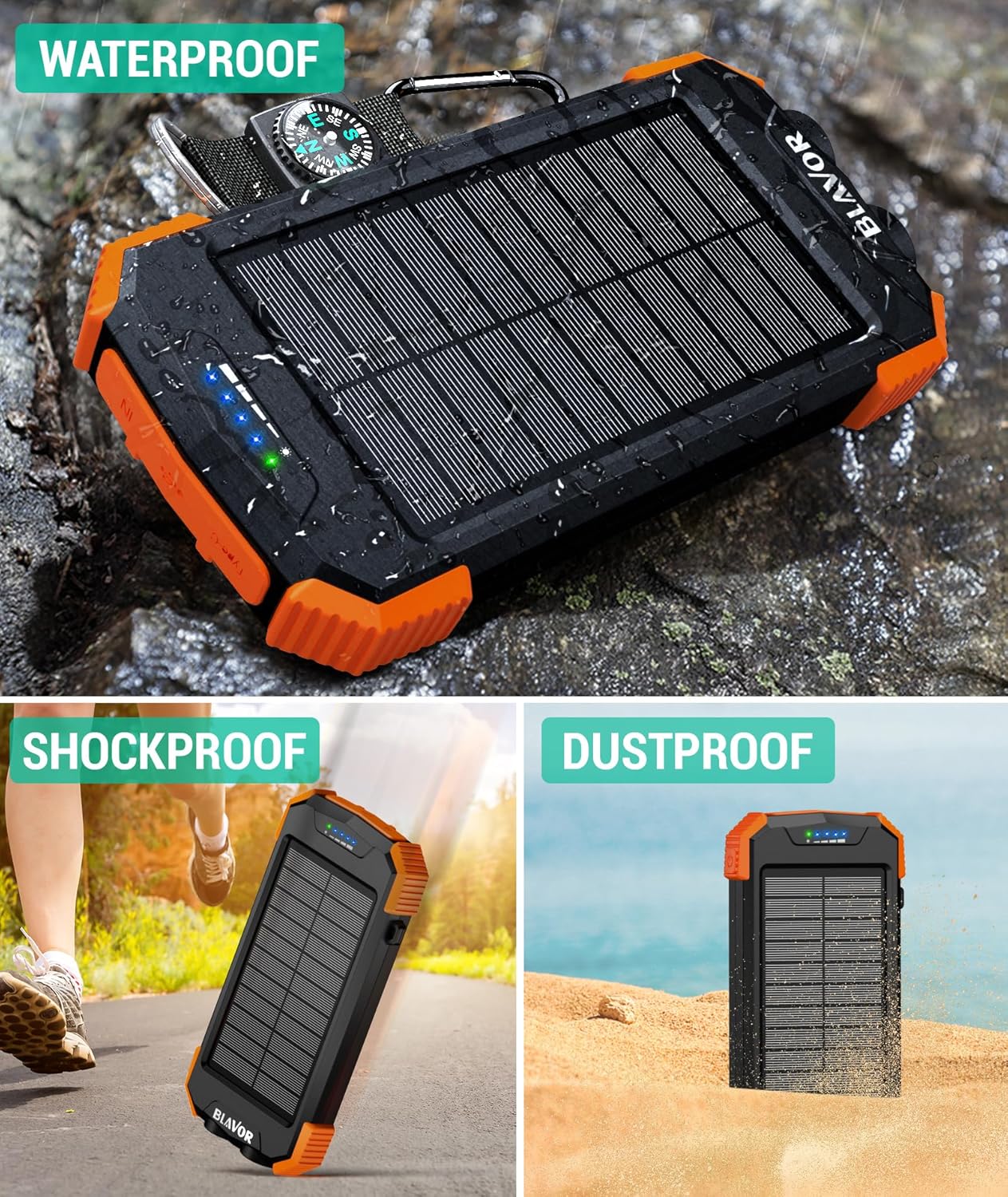
Figure 6.1: Charging multiple devices simultaneously via wired connections and wireless pad.
6.2 Qi Wireless Charging
- Place your Qi-compatible device (e.g., smartphone) on the wireless charging area of the power bank.
- Press the power button on the side of the power bank to activate wireless charging.
- Ensure the device is properly aligned with the charging coil for efficient charging. The power bank features strong magnets for secure attachment with MagSafe-compatible devices.
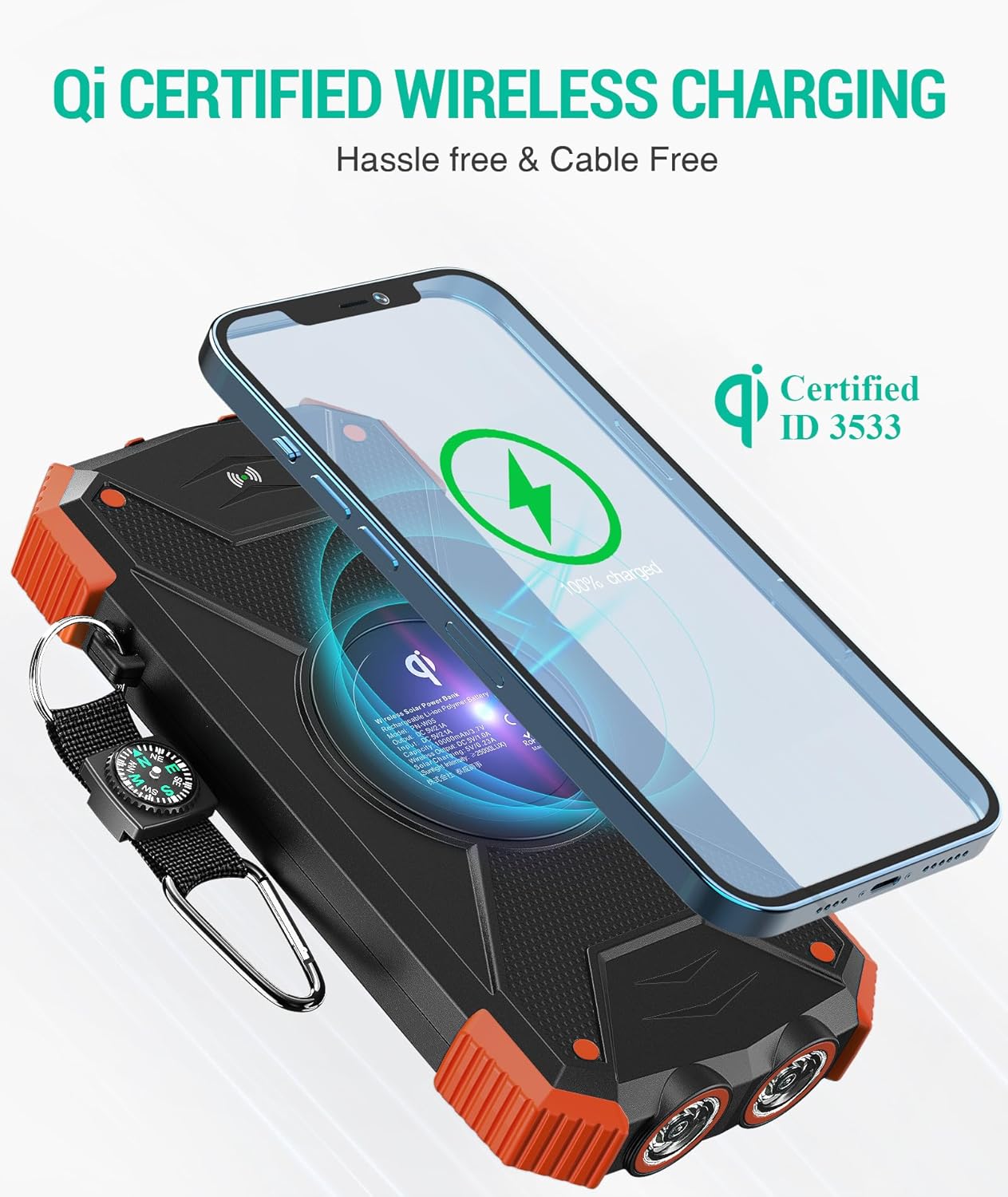
Figure 6.2: A smartphone being charged wirelessly on the power bank's Qi pad.
6.3 Solar Charging
The solar panel is designed for emergency use and trickle charging to maintain battery life. It is not intended as the primary charging method due to the slower charging speed compared to wall charging.
- Place the power bank in direct sunlight with the solar panel facing upwards.
- The green LED indicator will illuminate when solar charging is active.
- For optimal solar charging, ensure the panel is clean and unobstructed.

Figure 6.3: The power bank utilizing its solar panel for charging in an outdoor environment.
6.4 Flashlight Operation
- To turn on the dual LED flashlight, press and hold the power button for approximately 3 seconds.
- Press the power button briefly to cycle through different lighting modes (e.g., steady, SOS, strobe).
- To turn off the flashlight, press and hold the power button again for 3 seconds.

Figure 6.4: The power bank's dual LED flashlight providing illumination.
6.5 Compass Carabiner
The included compass carabiner can be attached to the power bank for easy carrying on backpacks or other gear. The compass provides basic directional guidance for outdoor activities.

Figure 6.5: The power bank attached to a backpack via its compass carabiner, ready for travel.
7. Safety Precautions
- Do not expose the power bank to extreme temperatures (above 60°C/140°F) or direct heat sources.
- Do not disassemble, puncture, or modify the device.
- Keep away from water and high humidity, despite its water-resistant rating, prolonged submersion is not recommended.
- Avoid dropping or subjecting the device to severe impacts.
- Keep out of reach of children.
- Use only certified charging cables and adapters.
- Do not use if the battery appears swollen, leaking, or damaged.
8. Maintenance
- Clean the power bank with a soft, dry cloth. Do not use harsh chemicals or abrasive materials.
- Store the device in a cool, dry place when not in use.
- For long-term storage, charge the power bank to approximately 50-75% capacity every 3 months to preserve battery health.
9. Troubleshooting
| Problem | Possible Cause | Solution |
|---|---|---|
| Power bank not charging | Cable or adapter issue; power bank fully discharged; solar panel not in direct sunlight. | Try a different cable/adapter. Ensure solar panel is in direct sunlight. Allow sufficient time for charging. |
| Device not charging from power bank | Cable issue; device not compatible; power bank battery low; wireless charging misalignment. | Try a different cable. Ensure device is Qi-compatible for wireless charging and properly aligned. Recharge power bank. |
| Flashlight not working | Power button not held long enough; power bank battery low. | Press and hold the power button for 3 seconds. Recharge power bank. |
| Slow solar charging | Solar charging is supplementary; insufficient sunlight; dirty solar panel. | Solar charging is slower than wall charging. Ensure direct, strong sunlight and clean panel. |
10. Specifications
| Feature | Detail |
|---|---|
| Model Number | PN-W05 |
| Battery Capacity | 10,000mAh |
| Battery Type | Lithium Polymer |
| Input (USB-C) | Bi-directional |
| Output (USB-A) | Yes |
| Wireless Charging | Qi-compatible |
| Flashlight | Dual Super Bright LED |
| Waterproof Rating | IPX5 |
| Dimensions | 5.91 x 3.07 x 0.87 inches |
| Weight | 9.2 ounces |
11. Warranty & Support
BLAVOR offers a 3-year replacement promise for this product. For any questions, technical support, or warranty claims, please contact BLAVOR customer service through the retailer's platform or visit the official BLAVOR website for contact information.
Please retain your proof of purchase for warranty purposes.


