
Oraimo OPC-RS10
Oraimo OPC-RS10 Premium Cordless Electric Rotary Shaver User Manual
Model: OPC-RS10
Introduction
Thank you for choosing the Oraimo OPC-RS10 Premium Cordless Electric Rotary Shaver. This manual provides essential information for the safe and effective use, maintenance, and care of your new shaver. Please read it thoroughly before first use and retain it for future reference.
Safety Information
Attention: This electric shaver is equipped with sharp blades. Use with care to avoid cuts. To prevent bacterial growth, clean regularly following the instructions in this manual. Do not use near water or while the device is charging. Always ensure the shaver is dry before connecting it to a power source.
- Keep the device out of reach of children.
- Do not disassemble or attempt to repair the shaver yourself. Contact authorized service personnel.
- Use only the provided charging cable.
- Avoid extreme temperatures and direct sunlight.
- If the shaver is damaged, do not use it.
Package Contents
Verify that all items are present in the package:
- Oraimo Electric Rotary Shaver
- Type-C Quick Charging Cable (Adapter not included)
- Small Cleaning Brush
- User Manual

Image: The Oraimo OPC-RS10 Electric Rotary Shaver shown with its retail packaging, highlighting the product and its box.
Product Features
High-Efficient Close-to-Face Double Track Cutter
The shaver is equipped with 54 self-sharpening blades and 0.11mm thick double-ring nets, featuring up to 135 holes. This design allows for efficient cutting of facial hair, ensuring a faster and more effective shave.

Image: A detailed view of the shaver's cutting head, illustrating the double track cutter design with specifications like 0.11mm thickness, 135 holes, and 18 blades per head.
Ergonomic V-Track Shaving Angle
The 3 sets of 3D floating heads are designed to form an ergonomic V-Track shaving angle of up to 152 degrees. This allows the shaver to better conform to the contours of your face, providing a smooth experience across areas like the chin, lower jaw, and cheeks.
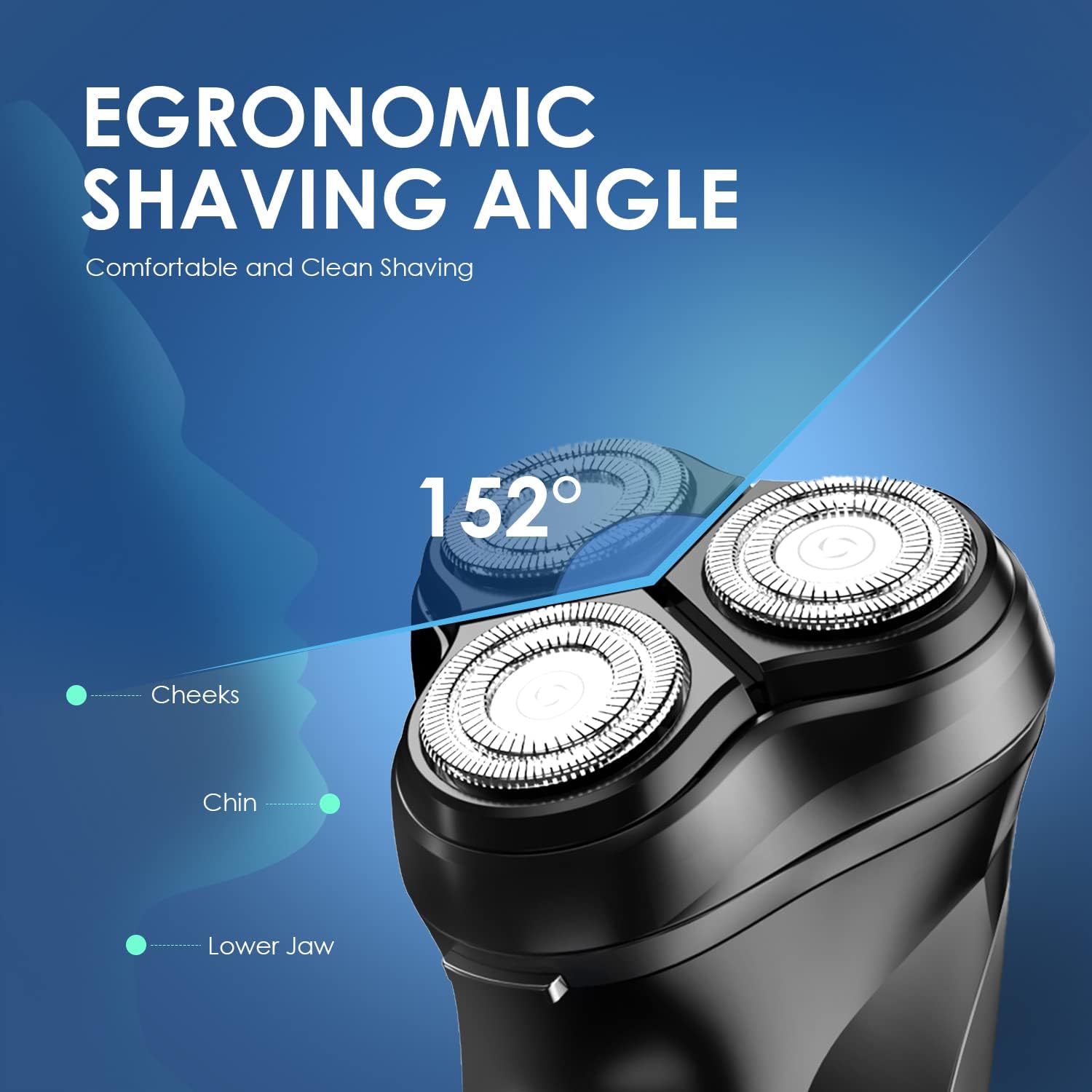
Image: A visual representation of the shaver's ergonomic design, highlighting the 152-degree shaving angle for optimal contact with facial contours including cheeks, chin, and lower jaw.
Premium Stainless Steel Self-Sharpening Blades
The shaver features a well-designed shaving system with premium stainless steel blades that have a self-sharpening function. This ensures the blades remain sharp with daily use, contributing to consistent shaving performance.

Image: A detailed view of the shaver's internal self-sharpening stainless steel blades, emphasizing their design for effective and lasting performance.
Pop-Up Trimmer
A built-in pop-up trimmer is included for precise grooming of sideburns and mustaches. It is easily activated with a single button.
Corded & Cordless Use with Fast Charging
The shaver can be used both corded and cordless. A full charge via the Type-C port takes approximately 1 hour and provides over 90 minutes of runtime, which is sufficient for about 30 shaves. An LED indicator will alert you when the battery is low.

Image: The Oraimo shaver connected to a Type-C charging cable, illustrating its fast charging capability and highlighting the 90-minute working time.
Setup
Initial Charging
- Before first use, fully charge the shaver.
- Connect the Type-C charging cable to the shaver's charging port and plug the other end into a compatible USB power source (e.g., a wall adapter, computer USB port).
- The LED indicator will show charging status. A full charge typically takes about 1 hour.
- Once fully charged, disconnect the shaver from the power source.
Operating Instructions
Shaving
- Ensure your face is clean and dry for a dry shave.
- Press the power button to turn on the shaver.
- Gently press the shaver heads against your skin and move the shaver in small, circular motions.
- Stretch your skin with your free hand to make the hairs stand upright for a closer shave.
- After shaving, press the power button again to turn off the shaver.

Image: A man demonstrating the use of the Oraimo electric shaver on his face, illustrating the smooth shaving experience.
Using the Pop-Up Trimmer
- Turn on the shaver.
- Slide the pop-up trimmer switch upwards to engage the trimmer.
- Use the trimmer to shape sideburns, mustaches, or to pre-trim longer hairs before shaving.
- After use, slide the trimmer switch downwards to retract it.
- Turn off the shaver.
Maintenance
Cleaning the Shaver
Regular cleaning ensures optimal performance and hygiene.
- Turn off the shaver and disconnect it from any power source.
- Press the one-touch open button to release the shaver head assembly.
- Carefully remove the shaver head.
- Use the provided small cleaning brush to remove loose hairs from the shaver heads and the internal chamber.
- Rinse the shaver heads under running water if they are washable (refer to product specifications for water resistance). Ensure they are completely dry before reassembling.
- Reinsert the shaver head assembly and press until it clicks into place.

Image: A four-panel illustration demonstrating the easy cleaning process of the shaver, including opening the head, cleaning with a brush, and using the pop-up trimmer.
Storage
Store the shaver in a cool, dry place away from direct sunlight and moisture. Ensure it is clean and fully charged before storing for extended periods.
Troubleshooting
| Problem | Possible Cause | Solution |
|---|---|---|
| Shaver does not turn on. | Low battery. | Charge the shaver for at least 1 hour. |
| Poor shaving performance. | Shaver heads are dirty or clogged with hair. Blades may be worn. | Clean the shaver heads thoroughly. Consider replacing shaver heads if performance does not improve after cleaning (replacement parts sold separately). |
| Shaver makes unusual noise. | Hair or debris caught in the motor or blades. | Turn off and clean the shaver thoroughly. If the noise persists, contact customer support. |
Specifications
| Feature | Detail |
|---|---|
| Model Name | OPC-RS10 |
| Rated Voltage | 5V |
| Power Source | Battery Powered |
| Battery Type | 1 A battery (included) |
| Charging Port | Type-C |
| Charging Time | Approx. 1 hour |
| Battery Life | Up to 90 minutes runtime |
| Blade Material | Stainless Steel |
| Product Dimensions | 12 x 12 x 12 cm |
| Item Weight | 200 Grams |
| Manufacturer | ORAIMO MOBILE LIMITED |
Warranty and Support
The Oraimo OPC-RS10 Electric Rotary Shaver comes with a 365-day warranty from the date of purchase. This warranty covers manufacturing defects under normal use. Please retain your proof of purchase for warranty claims.
For technical support, warranty claims, or inquiries about replacement parts, please contact Oraimo customer service. Contact information can typically be found on the official Oraimo website or on the product packaging.
Related Documents - OPC-RS10
 |
Oraimo UltraTrim OTS-230 Welcome Guide: Features, Safety, and Usage Comprehensive welcome guide for the Oraimo UltraTrim OTS-230 grooming kit. Learn about safety precautions, product specifications, how to use various attachments, charging, maintenance, and disposal. |
 |
Oraimo OSV-103 Cordless Vacuum Cleaner Troubleshooting Guide This guide provides troubleshooting steps for the Oraimo OSV-103 Cordless Vacuum Cleaner, addressing common issues such as low battery, motor problems, overheating, and charging errors. |
 |
oraimo Watch 3 Lite OSW-800N: User Manual, Setup Guide, and Specifications Get detailed instructions for your oraimo Watch 3 Lite (OSW-800N). This guide covers setup, pairing, features, troubleshooting, product specifications, and warranty information. |
 |
Oraimo Sciiti 100 Electric Bike User Manual and Guide Comprehensive user manual for the Oraimo Sciiti 100 electric bike, covering assembly, charging, riding, maintenance, specifications, and warranty information. |
 |
Oraimo OHM-H01 Ultrasonic Warm & Cool Mist Humidifier User Manual Comprehensive user manual for the Oraimo OHM-H01 Ultrasonic Warm & Cool Mist Humidifier, covering safety instructions, product overview, control functions, troubleshooting, and warranty information. |
 |
Oraimo ID208 Smart Watch User Manual and FCC Compliance User manual and FCC compliance information for the Oraimo ID208 Smart Watch, covering regulatory requirements and basic product information. |