1. Introduction
This manual provides essential instructions for the safe and efficient operation, installation, and maintenance of your MEDION MD37414 Washer Dryer. Please read this manual thoroughly before using the appliance and keep it for future reference.
2. Safety Information
Always adhere to basic safety precautions when using electrical appliances to reduce the risk of fire, electric shock, and injury to persons.
- Ensure the appliance is properly grounded.
- Do not allow children to play with or operate the appliance.
- Unplug the appliance before performing any maintenance or cleaning.
- Do not install or store the appliance where it will be exposed to the weather.
- Do not wash or dry articles that have been cleaned in, washed in, soaked in, or spotted with combustible or explosive substances.
3. Product Overview
The MEDION MD37414 is a combined washer dryer designed for efficient laundry care. It features an 8 kg washing capacity and a 6 kg drying capacity, with a 60-liter drum volume.
3.1 Front View

This image displays the front of the washer dryer, highlighting the main door, the control panel with its LED display and program selection dial, and the detergent dispenser drawer. The appliance has a clean white finish.
3.2 Rear View

The rear view illustrates the water inlet and drain hoses, which are essential for connecting the appliance to your home's water supply and drainage system. It also shows the locations for the transport safety bolts.
3.3 Control Panel

This close-up shows the control panel, featuring an LED display for cycle information, buttons for temperature, spin speed, drying level, and delay start, and a rotary dial for selecting one of the 15 available programs.
4. Setup and Installation
Proper installation is crucial for the safe and efficient operation of your washer dryer. It is recommended to have the appliance installed by a qualified technician.
4.1 Unpacking and Positioning
- Remove all packaging materials.
- Carefully remove the transport safety bolts from the rear of the appliance. These bolts secure the drum during transit and must be removed before use to prevent damage. Insert the provided plastic caps into the openings.
- Place the appliance on a firm, level surface. Adjust the leveling feet to ensure stability and minimize vibration during operation.
4.2 Water and Drainage Connections
- Connect the water inlet hose to a cold water tap with a 3/4" thread. Ensure the connection is tight to prevent leaks.
- Position the drain hose into a standpipe or over the edge of a sink, ensuring it is securely fastened to prevent displacement during drainage. The drain hose is already mounted on the appliance.
4.3 Electrical Connection
- Connect the power cord to a grounded electrical outlet. The appliance operates at 230V.
- Do not use extension cords or adapters.
5. Operating Instructions
This section guides you through the process of washing and drying your laundry using the MEDION MD37414.
5.1 Loading Laundry
- Open the appliance door.
- Load laundry into the drum, ensuring not to overload. The maximum washing capacity is 8 kg, and drying capacity is 6 kg.
- Close the door firmly until it clicks.
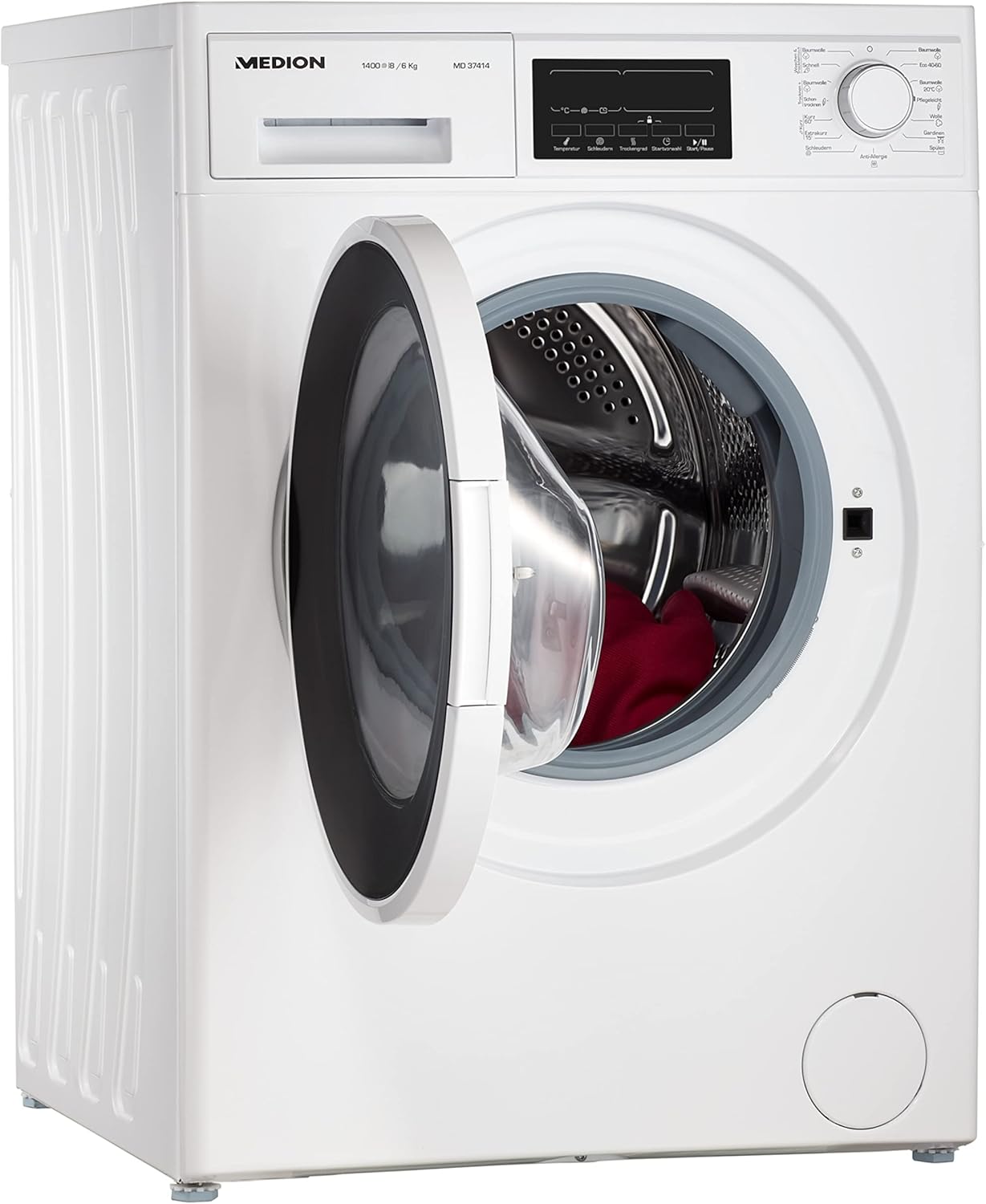
This image shows the washer dryer with its door open, revealing the stainless steel drum. This illustrates how to access the drum for loading and unloading laundry.
5.2 Adding Detergent
- Pull out the detergent dispenser drawer.
- Add the appropriate amount of detergent and fabric softener to the designated compartments. An insert for liquid detergent is included.
- Push the drawer back in completely.
5.3 Program Selection
- Turn the program selector dial to choose one of the 15 available washing programs. Options include Cotton, Synthetics, Delicates, Wool, Quick Wash, and more.
- Use the buttons on the LED display to adjust settings such as temperature, spin speed (up to 1400 rpm), and delay start.
- For drying, select a drying program or add a drying cycle to a wash program. The appliance offers 3 drying cycles.
5.4 Starting a Cycle
- Press the Start/Pause button to begin the selected program.
- The LED display will show the remaining time.
5.5 Eco-Logic System
The integrated Eco-Logic system automatically adjusts water and energy consumption based on the load size, optimizing efficiency and reducing utility costs.
6. Maintenance and Cleaning
Regular maintenance ensures the longevity and optimal performance of your appliance.
6.1 Cleaning the Exterior
- Wipe the exterior surfaces with a soft, damp cloth.
- Do not use abrasive cleaners or solvents.
6.2 Cleaning the Detergent Dispenser
- Remove the detergent dispenser drawer and rinse it under running water.
- Clean any residue from the compartments and the drawer housing.
6.3 Cleaning the Drum
- Periodically run a maintenance wash cycle (e.g., a hot wash with no laundry and a descaling agent) to clean the drum and internal components.

This image provides a detailed view of the stainless steel drum, emphasizing its robust construction and the importance of keeping it clean for optimal performance.
7. Troubleshooting
This section addresses common issues you might encounter with your washer dryer. For more complex problems, contact customer support.
| Problem | Possible Cause | Solution |
|---|---|---|
| Appliance does not start | Power cord not plugged in; door not closed properly; program not selected. | Check power connection; ensure door is latched; select a program and press Start. |
| Excessive vibration/noise | Transport bolts not removed; appliance not level; uneven load. | Ensure transport bolts are removed; adjust leveling feet; redistribute laundry in the drum. |
| Water not draining | Drain hose kinked or blocked; pump filter clogged. | Check drain hose for obstructions; clean the pump filter (refer to full manual for location). |
| Clothes not drying properly | Overloaded dryer; incorrect drying program selected; lint filter clogged. | Reduce load size; select appropriate drying program; clean lint filter. |
8. Specifications
Key technical specifications for the MEDION MD37414 Washer Dryer.
- Model Number: MD37414
- Brand: MEDION
- Type: Combined Washer Dryer (Front-loader)
- Washing Capacity: 8 kg
- Drying Capacity: 6 kg
- Drum Volume: 60 liters
- Max Spin Speed: 1400 rpm
- Number of Wash Programs: 15
- Number of Drying Cycles: 3
- Energy Efficiency Class (Washing): D
- Energy Efficiency Class (Washing & Drying): E
- Noise Level (Spinning): 77 dB
- Noise Level (Drying): 64 dB
- Dimensions (W x H x D): 60 x 85 x 58 cm
- Weight: 78 kg
- Power: 2200 Watts
- Voltage: 230 Volts
- Drum Material: Stainless Steel
- Special Features: LED Display, Delay Start, Eco-Logic System, High Efficiency

The energy label provides detailed information on the appliance's energy and water consumption, capacity, and noise levels, in compliance with EU regulations. A direct link to the EPREL database is provided for further information.
9. Warranty and Support
For warranty information, technical support, or service requests, please refer to the warranty card included with your purchase or visit the official MEDION website. Specific warranty terms and conditions may vary by region.


