
1. Introduction
Thank you for choosing the DEWIN 12V to 220V 3000W Modified Sine Wave Power Inverter. This device is designed to convert 12V DC power from your vehicle battery or solar panel into 220V AC power, allowing you to operate various electronic devices. Please read this manual thoroughly before use to ensure safe and efficient operation.
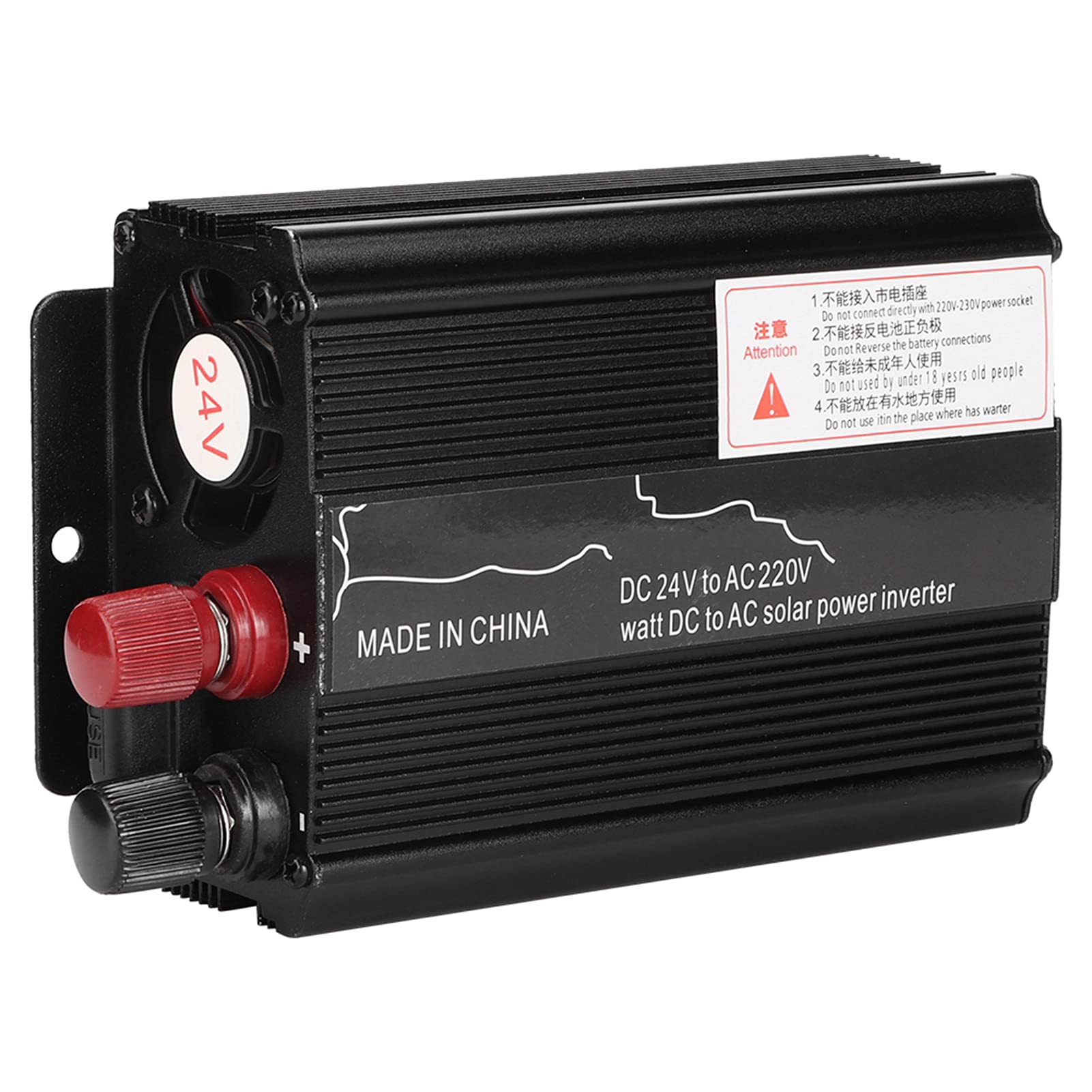
Image 1.1: Front view of the DEWIN 12V to 220V 3000W Power Inverter, showcasing its compact design and output ports.
2. Product Features
- High-Quality Aluminum Alloy Casing: Provides superior heat dissipation and more stable performance compared to traditional plastic casings.
- Comprehensive Protection: Built-in safeguards against short circuits, overloads, overheating, undervoltage, and overvoltage to protect both the inverter and connected devices.
- Integrated Cooling Fan: Ensures quiet operation, extended lifespan, and safe usage by effectively managing internal temperatures.
- Versatile Power Conversion: Converts DC power to AC power, suitable for a wide range of electronic products.
- Broad Application: Ideal for powering mini electric grinders, mini power tools, mini sewing machines, DVDs, VCDs, VCRs, fans, lighting, and more.
- Digital Display: Shows input and output voltage for easy monitoring.
3. Technical Specifications
| Feature | Specification |
|---|---|
| Material | Aluminum Alloy |
| Color | Black |
| Peak Power | 3000W |
| Rated Power | 380W |
| Digital Display | Input/Output Voltage |
| Input Voltage | DC 12V |
| Output Voltage | 220VAC/50Hz ± 3Hz |
| USB Output | 5VDC-1.5A |
| No-Load Current | <0.9A |
| Conversion Efficiency | ≥ 85% |
| Socket Type | Universal Socket |
| Output Waveform | Modified Sine Wave |
| Protection Functions | Overload, Overheat, High Voltage, Low Voltage, Reverse Connection, Short Circuit, Intelligent Temperature Control |
| Low Voltage Alarm | 10.4V - 11V |
| Low Voltage Shutdown | 9.7V - 10.3V |
| Overvoltage Shutdown | 14.5V - 15.5V |
4. Package Contents
Please check the package for the following items:
- 1 x DEWIN Solar Power Inverter
- 1 x Pair of Alligator Clip Cables
- 1 x Cigarette Lighter Cable
- 1 x User Manual

Image 4.1: The DEWIN Power Inverter shown with its essential accessories: alligator clip cables and a cigarette lighter cable.
5. Safety Information
To ensure safe operation and prevent damage to the inverter or connected devices, please observe the following safety precautions:
- Ventilation: Ensure adequate ventilation around the inverter. Do not block the cooling fan or vents.
- Environment: Do not expose the inverter to water, rain, snow, or any liquids. Avoid direct sunlight and high temperatures.
- Connection: Always connect the inverter to a 12V DC power source. Connecting to a 24V or higher voltage source will damage the unit. Ensure correct polarity (+ to + and - to -).
- Load Capacity: Do not exceed the rated power of 380W. Overloading the inverter can cause damage and trigger protection mechanisms.
- Children: Keep the inverter out of reach of children.
- Maintenance: Do not attempt to open or modify the inverter. Refer all servicing to qualified personnel.
- Sparking: Avoid connecting or disconnecting cables in the presence of flammable fumes or gases.

Image 5.1: A detailed view of the inverter's front panel, highlighting the power switch, universal AC outlet, and USB port, along with power and fault indicators.
6. Setup and Installation
Follow these steps to properly set up your DEWIN Power Inverter:
- Choose a Location: Place the inverter in a dry, well-ventilated area, away from direct sunlight, heat sources, and moisture. Ensure there is enough space around the unit for proper airflow.
- Connect to Power Source (12V DC):
- Using Alligator Clip Cables (for direct battery connection):
- Ensure the inverter's power switch is in the "OFF" position.
- Connect the red alligator clip cable to the positive (+) terminal of the 12V battery and the red terminal on the inverter.
- Connect the black alligator clip cable to the negative (-) terminal of the 12V battery and the black terminal on the inverter.
- Ensure all connections are tight and secure.
- Using Cigarette Lighter Cable (for vehicle cigarette lighter socket):
- Ensure the inverter's power switch is in the "OFF" position.
- Plug the cigarette lighter cable into the inverter's DC input port.
- Insert the other end of the cigarette lighter cable into your vehicle's 12V cigarette lighter socket.
- Note: The cigarette lighter socket typically has a lower current limit (e.g., 120W-150W). Do not exceed this limit when using this connection method. For higher power devices, use the alligator clip cables directly to the battery.
- Using Alligator Clip Cables (for direct battery connection):
- Power On: Once the DC input is securely connected, switch the inverter's power button to the "ON" position. The "POWER" indicator light should illuminate.

Image 6.1: Side view of the inverter, illustrating the 12V DC input terminals for battery connection.
7. Operation
After successful setup, you can begin using your inverter:
- Connect AC Devices: Plug your 220V AC devices into the universal AC outlet on the front panel of the inverter.
- Connect USB Devices: For charging USB-powered devices, connect them to the 5VDC-1.5A USB port.
- Monitor Display: The digital display will show the input DC voltage and output AC voltage, allowing you to monitor the inverter's status.
- Power Off: When you are finished using the inverter, first disconnect all AC and USB devices, then switch the inverter's power button to the "OFF" position. Finally, disconnect the inverter from the 12V DC power source.
Important Considerations:
- Modified Sine Wave: This inverter produces a modified sine wave output. While suitable for most resistive loads (e.g., lights, heaters) and many electronic devices, some sensitive electronics (e.g., medical equipment, certain power tools with variable speed motors, laser printers) may require a pure sine wave inverter for optimal performance and to prevent potential damage.
- Battery Drain: Running the inverter will drain your 12V battery. For vehicle applications, it is recommended to operate the inverter with the vehicle engine running to prevent battery discharge.
- Cooling Fan: The built-in cooling fan will activate automatically when the inverter reaches a certain temperature or when a significant load is applied. This is normal operation.

Image 7.1: The inverter's cooling fan in operation, demonstrating airflow for efficient heat dissipation.
8. Troubleshooting
If you encounter issues with your inverter, refer to the following common problems and solutions:
| Problem | Possible Cause | Solution |
|---|---|---|
| No output voltage / Inverter not turning on |
|
|
| "FAULT" indicator is ON / Inverter shuts down |
|
|
| Low output power / Device not working correctly |
|
|
9. Maintenance
Proper maintenance will extend the life of your DEWIN Power Inverter:
- Cleaning: Periodically clean the exterior of the inverter with a soft, dry cloth. Do not use liquid cleaners or solvents.
- Ventilation: Ensure the cooling vents are free from dust and debris. Use compressed air to clear any blockages if necessary.
- Connections: Regularly check all input and output connections to ensure they are secure and free from corrosion.
- Storage: When not in use for extended periods, store the inverter in a cool, dry place, away from direct sunlight and extreme temperatures.
10. Warranty and Support
DEWIN products are manufactured to high-quality standards. For any warranty claims or technical support, please refer to the retailer where you purchased the product or contact DEWIN customer service through their official channels. Please retain your proof of purchase for warranty purposes.