
Introduction
This manual provides detailed instructions for the safe and effective operation of your RovyVon A28 Gen 2 Pocket Flashlight. Please read this manual thoroughly before using the product and retain it for future reference.
Product Features
- Powerful Main Light: The main light utilizes a 6500K cool white emitter, providing up to 1000 lumens in Turbo mode with a beam distance of 180 meters. It offers five lighting modes (0.5 lumens Moonlight to 1000 lumens Turbo) and two emergency modes (Strobe and SOS).
- Practical Sidelights: Three side emitters include a 5000K warm white light for reading and camping, a 625nm red light for signaling and night vision preservation, and a 365nm black light for various detection purposes.
- Intuitive User Interface: The Gen 2 Aurora A28 features a dual-switch design. Button 1 controls the main light, and Button 2 operates the sidelights, ensuring user-friendly operation.
- Lightweight and Durable: Constructed from polycarbonate, the Aurora A28 weighs only 1.77 oz (50 grams) with dimensions of 2.99 inches in length and 0.85 inches in diameter. It is IP68 water-resistant and 1.5 meters impact-resistant.
- Long-Lasting Battery: Equipped with a built-in 850mAh battery, the flashlight supports a maximum runtime of 152 hours in Moonlight mode and can be fully charged via USB-C in approximately 1 hour.
- Versatile Pocket Clip: A two-way magnetic pocket clip is included, allowing attachment to a hat brim for hands-free use or securing to metal surfaces.

Image: The RovyVon A28 Gen 2 Pocket Flashlight, showcasing its compact design and dual-button interface.
Setup
Initial Charging
Before first use, fully charge the flashlight. Connect the included USB-C cable to the flashlight's charging port and to a compatible USB power source. The charging indicator will show the charging status.
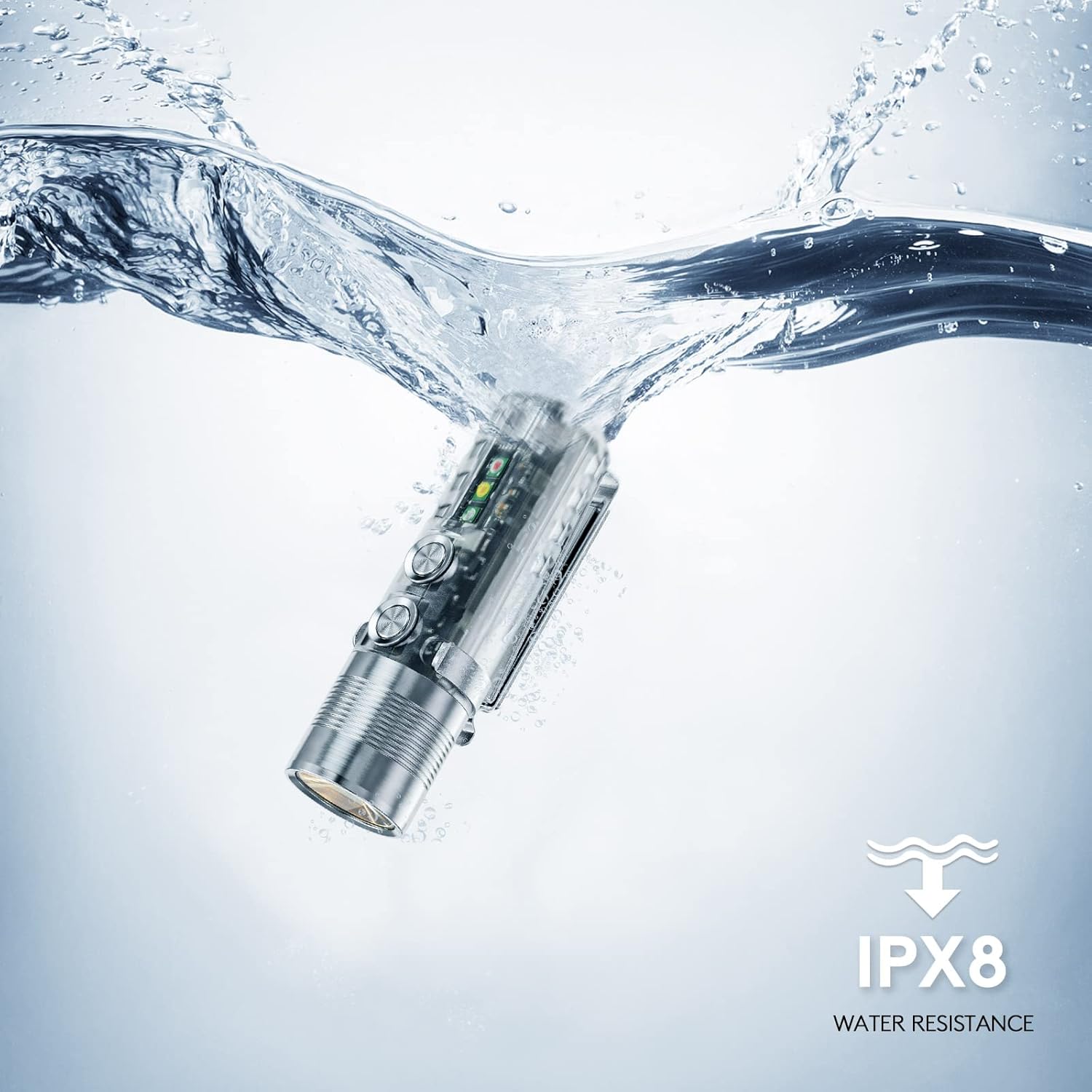
Image: The RovyVon A28 Gen 2 flashlight connected to a USB-C charging cable, with the charging indicator visible.
Attaching the Pocket Clip
The flashlight comes with a two-way magnetic pocket clip. Attach it to the designated slot on the flashlight body. This allows for versatile carrying options, including clipping to a hat brim or attaching to metal surfaces.
Operation
Main Light Control (Button 1)
- Turn On/Off: Single click Button 1.
- Change Brightness: When on, single click Button 1 to cycle through Moonlight (0.5 Lm), Low (10 Lm), Medium (100 Lm), High (400 Lm).
- Turbo Mode: Press and hold Button 1 for instant Turbo (1000 lumens). Release to return to the previous mode.
- Strobe/SOS: Triple click Button 1 for Strobe. Triple click again for SOS. Single click to turn off.

Image: A person holding the RovyVon A28 Gen 2 flashlight, illuminating a dark outdoor area with its main cool white light.

Image: Graphic illustrating the RovyVon A28 Gen 2's main light modes (Moon, Low, Med, High, Turbo) and their respective runtimes.
Sidelight Control (Button 2)
- Turn On/Off: Single click Button 2.
- Change Sidelight Mode: When on, single click Button 2 to cycle through Warm White, Red Light, UV Blacklight.

Image: The RovyVon A28 Gen 2 flashlight highlighting its auxiliary LEDs: warm white for reading, red light for signaling, and UV blacklight for detection.

Image: A person using the RovyVon A28 Gen 2's warm white sidelight to illuminate a book for reading in low light conditions.

Image: A person using the RovyVon A28 Gen 2's red sidelight, useful for preserving night vision or signaling.

Image: The RovyVon A28 Gen 2's UV blacklight illuminating fluorescent objects on the ground, demonstrating its detection capability.
Lockout Mode
To prevent accidental activation, especially when carrying the flashlight in a pocket or bag, activate the lockout mode. Press and hold both Button 1 and Button 2 simultaneously for 5 seconds until the light flashes, indicating it is locked. Repeat the process to unlock.

Image: A hand placing the RovyVon A28 Gen 2 flashlight into a bag, illustrating the lockout mode feature to prevent accidental activation.
Charging
The RovyVon A28 Gen 2 features a built-in 850mAh Lithium Polymer battery and supports USB-C charging. A full charge typically takes 1 hour.
- Connect the USB-C cable to the flashlight and a power source.
- The indicator light will be blue during charging and turn green when fully charged.
Maintenance
- Cleaning: Wipe the flashlight with a soft, damp cloth. Do not use abrasive cleaners or solvents.
- Water Resistance: The flashlight is IP68 water-resistant. Ensure the USB-C port cover is securely closed to maintain water resistance.
- Storage: Store the flashlight in a cool, dry place when not in use for extended periods. Charge the battery every 3-6 months to maintain battery health.

Image: The RovyVon A28 Gen 2 flashlight partially submerged in water, illustrating its IP68 water resistance rating.
Troubleshooting
- Flashlight not turning on:
- Ensure the battery is charged.
- Check if the flashlight is in lockout mode. Unlock by pressing and holding both buttons for 5 seconds.
- Reduced brightness or short runtime:
- The battery may be low. Recharge the flashlight.
- Operating in Turbo mode for extended periods can cause temporary brightness reduction due to thermal regulation.
- Charging issue:
- Ensure the USB-C cable is properly connected and the power source is functional.
- Try a different USB-C cable or power adapter.
Specifications
| Feature | Detail |
|---|---|
| Model | A28 Gen 2 |
| Main Light Output | Up to 1000 Lumens (Turbo) |
| Main Light Color Temperature | 6500K Cool White |
| Sidelights | 5000K Warm White, 625nm Red Light, 365nm UV Blacklight |
| Battery | Built-in 850mAh Lithium Polymer |
| Charging Port | USB-C |
| Max Runtime | 152 hours (Moonlight mode) |
| Material | Polycarbonate |
| Water Resistance | IP68 |
| Impact Resistance | 1.5 meters |
| Dimensions | 2.99" (Length) x 0.85" (Diameter) |
| Weight | 1.77 oz (50 grams) |
| Voltage | 3.7 Volts |
| Warranty Type | Limited 2 years |
Warranty and Support
Your RovyVon A28 Gen 2 Pocket Flashlight comes with a limited 2-year warranty. For warranty claims or technical support, please contact RovyVon customer service through their official website or the retailer where the product was purchased.
For additional information and resources, you may visit the RovyVon Store on Amazon.
A PDF user guide is also available: Download User Guide (PDF)