
Rollei DF-S 1300 SE
Contents
Rollei DF-S 1300 SE Film and Slide Scanner User Manual
Digitize your photographic negatives and slides with ease.
1. Introduction
The Rollei DF-S 1300 SE is a versatile film and slide scanner designed to convert your analog memories into high-quality digital images. Featuring a 5-inch LCD screen, it allows for quick preview and direct scanning without the need for a computer. This manual provides essential information for safe and efficient operation of your device.
2. Safety Instructions
- Do not expose the device to moisture or extreme temperatures.
- Use only the provided power adapter.
- Keep the device away from children.
- Do not attempt to disassemble or repair the device yourself. Contact qualified service personnel.
- Ensure proper ventilation during operation.
3. Package Contents
Verify that all items are present in the package:
- Rollei DF-S 1300 SE Film/Slide Scanner
- Negative Holder
- Slide Holder
- 110mm Film Holder
- 110mm Film Insert
- 8mm/Super8 Film Holder
- USB-C Cable
- HDMI Cable
- Power Adapter
- Cleaning Brush
- User Manual

4. Product Overview
The Rollei DF-S 1300 SE is a compact and efficient device. It features a 5-inch TFT-LCD color monitor for direct viewing and operation. The scanner supports various film types and offers multiple connectivity options.


5. Setup
- Unpack the Scanner: Carefully remove all components from the packaging.
- Connect Power: Connect the power adapter to the scanner's power input and plug it into an electrical outlet.
- Insert SD Card (Optional): For saving scanned images directly, insert an SD card (not included) into the SD card slot.
- Power On: Press the power button to turn on the scanner. The 5-inch LCD screen will illuminate.
6. Operating Instructions
6.1 Supported Film Types
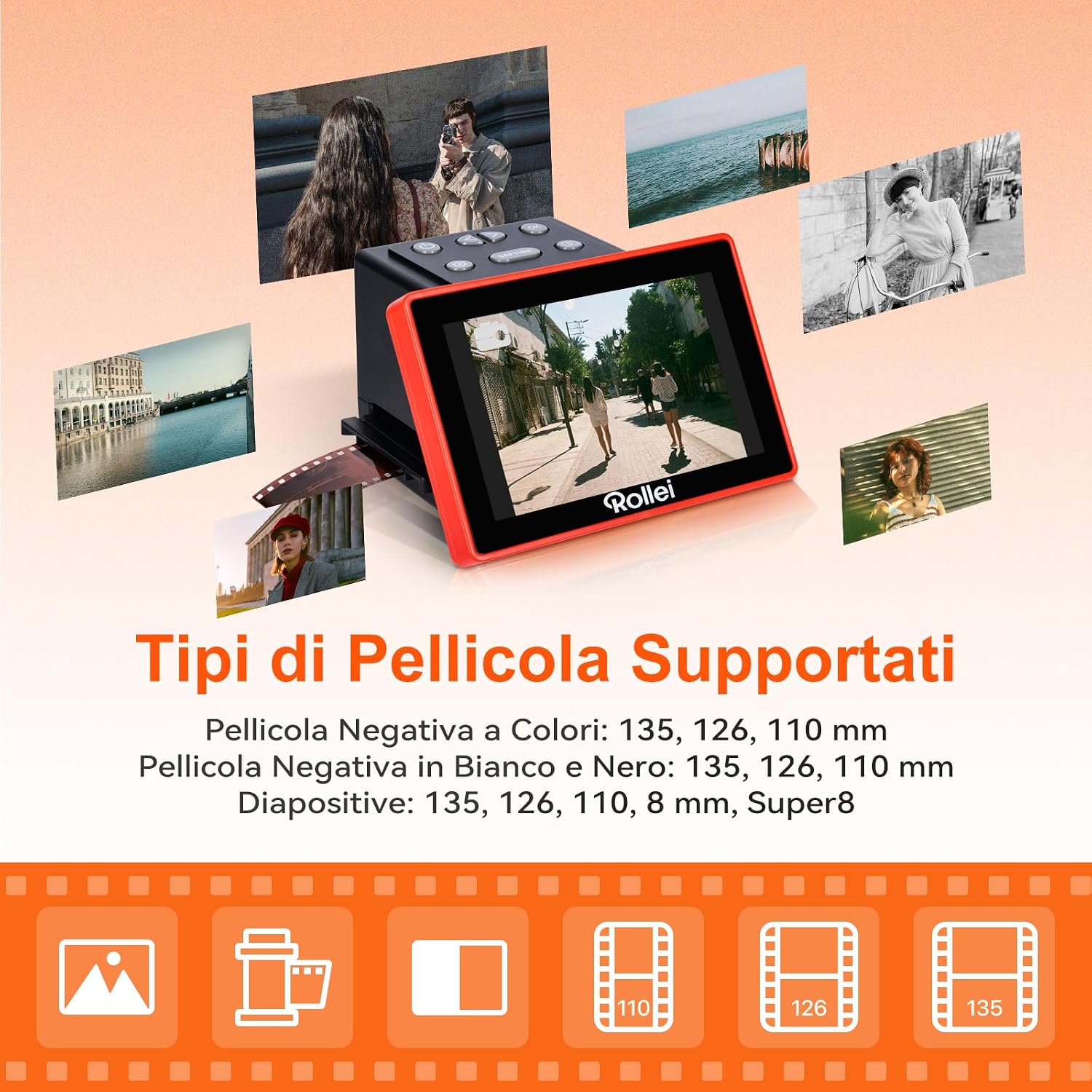
The Rollei DF-S 1300 SE supports a variety of film and slide formats:
- Color Negative Film: 135, 126, 110 mm
- Black and White Negative Film: 135, 126, 110 mm
- Slides: 135, 126, 110, 8 mm, Super8
6.2 Loading Film and Slides
- Select the appropriate film or slide holder for your media type.
- Carefully insert your film strip or slide into the holder, ensuring it is correctly aligned.
- Slide the loaded holder into the scanner's input slot.
6.3 Scanning Process
- Once the film/slide is loaded, the image will appear on the 5-inch LCD screen.
- Use the scanner's control buttons to adjust settings such as exposure, color balance, and resolution if needed.
- Press the 'Scan' or 'Capture' button to digitize the image. The scanned image will be saved to the inserted SD card.
- For continuous scanning, advance the film/slide holder to the next frame and repeat the process.

6.4 Viewing and Managing Scanned Images
You can review your scanned images directly on the 5-inch LCD screen. Use the navigation buttons to browse through saved files. Images are stored on the SD card in JPEG format.
7. Connectivity
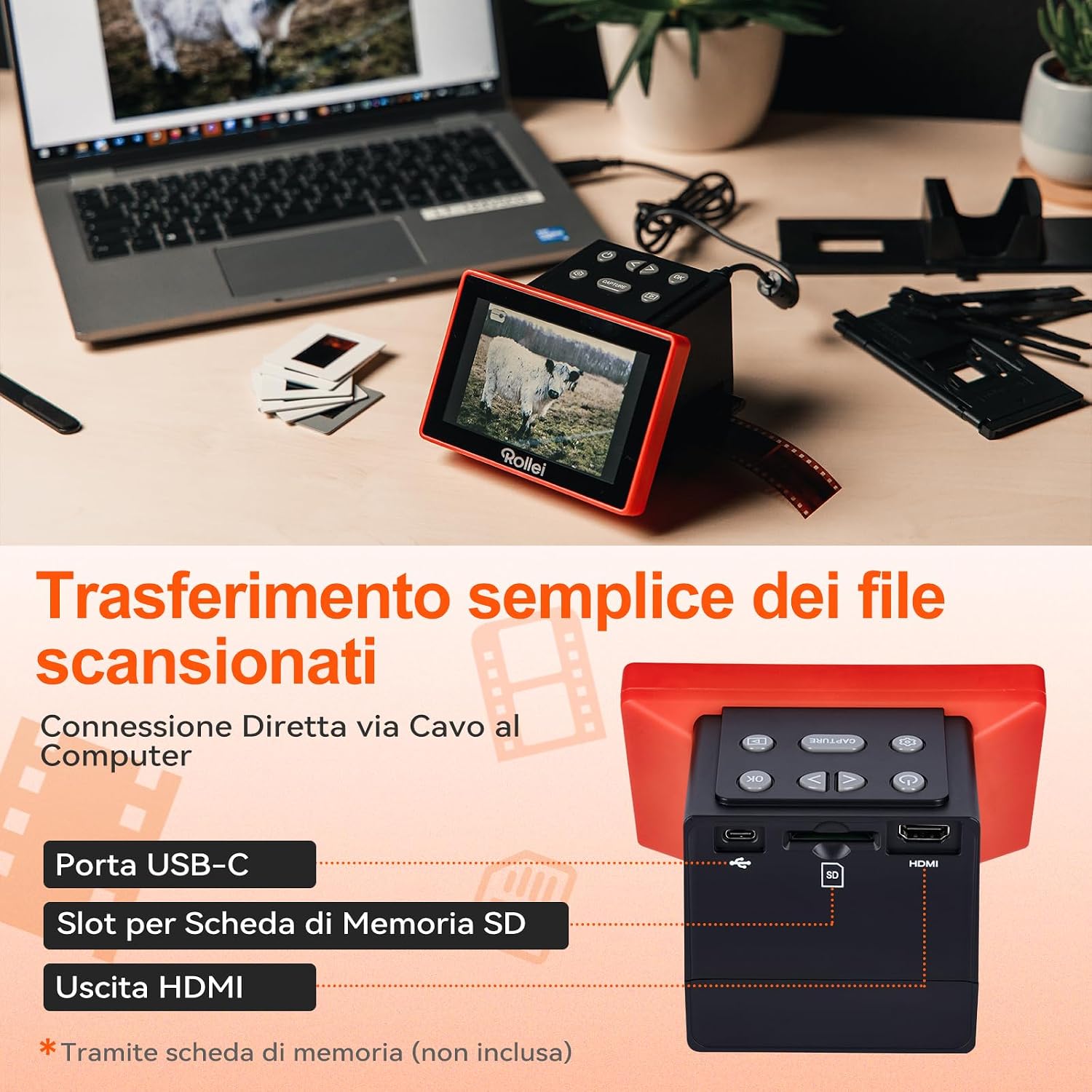
The Rollei DF-S 1300 SE offers versatile connectivity options:
- USB-C Port: Connect the scanner to a computer using the provided USB-C cable to transfer scanned images. The scanner can also be powered via USB.
- SD Card Slot: Save images directly to an SD/SDHC/MMC memory card (not included).
- HDMI Output: Connect the scanner to a TV or external monitor via HDMI to view your digitized slides and negatives on a larger screen.
8. Maintenance
- Cleaning the Film/Slide Holders: Regularly clean the film and slide holders with a soft, dry cloth to prevent dust and debris from affecting scan quality.
- Cleaning the Scanner Lens: Use the provided cleaning brush to gently remove any dust from the scanner's lens and light source. Avoid touching the lens directly with your fingers.
- Exterior Cleaning: Wipe the exterior of the scanner with a soft, slightly damp cloth. Do not use abrasive cleaners or solvents.
9. Troubleshooting
| Problem | Possible Cause | Solution |
|---|---|---|
| Scanner does not power on. | No power connection or faulty adapter. | Ensure the power adapter is securely connected and the outlet is functional. Try a different outlet. |
| Scanned images are blurry or dusty. | Dust on film/slides or scanner lens. | Clean film/slides and the scanner lens using the provided brush. Ensure film holders are clean. |
| Images are too dark/bright or have incorrect colors. | Incorrect exposure or color settings. | Adjust exposure and color balance settings using the scanner's menu before scanning. |
| Cannot transfer files to computer. | Incorrect USB connection or driver issue. | Ensure the USB-C cable is properly connected. Try a different USB port or cable. Check computer's device manager for driver issues. |
| SD card not recognized. | SD card not inserted correctly or incompatible format. | Reinsert the SD card. Ensure it is formatted correctly (FAT32) and is not larger than the supported capacity. |
10. Specifications
| Feature | Detail |
|---|---|
| Scanner Type | Film Scanner |
| Brand | Rollei |
| Model Name | DF-S 1300 SE |
| Connectivity Technology | HDMI, USB-C |
| Product Dimensions (DxWxH) | 12.5P x 13.5l x 9.5H cm |
| Resolution | 3100 dpi (interpolated up to 4300 dpi for 135mm film) |
| Color Depth | 10 bits per pixel |
| Optical Sensor Technology | CMOS |
| Light Source Type | LED |
| Supported Media Types | Slides, Negative Film (135, 110, 126 mm, Super8) |
| Minimum System Requirements | Windows 10, macOS 10.15 Catalina |
11. Warranty and Support
Your Rollei DF-S 1300 SE scanner comes with a 24-month exchange guarantee. For any issues or support needs, please refer to the official Rollei website or contact their customer service. In case of a return, a free return shipping option is available within 14 days of purchase.
For further assistance, visit the Rollei Store on Amazon.
Ask a question about this manual
Ask about setup, troubleshooting, compatibility, parts, safety, or missing instructions. Manuals+ will review the question and use this page’s manual context to help answer it.